
Online help
The web host accessible to all
Procédure
Do you have a Prestashop installation that you would like to delete because it is no longer of interest? Prestashop Manager can help you cleanly and completely remove Prestashop instances from your hosting that you no longer wish to keep.
First, you need to connect to your LWS account and access the shared hosting where the Prestashop site you want to delete is hosted.
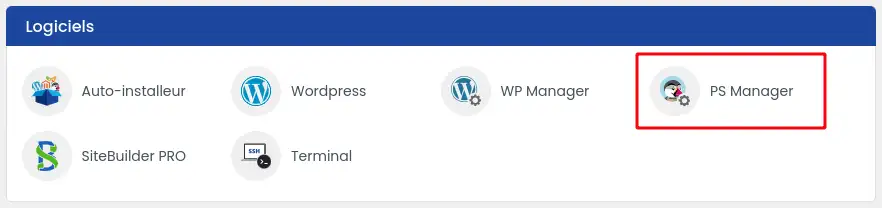
Then click on"PS Manager" in the"Software" section of your web hosting.
Then click on the three dots next to the site you wish to delete (1) and select the"Delete Prestashop instance" option (2).

A window will appear asking you to confirm the deletion by entering"Delete my shop" in the appropriate box (1) and then clicking on the"Confirm deletion" button (2).

Once this action has been completed, your Prestashop site will be deleted by deleting the files linked to this site on your hosting space and by deleting the database used by the website.
You now know how to :
Managing and deleting a Prestashop site no longer holds any secrets for you! Whether you want to make room, reorganise your hosting or simply say goodbye to a project, the process is now clear and within your reach. 😊
Thank you for reading all the way through! If you have any questions, feedback or need further advice, please don't hesitate to share your comments with us. Your opinion is valuable and helps us to continually improve our service. 💬👍
Ask the LWS team and the community. Answers are published after moderation.
 About LWS :
LWS is a 100% French web hosting company that focuses on quality and innovation and offers a responsive and competent technical service at affordable prices.


 Yes
 No