
Online help
The web host accessible to all
Procédure
You may have migrated or changed your subscription, so you may well have exported your contacts. So if you want to restore them to your Rundcube email inbox, this procedure explains how to import them.
The procedure differs slightly depending on the graphic theme used in Roundcube. This documentation explains the two procedures depending on the theme you are using.
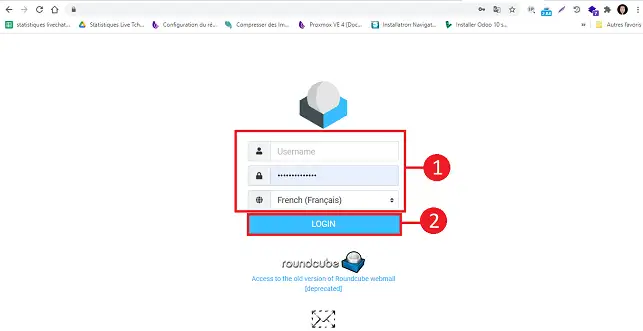
1. Connect to the webmail of the e-mail account for which you want to import an address book
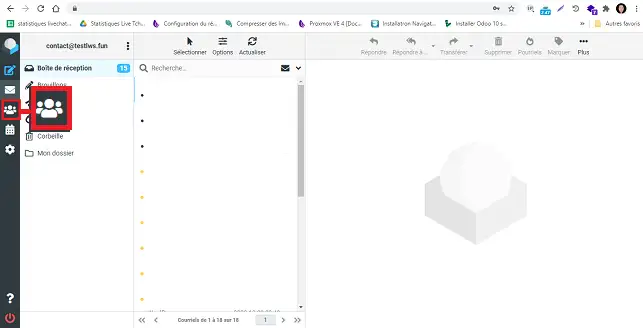
2. Go to the "Contact" section
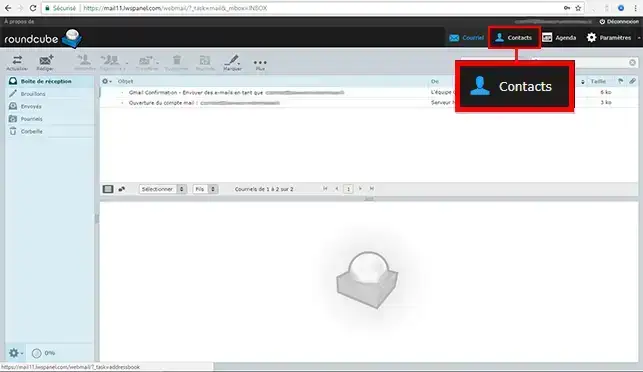
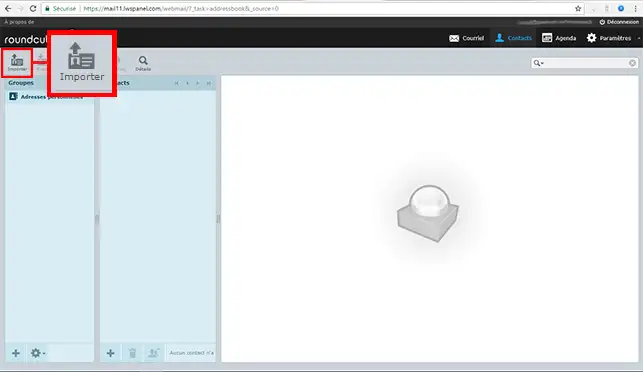
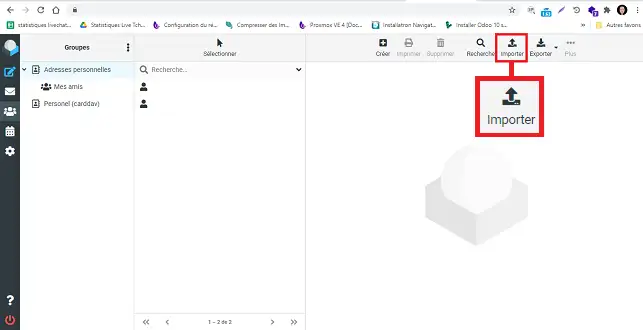
3. Click on the"Import" icon
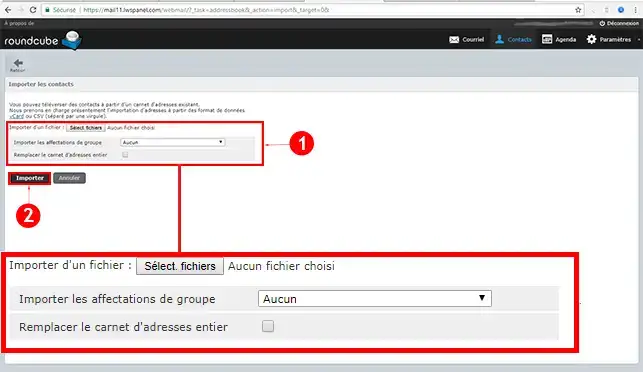
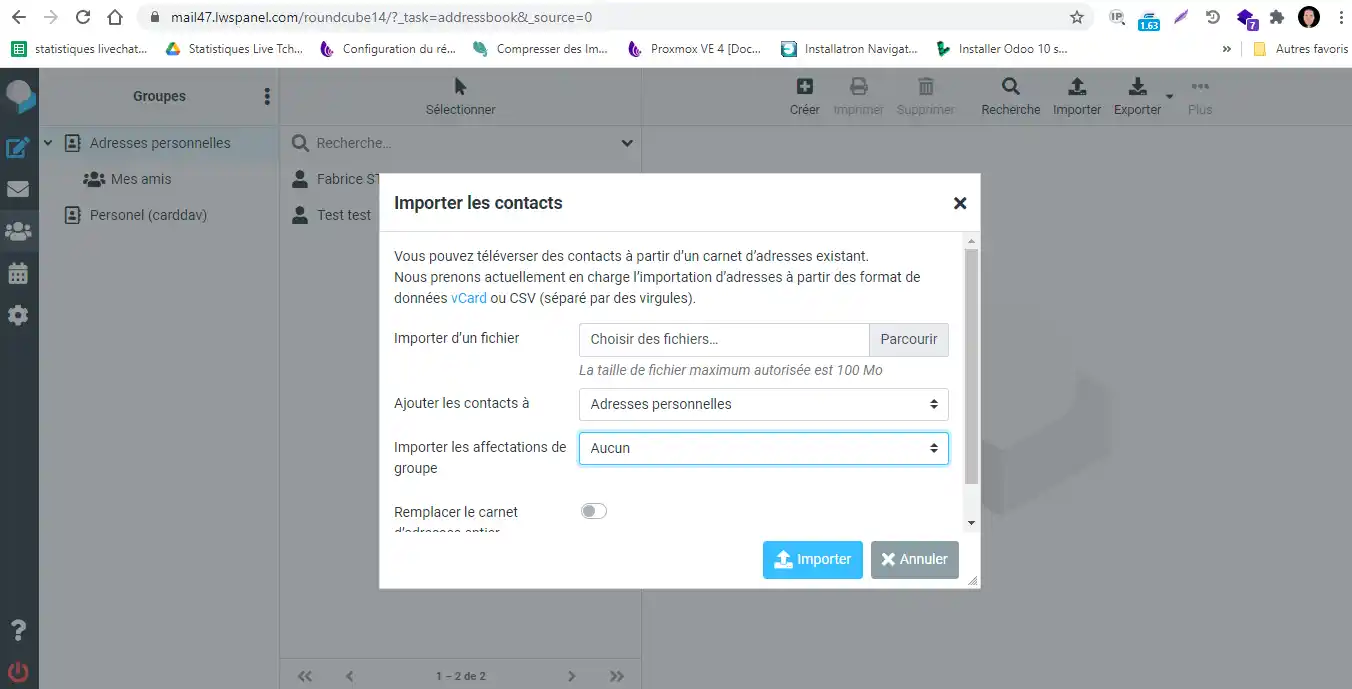
4. Select the file to be imported into your computer, fill in the fields if necessary and confirm.
Connect to the Webmail account for which you want to import the address book.
Click on the "Contact" button on the left-hand side of your Webmail.
Click on the "Import" button.
Click on the "Browse" button to select the file you want to import and then on "Import" to import it into your Webmail.
You can manually create a CSV file to import your emails by following the procedure below:
Open an Excel file and fill it in as follows:
Then click on"File" and "Save as". Choose"File format" and specify ".CSV".
Need help using Roundcube?
See all our Roundcube training videos
You can nowimport your contacts into your Roundcube Webmail with your LWS shared hosting package. You can alsoexport your contacts if you need to.
Don't hesitate to share your comments and questions!
Ask the LWS team and the community. Answers are published after moderation.
 About LWS :
LWS is a 100% French web hosting company that focuses on quality and innovation and offers a responsive and competent technical service at affordable prices.
About LWS :
LWS is a 100% French web hosting company that focuses on quality and innovation and offers a responsive and competent technical service at affordable prices.



 Yes
Yes No
No