
Online help
The web host accessible to all
Procédure
Enabling or disabling automatic renewal is done directly from your LWS customer area in the section dedicated to your due dates. This option allows you to ensure the continuity of your hosting plans and domain names without any manual intervention on your part. If you choose to disable this feature, you will need to pay your invoices before their due date to avoid interruption of the services.
Log in to your LwsPanel customer area, click on your customer ID located at the top right, then open the Auto-renewal tab. You will access the summary table showing your services, their plan, the debit status, as well as the Expiration date.
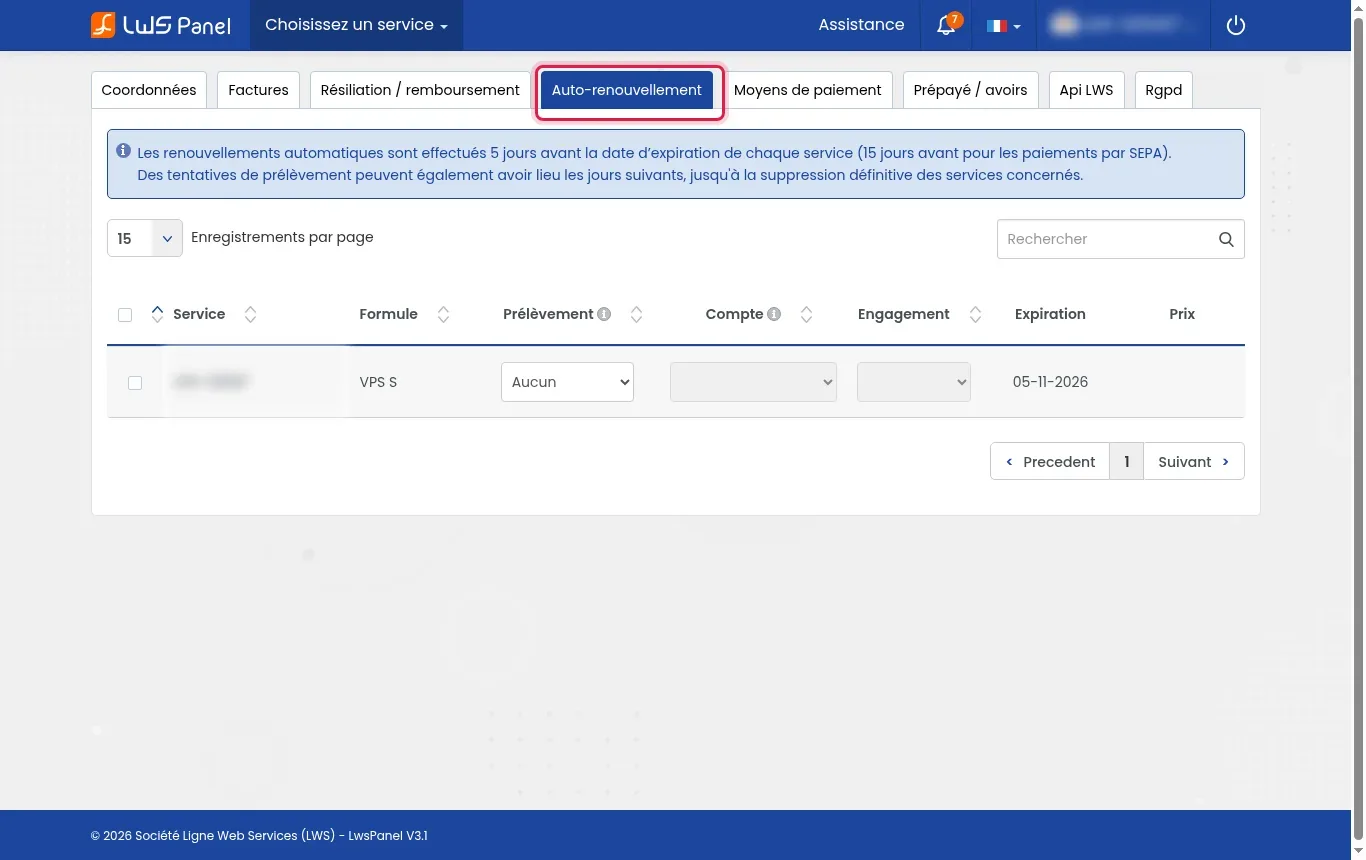
If you try to activate the option while no payment method is registered on your account, an Important information window appears on the screen. Click the click here link in the box to be redirected to the configuration area.
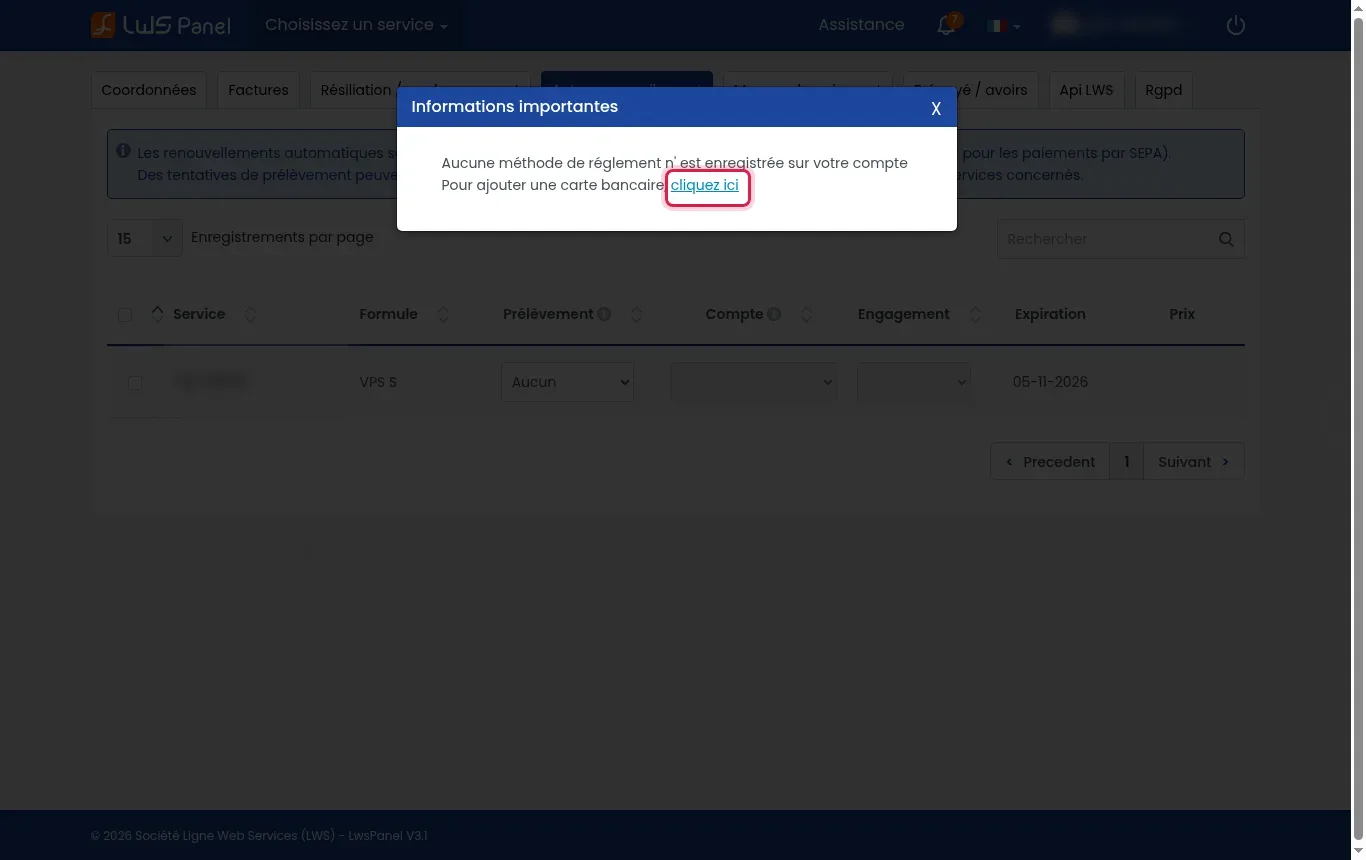
In the Payment methods tab, choose the solution of your choice by clicking Add my bank card, Add my Paypal account or Add my IBAN account. Enter the requested details to validate the registration.
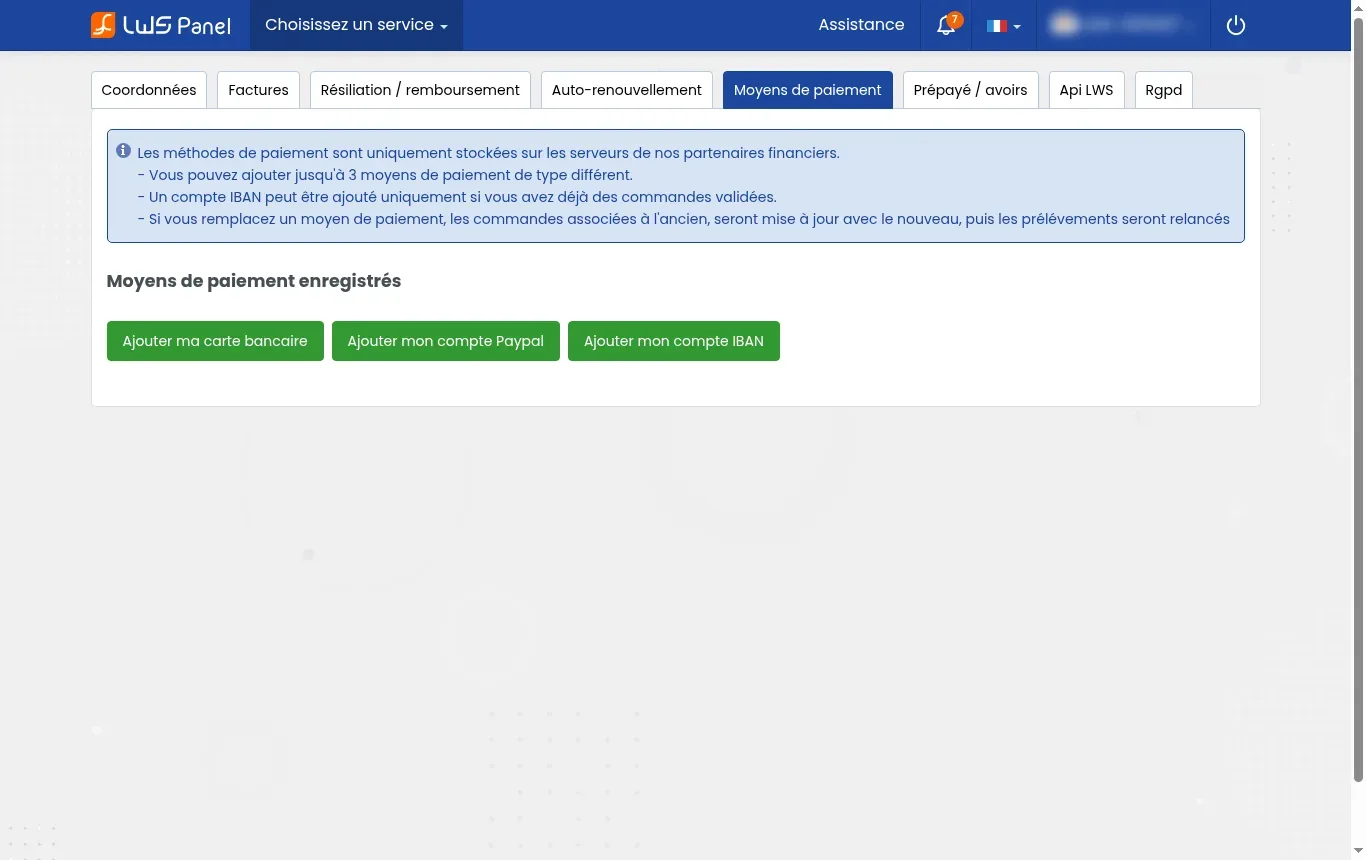
Go back to the Auto-renewal tab and find the line corresponding to the relevant service. In the drop-down menu in the Direct debit column, select the desired payment method to enable automation, or choose None (or the deactivation label) to suspend future debits.
If the option is disabled, no debit will occur at the due date. You will then need to renew your order manually before the expiration date to avoid suspension or permanent deletion of the service.
You can configure up to 3 payment methods of different types among the bank card, PayPal account and IBAN account.
When you update or replace a payment method, the orders associated with the old one are automatically switched to the new one, and debit attempts are restarted.
Ask the LWS team and the community. Answers are published after moderation.
 About LWS :
LWS is a 100% French web hosting company that focuses on quality and innovation and offers a responsive and competent technical service at affordable prices.
About LWS :
LWS is a 100% French web hosting company that focuses on quality and innovation and offers a responsive and competent technical service at affordable prices.



 Yes
Yes No
No