
Online help
The web host accessible to all
Procédure
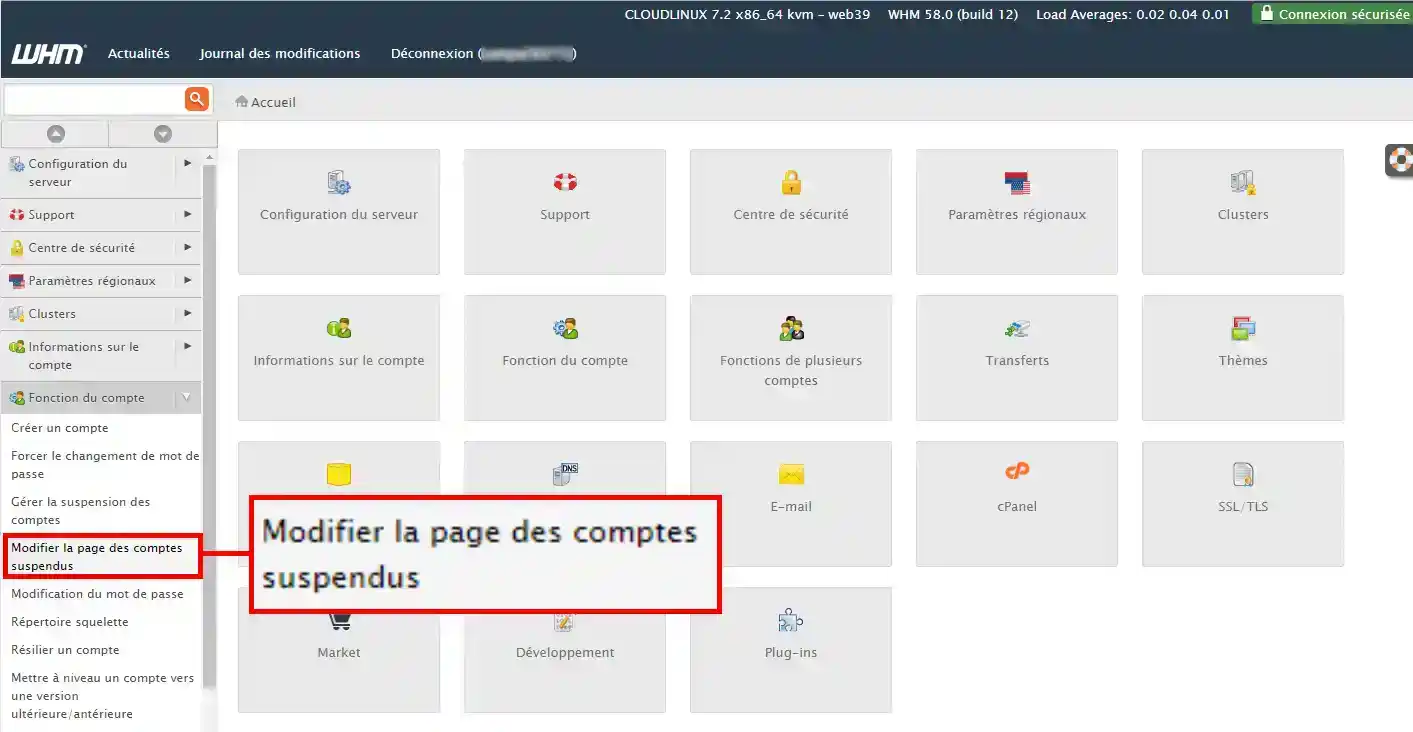
2. Open the "Account functions" menu on the left of your screen, and select "Edit suspended accounts page".
3. You can now modify the source code of the page currently published, or download your own page from your files.
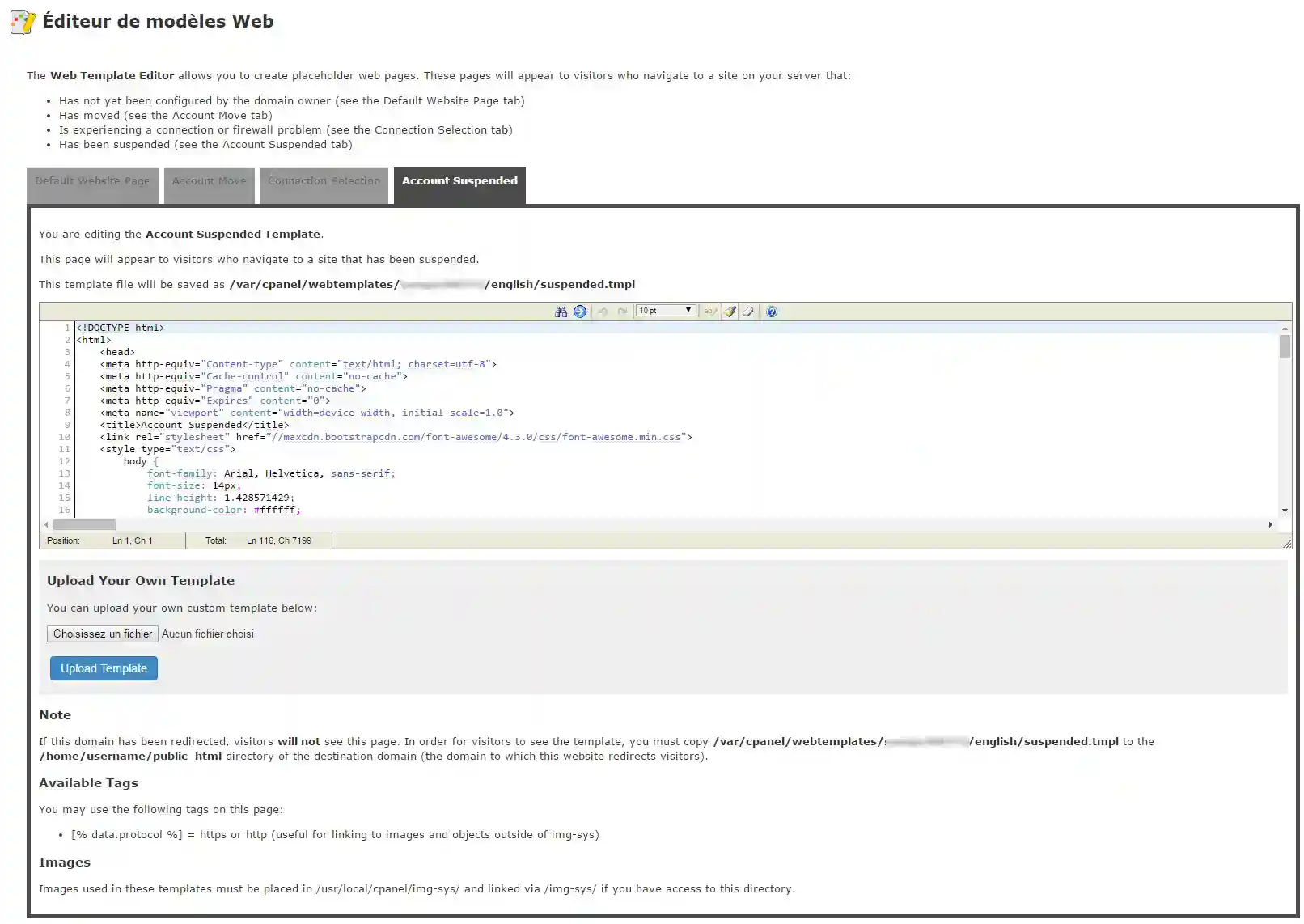
As soon as you have validated your new page, all suspended accounts will display this new page.
Need help using WHM?
See all our WHM training videos
Ask the LWS team and the community. Answers are published after moderation.
 About LWS :
LWS is a 100% French web hosting company that focuses on quality and innovation and offers a responsive and competent technical service at affordable prices.
About LWS :
LWS is a 100% French web hosting company that focuses on quality and innovation and offers a responsive and competent technical service at affordable prices.



 Yes
Yes No
No