How to retrieve the transfer code for an OVH domain
Procédure
What is a transfer code (Auth code)?
The transfer code is a unique code ranging from 6 to 32 characters assigned to each domain name. It is designed to prevent fraudulent and unauthorised domain name transfers. This code is an additional security feature for your domain name to ensure that the customer transferring the domain is the actual owner.
The transfer code is required for most extensions.
What is required before I can retrieve the transfer code for an OVH domain?
When a domain is transferred, the DNS servers associated with the domain name will remain identical. In fact, if the DNS servers are ns1.ovh.com and ns2.ovh.com, these will not change once the transfer has been completed. This can pose a problem for the visibility of your website.
To avoid any loss of data, it is advisable to make a backup of your data before recovering the transfer code.
You should also check with your service provider that protection against the transfer of your domain has been deactivated.
How do I retrieve the transfer code for an OVH domain?
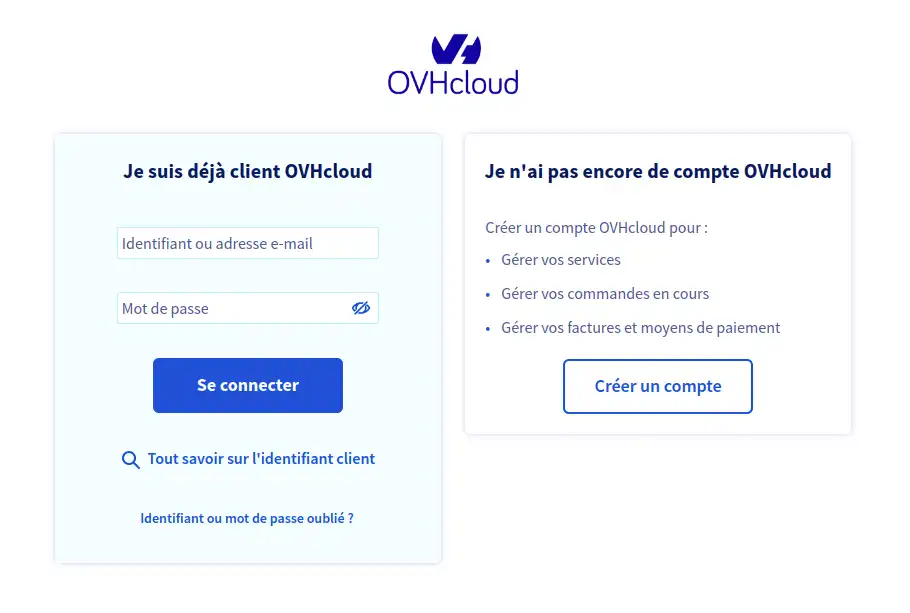
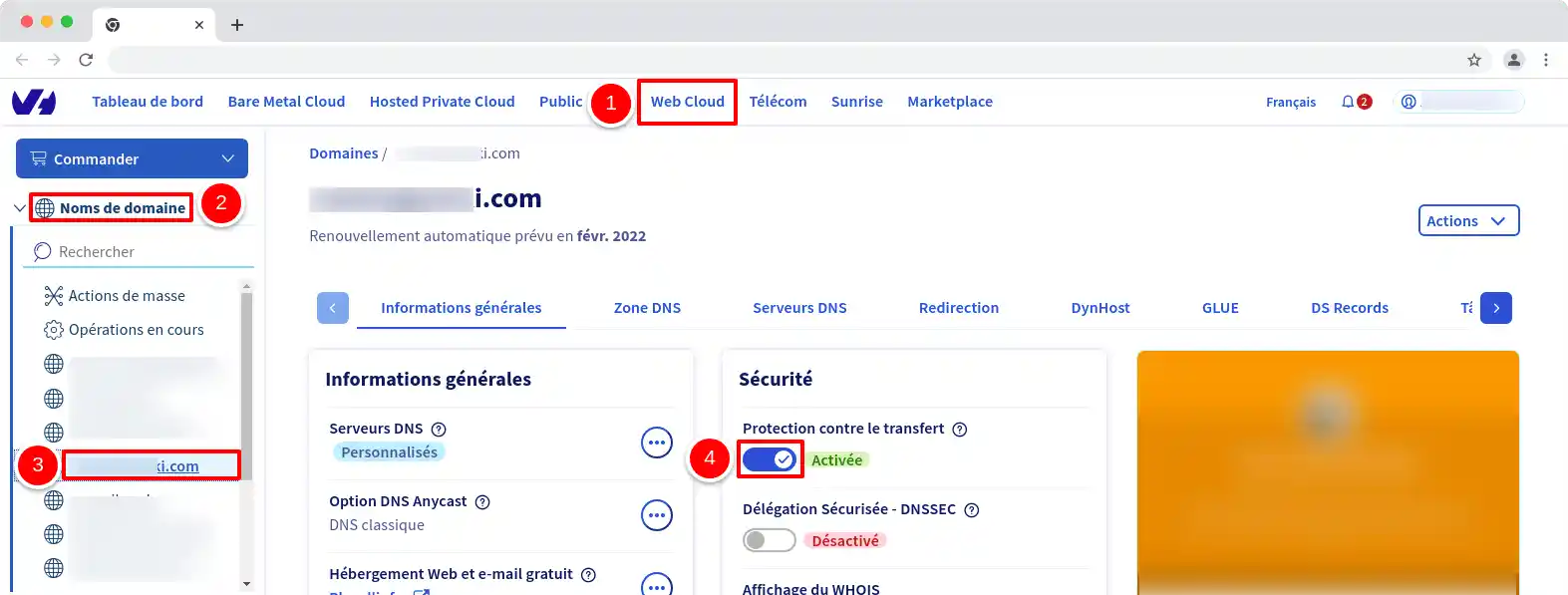
22. Once logged in, you will arrive on your OVH dashboard, you will need to click on the Web Cloud tab (1) then select Domain Names (2) in the left-hand sidebar, then you should select your .com domain (3 ) below Domain Names (2) . The purpose of all this is to deactivate Transfer Protection (4).
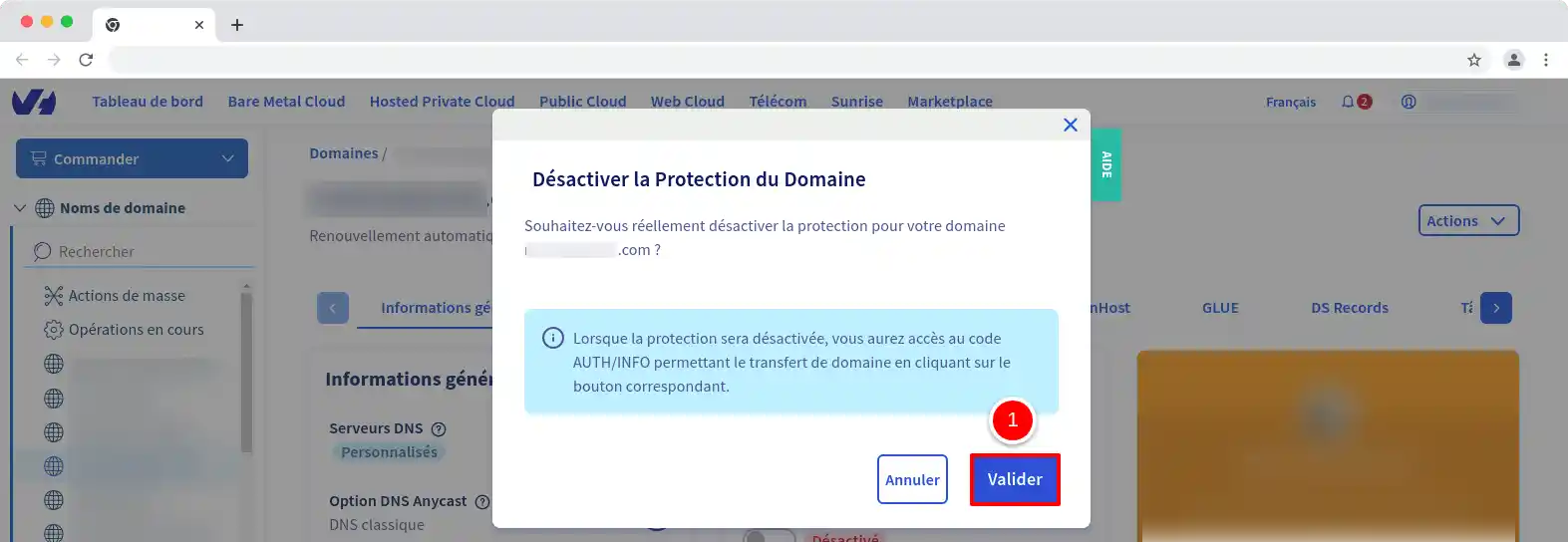
33. A new window will open. Click on the Validate button (1) to suspend the protection of your domain. This will give you access to the AUTH / INFO button.
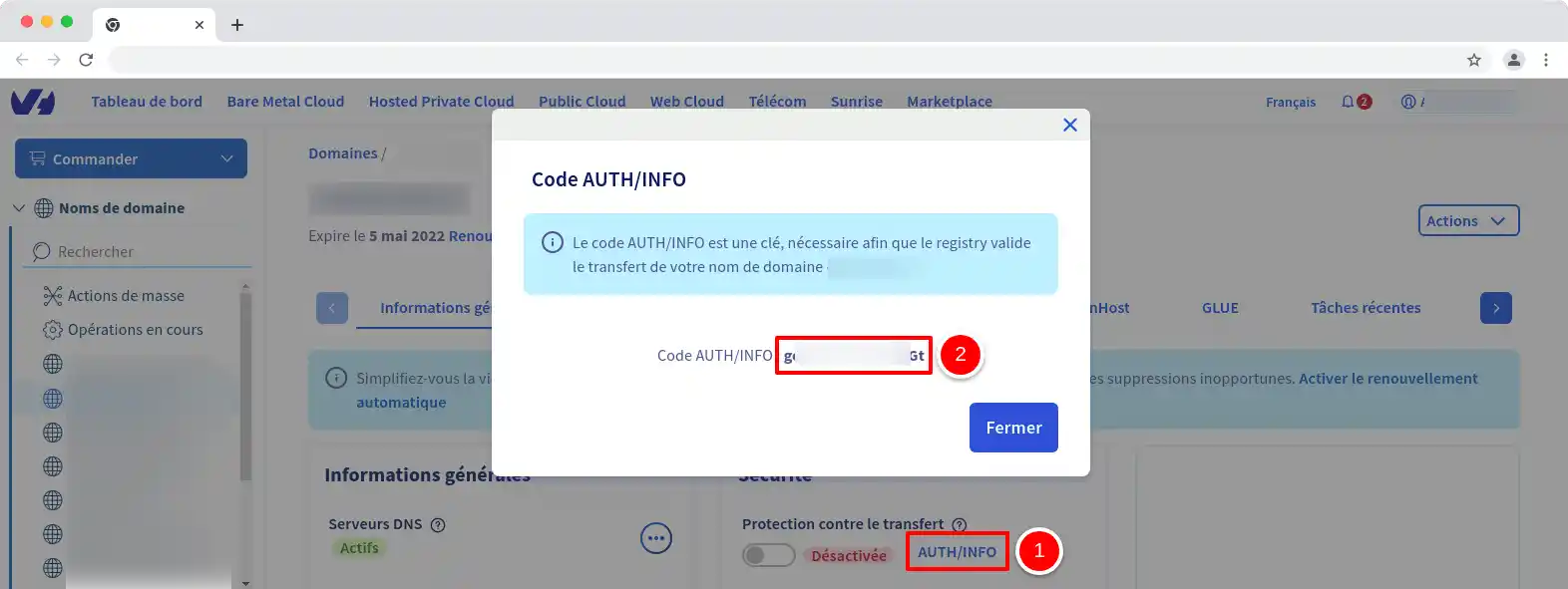
44. As soon as the protection of the domain name is suspended, you will need to wait a few moments and then return to the domain page (see previous instructions), click on AUTH / INFO (1) in order to open a new window in which your code (2 ) will appear. You will then need to copy it in order to send it to us from your LWS customer area.
You are now able to retrieve the transfer code for an OVH domain name. Before transferring a domain name, it is advisable to make a data backup to avoid any possible losses.
Don't hesitate to share your comments and questions.
Comment récupérer mes codes de transfert hébergeur alors que le compte est bloqué
J✓
Jordan-LWS Official answer
il y a 3 mois
Bonjour,
Concernant votre demande de récupération des codes de transfert, je vous invite à contacter directement l’assistance technique afin qu’un échange puisse avoir lieu avec vous.
En effet, les codes de transfert peuvent concerner différents services (LWS ou OVH dans le cas de la documentation) et il est nécessaire d’identifier précisément votre besoin ainsi que le service concerné afin de vous apporter une réponse adaptée.
L’assistance technique pourra effectuer les vérifications nécessaires et vous accompagner dans la démarche appropriée.
Cordialement,
Was this answer helpful?
A question about this article?
Ask the LWS team and the community. Answers are published after moderation.
Ask the LWS team and its community a question
!
To enable this form, please tick the two consent boxes below.



 Yes
Yes No
No About
About 