Procédure
Whether you want to buy a domain name on its own or with hosting, whether you are already an LWS customer or a new customer, in this documentation we explain the different methods LWS offers to buy a domain name.
Tips before buying a domain name
What characters are allowed in a domain name?
Alphanumeric characters
Alphanumeric characters (from a to z and from 0 to 9) are allowed in all domain names.
Hyphens '-'
Only the special character hyphen "-" is allowed in the domain name, but it must not be used either in the first or last position.
Accented characters
Even though some extensions allow accented characters in domain names, LWS no longer allows the registration of such domain names. This can make configuring your domain with external products more complex, but also make it harder to communicate your domain name to your audience, who have been used for decades to not put accents in domain names. This practice is not widespread and we strongly discourage it.
The dot "."
The dot in a domain name is used to delimit the root domain from the subdomain. For example, "blog.lws.fr" is the "blog" subdomain of the "lws" domain name with the "fr" extension. Therefore, do not use a "." when registering a domain name.
How do I choose my domain name well?
The domain name represents the address of your website, so it must be representative of what the visitor will find there!
Here are a few tips to help you choose well:
- your domain name must be short
- it must be relevant
- the spelling of your domain name must be simple
- the chosen extension should represent your location, the language of your website, or its theme
Is this domain name available or not?
To test the availability of a domain name, enter your domain name directly in the tool available on our sales website and click on "Search"
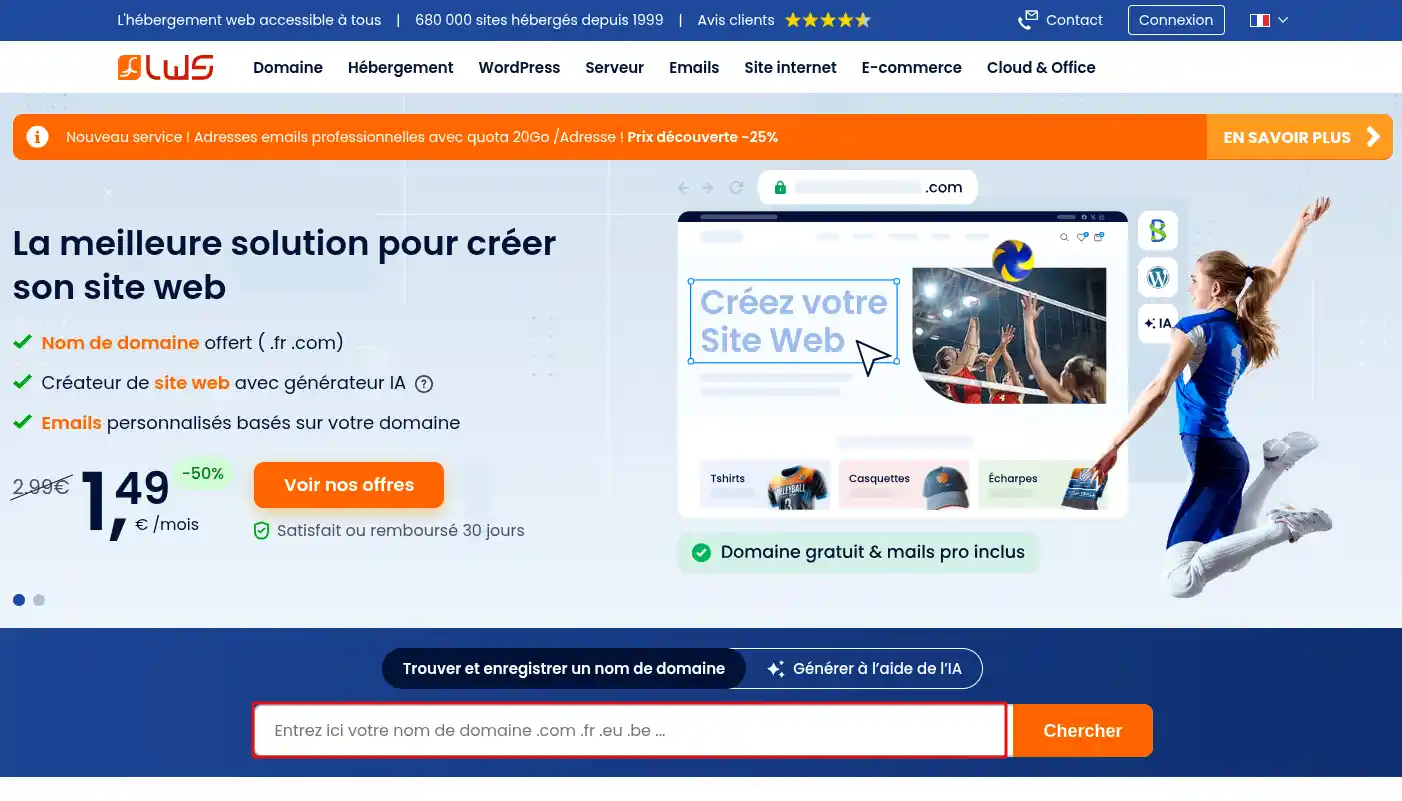
The tool will then give you the results for the most common extensions, allowing you to see whether the domain name you want is available and can be purchased or whether it has already been registered and is transferable.
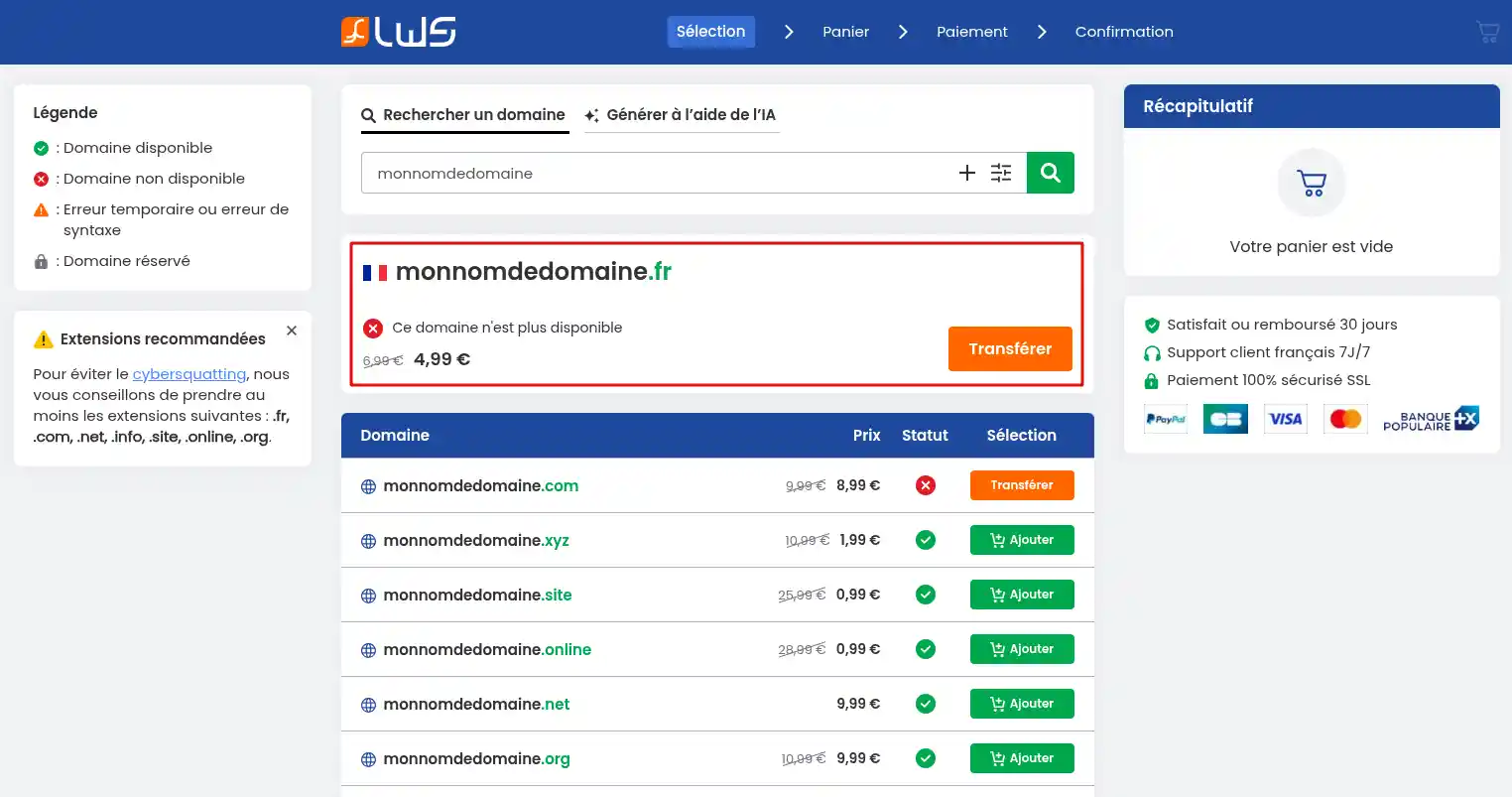
If the domain name is transferable, you will only be able to register it with LWS if you are already its owner with another registrar.
The domain name I wanted is already taken, what should I do?
If the domain name you wanted is already taken, then you have 2 solutions:
- Either try to buy it back from the current owner (you can find their contact details in all whois tools)
- Or modify the domain name slightly (another extension, hyphen...) in order to find one that will be available.
Choose the right extension with our territorial and general selection.
LWS offers a range of territorial extensions allowing you to identify yourself with a specific territory.
- .alsace for any activity related to this territory
- .bzh for any activity linked to Brittany and its culture
- .paris if, for example, you have a business in the capital
- etc...
The advantages of registering a territorial domain name are numerous:
- A geolocation tool : The domain name helps build a community of consumers, service providers and administrations linked to the territory concerned.
- Web SEO optimization : Search engines highlight local results, so your website will have every chance of appearing in a good position in that territory!
- Affirming your identity : If you represent a local business (bar, restaurant, hotel, hair salon or other store) established in the territory, the related extension will be essential.
LWS also offers extensions linked to countries
- .fr for France
- .re for Réunion
- .be for Belgium
- .lu for Luxembourg
- .ch for Switzerland
- .uk for Great Britain
- etc...
Finally, we offer more general extensions such as .com, .net, .org, .info, .site, .online, etc...
How do I buy a domain name?
I don't yet have an LWS customer account
You are not yet an LWS customer but would like to become one by buying one or more domain names with or without hosting or associated service.
Different options are available depending on your project:
If you want to order a domain on its own, follow the steps below; otherwise go directly to step 6:
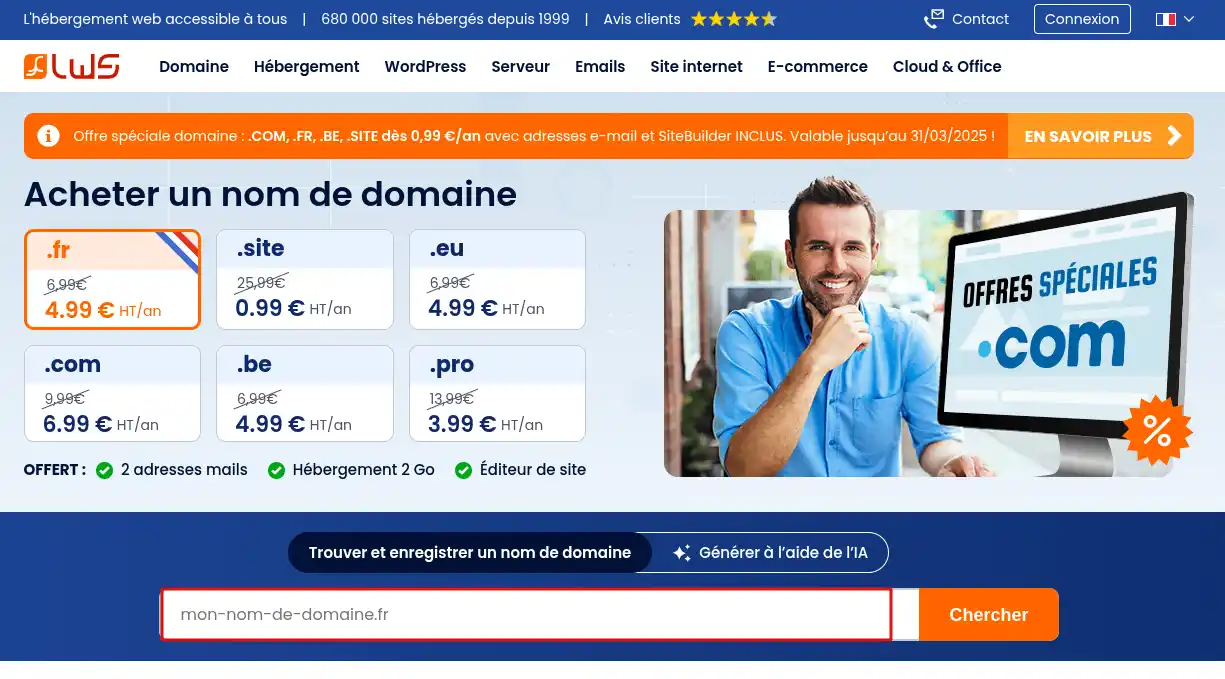
Step 1 : Go to the domain name purchase page and enter the desired domain name before clicking on "Search"
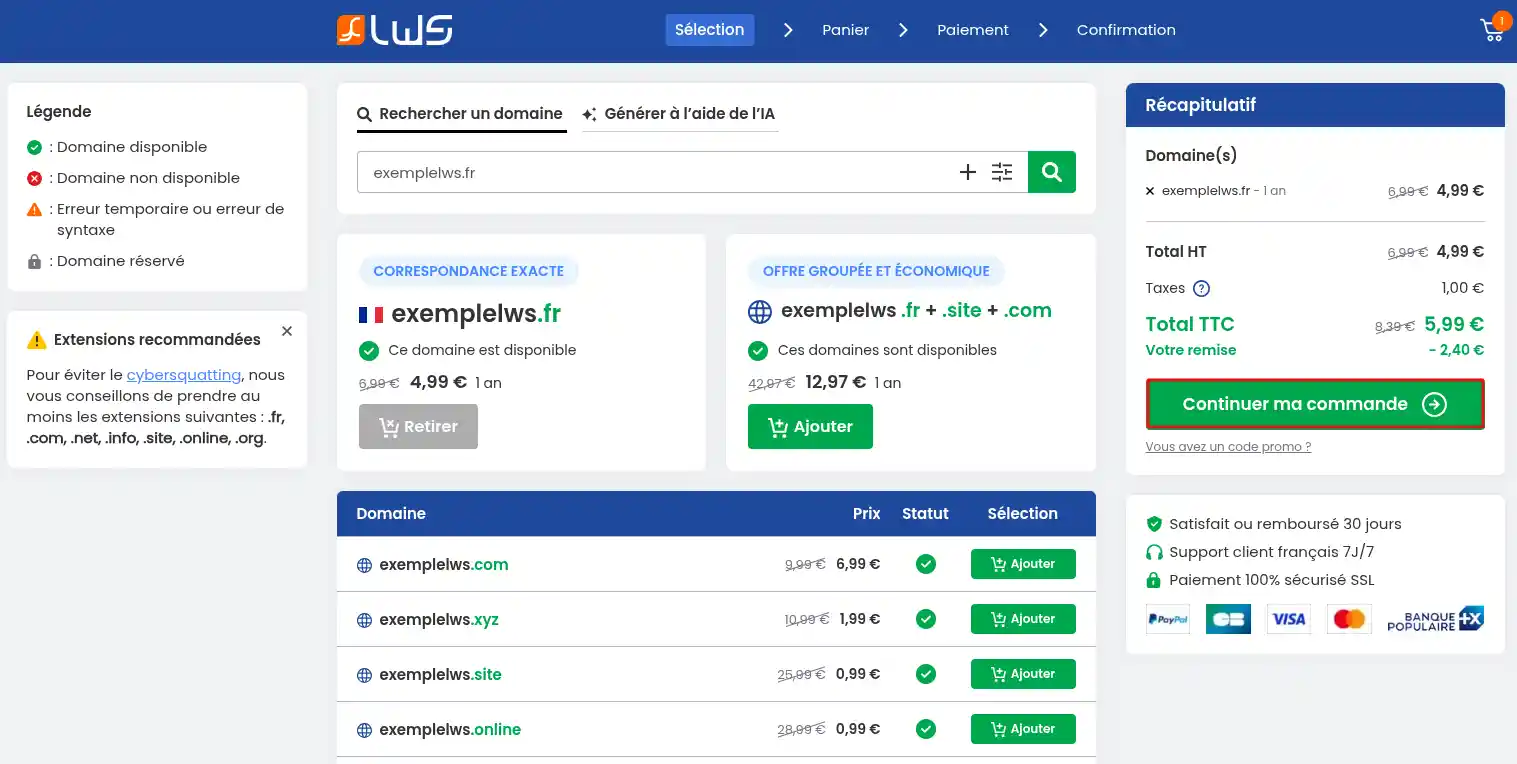
Step 2 : You will be redirected to a new page allowing you to check domain name availability. The "Transfer" button means the domain name is already taken. You can follow the procedure for transferring a domain name. If the domain is available for registration, click the "Add" button. You are also offered the option to add a domain name pack with several extensions at a discounted price.

Step 3 : Once the domain name has been added to the cart, you can add other domain names or click on "Continue my order".
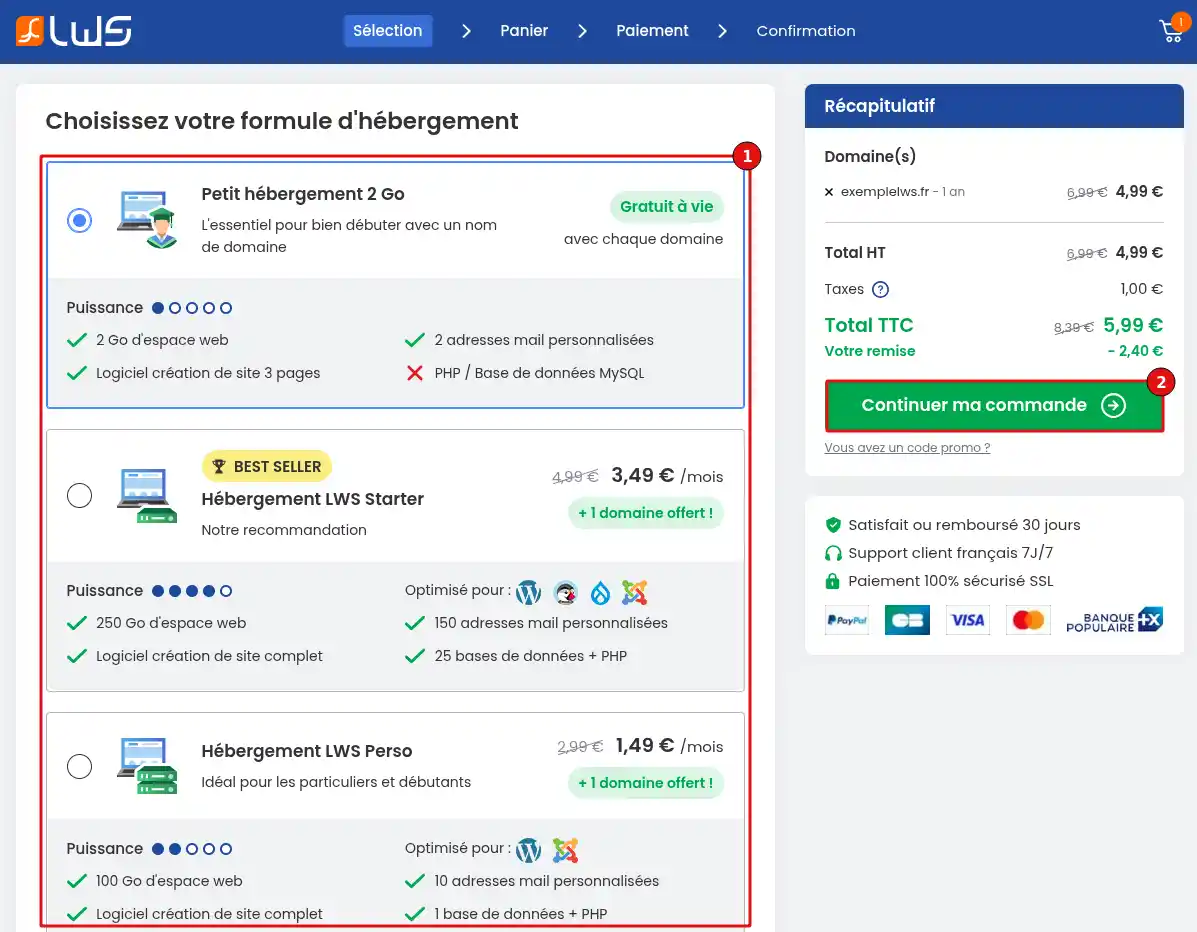
Step 4 : Choose your Web hosting plan. By default, a small 2 GB Web hosting is offered with each domain name. Click the "Continue my order" button as soon as you have made your choice.
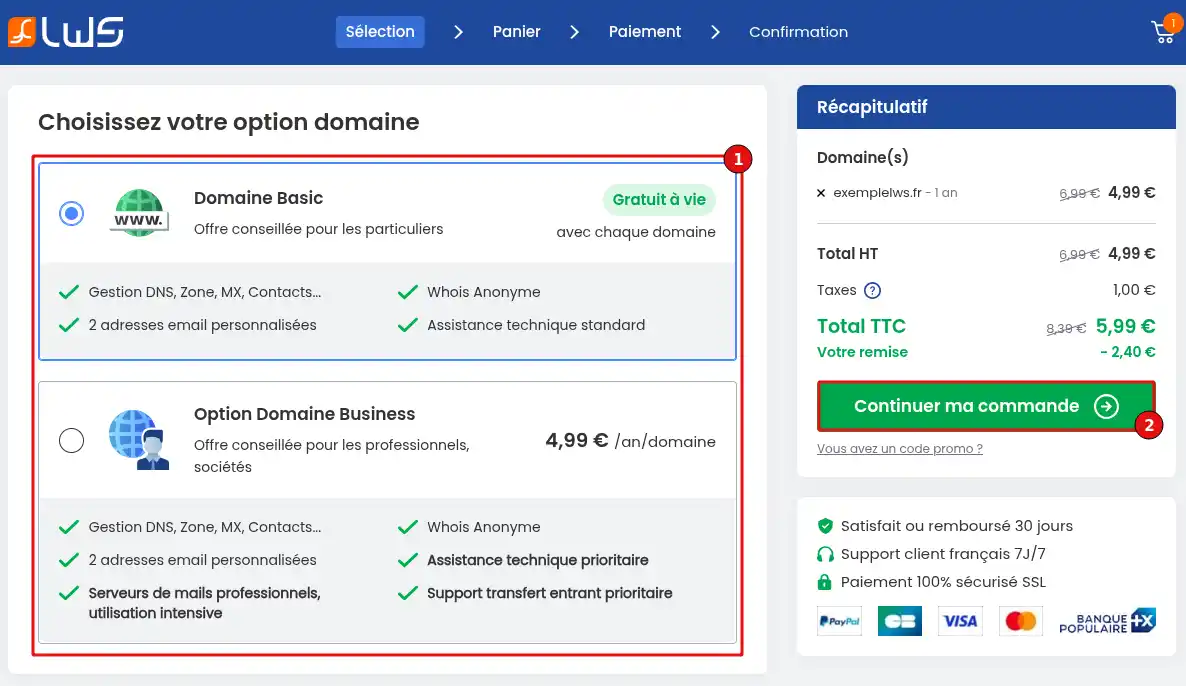
Step 5 : Choose one of the options for your domain name. You can choose between the Basic option and the Business option. Click on "Continue my order" as soon as you have made your choice.
To continue the ordering process, go to step 8; steps 6 and 7 concern buying a domain name with a specific service or hosting.
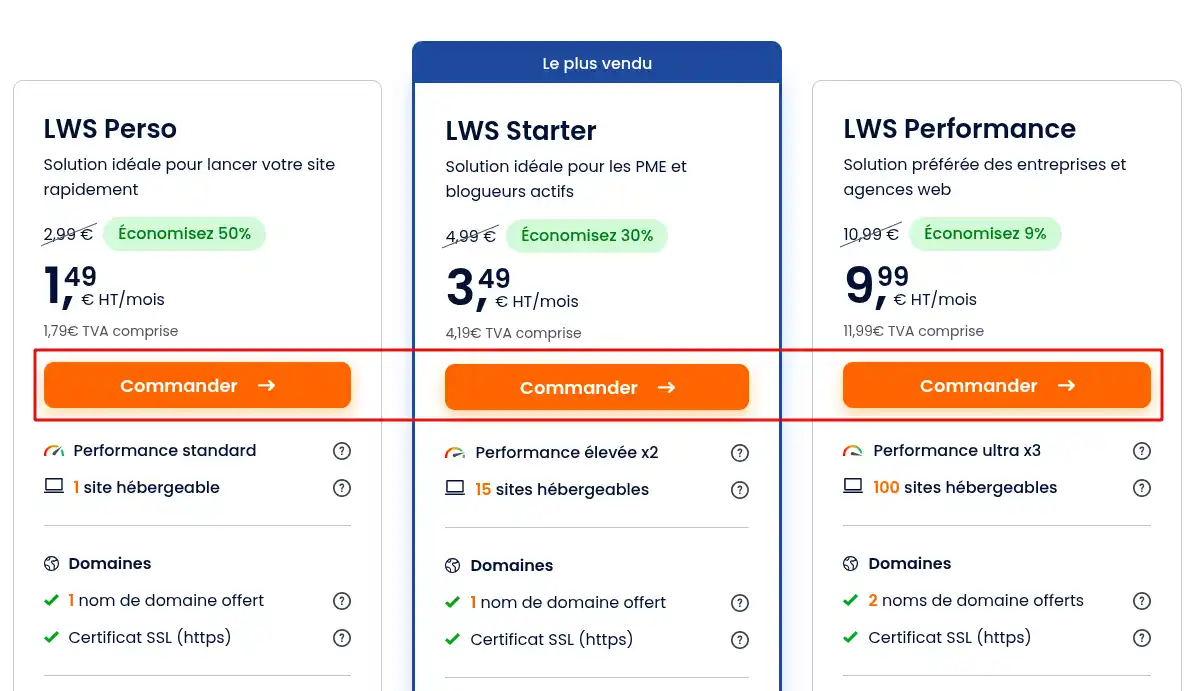
Step 6 (optional) : If you do not wish to buy a domain name on its own, but would like to buy a particular service or hosting with your domain name, go to the presentation page of the service or hosting and click on the "Order" button for the desired service.
Step 7 : You will then have the choice to add a free domain name to your order (1) or to use a domain name you already own with another registrar (2). Choose "Please transfer my domain to LWS" if you wish to request its transfer, or "I own a domain with another provider" if you only want hosting and want to leave the domain with your current provider.
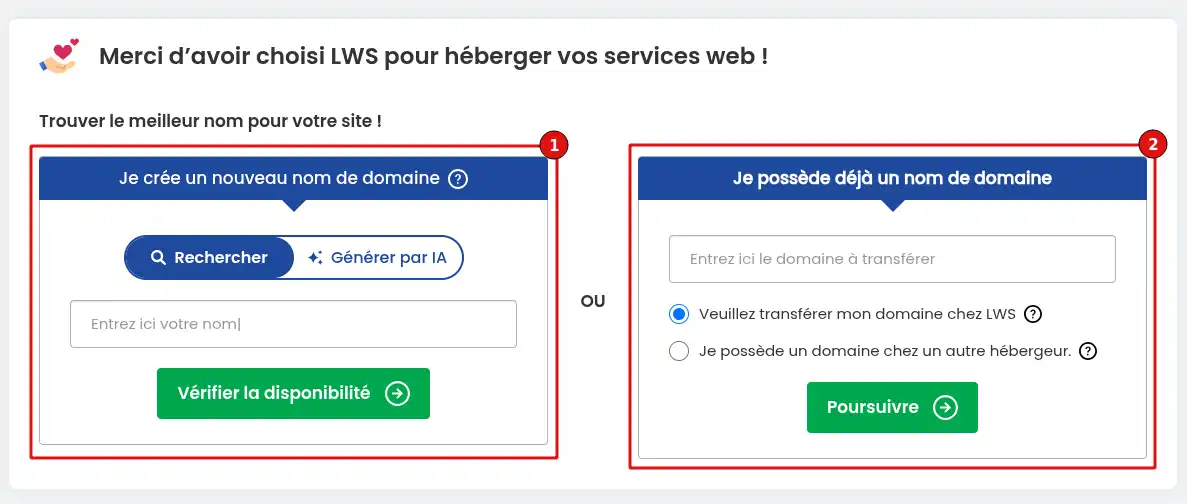
If you choose to buy a domain, you will return to step 2 of the domain purchase process; if you choose to transfer your domain, you will follow the specific steps indicated in this documentation.
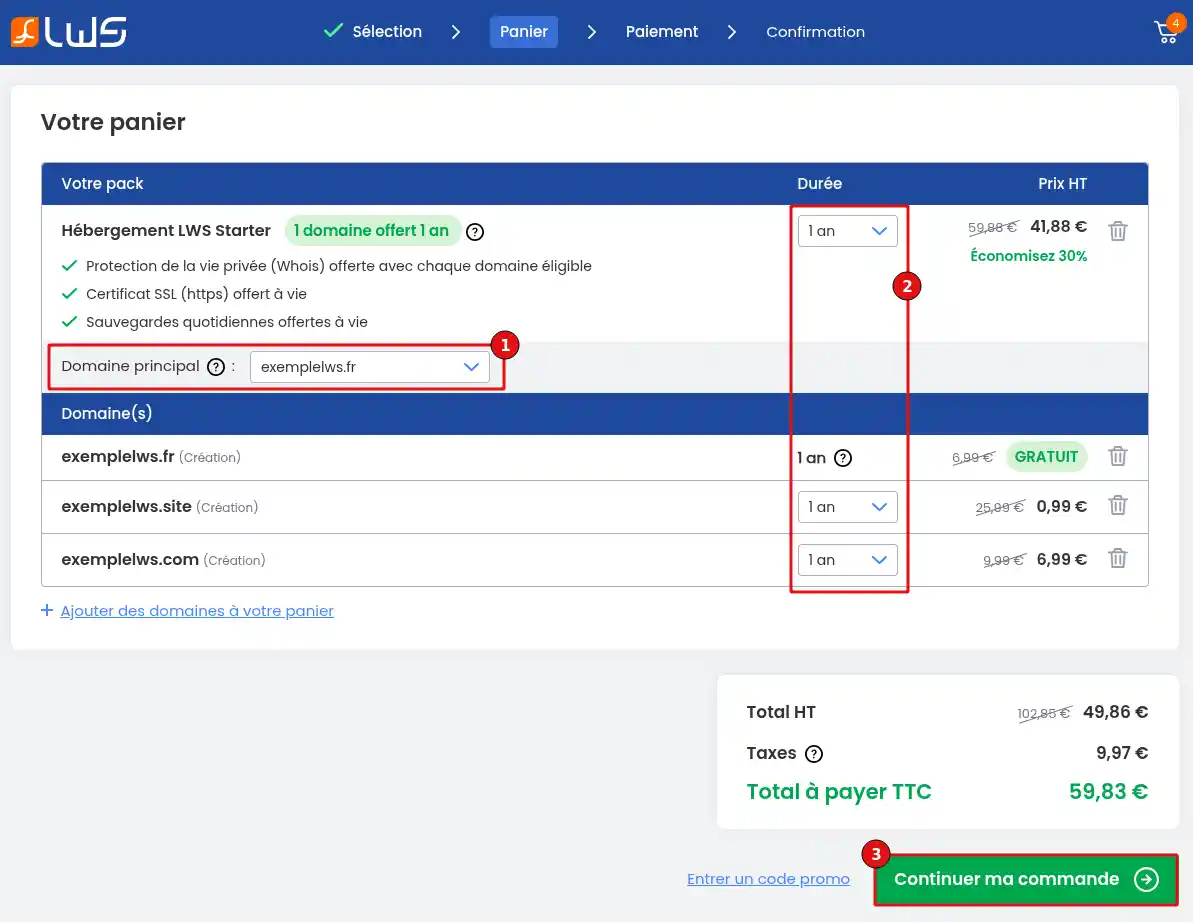
Step 8 : At this stage, you can check your order, modify the commitment periods (2), enter a promotional code if you have one, or add other domain names to your cart. If you have several domain names in your cart and a service or hosting, be sure to check which domain name should be linked to that service or hosting (1). Once everything is correct, click on "Continue my order" (3).
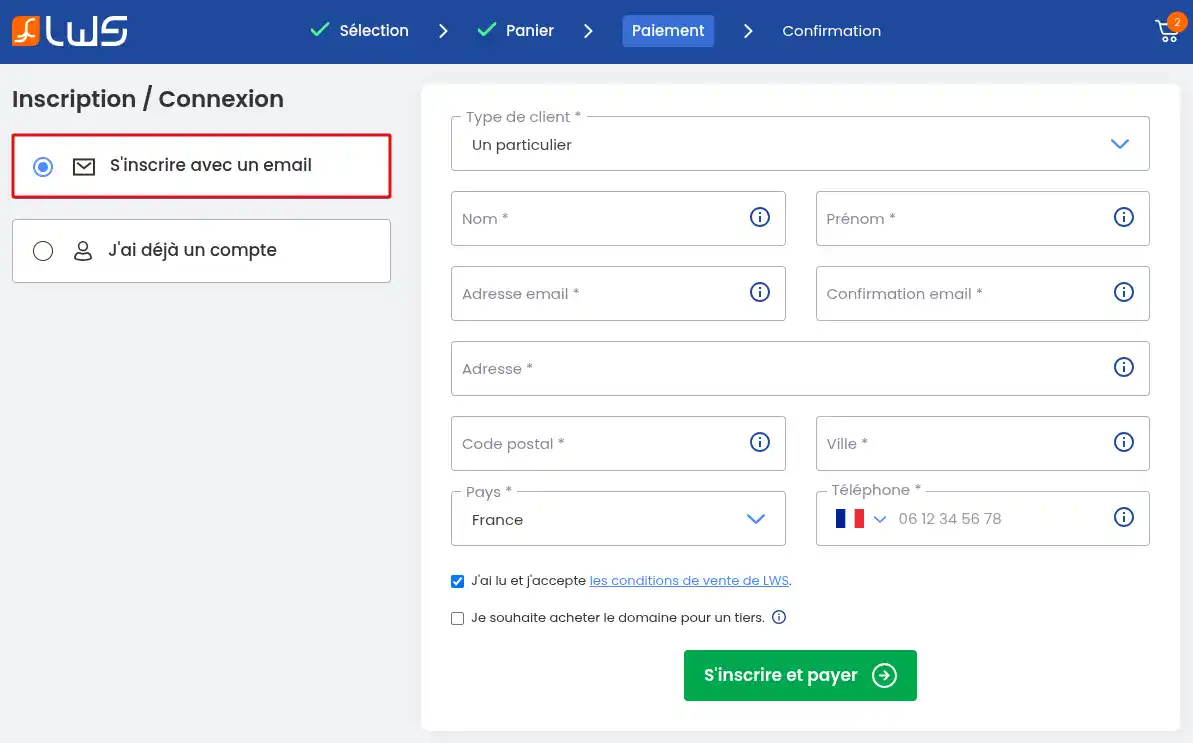
Step 9 : You arrive at the contact details stage. If you are a new customer, click on "Sign up with an email" and then fill in the form. If you are buying the domain for another person who will be the owner, tick the box "I want to buy the domain for a third party" before clicking on the "Sign up and pay" button.
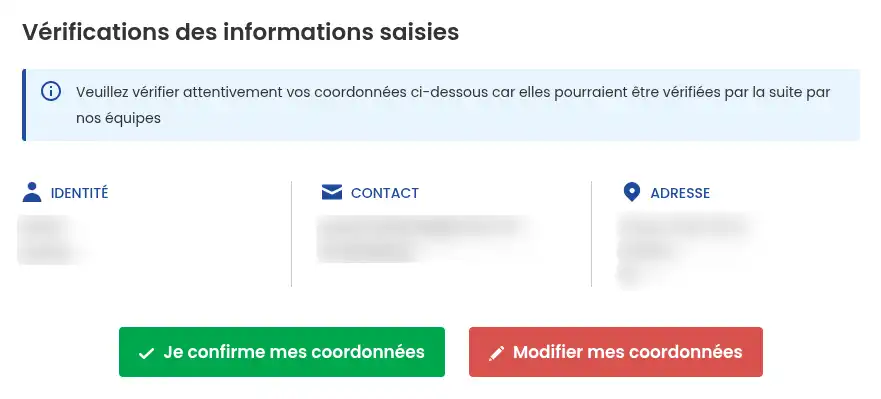
A window will then appear with a summary of the information entered in the previous form. Click on "Modify my contact details" if you notice an error, or on "I confirm my contact details" if everything is correct.
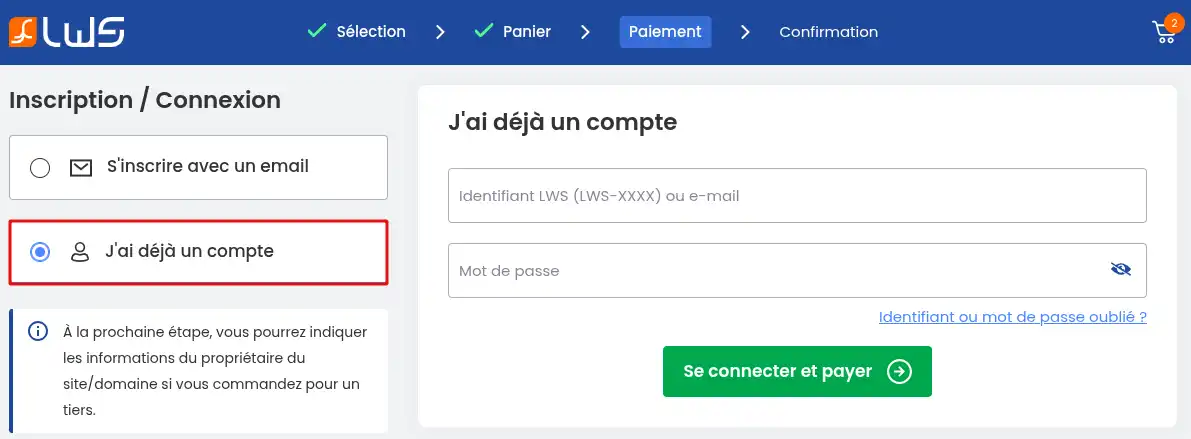
If you are already an LWS customer, click on "I already have an account" in the left-hand menu. You will then be asked to enter your login details before clicking on the "Log in and pay" button.
Step 10 (optional) : If you have logged in with your LWS customer account or if you have indicated that you are buying the domain name for a third party, then you can enter owner details different from those of your customer account. To do this, first click on "yes" (1) to the question "Are you buying a domain name for one of your clients", then click on the "Add" button.
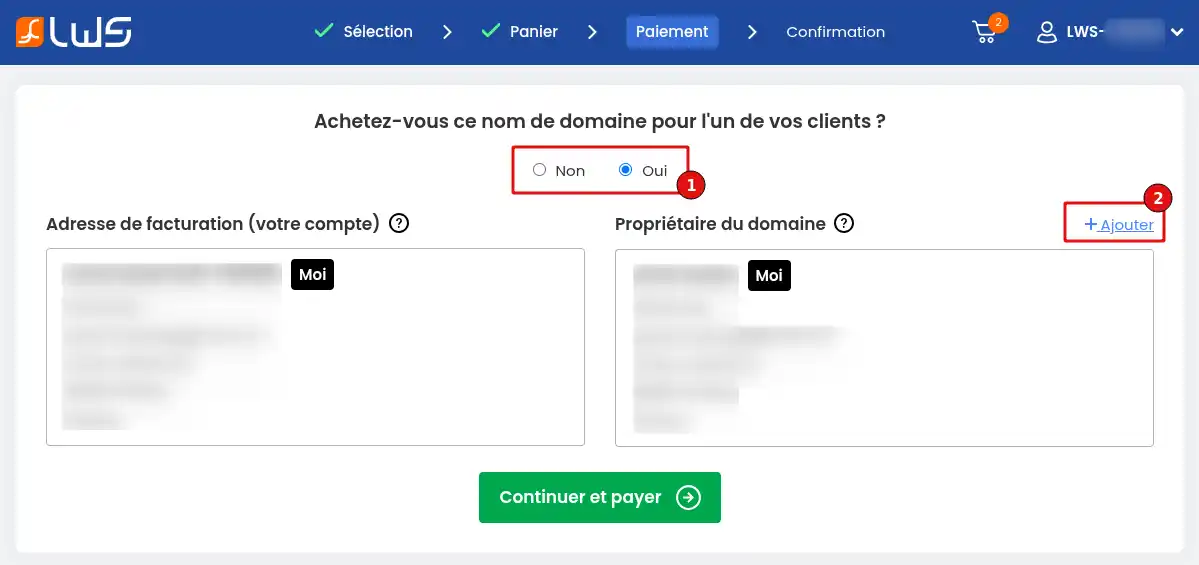
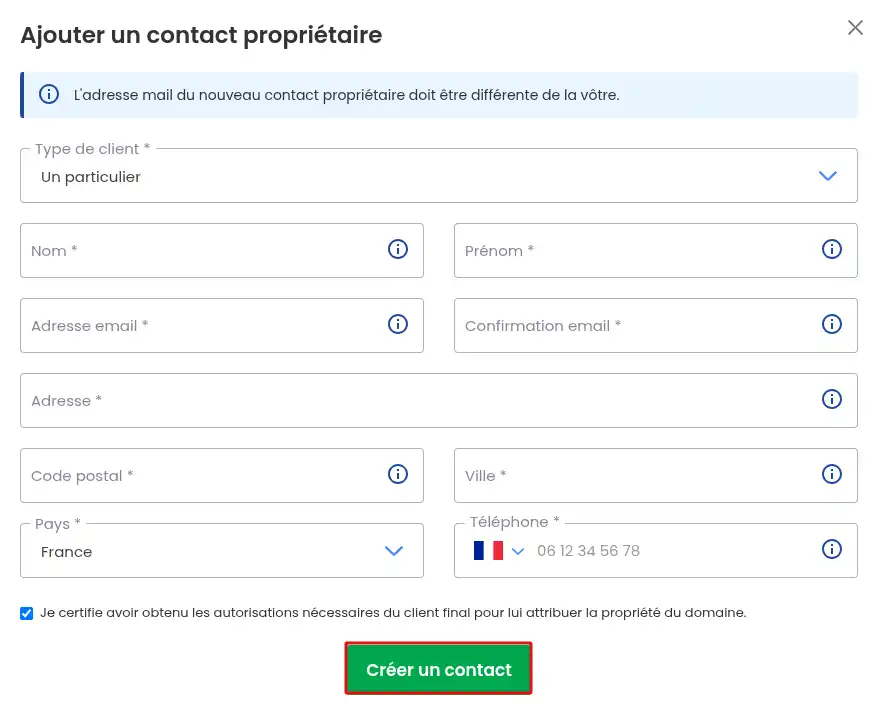
A new form will appear allowing you to enter the contact details of the person who will own the domain. Then click on "Create contact".
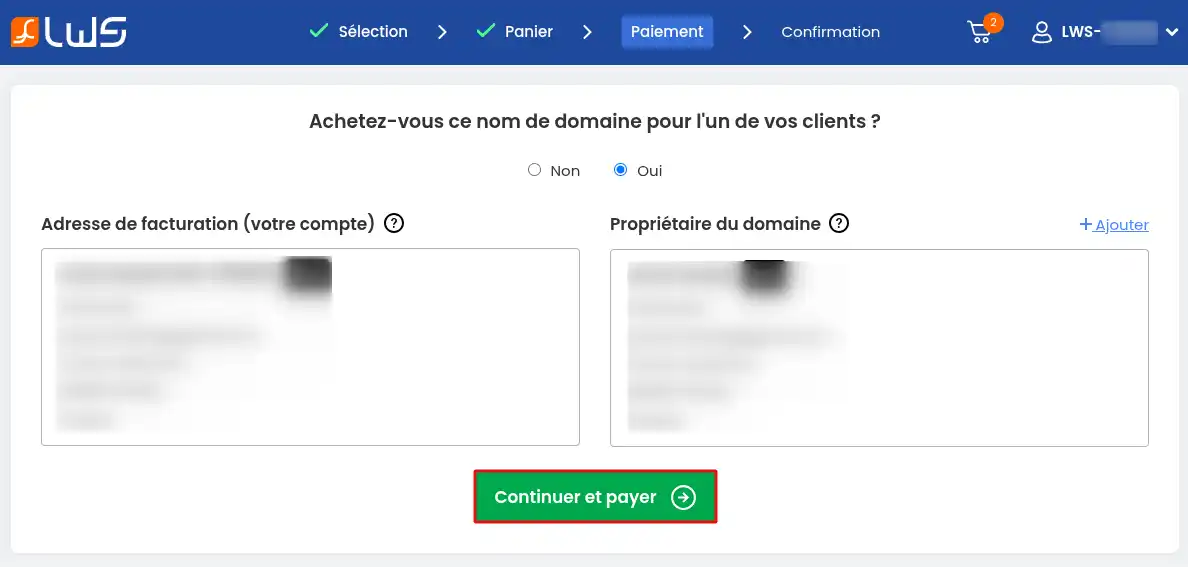
A summary is displayed again; if everything is correct, click on "Continue and pay".
When you indicate a different owner,
all domain names on the same quote will be registered in that owner's name. An LWS account will be created for that owner, who will be able to recover access via the contact email address by following
this procedure. Please note that in the event of
verification of the domain owner's identity by the Registry and when the transfer code is sent, emails are sent to the owner's email address and not to that of the technical contact.
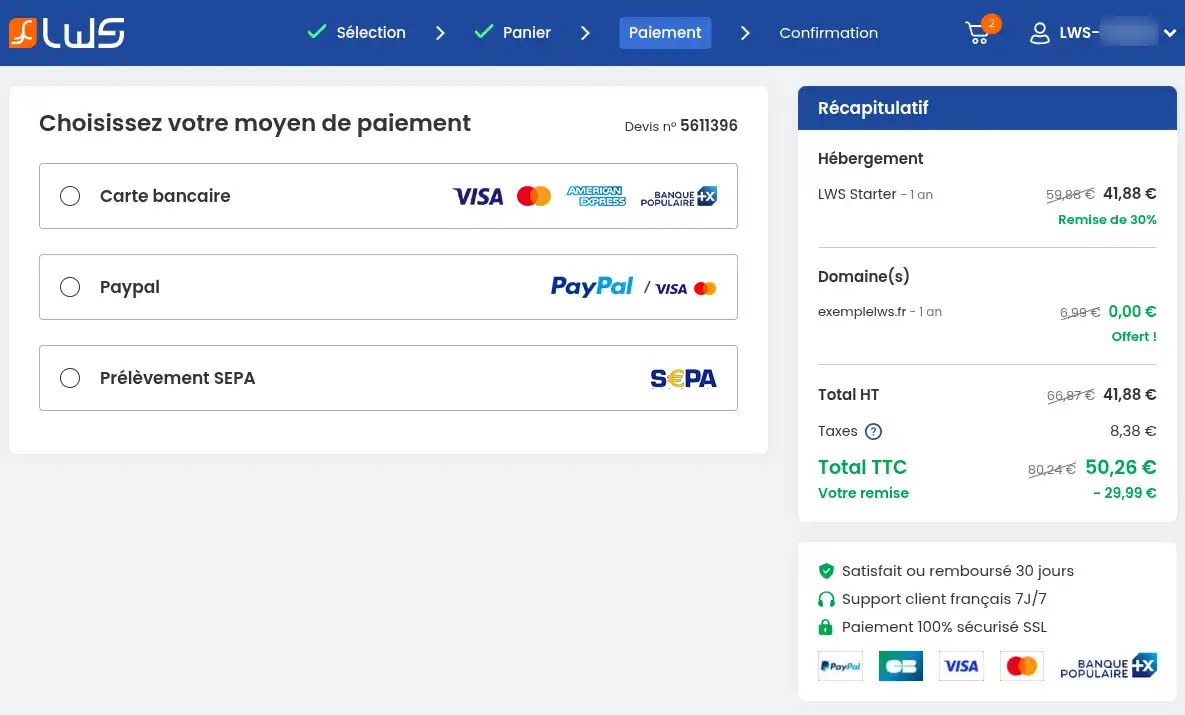
Step 11 : During this final step, you must proceed with payment for your order to complete it. All the details of this procedure are summarized in this documentation.
I already have an LWS customer account
If you are already an LWS customer, you can order most services directly from your customer account. Since you are already logged in to your customer account, this procedure will not ask you to identify yourself a second time during the ordering process. By using this procedure, you benefit from the same discounts and rates as if you were ordering from our sales website.
Step 1 : First, you need to log in to your LWS account
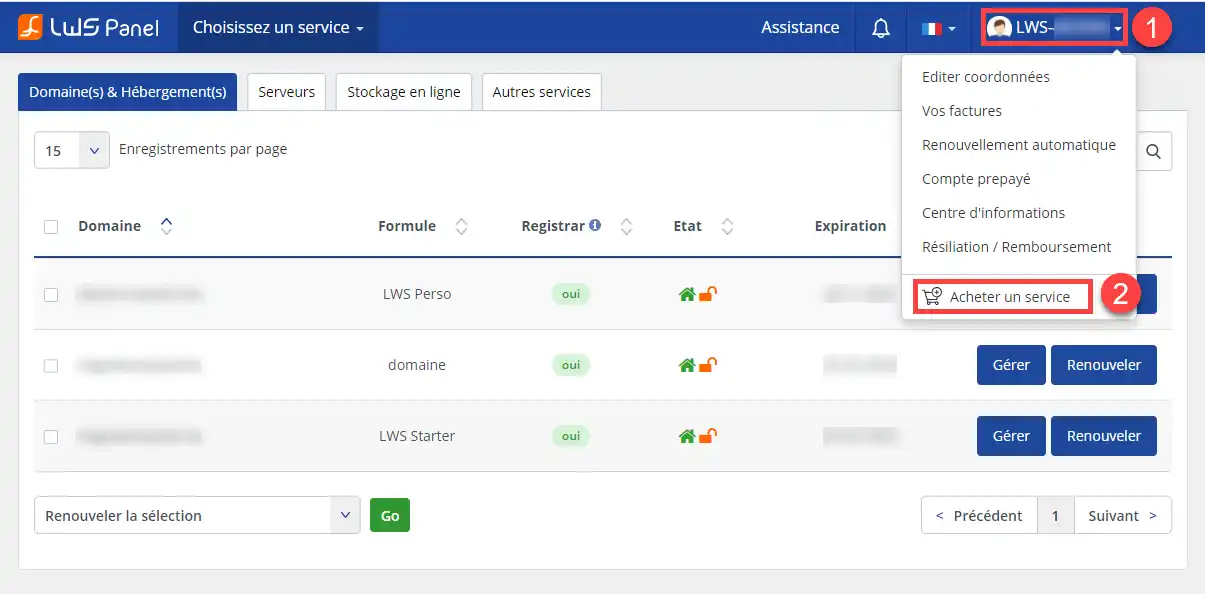
Step 2 : From your customer area, you can order a new domain name by clicking on your username (1) at the top right and then on "Buy a service" (2).
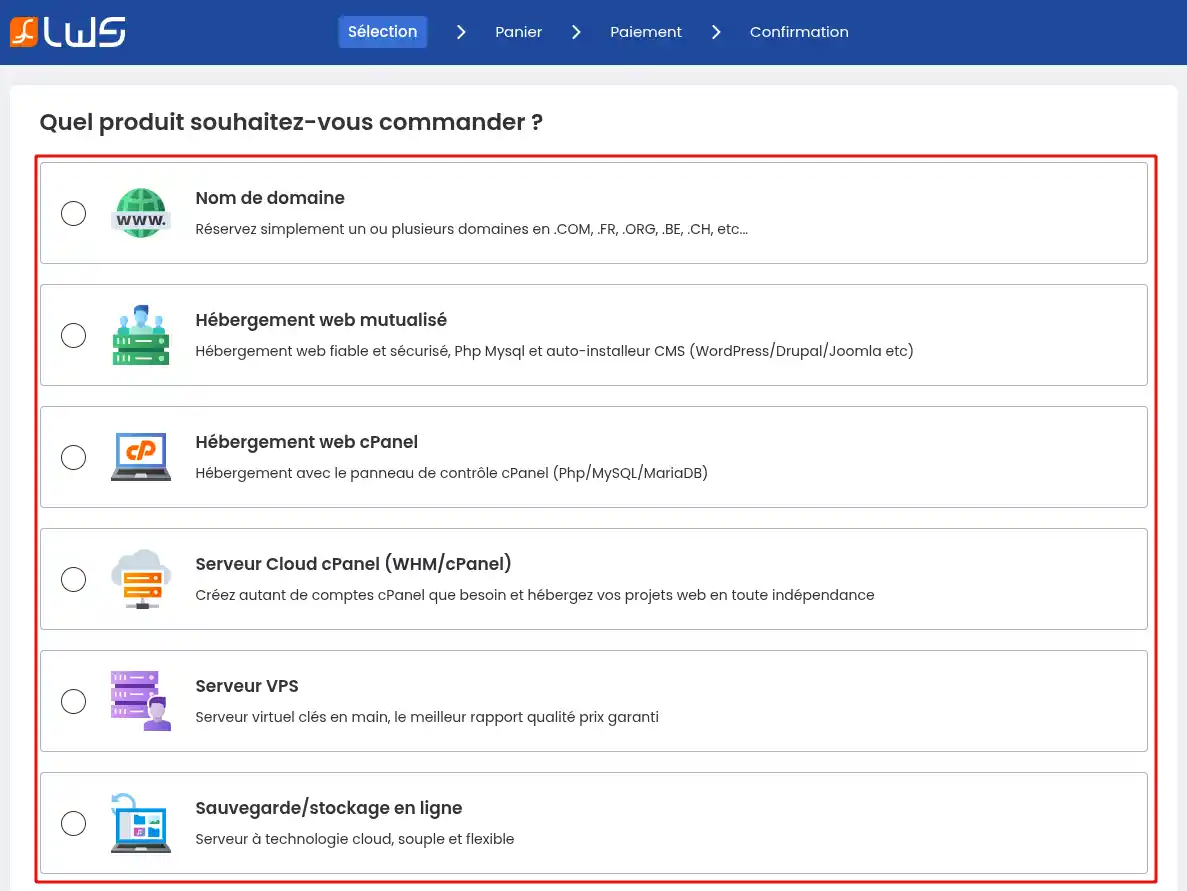
Step 3 : Choose the service you want to buy. You will be redirected to the next step of the ordering process. Depending on the product chosen, you will be at a different step. In all cases, the different steps are explained above in this same documentation until the order is completed.
Ordering a .fr domain name for municipalities and town halls
A special procedure for .FR domain names for a town hall
Some .FR domain names are subject to prior review by the AFNIC registry (AFNIC Naming Charter - Article 2.1 "Domain names subject to prior review")
If you wish to register a domain name subject to prior review, AFNIC will ask for certain conditions and supporting documents so that the domain name in question can be assigned to you.
Domain names under naming convention
If you wish to register a domain name in .FR, .PM, .RE, .TF, .WF or .YT (extensions managed by AFNIC) containing the name of a commune in France, AFNIC will assess whether you comply with its recommended usage and whether you properly represent the group of communes, the commune or the county council:
| Domain name |
Recommended usage |
Supporting documents |
|
agglo-name.fr
"name" is the name of the urban community
|
Urban community |
SIRENE directory identifier |
|
cc-name.fr
"name" is the name of the urban community
|
Urban community |
SIRENE directory identifier |
|
cg-xx.fr
"xx" is the department number
|
County councils |
SIRENE directory identifier |
|
cr-name.fr
"name" is the name of the region
|
County councils |
SIRENE directory identifier |
|
name.fr
mairie-name.fr
ville-name.fr
"name" is the name of the commune
|
Communes |
SIRENE directory identifier |
How do I register a .FR domain name for a town hall?
Prerequisite: Only the town hall can request the registration of its commune name in .FR
Note: Registering a .FR domain name for a town hall requires manual action on our part, which is charged at 29 euros excl. VAT in addition to the price of your initial order.
Follow the steps below to create a .FR domain name for a town hall:
11. Contact our sales department to request the registration of the domain name for your commune
Please provide the full contact details of your commune, as well as the domain name to be created, the plan & options chosen.
22. The sales department will send you back your quote as well as the available payment methods (credit card, PayPal, bank transfer) + 29 euros excl. VAT in fees.
33. Once payment is received, we will take care of registering your domain name (allow 24 hours after payment for the domain to be registered)
Conclusion
You now know how to:
- Identify the allowed characters for a domain name.
- Choose a representative and relevant domain name for your website.
- Check the availability of a domain name and know the alternatives if it is taken.
- Select the most suitable extension for your project, whether territorial, general or country-specific.
- Proceed with the purchase of a domain name, whether you are a new customer or already an LWS customer.
- Understand the special procedure for registering a .FR domain name for town halls.
🎉 Congratulations! You now have the knowledge needed to navigate the world of domain names with confidence and precision. 🚀
Thank you for reading this article and we hope it was useful to you. If you have any questions, feedback, or would like to share your experience, feel free to leave a comment below. Your opinion matters to us and to the community!
👍 Thank you and see you soon on LWS!



 Yes
Yes No
No About
About 