
Online help
The web host accessible to all
Procédure
It is advisable to change your password regularly to prevent your WHM account from being hacked. It is advisable touse a different password for each system used by different providers. Do not give out your username and password unless you are certain of the person's identity and you trust them.
WHM has a complex password generator which we recommend you use. There are some restrictions on WHM when choosing your password:
We advise you not to use your date of birth, telephone number or any other information that may be known to other people.
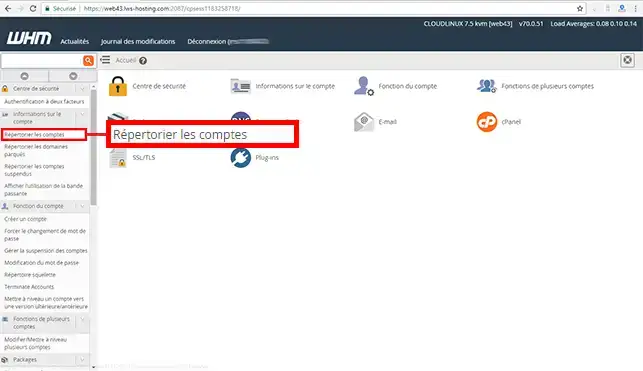
1. Log in to your WHM management interface and click on"List accounts" in the"Account information" section.
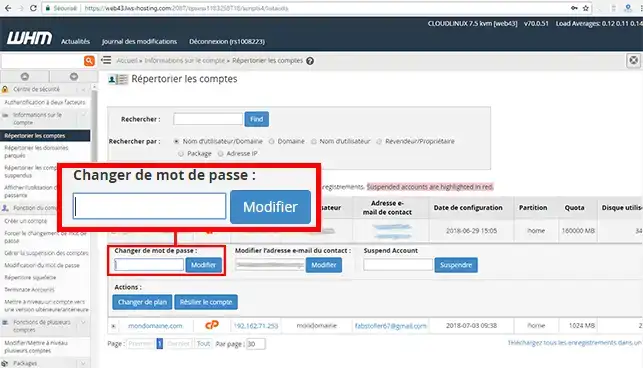
2. Click on the"+" in front of the main domain name attached to your cPanel Cloud Server. Change the password and click on"Change" to save your new password.
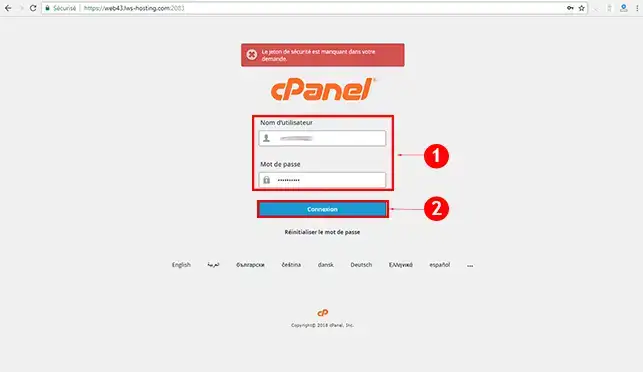
1. Connect to the cPanel management interface at the following URL https://domaine.com:2083 (replace domain.com with your domain name) and click on the"Connect" button.
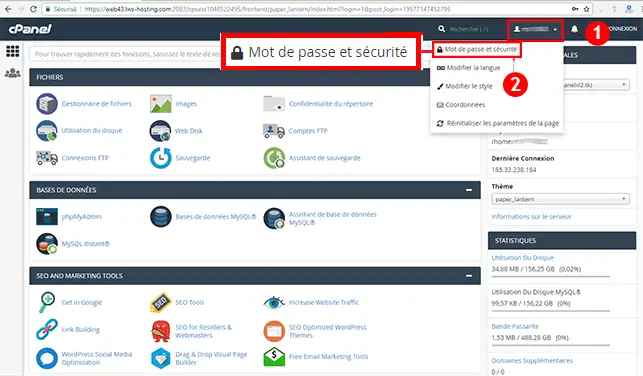
2. Click on your username at the top right of your screen and then on"Password and security".
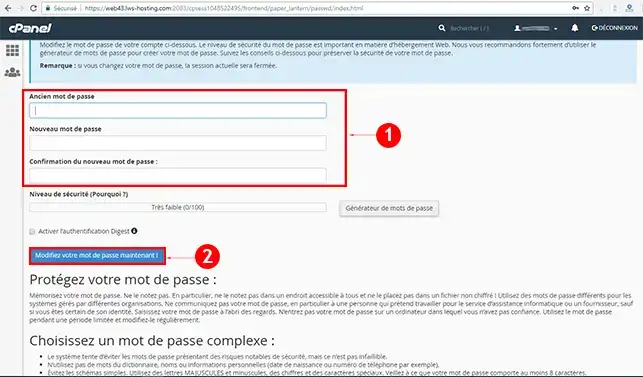
3. Enter your old password, then your new password and click on"Change your password now".
You are now able to change the password of your WHM account attached to the main domain of your cPanel Cloud Server with LWS. As soon as you change your account password, the FTP password will also change.
Don't hesitate to share your comments and questions.
Ask the LWS team and the community. Answers are published after moderation.
 About LWS :
LWS is a 100% French web hosting company that focuses on quality and innovation and offers a responsive and competent technical service at affordable prices.
About LWS :
LWS is a 100% French web hosting company that focuses on quality and innovation and offers a responsive and competent technical service at affordable prices.



 Yes
Yes No
No