
Online help
The web host accessible to all
Procédure
With a CC (Carbon Copy) and/or a BCC (Blind Carbon Copy), a sender can send a copy of the current email to several recipients. However, you can force incoming emails to be copied to another mailbox independently of the CC and/or BCC specified by the sender.
You can, for example, receive a copy of emails arriving in the support@votreentreprise.com mailbox in your private mailbox john.doe@votreentreprise.com, or even in your personal mailbox.
You can also receive a copy of outgoing emails. For example, you can send copies of outgoing emails from john.doe@votreentreprise.com to direction@votreentreprise.com.
In this documentation, we will look at how to send a copy of incoming or outgoing emails to a third-party email address.
In this documentation, the example will be that all incoming emails to contact@exemple.com will be copied to direction@exemple.com and john.doe@exemple.com, while outgoing emails will be copied to support@exemple.com.
To do this
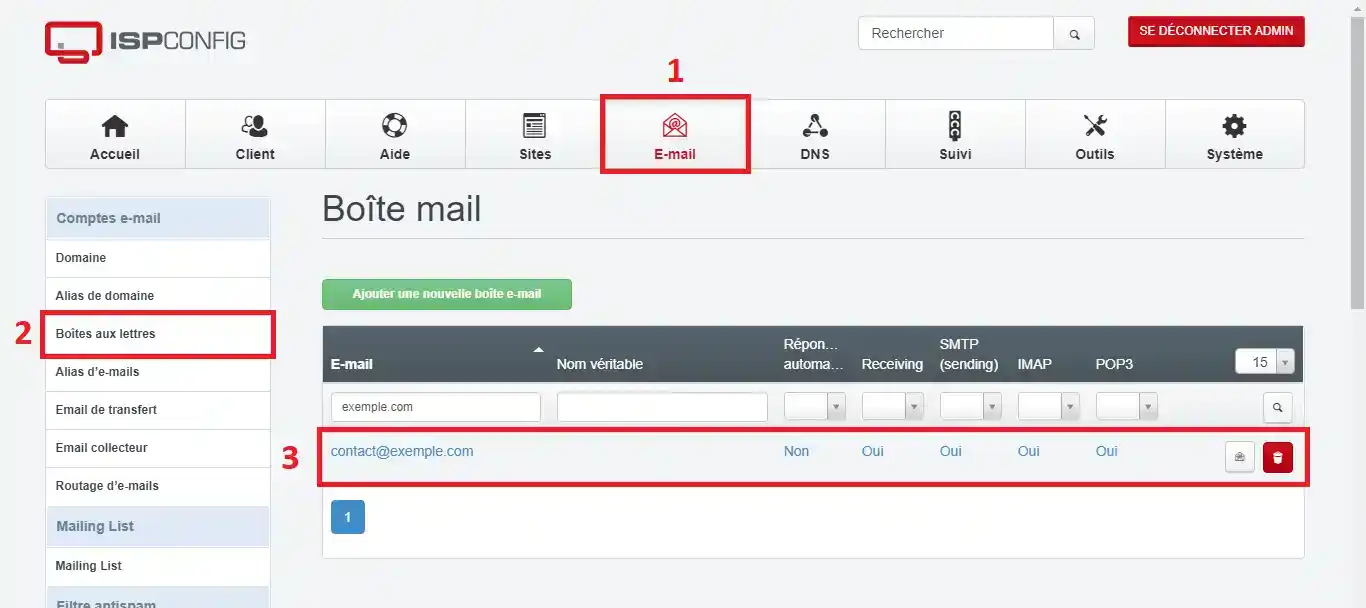
2. Go to the E-mail module, then to Mailboxes and select the inbox (in our case, contact@exemple.com):
3. Fill in the Send a copy to field with the list of emails that should receive a copy on receipt and the Send a copy of outgoing emails to field with the list of emails that should receive a copy on transmission:
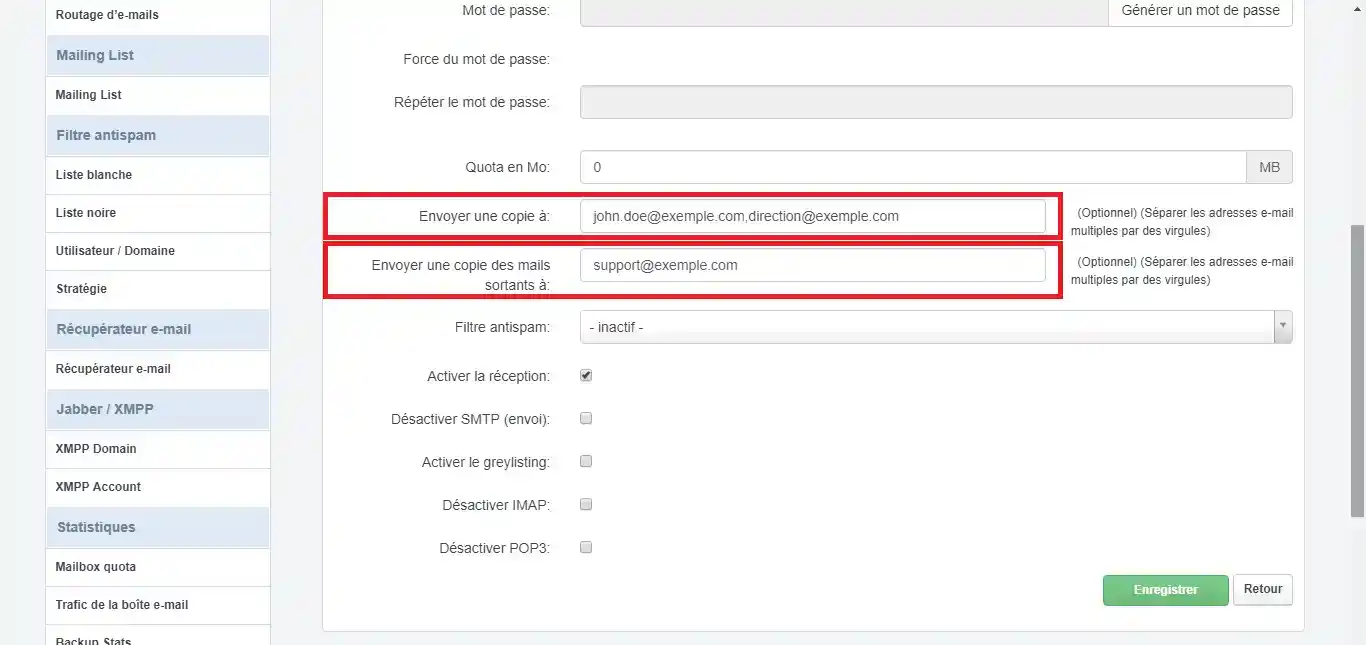
Note that you can separate emails with commas to specify several email addresses. You can also specify emails that are not hosted on the VPS (e.g. a Gmail mailbox, etc.).
Finally, click Save.
Ask the LWS team and the community. Answers are published after moderation.
 About LWS :
LWS is a 100% French web hosting company that focuses on quality and innovation and offers a responsive and competent technical service at affordable prices.
About LWS :
LWS is a 100% French web hosting company that focuses on quality and innovation and offers a responsive and competent technical service at affordable prices.



 Yes
Yes No
No