Procédure
Why create a menu with SiteBuilder Pro?
Most websites have a menu. This menu is often made up of categories and sub-categories defined according to the needs of your website.
The menu helps to structure your website. It is also of great interest to your visitors as it:
- Gives an idea of the content of your site
- Directs visitors to your site
On an online shop or when creating a blog, it also highlights certain sections of your website. Finally, it will have an impact on your site's ranking on the main search engines.
How do I create a menu in SiteBuilder Pro?
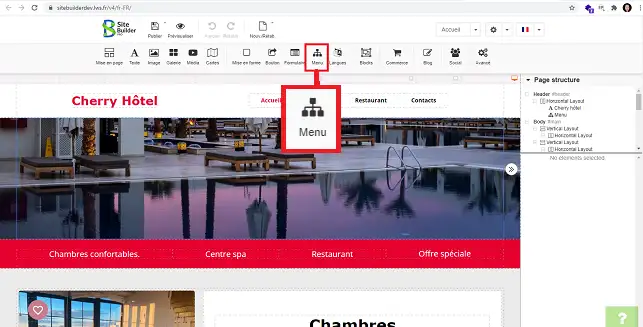
11. Connect to your SiteBuilder Pro software and click on the"Menu" button on the toolbar at the top of the page.
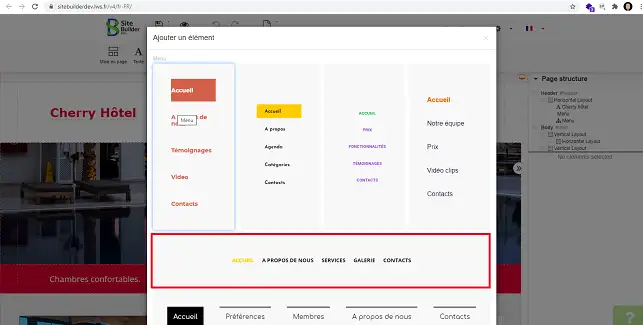
22. Choose the type of menu you want by clicking on it.
How do I edit the menu created in SiteBuilder?
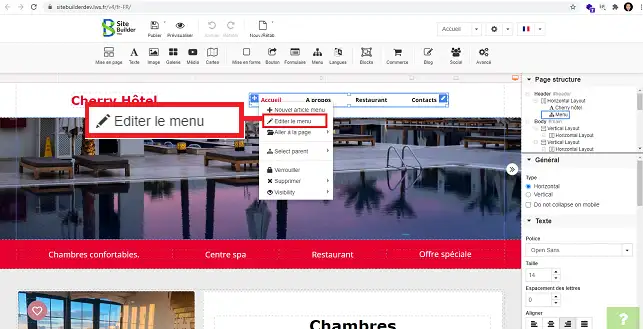
11. Right-click with the mouse on the menu you want to edit and then on"Edit menu".
22. You can add a new tab to your menu by clicking on"New item".
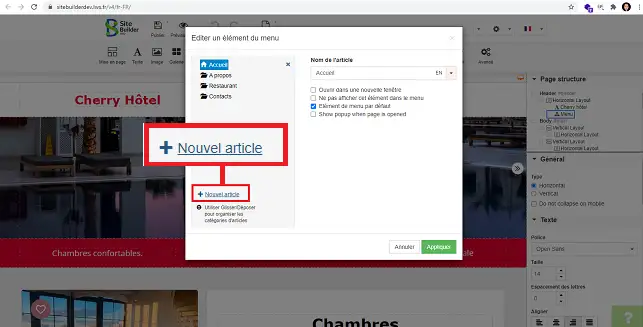
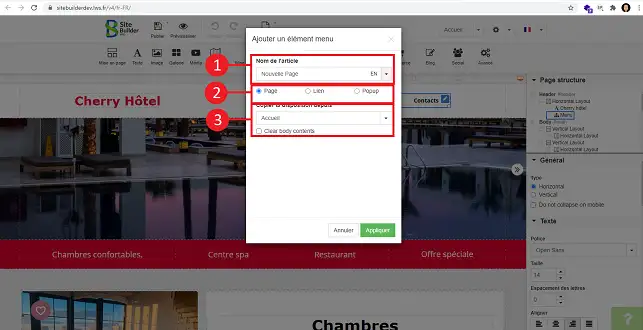
33. Fill in the following information and click on the "Apply" button to save your request:
- Item name: this is the name of your new page
- Page/Link/Popup: You can define whether this is a new page internal to your site, an external link or a Popup.
- Copy layout from: You have the option of choosing the page you want to duplicate on new tab.
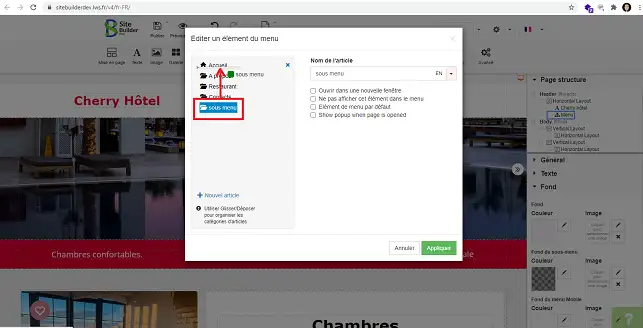
44. You can create a sub-menu. To do this, click on the menu concerned and move it to the menu for which it is to be defined as a submenu.
How do you change the structure of your menu?
SiteBuilder Pro lets you change the structure of your menu, for example:
- Horizontal or vertical menu
- Font size and type to be used
- Background colour
- Font style (Bold, Italic and Underlined)
- Font style and colour change when the mouse hovers over the menu
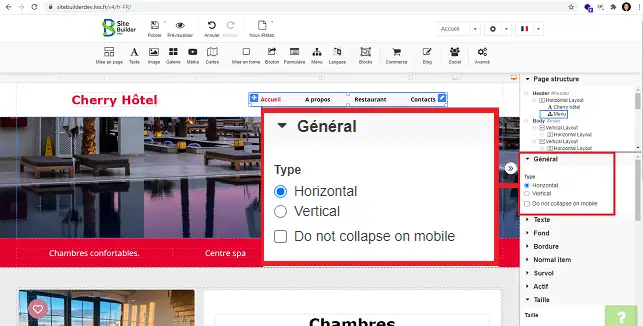
11. You can change the direction of your menu (horizontal or vertical). To do this, click on the menu concerned to select it and go to the"General" section in the right-hand column of the menu. Select"Horizontal" or"Vertical" as required.
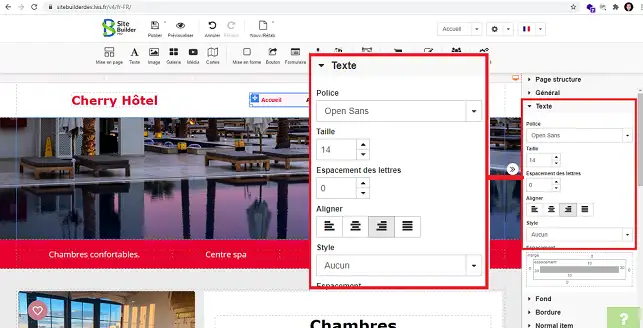
22. In the right-hand menu, the"Text" section allows you to change the font to be used, the font size and the alignment of your menu.
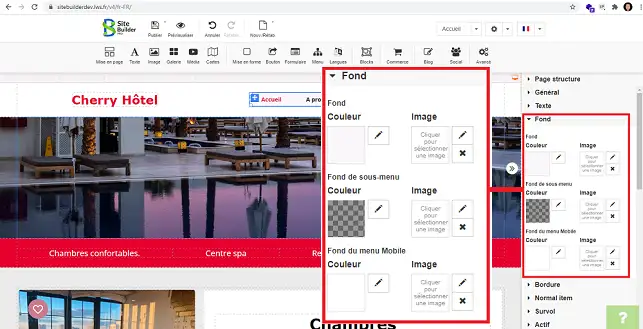
33. The"Background" section lets you change the background colour of your menu. You can also define a different background colour for the mobile version.
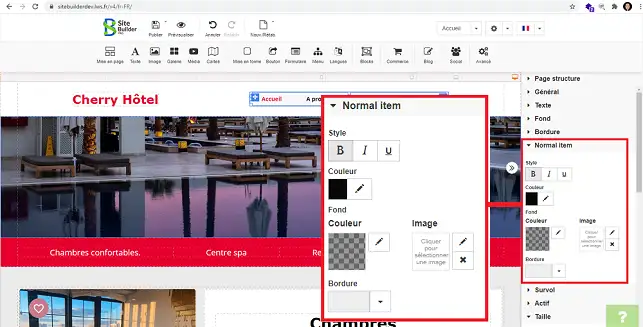
44. The"Normal Item" section lets you change the colour of the text in your menu. You can also define the writing style (Bold, Italic and Underlined).
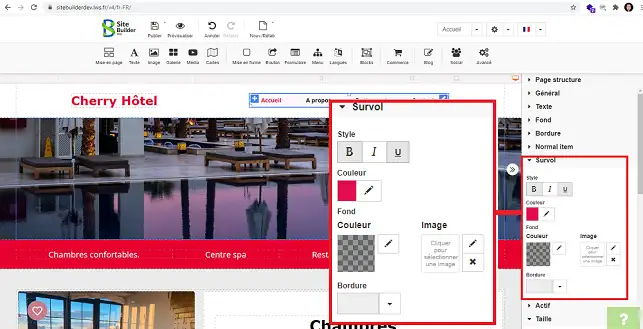
55. The"Hover" section lets you define the colour to be used when the mouse hovers over the menu. You can also define the font style to be used (Bold, Italic and Underlined).
Conclusion
You can now create and edit a menu with SiteBuilder Pro. Creating a menu is essential for structuring your website.
What's more, it will allow your visitors to see your different pages at a glance.
Don't hesitate to share your comments and questions!



 Yes
Yes No
No About
About 