
Online help
The web host accessible to all
Procédure
This zone, often called the "Header" by web developers, defines the area at the top of the page. This zone is often made up of the title of your site, a logo and/or a banner.
This area is one of the most important on your website. It is the first thing a visitor will see when they come to your website. As the header is present on each of your pages, it is preferable that it is not too intrusive. It is also advisable for the header to load quickly.
The Footer is defined as the page footer. It generally refers to the area at the bottom of the page.
You can generally find all the relevant information about the website in this section, for example copyright information and access to the contact form.
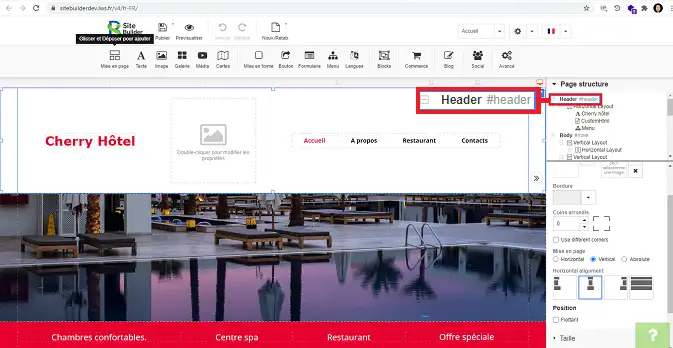
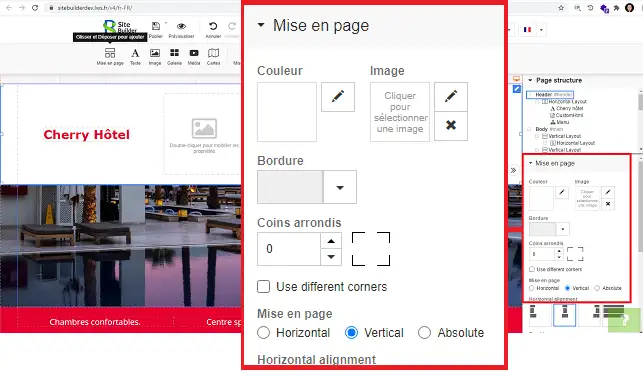
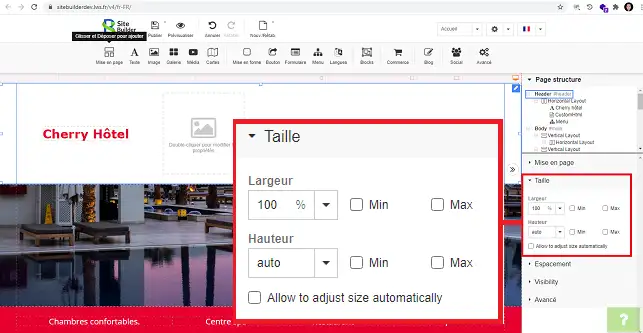
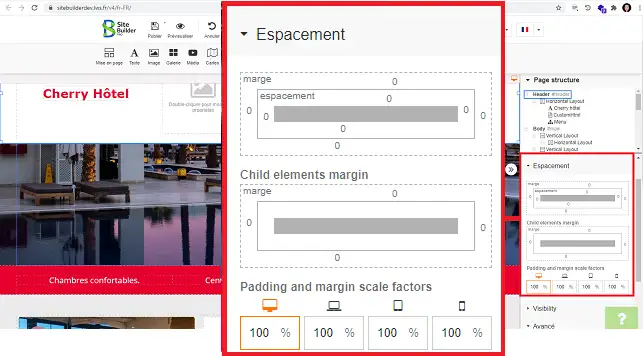
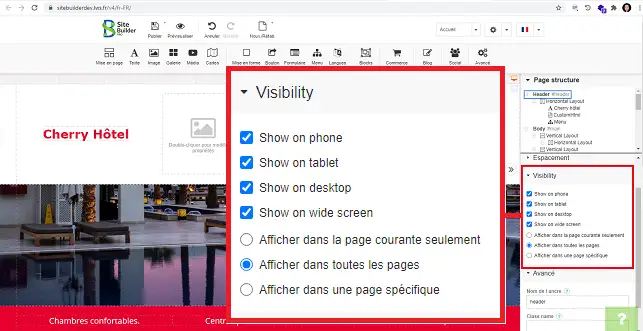
Just like the page header, the footer can be modified by clicking on the"Footer" tab in the"Page Structure" section in the right-hand column of your SiteBuilder interface.
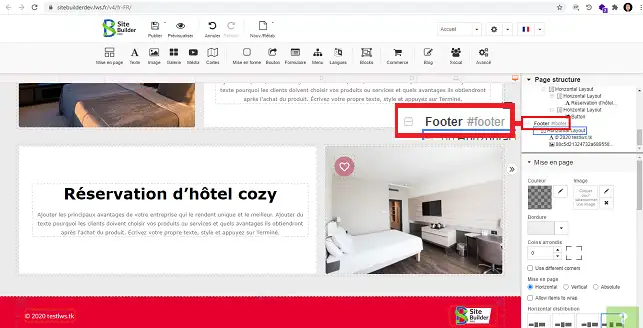
The footer has the same headings as the Header for configuring the section.
You can now add a header or footer to your website created with SiteBuilder Pro. Note that the header and footer of a website are very important. That's why it's important to pay special attention to them.
Don't hesitate to share your comments and questions!
Ask the LWS team and the community. Answers are published after moderation.
 About LWS :
LWS is a 100% French web hosting company that focuses on quality and innovation and offers a responsive and competent technical service at affordable prices.
About LWS :
LWS is a 100% French web hosting company that focuses on quality and innovation and offers a responsive and competent technical service at affordable prices.



 Yes
Yes No
No