
Online help
The web host accessible to all
Procédure
Softaculous is a software package that makes it easy to install a CMS in just a few clicks. This documentation explains how to remove a CMS installation made with Softaculous. This procedure is simple and requires no special knowledge.
1. Log in to your LWS customer area.
2. Access your cPanel interface.
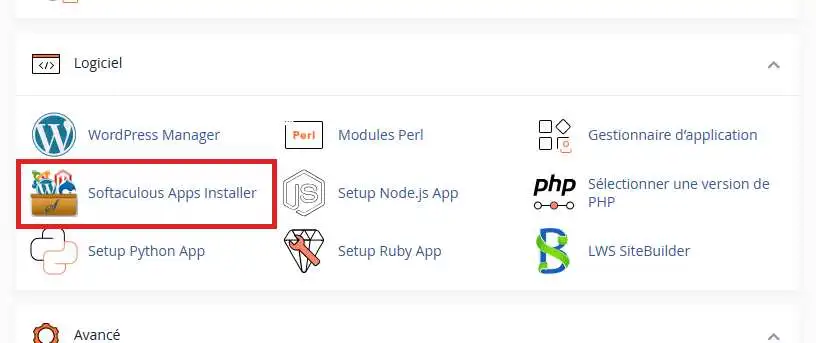
3. Click on the"Softaculous Apps Installer" button in the"Software" section of your cPanel interface.
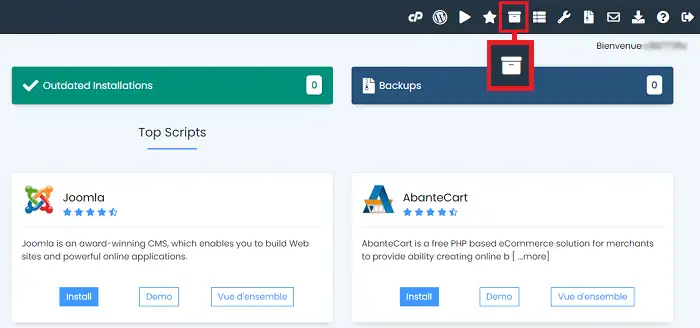
4. Then click on the"All Installations" icon at the top right of the page.
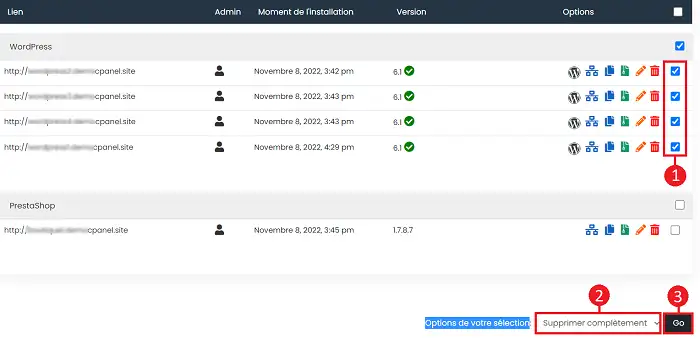
5. Here you will find all the installations you have carried out using Softaculous. The installations are sorted by CMS type. Choose the CMS you want to delete and click on the trashcan icon behind it.

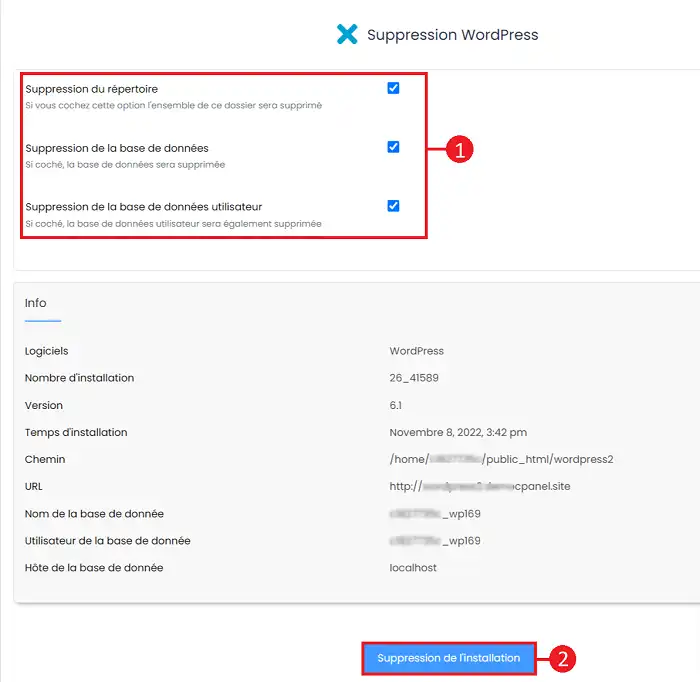
6. You can choose what you want to delete from :
Then click on the"Remove installation" button to remove the installation.
You can also delete several software installations via the Softaculous interface. To do this, tick the installations you wish to remove, select"Remove completely" in the"Options for your selection" field and click on the"Go" button.
Removing an installation is irreversible.
You are now able to delete an installation performed using Softaculous.
Ask the LWS team and the community. Answers are published after moderation.
 About LWS :
LWS is a 100% French web hosting company that focuses on quality and innovation and offers a responsive and competent technical service at affordable prices.
About LWS :
LWS is a 100% French web hosting company that focuses on quality and innovation and offers a responsive and competent technical service at affordable prices.



 Yes
Yes No
No