
Online help
The web host accessible to all
Procédure
Premium SMTP is an optimized email service that allows your websites and applications to entrust the sending of your emails to a network of SMTP servers with a strong reputation. The Premium SMTP service allows you to:
The Premium SMTP service is active by default on shared cPanel plans and it is not possible to disable it.
For CloudCP plans that are equipped with a dedicated IP address, we give you the option to activate or not the Premium SMTP network for sending your emails. Note that activating the Premium SMTP network replaces the dedicated IP address used to send your email with those of the Premium SMTP network.
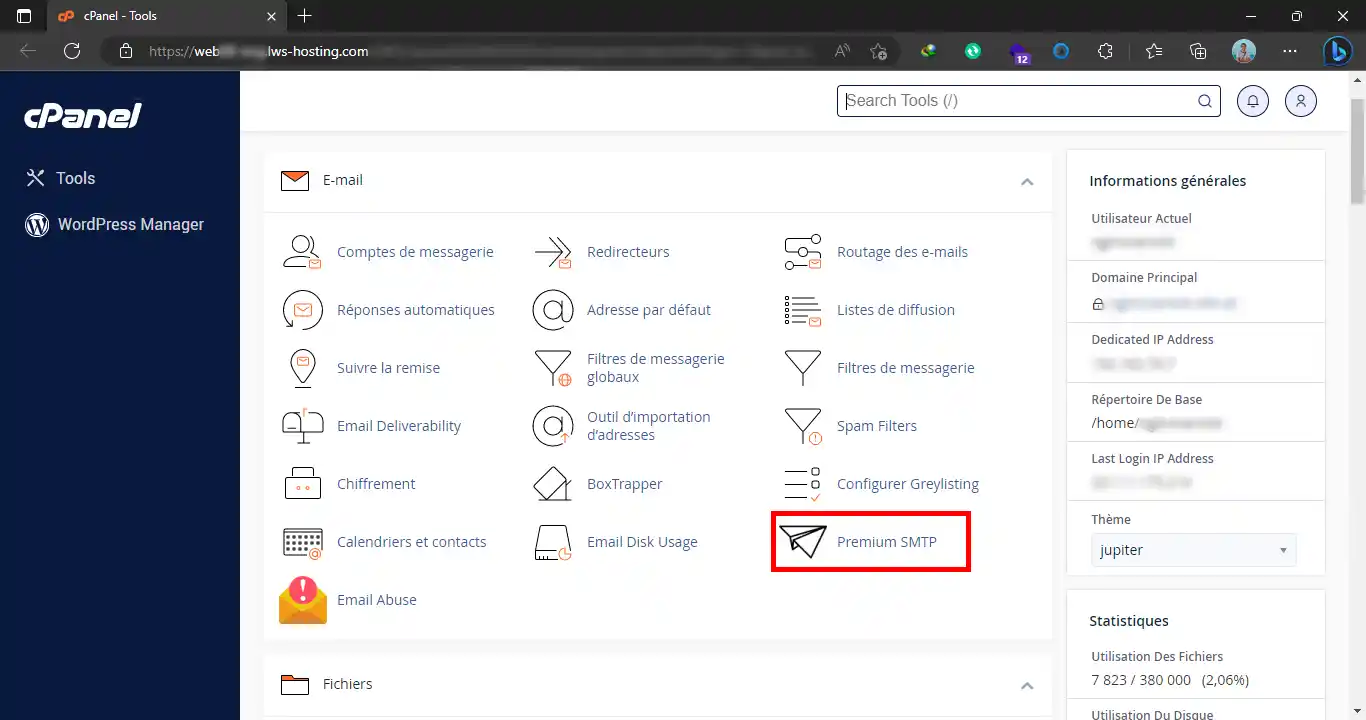
To manage Premium SMTP, go to your cPanel interface and click on the "Premium SMTP" icon:
You can then see its current status and, if applicable, activate it by clicking the "Activate Premium SMTP" button if your cPanel plan allows the service to be activated and deactivated:
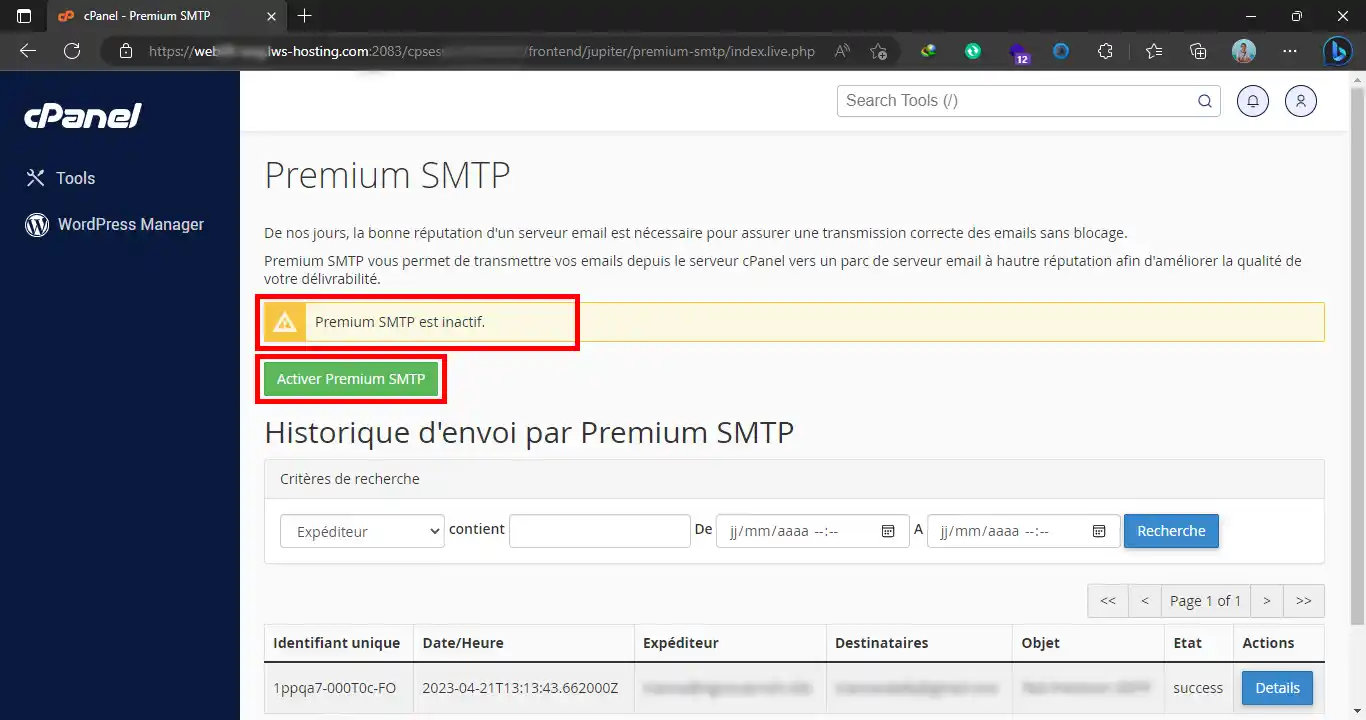
Activating or deactivating Premium SMTP takes effect immediately.
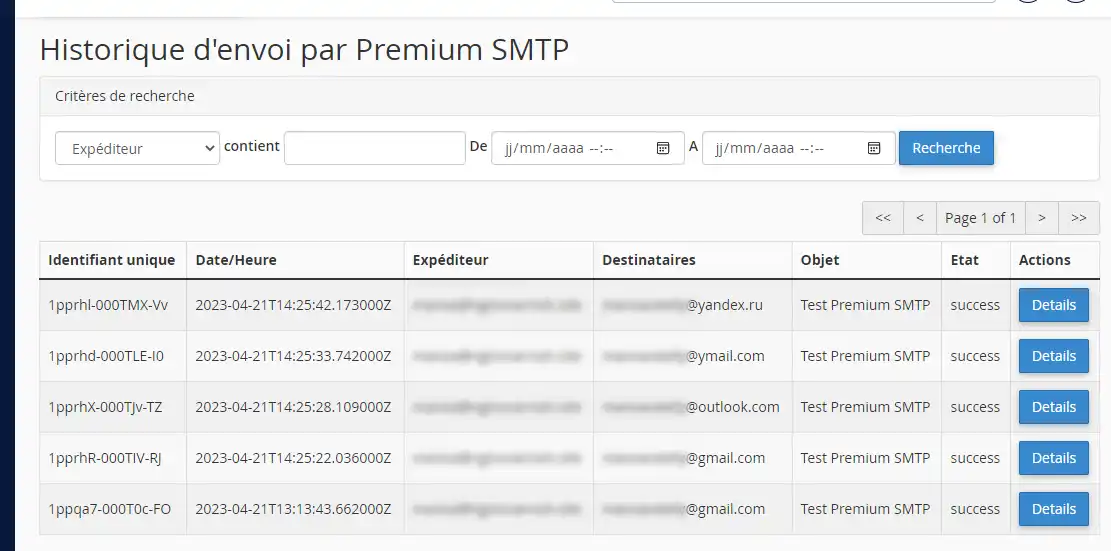
To track the delivery status of your emails on the Premium SMTP network, the interface includes just below a tool for retrieving log files related to your sends. You can filter the history to find a specific email:
The "Details" button will allow you to view the details related to the emails, such as the sender, recipients, and subject of the email:
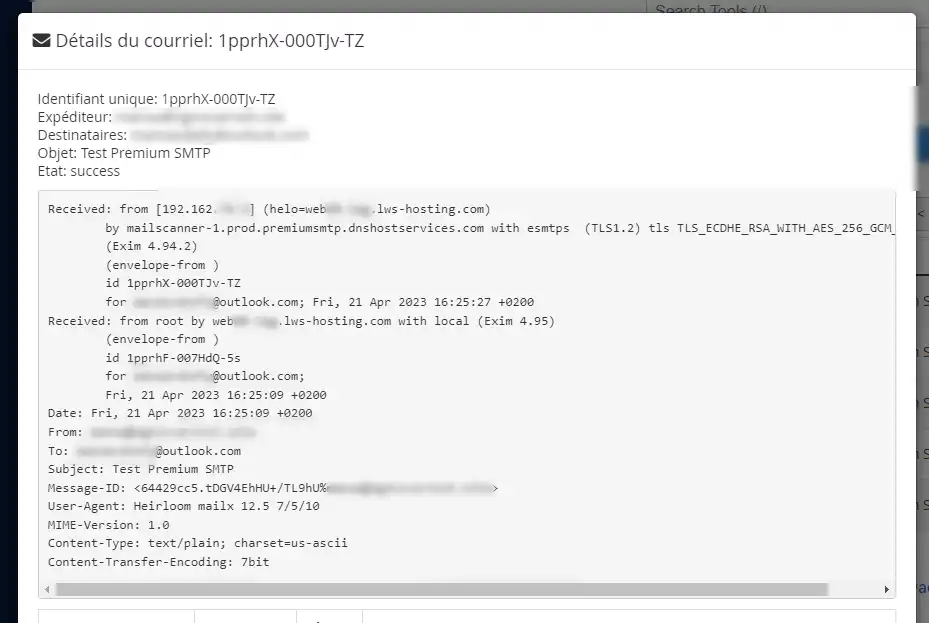
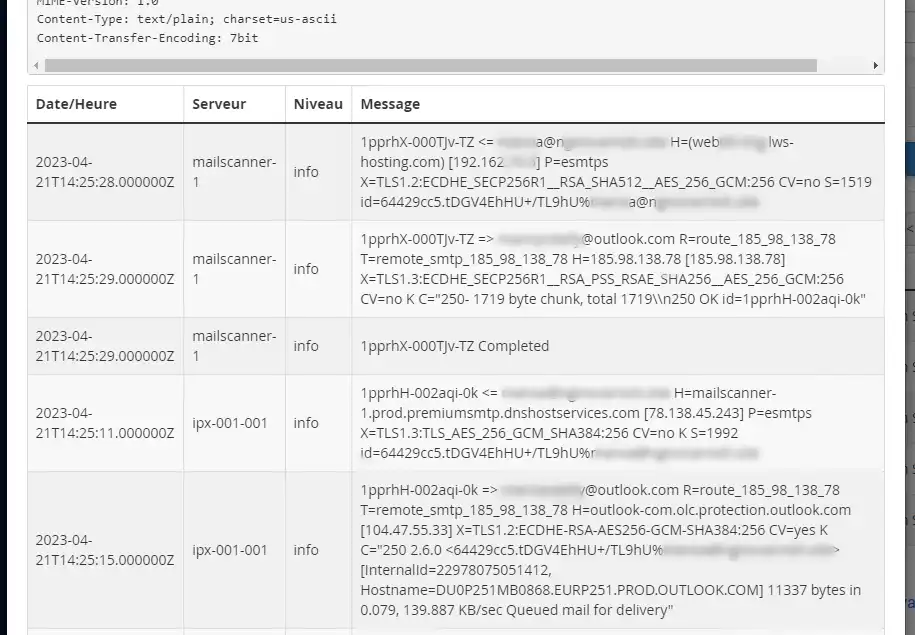
A little further down, you will see all the events associated with your send:
Ask the LWS team and the community. Answers are published after moderation.
 About LWS :
LWS is a 100% French web hosting company that focuses on quality and innovation and offers a responsive and competent technical service at affordable prices.
About LWS :
LWS is a 100% French web hosting company that focuses on quality and innovation and offers a responsive and competent technical service at affordable prices.



 Yes
Yes No
No