
Online help
The web host accessible to all
Procédure
WebDAV, or Web-based Distributed Authoring and Versioning, is a protocol that extends HTTP for managing files on remote servers. It allows server directories to be mounted on your local system for easy use in a variety of applications.
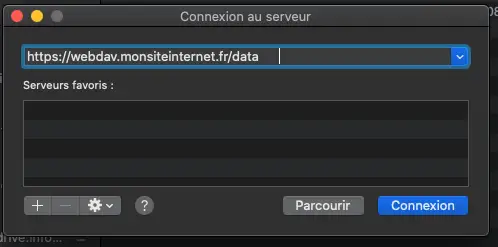
On macOS, you can easily connect to a WebDAV server via the graphical interface :
⌘ + K or go to the Go menu, then Connect to server.A new location will appear in Finder locations, allowing you to manage your files. To disconnect, click on the eject button next to the WebDAV server location.
Ask the LWS team and the community. Answers are published after moderation.
 About LWS :
LWS is a 100% French web hosting company that focuses on quality and innovation and offers a responsive and competent technical service at affordable prices.


 Yes
 No