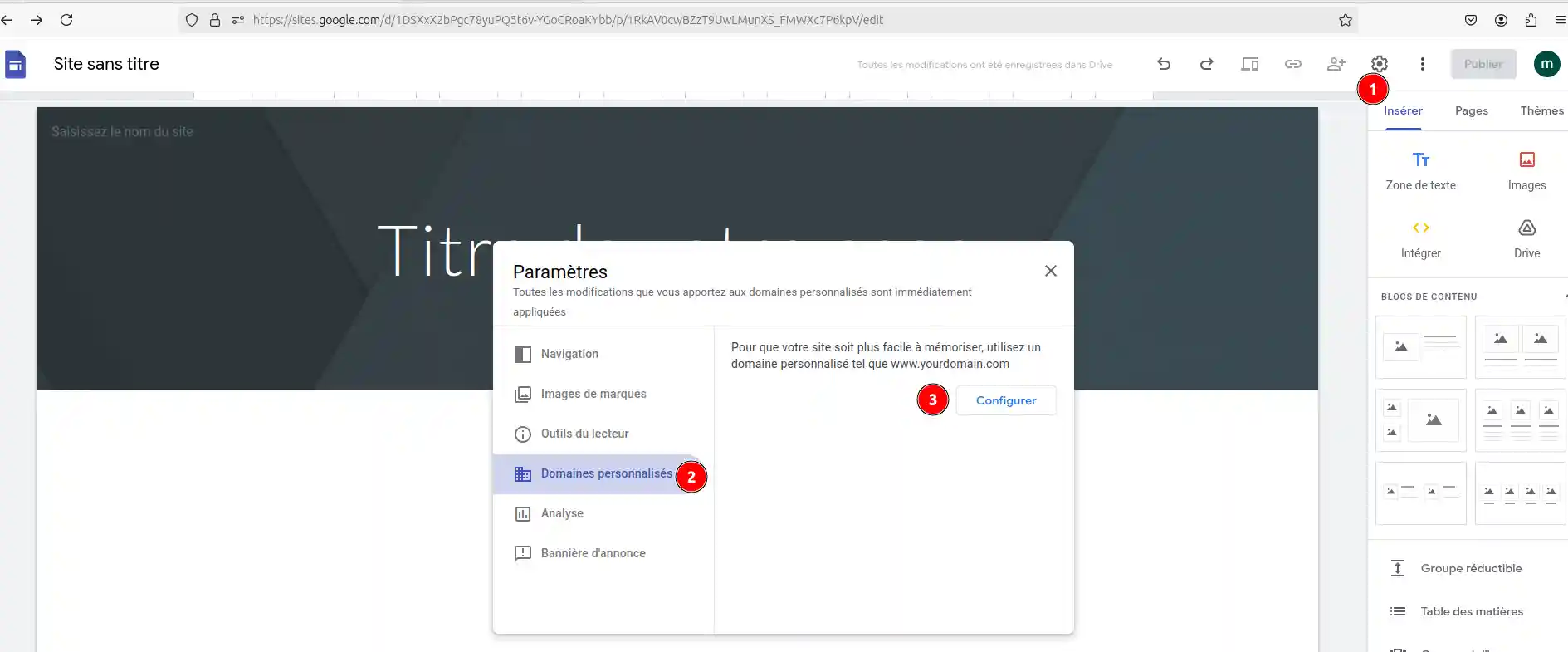
1.1 Select the website you want to connect to your domain name and click on "Settings". Once in the settings area, click on "Customised domains".
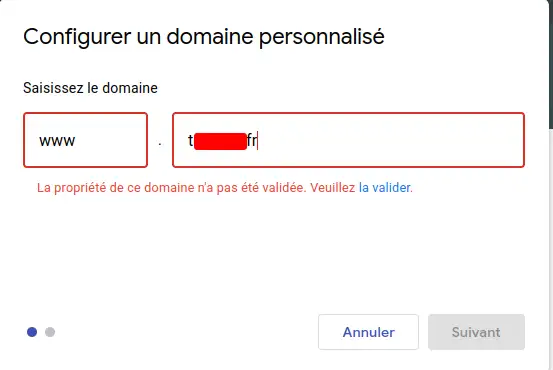
1.2 Enter the domain name you wish to configure.
1.3. If the ownership of the domain name has not been validated, you will need to complete this step,
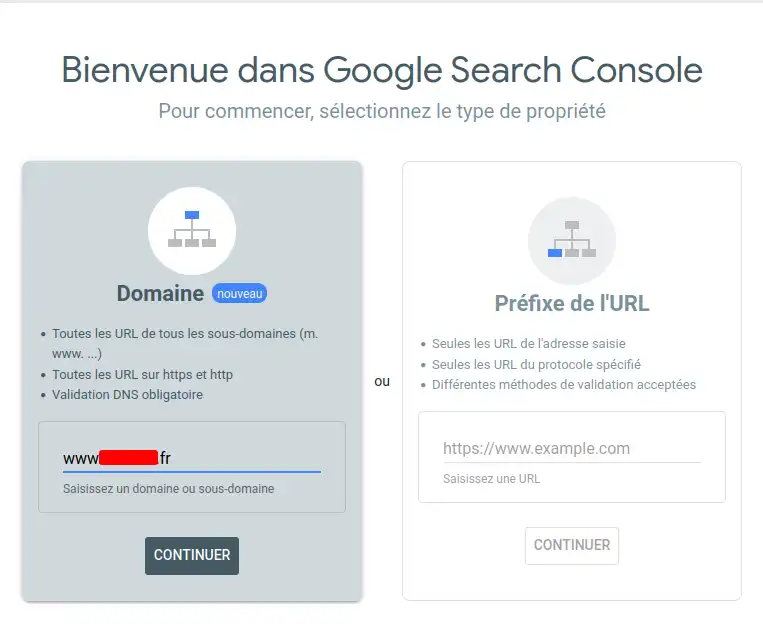
if you have already done so, you can go directly to step 1.7:
Click on "continue" in the domain box, shown here in grey.
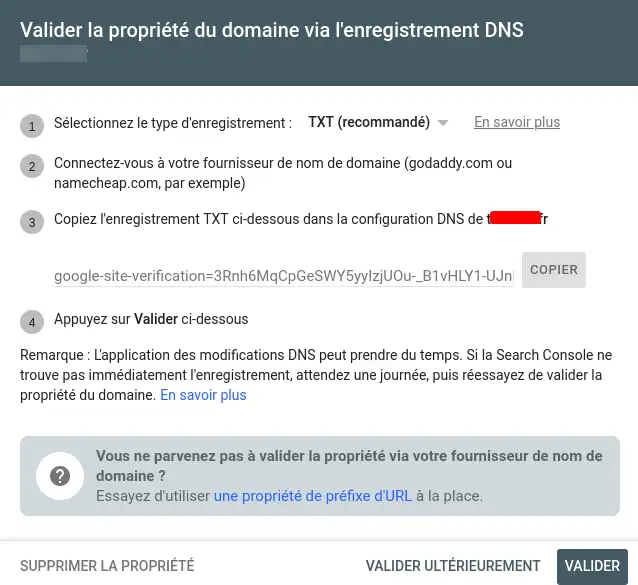
1.4 Copy the verification code indicated by Google (in your notepad, for example):
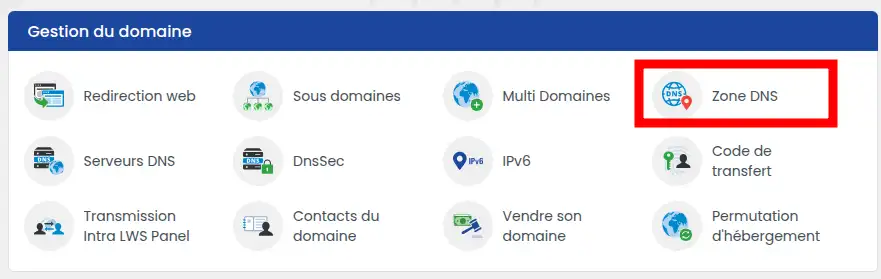
1.5 Go to your LWS customer area, then select the DNS Zone section:
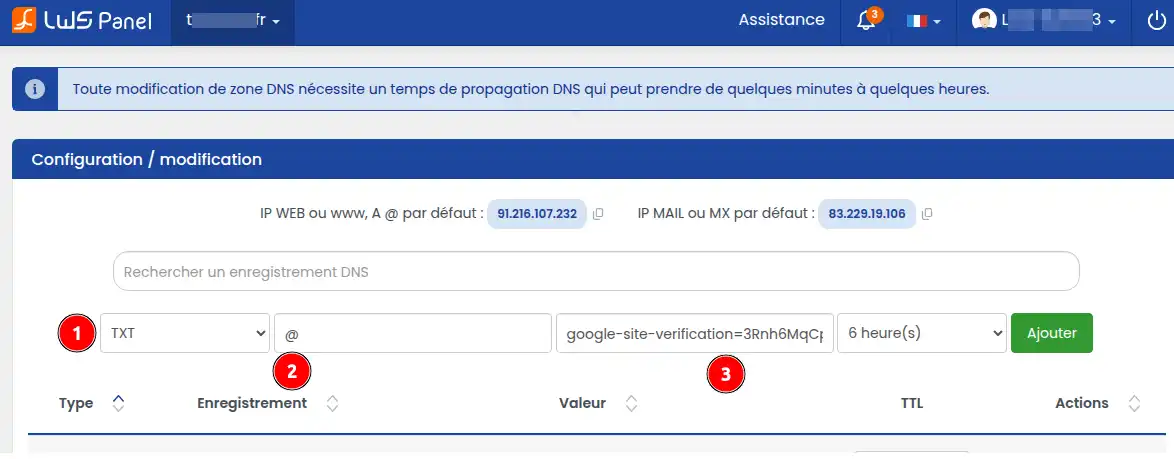
1.6 Enter the information as follows and click on Add :
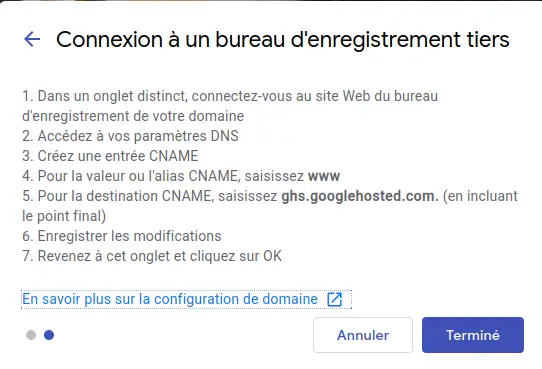
1.7 Now go back to Google sites and try to add your domain name again (starting from step 1.1). Once your domain name has been validated, you will see this screen:
Click Done
1.8 Now complete the configuration requested by Google in your LWS customer area. Go to the DNS Zone section:
1.9 Delete the following CNAME record from your DNS zone:
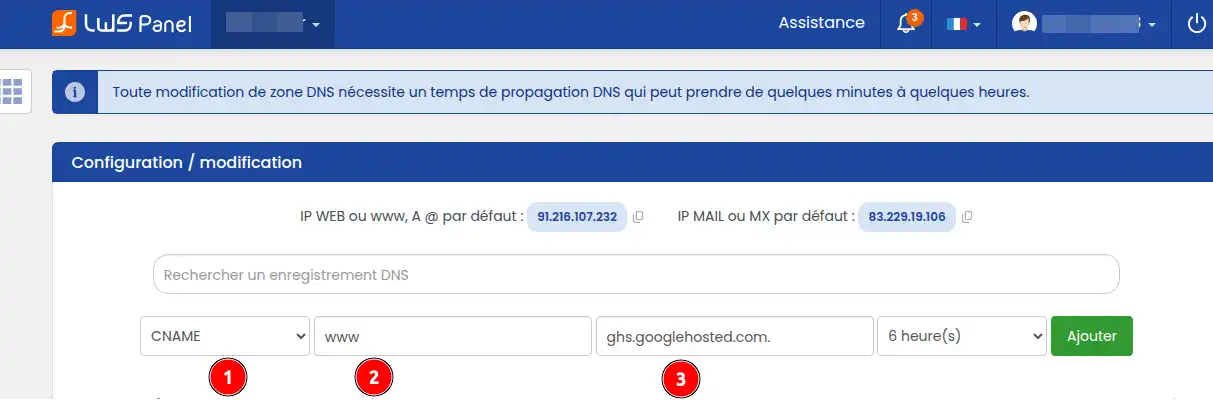
1.10 Then enter the following information in this DNS zone:
Step 2: Properly redirect your domain name to Google site, whatever URL your visitors enter (with or without www)
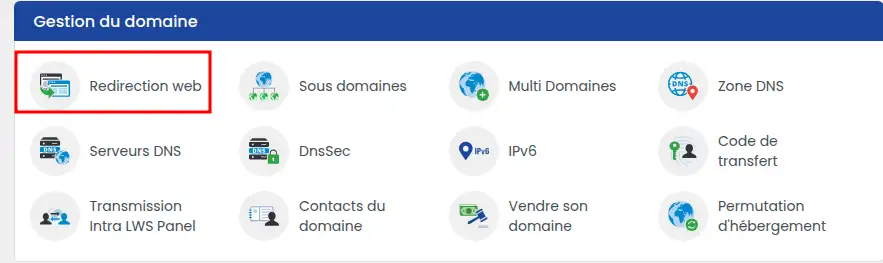
2.1. Go to the "Web redirection" section of your LWS customer area:
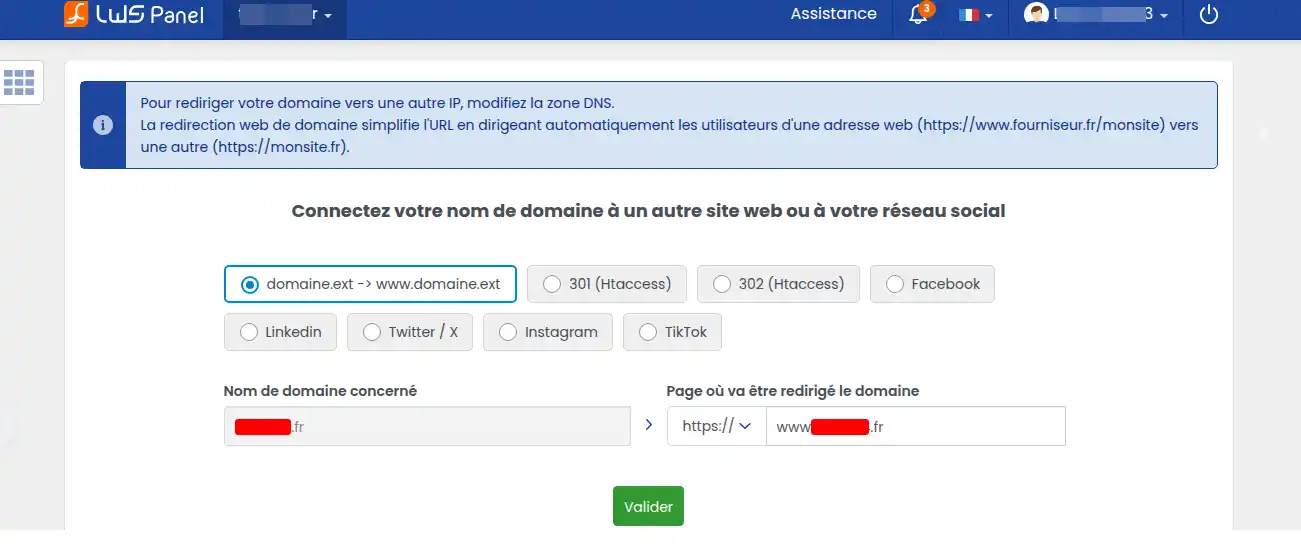
2.2 Tick the first item in this listing (domain.ext -> www.domaine.ext):
You'll need to wait up to 24 hours for the configuration to propagate before the link with your domain and Google Sites hosting is functional
.
Conclusion
You now know how to :
Prepare your domain name for connection to Google sites
Connect your "root" domain www.domain.com to Google sites by following the detailed steps.
Configure the necessary CNAMEs on your LWS account.
Perform an appropriate redirect to ensure the functionality of your domain (with or without www).
🚀 Thanks to these clear and precise instructions, you are now able to effectively link your domain or sub-domain to your Google sites platform, allowing your site to take off on the web!
👏 Thank you for reading this article to the end. If you have any questions or would like to share your experience with the service, please feel free to leave a comment below. Your feedback is valuable and helps us to improve our content for you!
Je n'arrive pas à publier mon site à partir de google. Pourquoi ?
J✓
Jordan-LWS Official answer
12 Sept 2025
Bonjour,
Pouvez-vous préciser ce que vous entendez par « publier à partir de Google » ?
Souhaitez-vous rattacher un site créé avec Google Sites (ou un autre service Google) à votre nom de domaine, ou bien parlez-vous d’une autre solution ?
En fonction de la solution utilisée, les étapes de publication et de liaison au domaine ne sont pas les mêmes. Avec ces informations, je pourrai mieux comprendre votre situation et vous indiquer la marche à suivre.
N’hésitez pas à contacter directement notre équipe d’assistance technique, qui pourra analyser votre cas et vous proposer la solution la plus adaptée.
Je vous remercie pour votre attention et reste à votre disposition pour toute autre question ou complément d'information.
Cordialement, L'équipe LWS
Was this answer helpful?
D
DEE
il y a 11 mois
Il faut combien de temps pour que mon google site soit sur la toile après l'avoir lié à mon nom de domaine?
M✓
Maxence-LWS Official answer
il y a 11 mois
Bonjour,
Je vous remercie pour votre message.
En principe une fois votre site finalisé, comptez quelques semaines avant que Google index votre site.
Cependant ce facteur dépends aussi des plugins et des méthodes de référencement utilisées.
Je vous remercie de votre attention et reste à votre disposition pour toute autre question ou complément d'information. Nous sommes là pour vous aider et vous accompagner.
Vous pouvez nous contacter depuis votre espace client ou sur cette page : https://www.lws.fr/contact.
Cordialement, L'équipe LWS.
Was this answer helpful?
S
Seb
il y a 4 mois
Même question avec un sous domaine, Comment lier mon sous nom de domaine à Google sites
J✓
Jordan-LWS Official answer
il y a 4 mois
Bonjour,
Pour connecter un sous-domaine à votre Google Site, il faut créer un enregistrement DNS de type CNAME dans votre espace LWS.
Connectez-vous à votre compte LWS.
Allez dans la gestion du domaine concerné puis ouvrez la Zone DNS.
Ajoutez un nouvel enregistrement :
Type : CNAME
Nom : le sous-domaine souhaité (exemple : site)
Valeur : l’adresse fournie par Google Sites lors de la configuration du domaine personnalisé.
Dans Google Sites :
Ouvrez votre site.
Allez dans Paramètres → Domaines personnalisés.
Ajoutez votre sous-domaine complet (exemple : site.votredomaine.fr) et suivez les étapes de validation.
Après l’ajout du CNAME, il faut patienter le temps de la propagation DNS (cela peut prendre quelques heures, jusqu’à 24 h selon les cas).
Une fois la propagation terminée, votre Google Site sera accessible via votre sous-domaine personnalisé.
Cordialement, L'équipe LWS
Was this answer helpful?
A question about this article?
Ask the LWS team and the community. Answers are published after moderation.
Ask the LWS team and its community a question
!
To enable this form, please tick the two consent boxes below.




 Yes
 No
 About
