
Online help
The web host accessible to all
Procédure
If you have a web hosting service based on the LWS Panel and you are short of resources for a temporary action (importing content, generating a backup package, etc.), LWS offers you the option of boosting your web hosting quotas.
The quota boost offered by LWS free of charge only applies to hosting packages (excluding domain packages) managed via the LWS Panel(LWS Perso, LWS Starter, LWS Performance, WP Start, WP Business, Ecommerce M, etc.).
The boost is active for a maximum of 24 hours.
You can only activate your quota boost once a month.
The quota boost applies the web quotas of the LWS 2XL package to your hosting(Memory Limit PHP, Max Execution Time, Processes, CPU usage, number of web requests, etc.).
First of all, you need to log in to your LWS account and access the shared hosting for which you want to boost quotas.
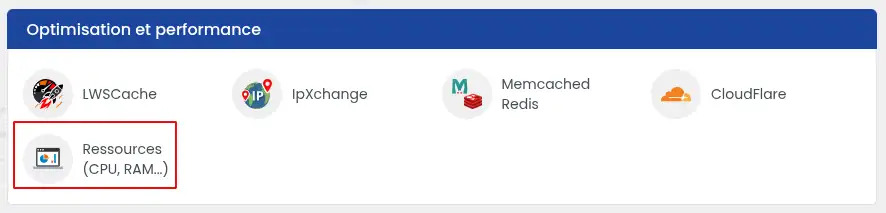
Then click on the"Resources (CPU, RAM...)" button in the"Optimisation and performance" section.
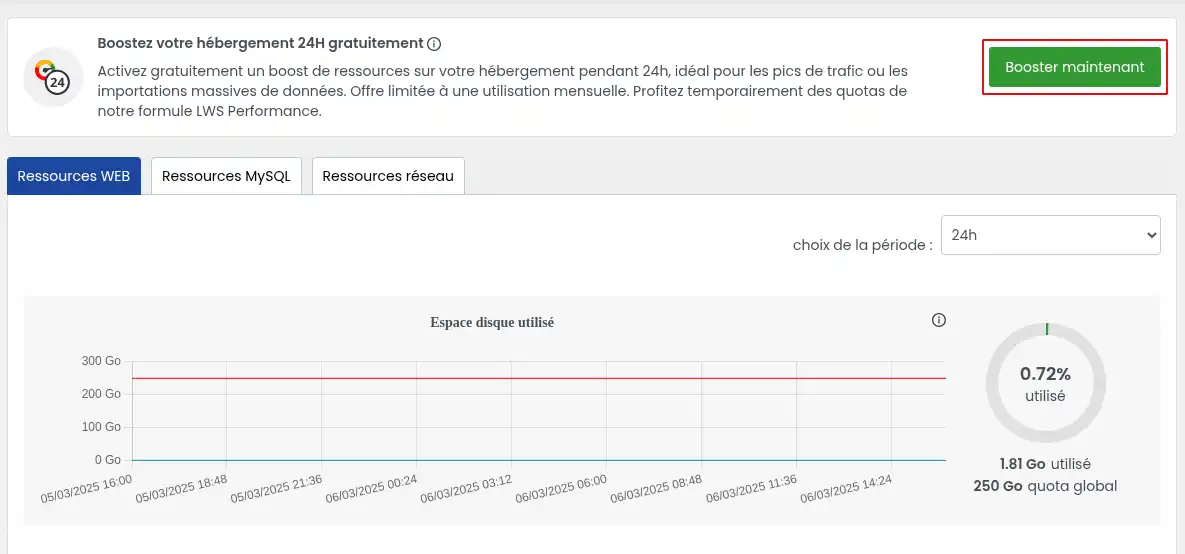
On the page that appears, you need to click on the green"Boost now" button for the new quotas to be applied for 24 hours.
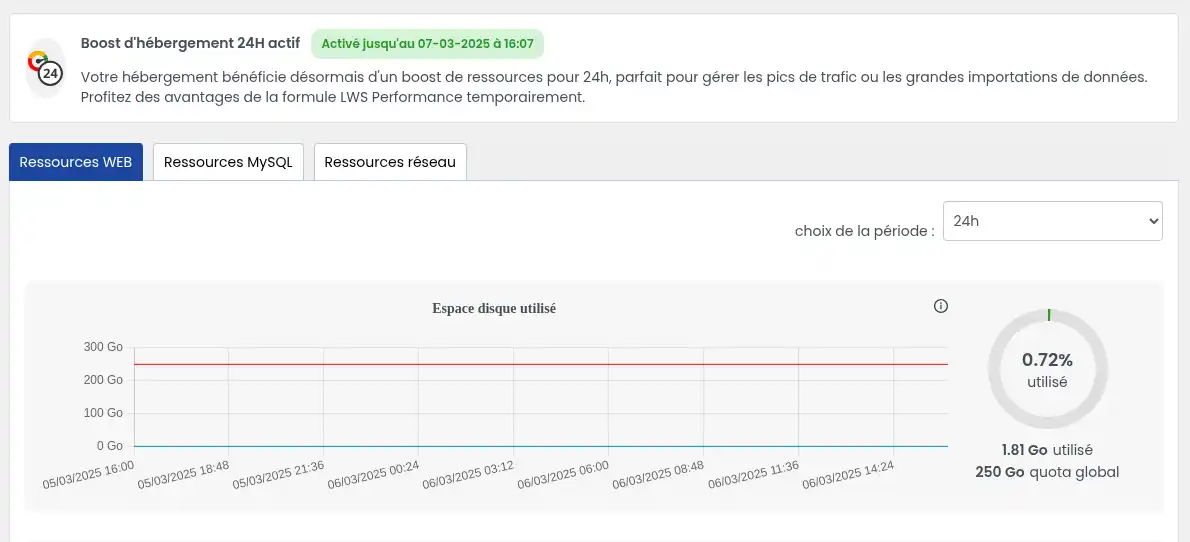
Once the quotas have been applied, you will see a message telling you when the boost will end.
You now know how to :
We hope this information helps you optimise your web projects with efficiency and flexibility! 😊🚀 If you have any questions or would like to share your experience with LWS quota boosting, please feel free to leave us a comment. We'd love to hear from you! Thanks for reading and see you soon on our service! 👋
Ask the LWS team and the community. Answers are published after moderation.
 About LWS :
LWS is a 100% French web hosting company that focuses on quality and innovation and offers a responsive and competent technical service at affordable prices.
About LWS :
LWS is a 100% French web hosting company that focuses on quality and innovation and offers a responsive and competent technical service at affordable prices.



 Yes
Yes No
No