
Online help
The web host accessible to all
Procédure
Nextcloud is an open-source collaboration and file-sharing platform. It lets you create your own private cloud to easily host, manage and synchronise your files, diaries, contacts and much more.
This template allows you to regain total control of your data while benefiting from a rich ecosystem of applications (such as Nextcloud Talk for videoconferencing, Calendar, Mail, Notes, or online document editing).
Nextcloud Server software is free and open-source, giving you a complete solution with no licence fees.
Nextcloud AIO (All-in-One) is a pre-configured, containerised solution that radically simplifies the deployment and maintenance of Nextcloud.
This template includes not only Nextcloud Server, but also all the essential components (such as the database, reverse proxy and additional services) in a single managed installation. This is the recommended method for achieving a complete and secure Nextcloud ecosystem with minimum effort.
The Nextcloud AIO template contains the pre-installed application.
Enter the URL provided in the delivery email into your server in a web browser (in the form https://vpsXXXXX.serveur-vps.net:8443), Nextcloud will automatically generate a valid SSL certificate, this may take 1 to 2 minutes. Once you have arrived on the main page, follow the steps below:
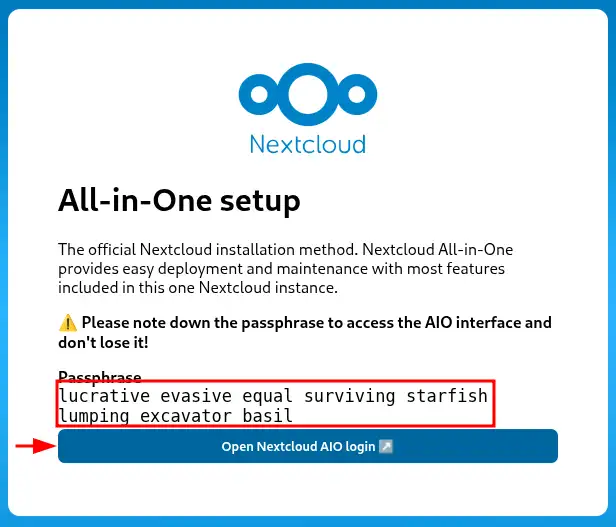
Keep the given passphrase, then click on the link "Open Nextcloud AIO login" :
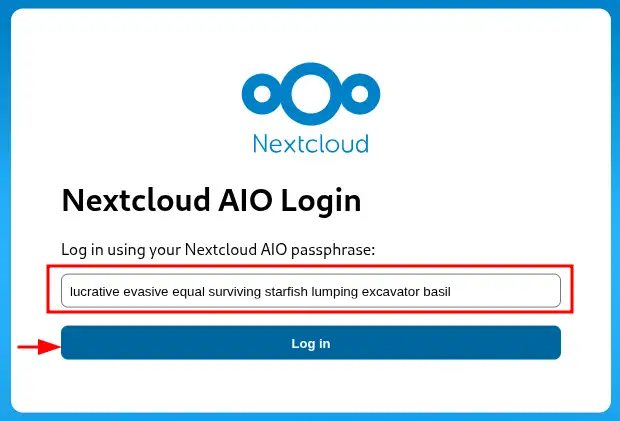
Enter the passphrase and click on "Log in":
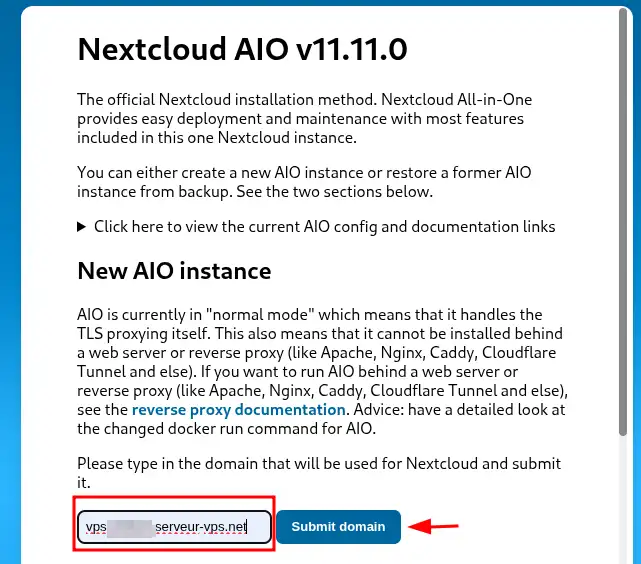
For a new Nextcloud instance, enter a domain name pointing to your VPS (example: cloud.mydomain.com).
If you don't have one, you can enter vpsXXXXX.serveur-vps.net (where XXXXX is the number of your VPS), then click on "Submit domain":
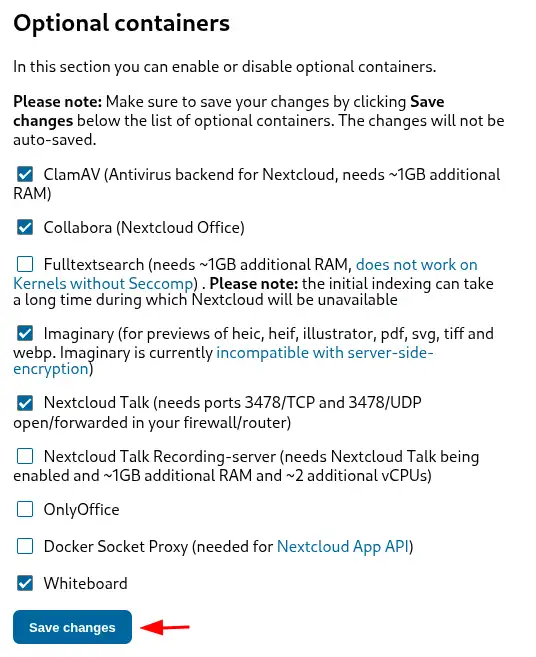
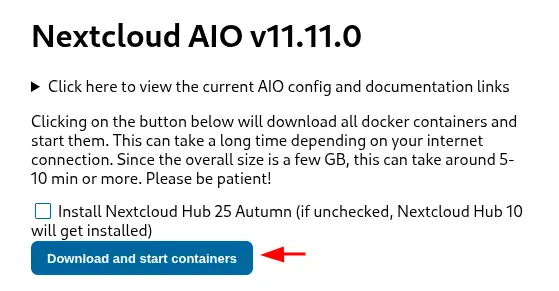
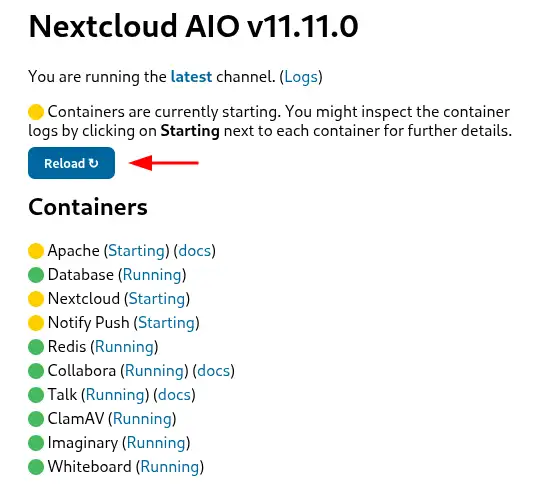
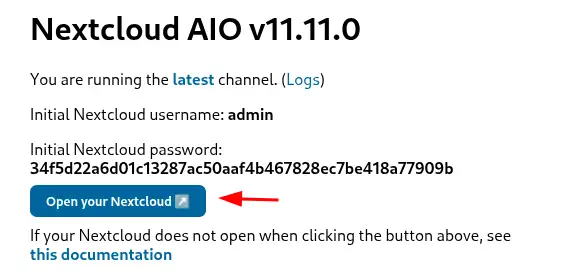
Here you can choose the different components you want to install. Here is a quick description of the applications:
You now know how to :
🚀 Thanks to this guide, getting to grips with your private cloud with Nextcloud becomes child's play and protecting your data a matter of course. 🛡️
👏 Thank you for reading this article! If you have any questions or would like to share your experience with Nextcloud, please feel free to leave a comment below. Your feedback is valuable and helps us improve our services. 💬
Ask the LWS team and the community. Answers are published after moderation.
 About LWS :
LWS is a 100% French web hosting company that focuses on quality and innovation and offers a responsive and competent technical service at affordable prices.
About LWS :
LWS is a 100% French web hosting company that focuses on quality and innovation and offers a responsive and competent technical service at affordable prices.



 Yes
Yes No
No