
Online help
The web host accessible to all
Procédure
The action of rebooting a server has the effect of stopping all the processes on the server, then booting the machine and starting all the processes.
Rebooting can be useful if you no longer have access to the machine, if the firewall is blocked or if the boot sequence no longer works. On average, it takes 30 minutes to restart a dedicated VPS server.
If after 30 minutes you still do not have access to your dedicated VPS server, please contact our technical support team.
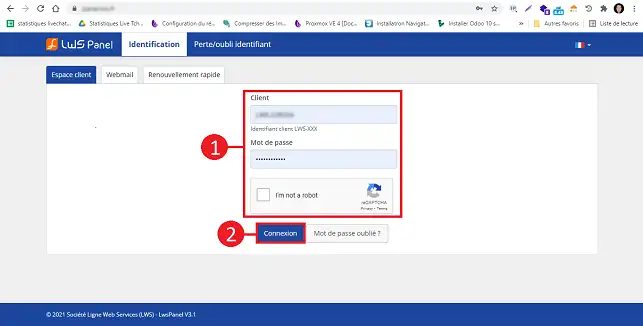
1. Go to your LWS Customer Area
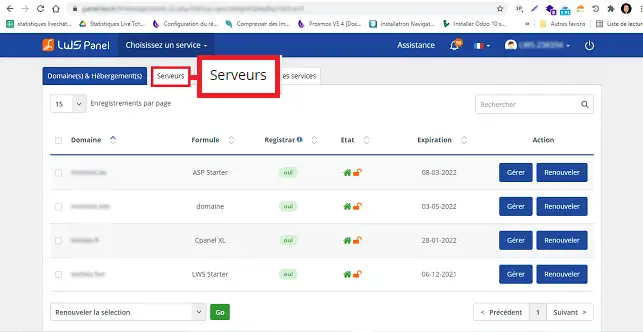
2. Click on the"Servers" tab.
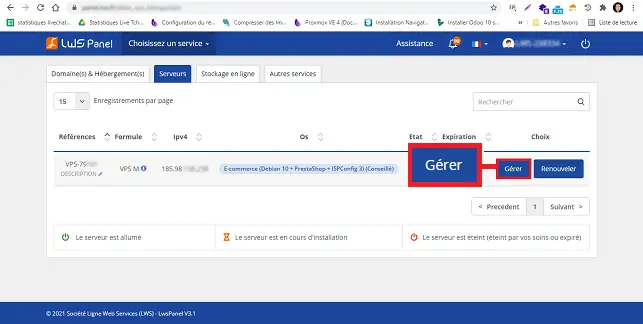
3. Click on the"Manage" button behind the server in question.
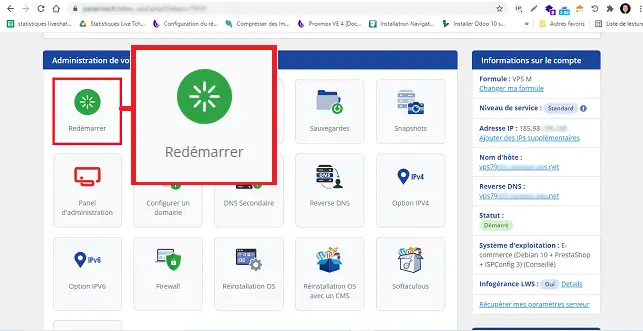
4. To restart your VPS server, click on the"Restart" button.
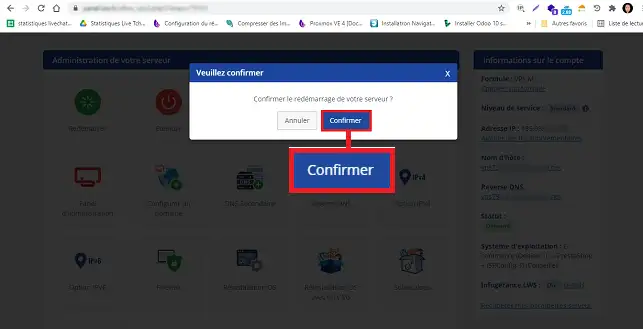
5. Then click on the"Confirm" button in the new window to confirm your request.
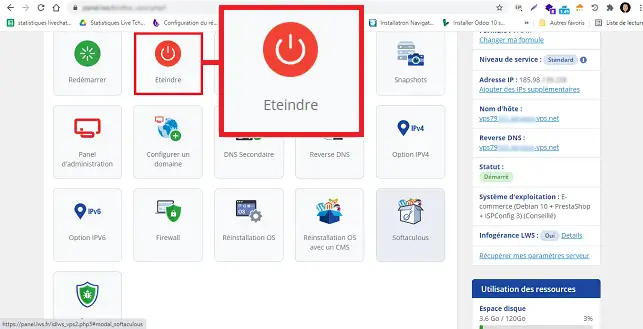
6. To shut down your VPS server, click the "Shut Down" button.
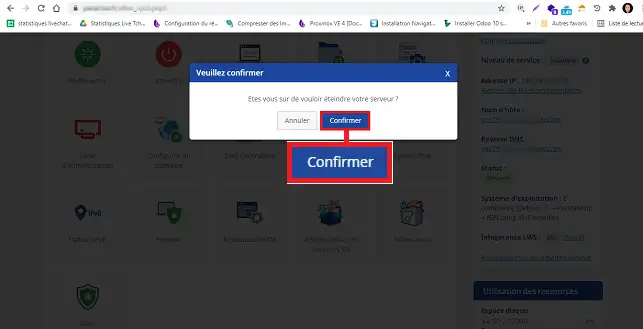
7. As with restarting your VPS, click on"Confirm" in the new window to confirm your request.
Ask the LWS team and the community. Answers are published after moderation.
 About LWS :
LWS is a 100% French web hosting company that focuses on quality and innovation and offers a responsive and competent technical service at affordable prices.
About LWS :
LWS is a 100% French web hosting company that focuses on quality and innovation and offers a responsive and competent technical service at affordable prices.



 Yes
Yes No
No