
Online help
The web host accessible to all
Procédure
Prestashop is a fantastic platform for managing your E-shop. If you've already opted for this solution with our E-commerce packages, this article is for you.
If not, what are you waiting for to order a Prestashop E-commerce shop?
In this article, we assume that you have already installed your shop on your dedicated VPS server.
Here are the different points we will cover:
1. Connecting to the Prestashop panel
2. Adding a Prestashop theme
3. Add a payment methodin Prestashop
4. Adding a product with Prestashop
Note: The version used in this article is Prestashop 1.6.
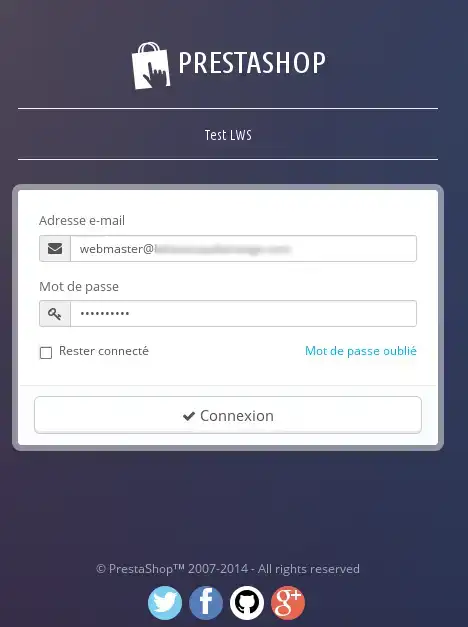
1. Go to the Prestashop administration page.
In general, this is always as follows: http://le name of your website/admin_presta.
For example: https://maboutique.fr/admin_presta
2. Enter the password andusername for your Prestashop account, then click on Connect.
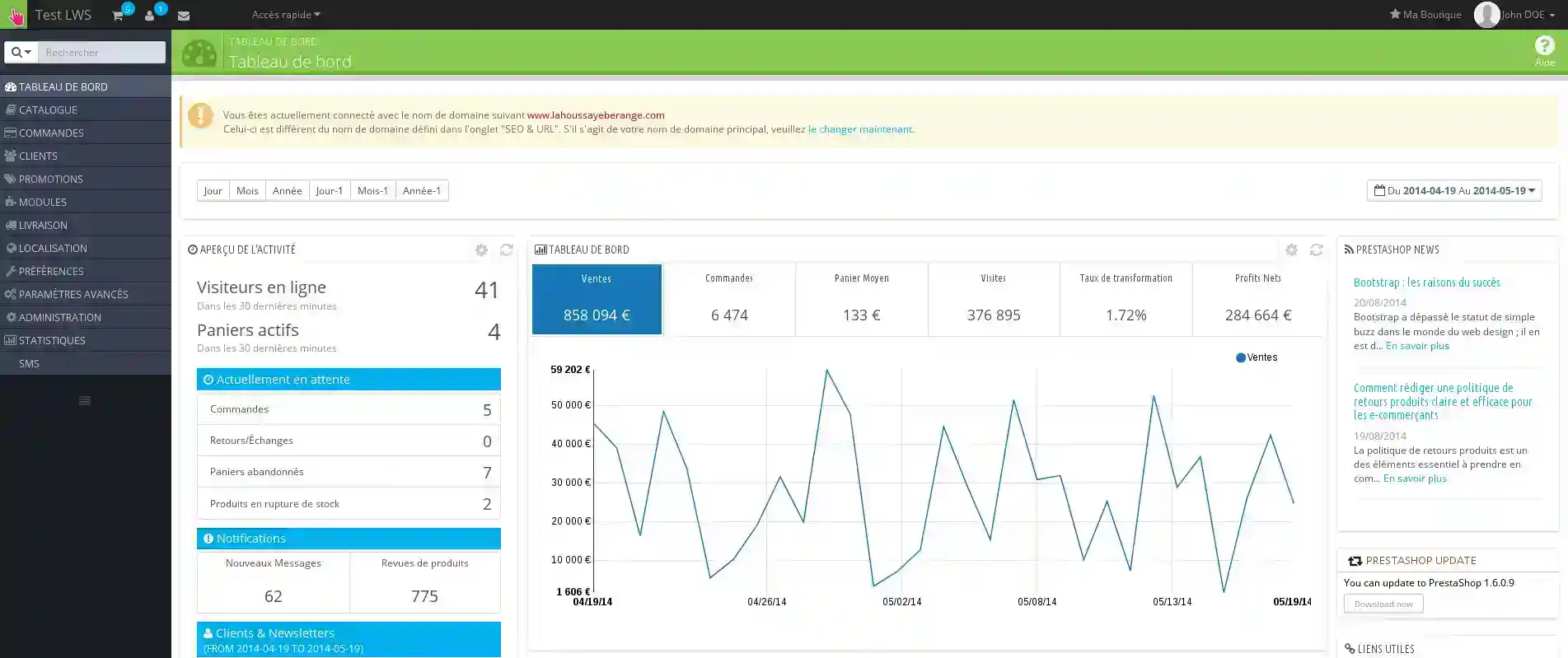
3. This will take you to the Prestashop shop dashboard
Our partner Themeforest has thousands of graphic templates to suit every business.
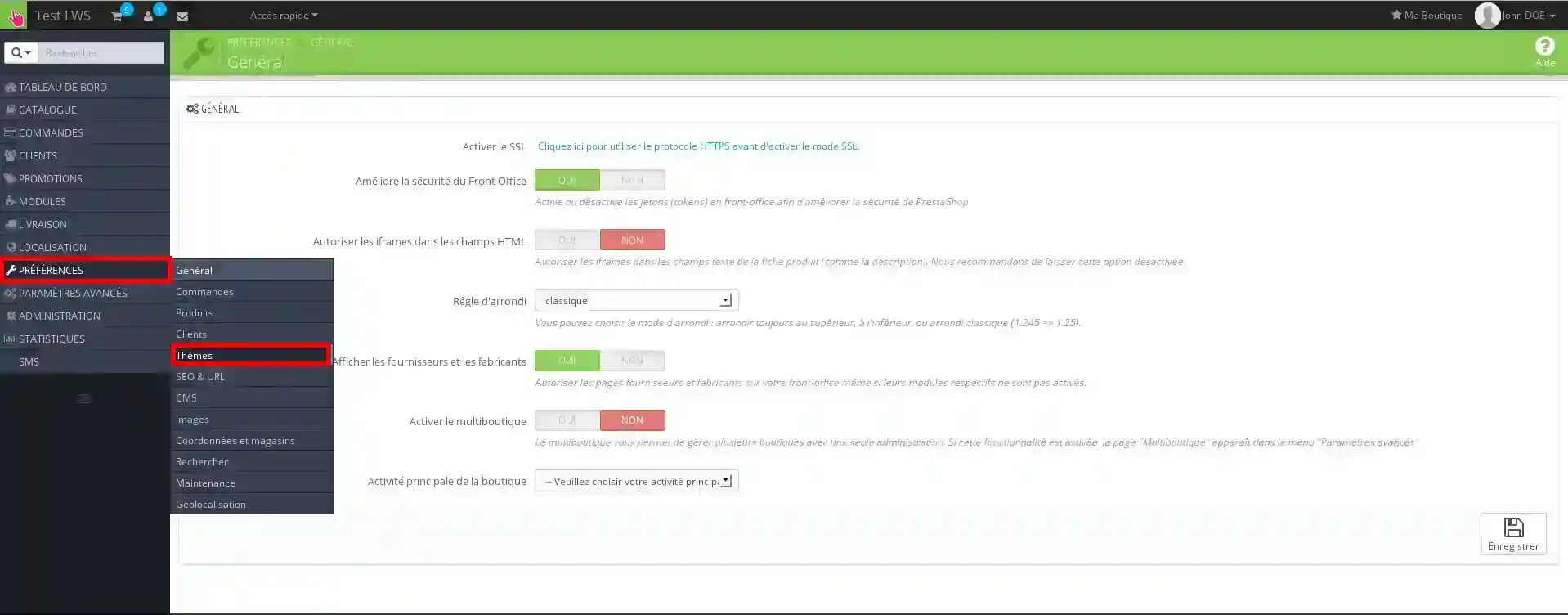
1. Click on Preferences, then Themes
2. In the top right-hand menu, click on "Add a theme".
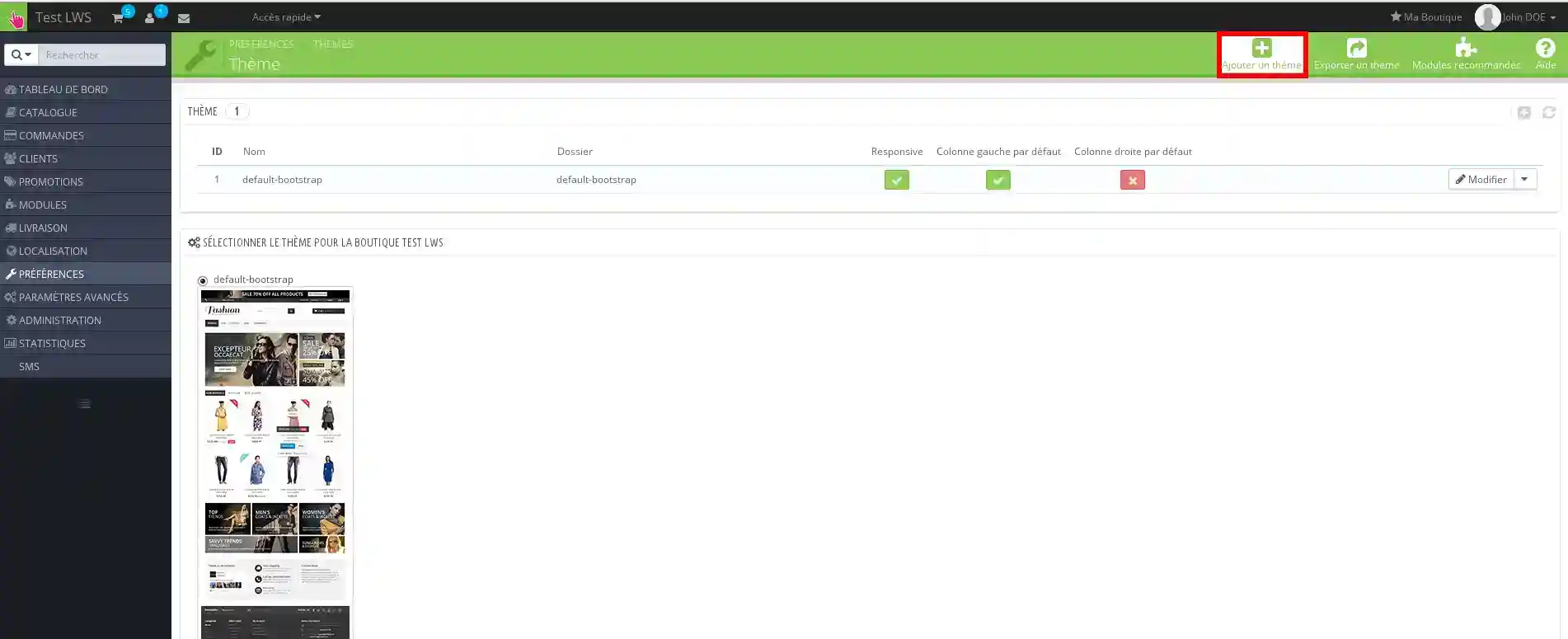
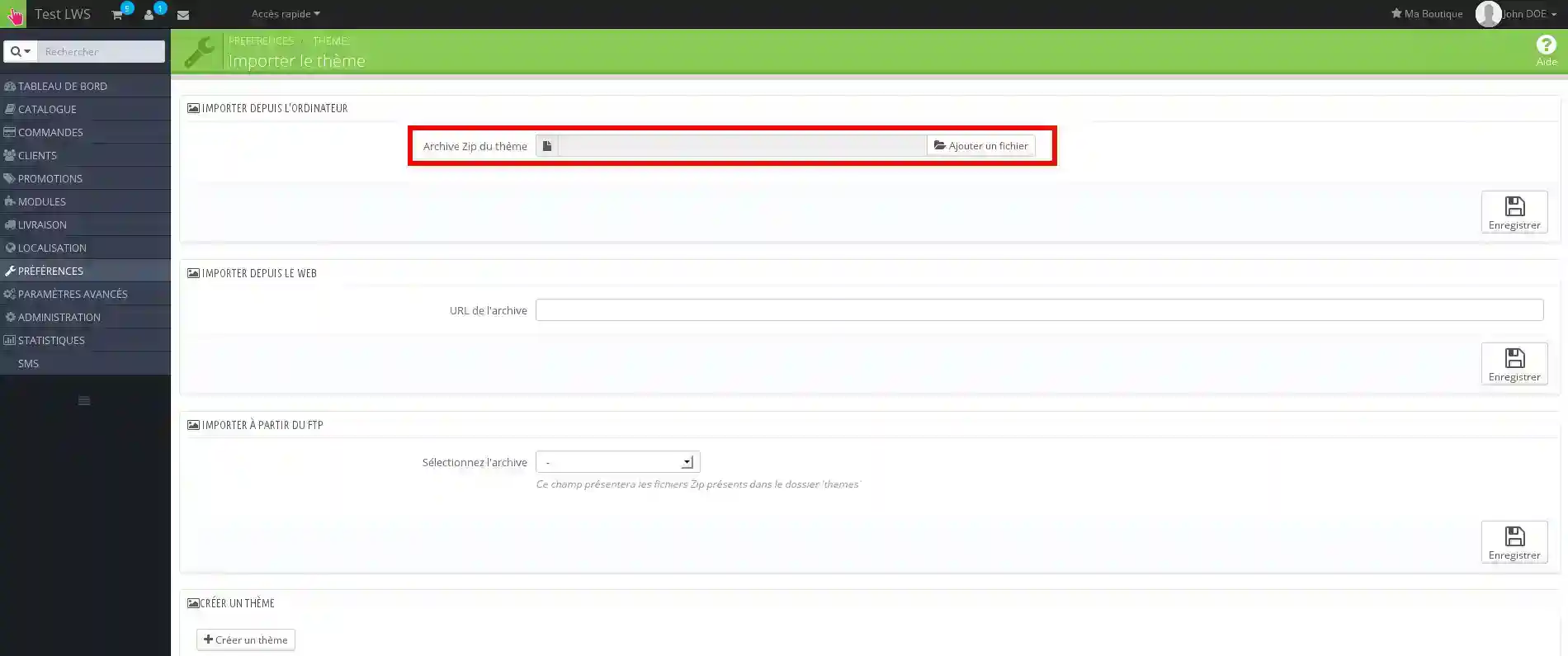
3. You can then add the Zip file containing the theme for your website by clicking on the"add a file" button.
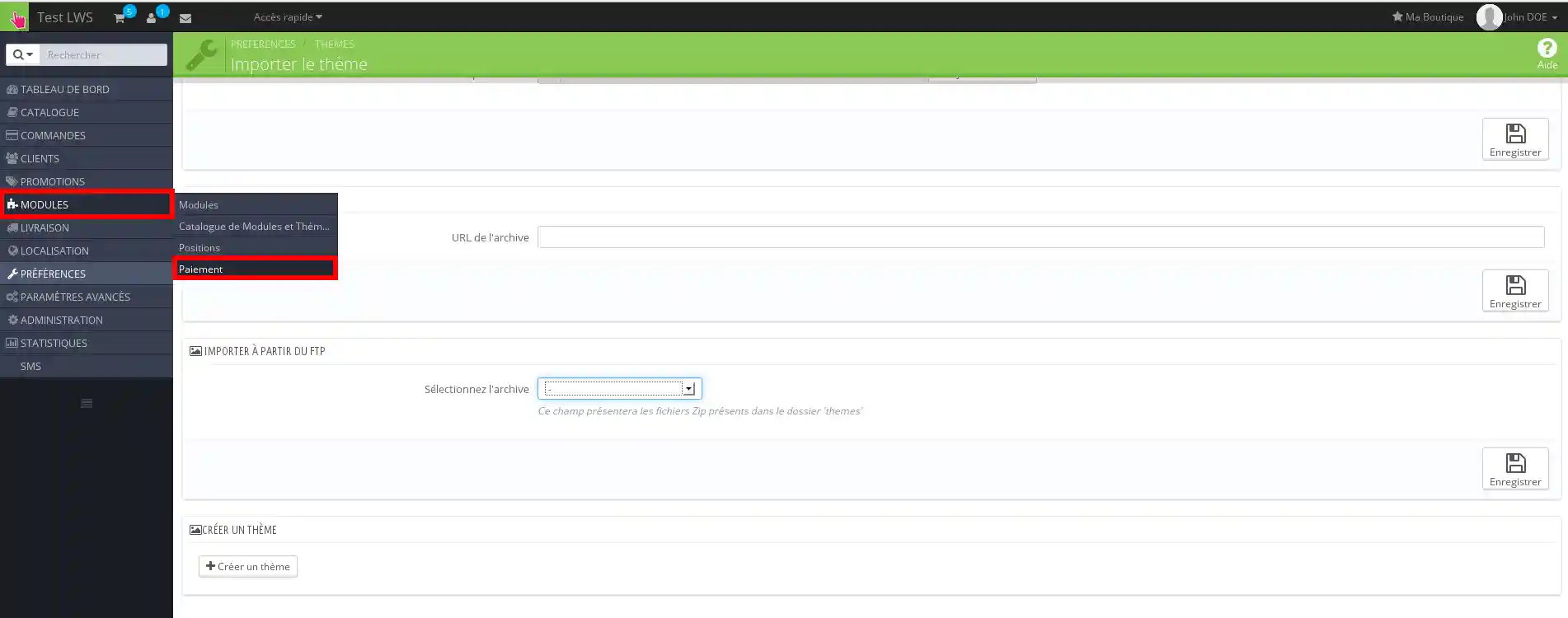
1. Click on the"Module" button, then "Payment".
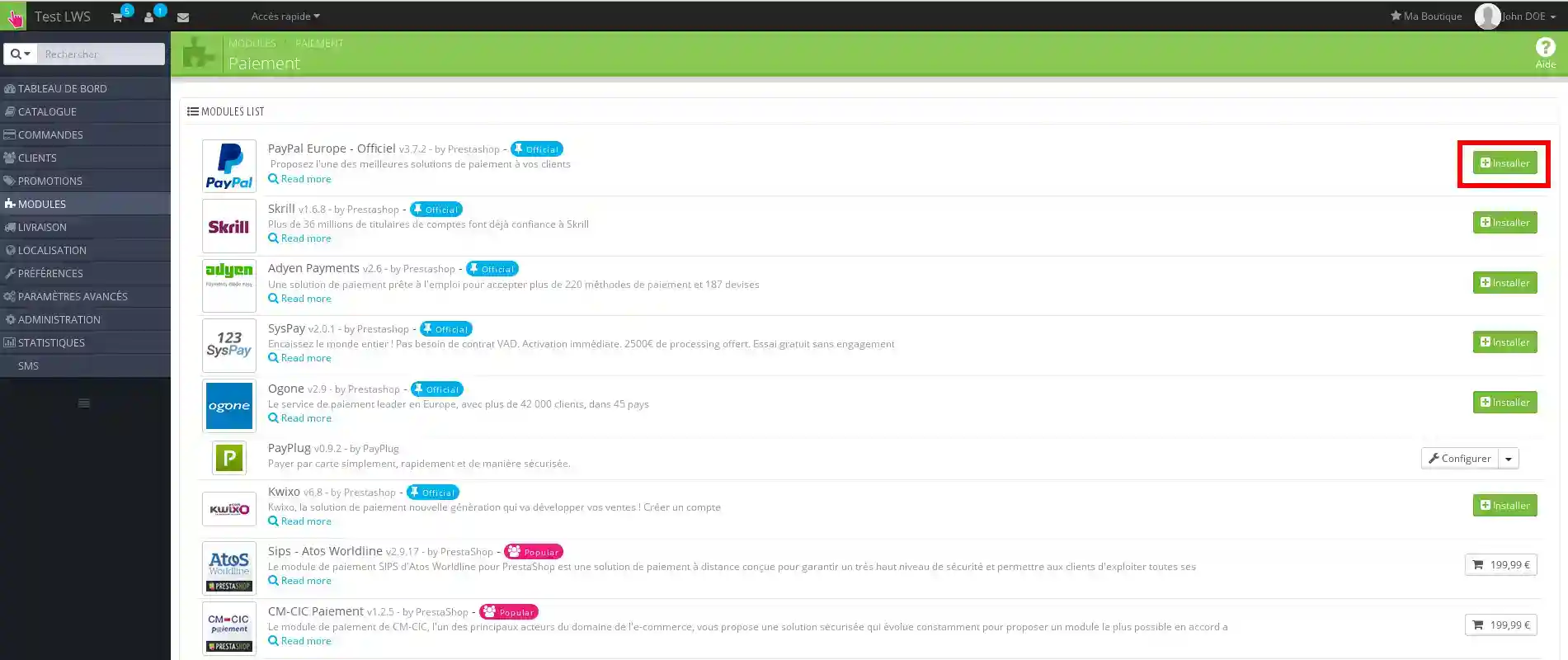
2. On the right-hand side, click on"Install".
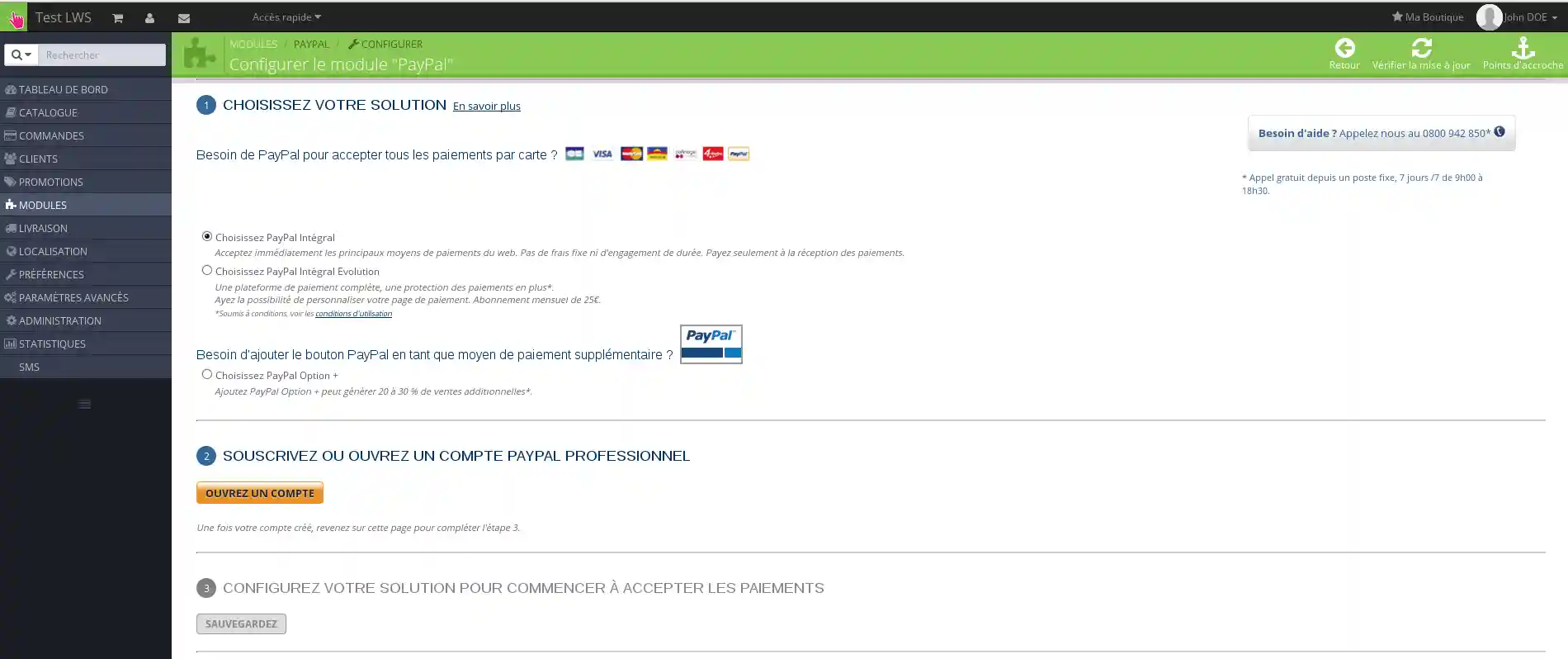
3. You can then set up your "Paypal" account in this example by following the instructions.
Discover thousands of graphic templates adapted to any activity at our partner Themeforest
Ask the LWS team and the community. Answers are published after moderation.
 About LWS :
LWS is a 100% French web hosting company that focuses on quality and innovation and offers a responsive and competent technical service at affordable prices.
About LWS :
LWS is a 100% French web hosting company that focuses on quality and innovation and offers a responsive and competent technical service at affordable prices.



 Yes
Yes No
No