
Online help
The web host accessible to all
Procédure
Magento is a turnkey shop solution. You install, select your template, add your products and you're ready to go.
Order management and multiple payment gateways are already included.
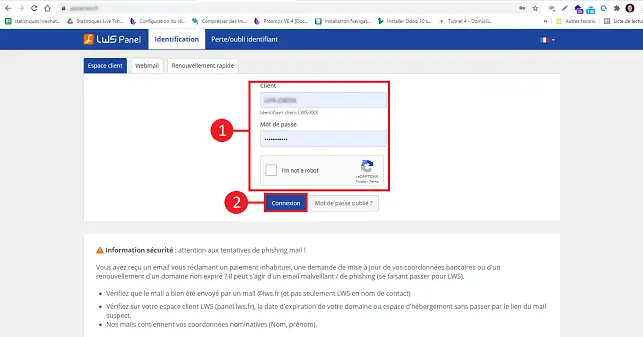
1. Log in to your LWS customer area
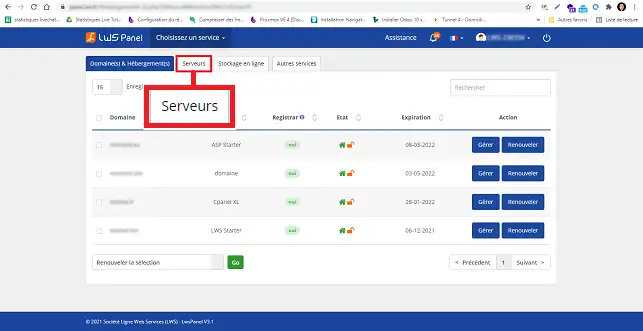
2. Click on the"Servers" tab at the top of the page.
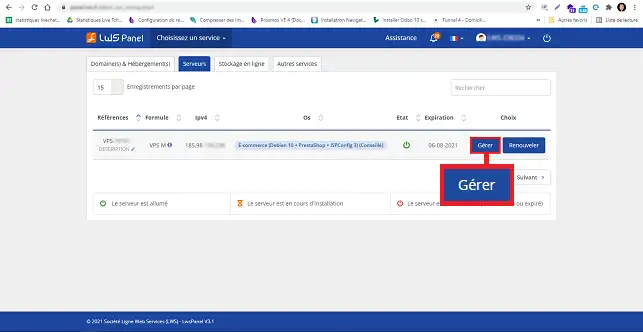
3. Click on"Manage" behind the VPS package on which you wish to install"Magento".
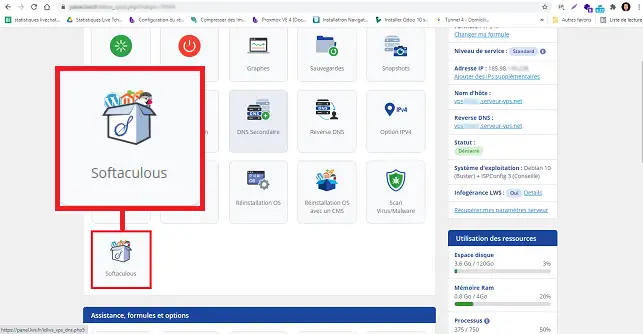
4. Click on the"Softaculous" button to install this software on your VPS server.
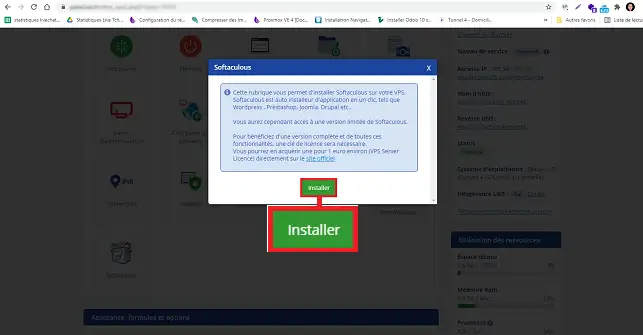
5. Confirm the installation of Softaculous by clicking on the"Install" button in the new window.
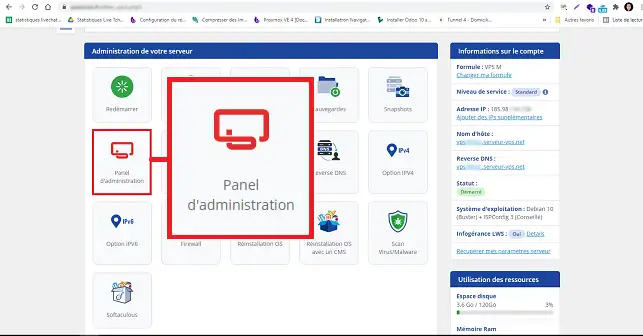
6. Connect to your server's ISPConfig interface by clicking on the"Administration Panel" button.
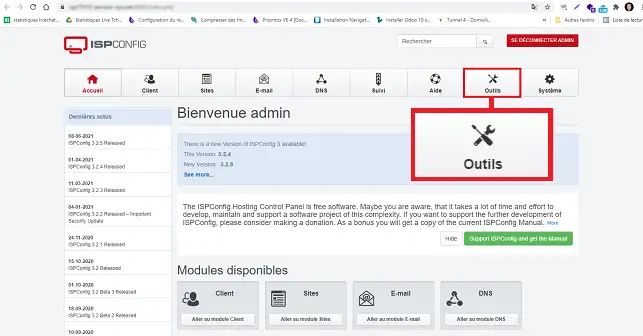
7. Click on"Tools" in the menu at the top of the page.
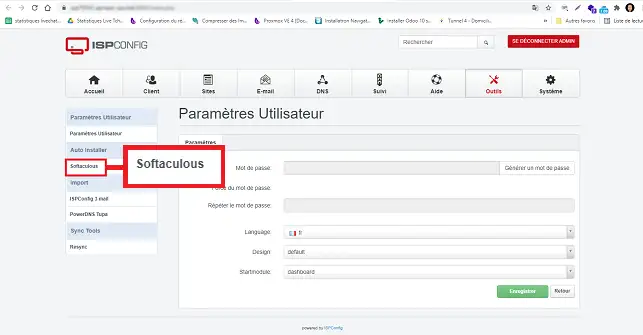
8. Click on the"Softaculous" tab in the left-hand menu.
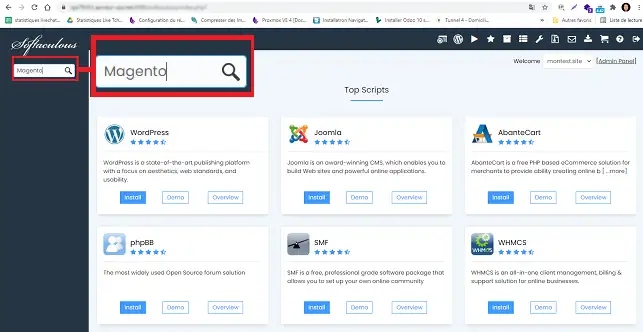
9. Search for"Magento" in the search field.
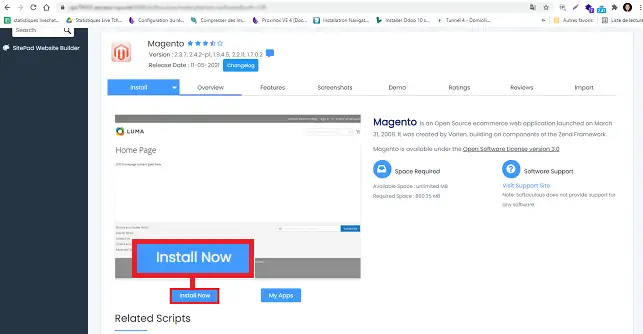
10. Click on"Install now".
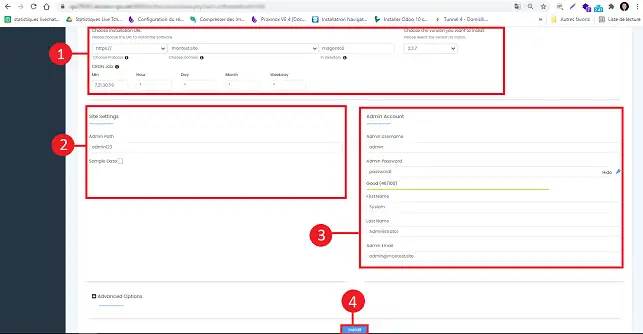
11. Fill in the fields as follows:
Discover thousands of graphic templates adapted to any activity from our partner Themeforest
Ask the LWS team and the community. Answers are published after moderation.
 About LWS :
LWS is a 100% French web hosting company that focuses on quality and innovation and offers a responsive and competent technical service at affordable prices.
About LWS :
LWS is a 100% French web hosting company that focuses on quality and innovation and offers a responsive and competent technical service at affordable prices.



 Yes
Yes No
No