
Online help
The web host accessible to all
Procédure
This article applies to the Messaging Pro Premium package, which lets you create professional email addresses with sharing functions and synchronisation of contacts and calendar.
In this documentation, we'll look at how to simplify synchronisation URLs.
On a mobile phone (Iphone or other) it can be tedious to write a complete URL.
The Google url shortener service allows you to shorten a URL.
If you want to shorten the synchronisation URL of your shared calendar or your shared address book, connect here: https: //goo.gl/
Then enter the full synchronisation URL (here we're using the webmaster@testlws.fr account ):
https://mail02.lwspanel.com/calendrier/webmaster@testlws.fr
or
https://mail02.lwspanel.com/calendrier-ios/webmaster@testlws.fr (for iphones)
or
https://mail02.lwspanel.com/contact/webmaster@testlws.fr
or
https://mail02.lwspanel.com/contact-ios/webmaster@testlws.fr (for iphones)
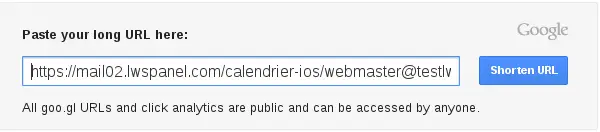
Click on Short URL, and you'll get a shorter URL.

Namely: http: //goo.gl/a9HvY3
This allows you to access your resources in the same way as with the full URL.
Ask the LWS team and the community. Answers are published after moderation.
 About LWS :
LWS is a 100% French web hosting company that focuses on quality and innovation and offers a responsive and competent technical service at affordable prices.
About LWS :
LWS is a 100% French web hosting company that focuses on quality and innovation and offers a responsive and competent technical service at affordable prices.



 Yes
Yes No
No