
Online help
The web host accessible to all
Procédure
An access log, also known as an access log or access log file, is a file that records details of every request made to a website. It is a type of log file that records events related to user requests and server responses.
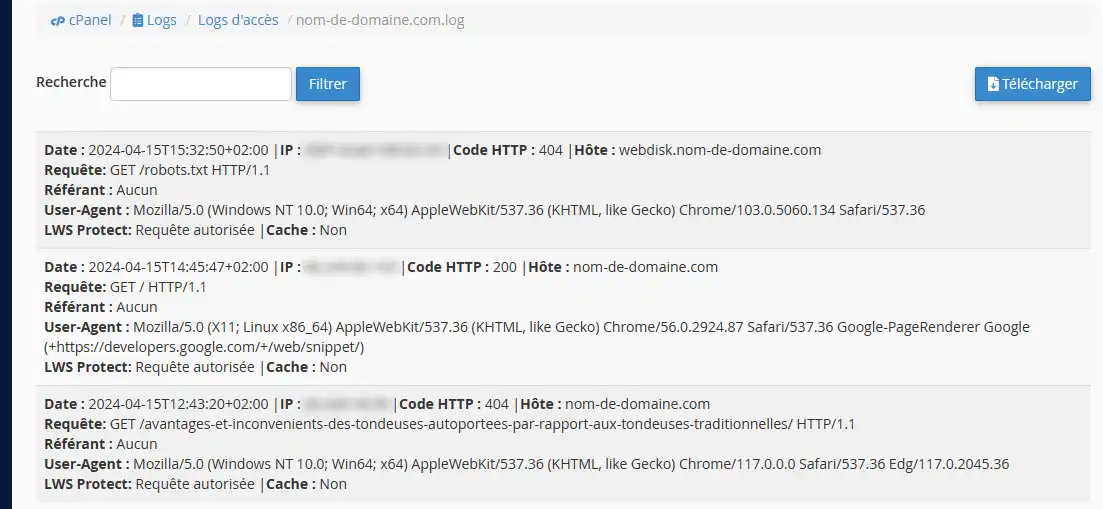
On our cPanel formulas, access logs contain the following information:
Access logs can be used for a variety of purposes, including:
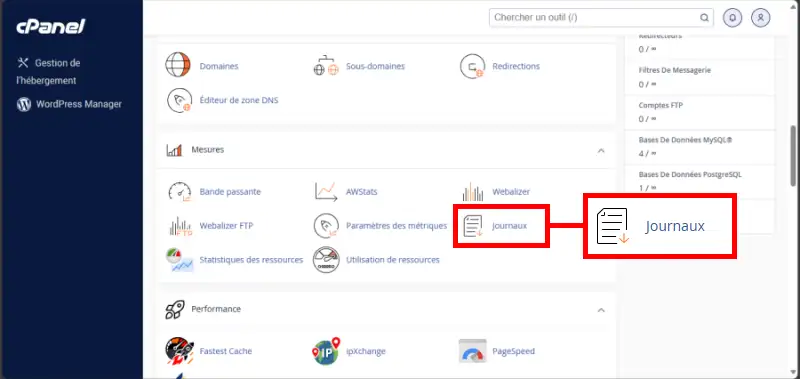
1. Log in to your cPanel account, scroll down the page and click on the"Logs" icon:
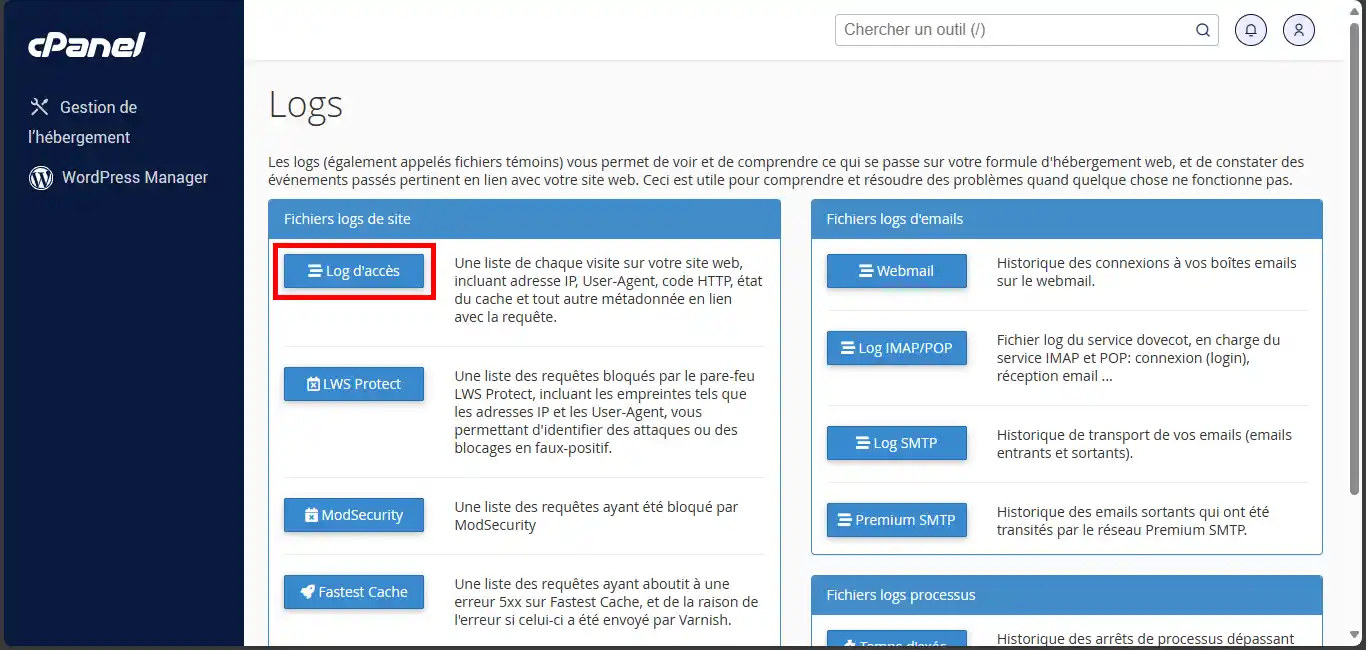
2. In the"Site log files" section, click on the"Access log" button:
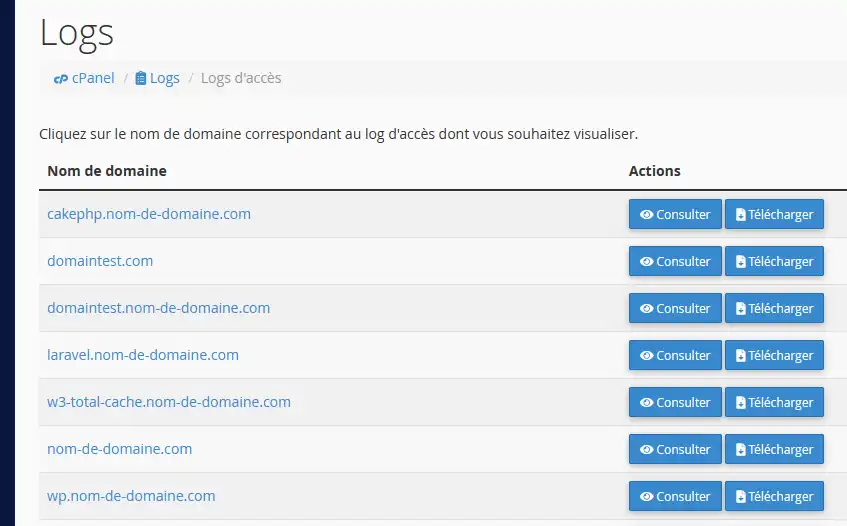
3. You will then be presented with a list of domain names. Click on the"View" button corresponding to the domain name whose log file you wish to view:
4. A list of the last 300 HTTP requests in the access log file is displayed:
5. You can click on the "Download" button to download the entire access log file.
Need help using cPanel?
See all our cPanel training videos
You are now able to view access logs on your cPanel web hosting with LWS. Viewing logs can help you to see errors on your pages and to understand the behaviour of your visitors on your website.
Don't hesitate to share your comments or questions!
Ask the LWS team and the community. Answers are published after moderation.
 About LWS :
LWS is a 100% French web hosting company that focuses on quality and innovation and offers a responsive and competent technical service at affordable prices.
About LWS :
LWS is a 100% French web hosting company that focuses on quality and innovation and offers a responsive and competent technical service at affordable prices.



 Yes
Yes No
No