
Online help
The web host accessible to all
Procédure
If there is no index.html file in a given directory, the web browser will display the list of files in the directory by default: this type of situation is not desirable in order to avoid any security problems.
The index manager allows you not to display the contents of your directories.
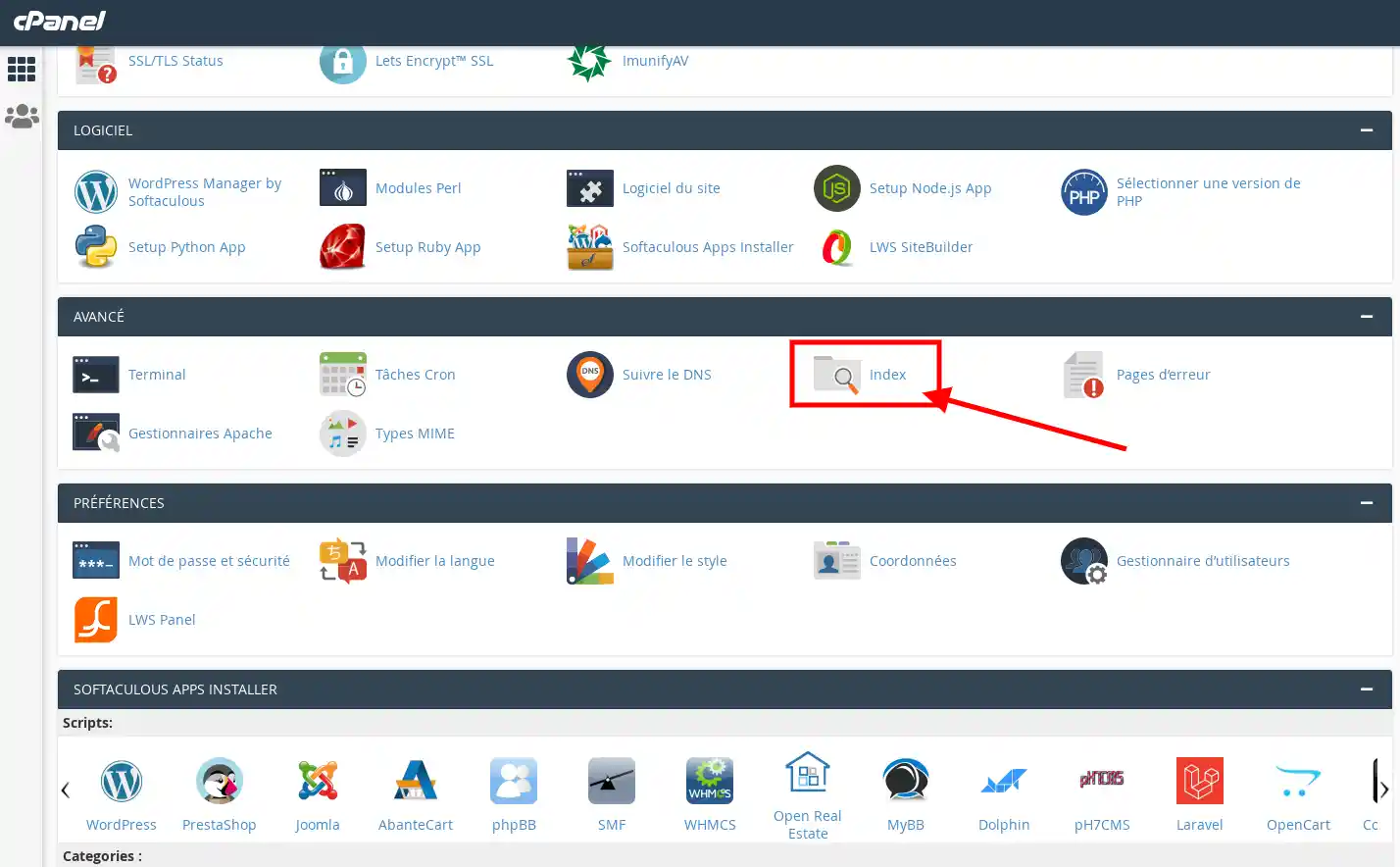
1. Log in to your cPanel account, scroll down the page and click on the "Index" icon.
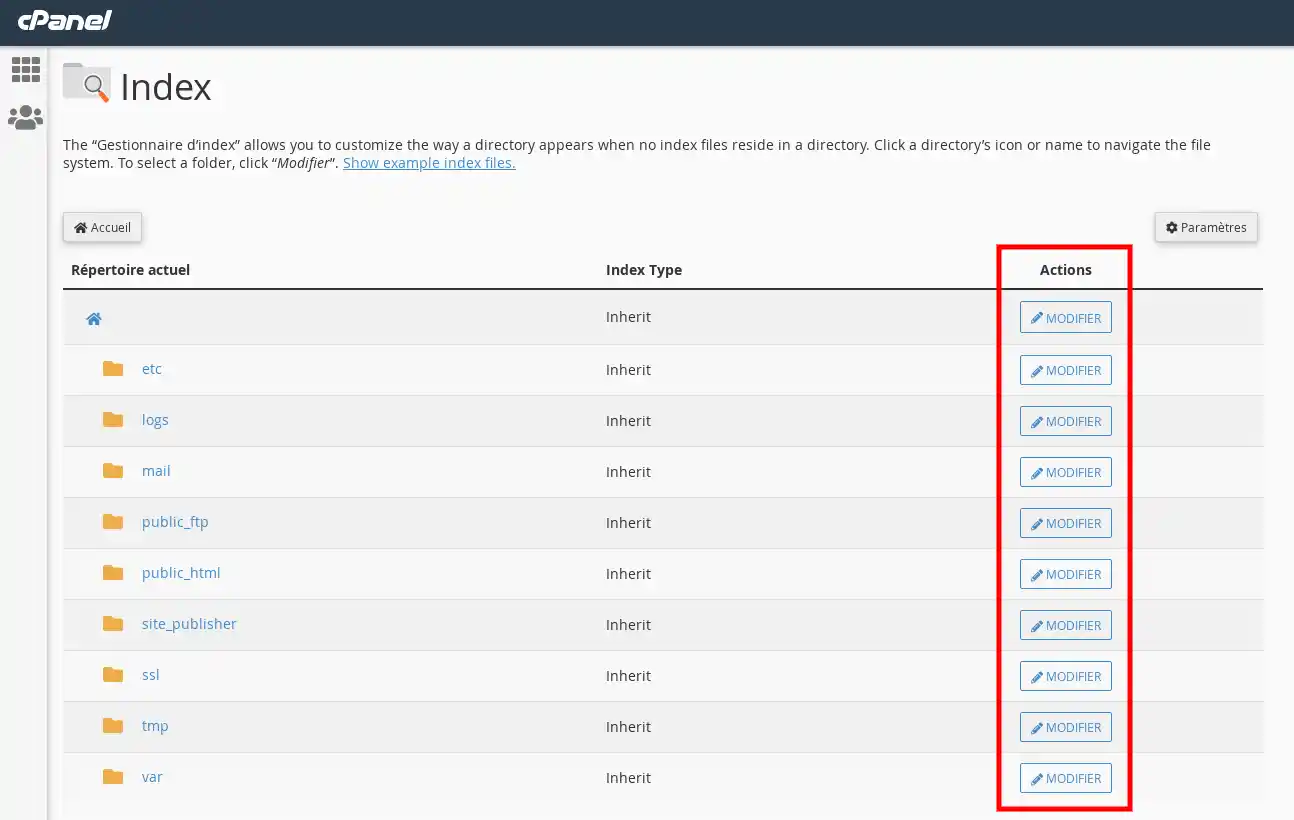
2. Click on the "edit" button of the directory whose display you wish to change
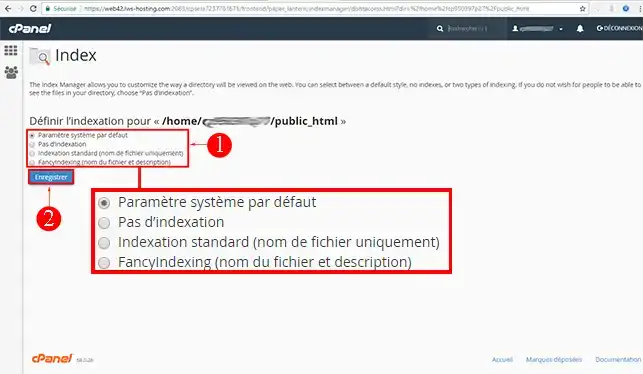
3. Indicate the type of display you want, then click on "Save".
You will have a choice of 4 options:
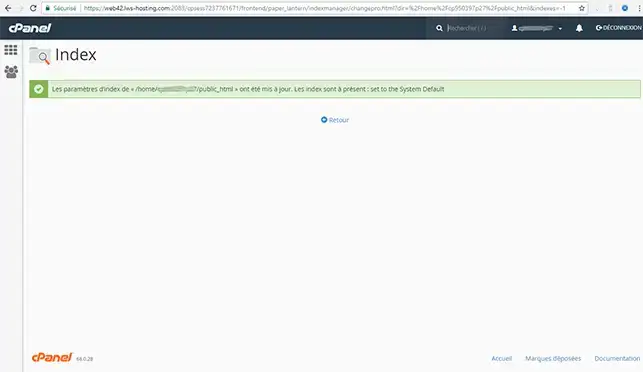
The manipulation is immediately taken into account:
Need help using cPanel?
See all our cPanel training videos
You now know how to use the index manager available on your cPanel web hosting with LWS. Thanks to the index manager, the security of your website will be improved.
Don't hesitate to share your comments or questions!
Ask the LWS team and the community. Answers are published after moderation.
 About LWS :
LWS is a 100% French web hosting company that focuses on quality and innovation and offers a responsive and competent technical service at affordable prices.
About LWS :
LWS is a 100% French web hosting company that focuses on quality and innovation and offers a responsive and competent technical service at affordable prices.



 Yes
Yes No
No