
Online help
The web host accessible to all
Procédure
To create a subdomain on a VPS server equipped with HestiaCP, simply point your subdomain to the server's IP address in your DNS zone, then declare it as an independent web domain in the administration panel. HestiaCP is a lightweight, full-featured open source web hosting management panel, designed to easily manage your sites, databases, and email accounts on a Linux server. A subdomain corresponds to an extension of your main domain (for example hestia.learnlws.fr) allowing you to host a separate project or a dedicated application.
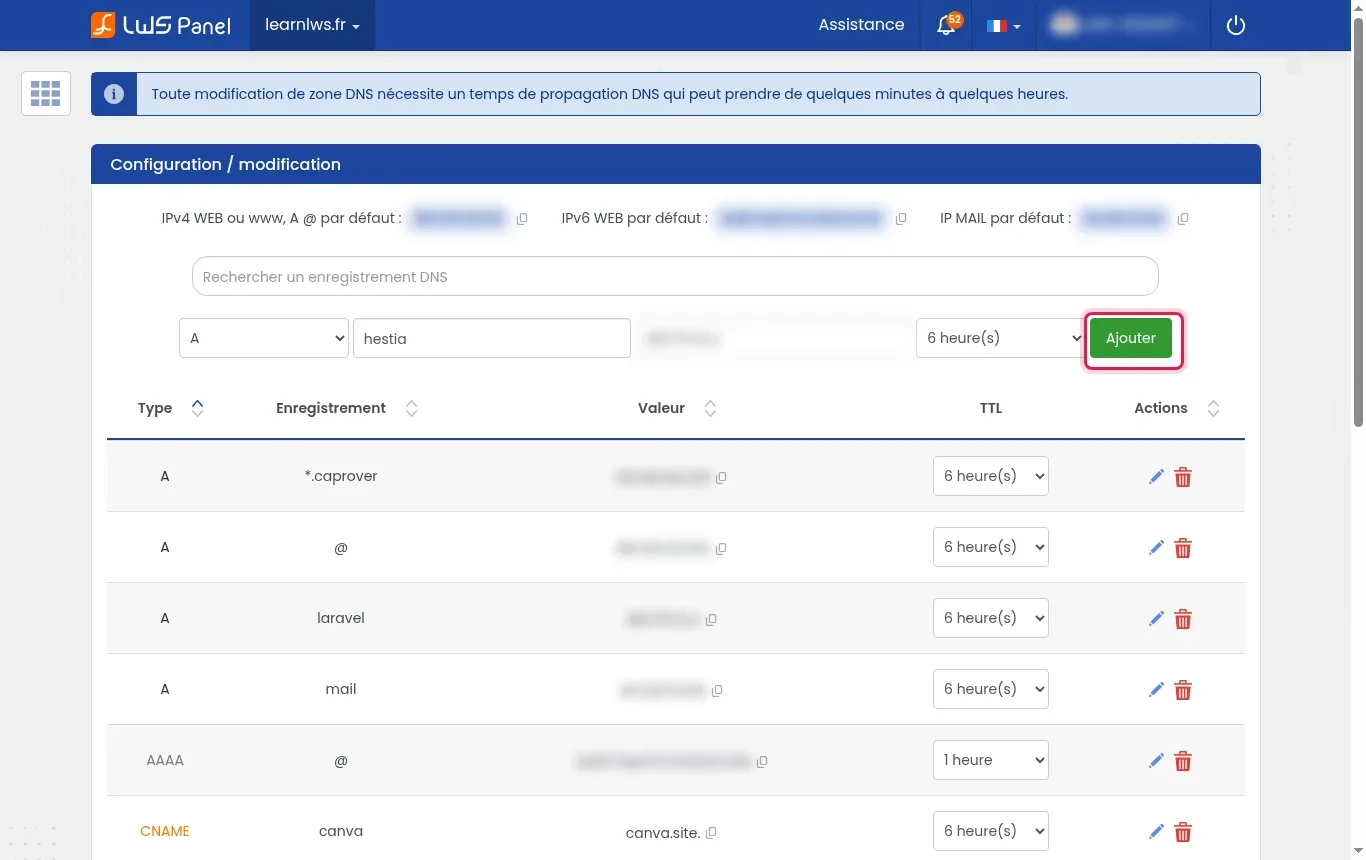
Log in to your LWS customer area, go to the management section for your domain name, then open the section dedicated to the DNS zone. In the record creation form, choose the A type, enter the prefix of your subdomain (for example hestia), indicate your VPS IP address (for example the fictional address 203.0.113.10), then click Add.
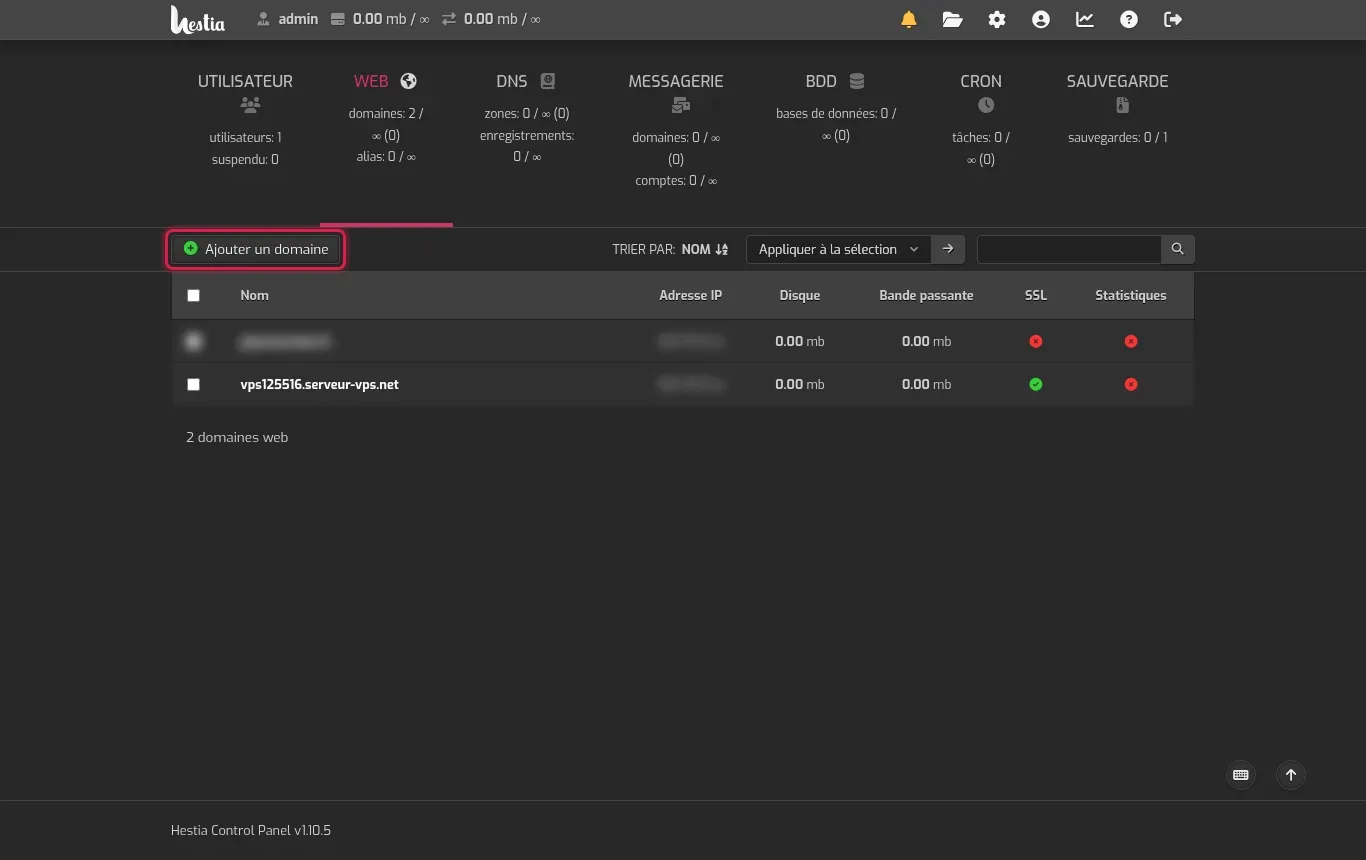
Log in to your HestiaCP administration interface (generally accessible on port 8083 of your server) with your administrator account. In the top navigation menu, click on WEB, then select the Add Domain button.
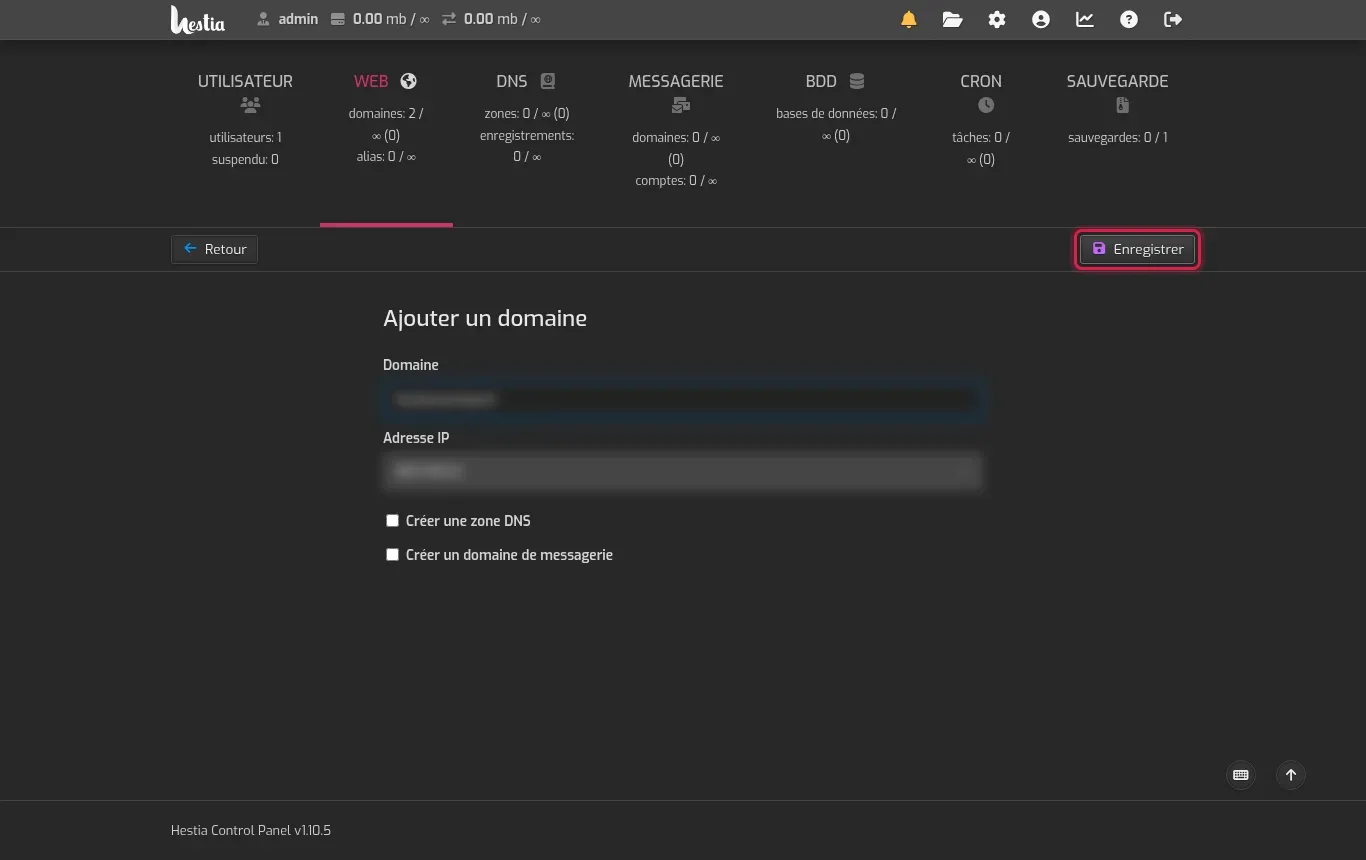
In the Domain field, enter the full name of your subdomain (for example hestia.learnlws.fr). Leave the DNS or mail options unchecked if you already manage these services from your LWS area, then confirm your entry by clicking the Save button.
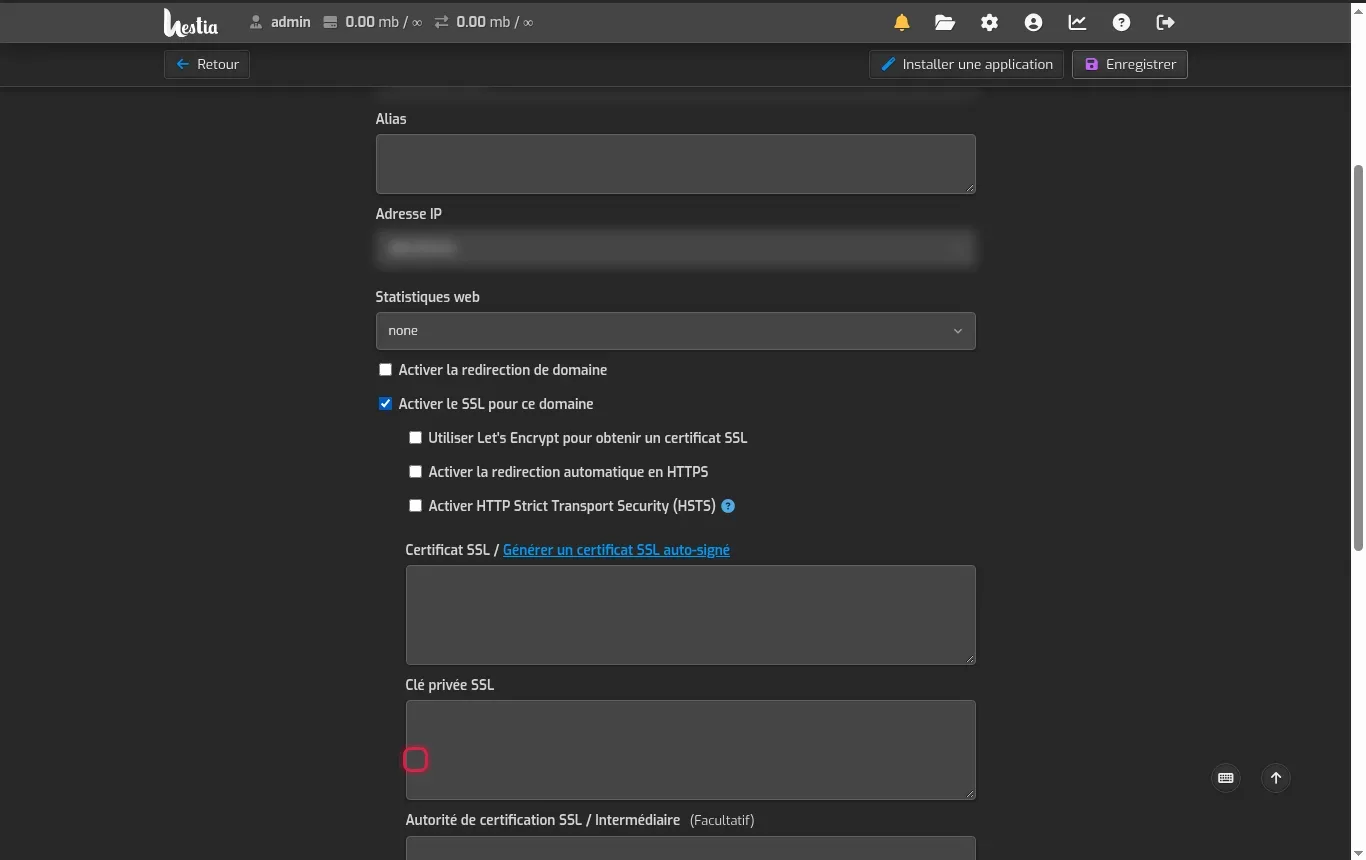
From the list of your web domains, click on your new subdomain to open its configuration, then check the Enable SSL for this domain box. Then check Use Let's Encrypt to obtain an SSL certificate, enable automatic HTTPS redirection if you wish, then click Save.
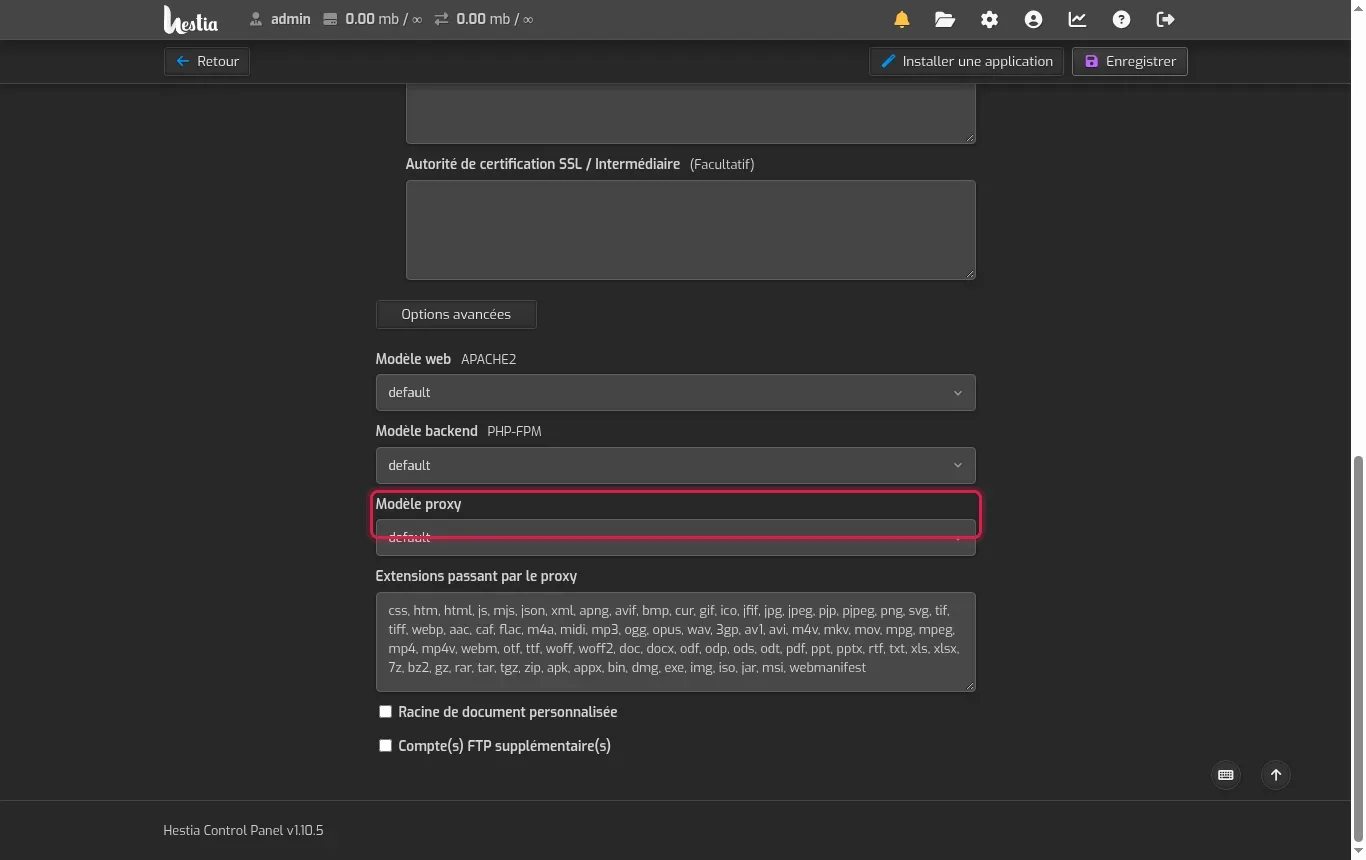
Scroll down the configuration page and expand the Advanced Options section. There you can adjust the web server template (APACHE2 web template or Nginx), the runtime version in PHP-FPM backend template, or define a custom root by checking Custom document root before saving.
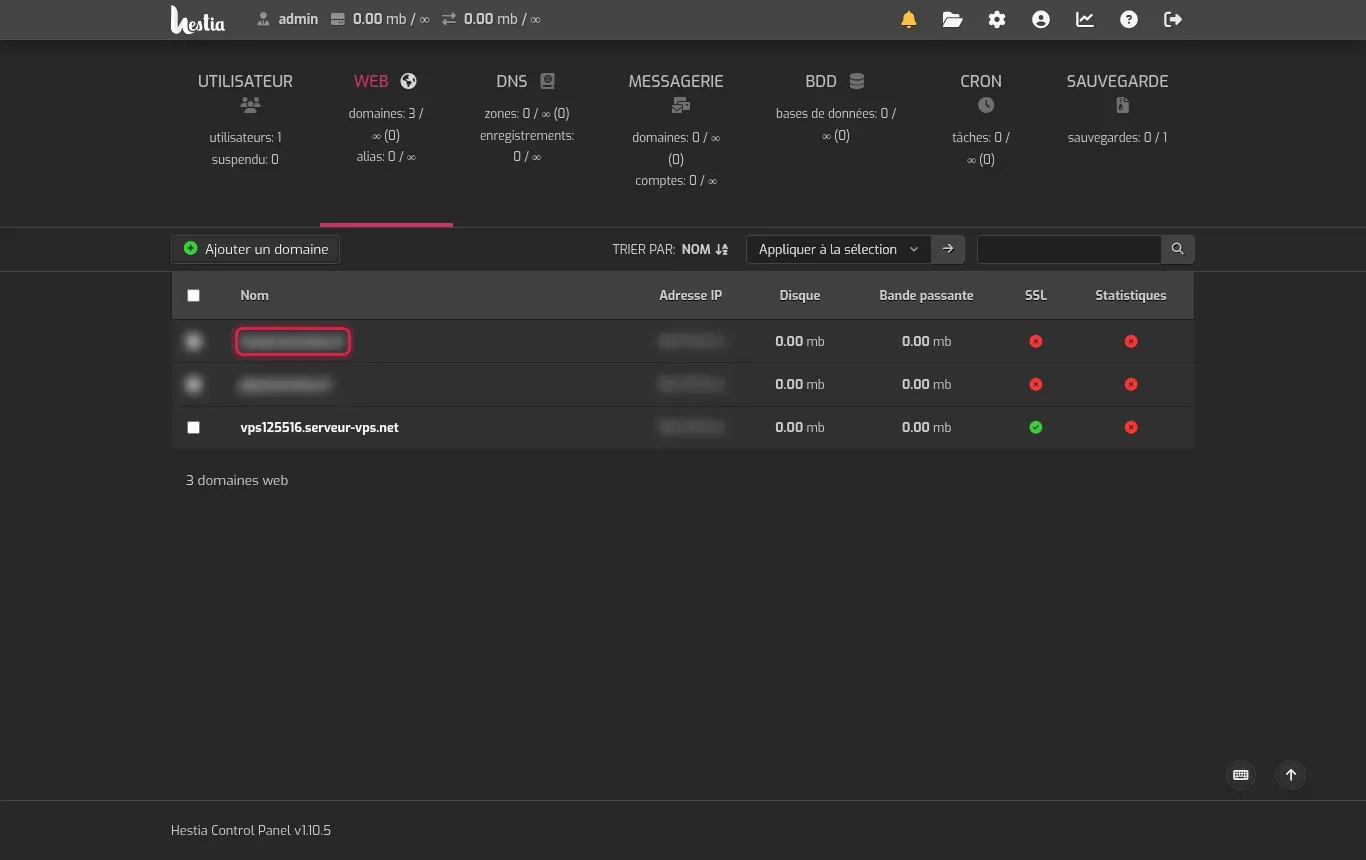
Go back to the WEB section of HestiaCP to make sure the subdomain appears as active in the domain list. You can now open your subdomain in your web browser to confirm the default page generated by the server is displayed correctly.
HestiaCP makes it possible to adapt the technical environment of each subdomain separately.
Let's Encrypt must query your subdomain to validate the certificate issuance. If the DNS A record has not yet propagated on the Internet or if it does not point to the exact IP of your VPS, certification will fail. Wait a few minutes then try again.
By default, HestiaCP isolates each website in its own directory tree. The public files of your subdomain are placed in the /home/admin/web/
HestiaCP automatically places a waiting index.html page in the public_html folder when a domain is created. You only need to upload your own files or remove this index to display your project.
Creating a new DNS A record in your LWS area usually takes from a few minutes to a few hours to become visible across the entire global network.
You can configure a dedicated FTP account from HestiaCP advanced options to upload your source code, create a database in the BDD section, or install a compatible web application.
Ask the LWS team and the community. Answers are published after moderation.
 About LWS :
LWS is a 100% French web hosting company that focuses on quality and innovation and offers a responsive and competent technical service at affordable prices.
About LWS :
LWS is a 100% French web hosting company that focuses on quality and innovation and offers a responsive and competent technical service at affordable prices.



 Yes
Yes No
No