
Online help
The web host accessible to all
Procédure
Dotclear is a very efficient and extremely easy-to-use blog creation tool. You will benefit from a multilingual, multi-blog, and multi-user interface. You can therefore create a blog that is fully customized, with complete ease and without any programming. Very popular in France, Dotclear attracts more and more bloggers..
Dotclear is included in all Linux hosting plans.
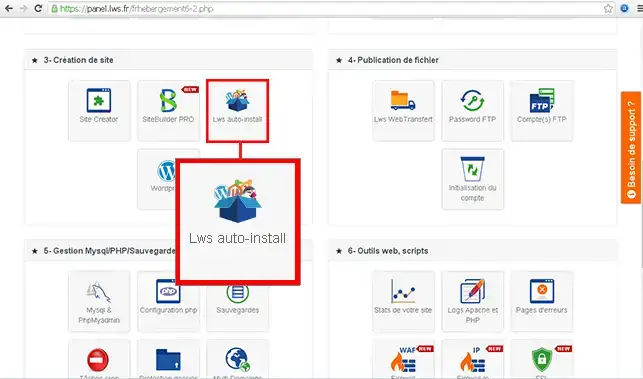
1. Log in to the administration area of your web hosting account and click on Lws auto-install
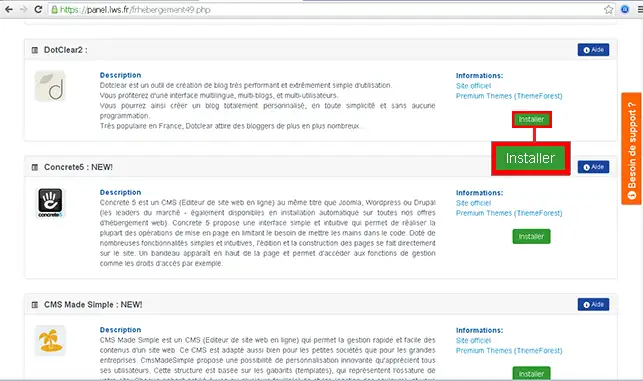
2. Choose DotClear 2 (Before proceeding with the installation of Drupal, you must create a Mysql database, necessary for it to function properly) And click on Install.
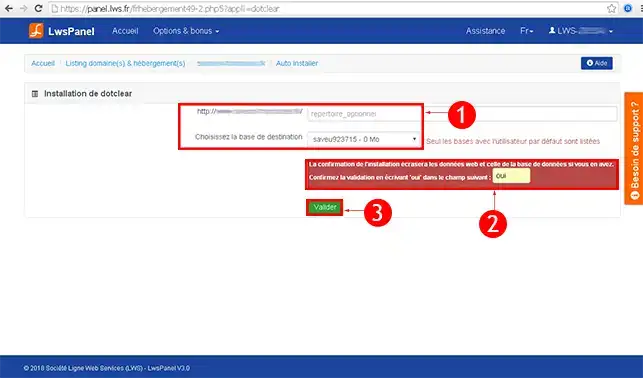
3. Indicate whether you want DotClear to be installed at the root of your site (at the base of your site) or in a folder. (If you want to display a showcase site for example)
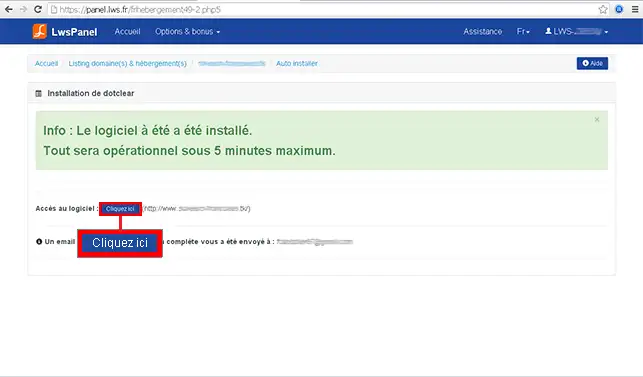
4. Once the installation is complete, you can access the software by clicking on the "Click here" button
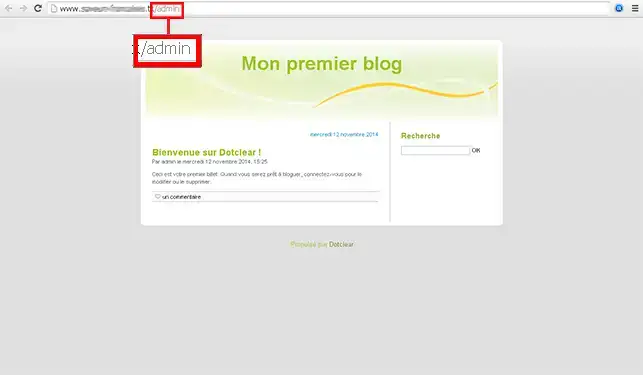
1. Please go to your DotClear site administration. (In this form example.com/admin/) It is possible that your site under Dotclear is in a subdomain. (More explanations about subdomains here)
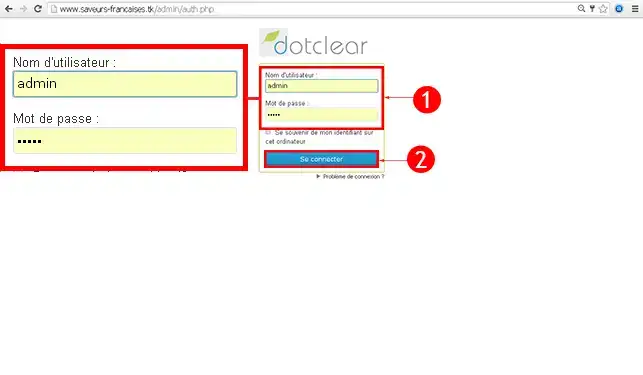
2. Enter your login details (By default Username : admin and Password : admin)
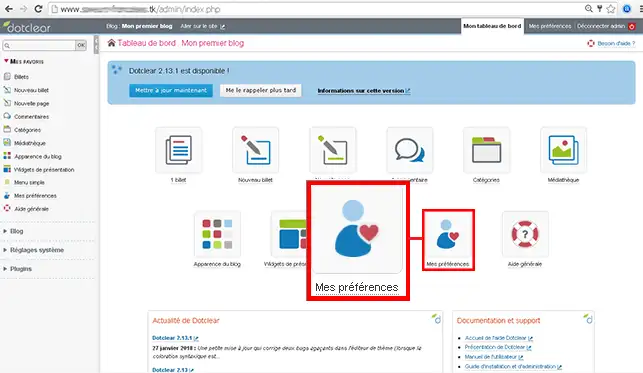
3. Click on the My preferences button
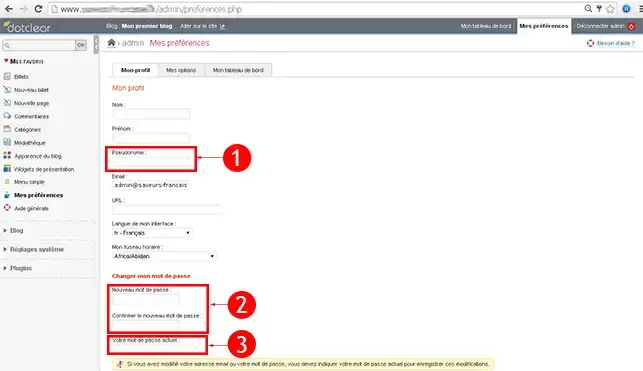
4. Choose your Pseudonym and your New password then click on Save.
1. Please go to your DotClear administration. (In this form example.com/admin/) It is possible that your site under DotClear is in a subdomain. (More explanations about subdomains here)
2. Enter your login details (By default Username : admin and Password : admin)
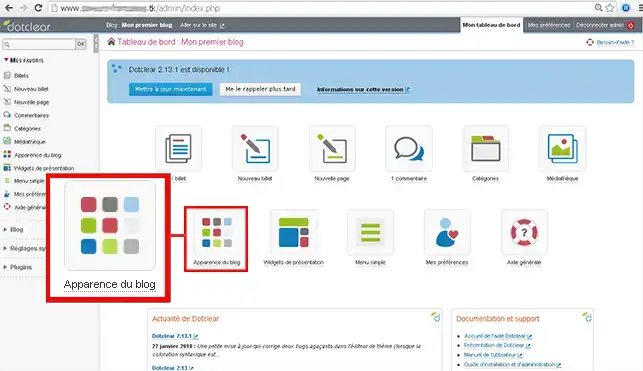
3. Click on the Blog appearance button
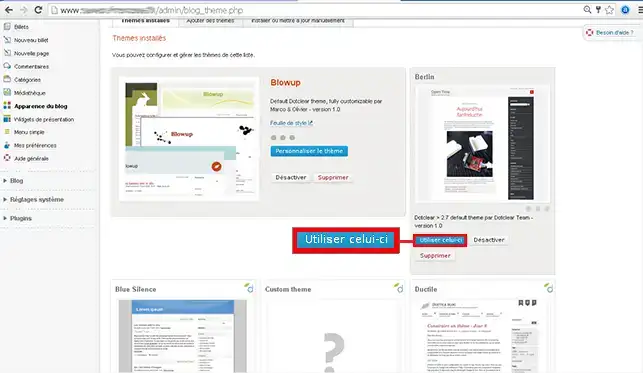
4. Choose your Graphic template then click on Use this one.
1. Please go to your DotClear administration. (In this form example.com/admin/) It is possible that your Dotclear site is in a subdomain. (More explanations about subdomains here)
2. Enter your login details (By default Username : admin and Password : admin)
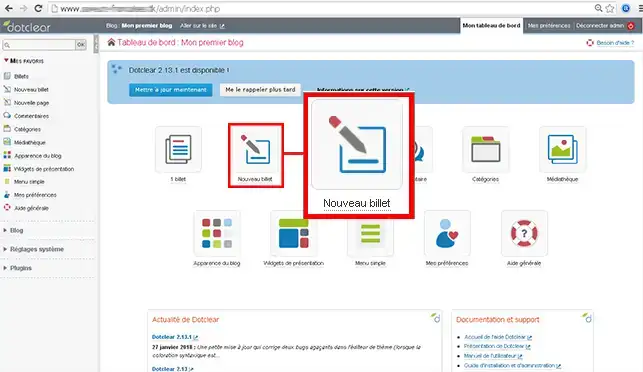
3. Click on New post
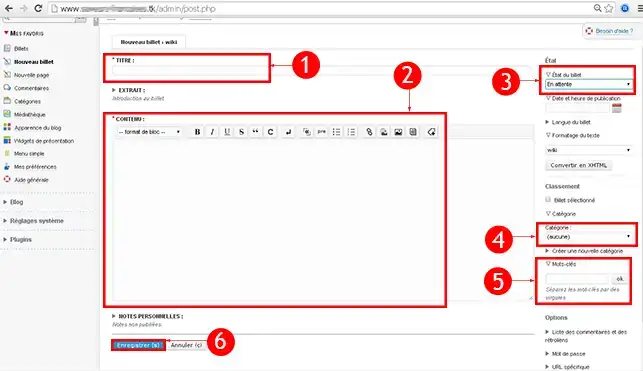
To learn more about DotClear you can consult the official resources:
You are now able to install and create your first articles on your Dotclear site thanks to your LWS web hosting. Dotclear is an effective content manager for creating your blog.
Do not hesitate to share your feedback and questions!
Ask the LWS team and the community. Answers are published after moderation.
 About LWS :
LWS is a 100% French web hosting company that focuses on quality and innovation and offers a responsive and competent technical service at affordable prices.
About LWS :
LWS is a 100% French web hosting company that focuses on quality and innovation and offers a responsive and competent technical service at affordable prices.



 Yes
Yes No
No