Procédure
What is a subdomain?
A subdomain is a part of a website’s Internet address. It is what comes before a domain name. Indeed, if your domain name is lws.fr, the subdomain will have the following syntax https://aide.lws.fr. The best-known and most widely used subdomain is WWW.
A subdomain allows your visitors to arrive directly on the page they are looking for. For example, LWS has several subdomains allowing you to access very specific things
Indeed, a subdomain makes it possible to split a website into several clearly distinct parts according to your needs. In addition, this allows you to have an address for each of your sections.
How to create a simple subdomain?
If you want to create a subdomain that will point to another name space or to a specific server IP, you can create the subdomain directly in the DNS Zone of your domain name by following this method:
Go to your domain administration area, then click on DNS Zone
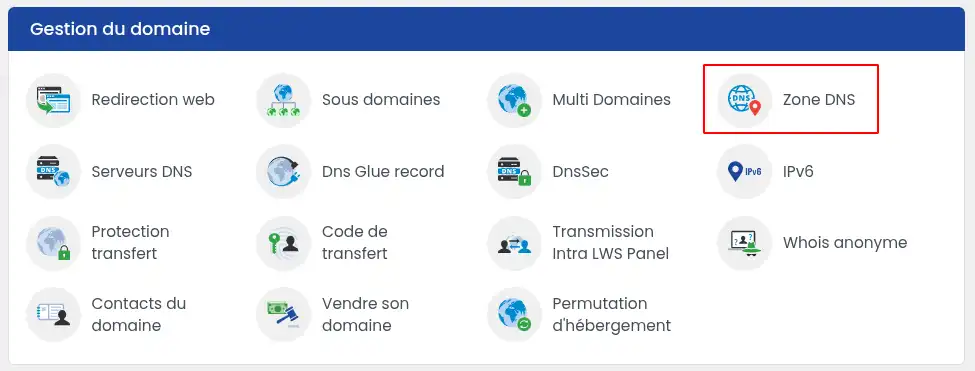
You will be taken directly to the DNS management zone
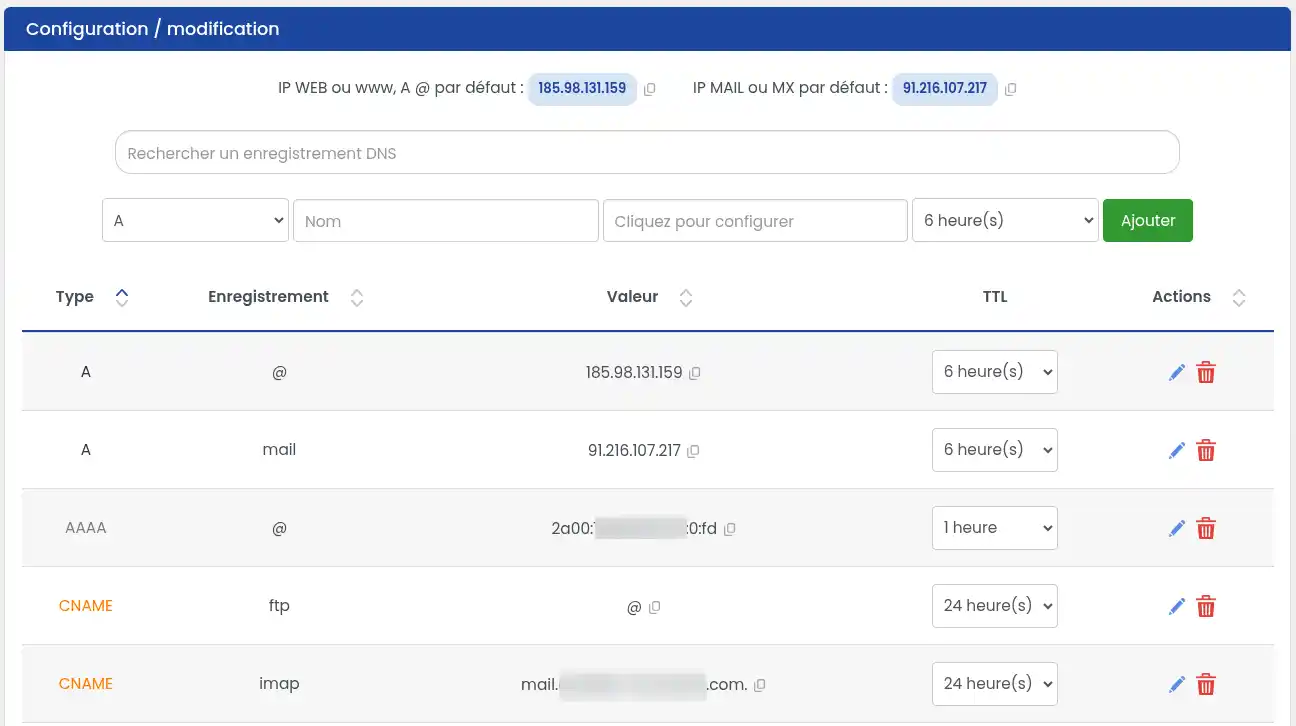
To create an A record pointing to an IP
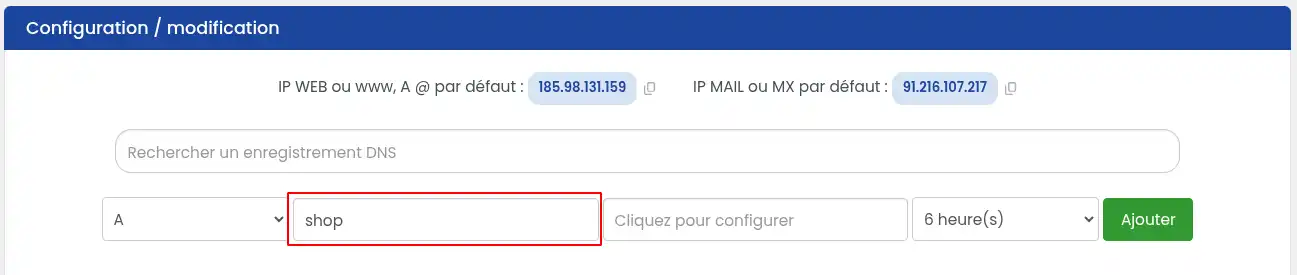
You must select "A" in the selector, then enter the subdomain name ("shop" in our example).
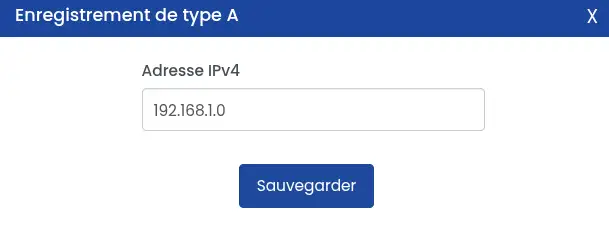
Then click on the "Click to configure" box and enter the IP address to which you want to link the subdomain, then click on "Save"
Once you are back on the first form, simply click on 'Add" to add the record.
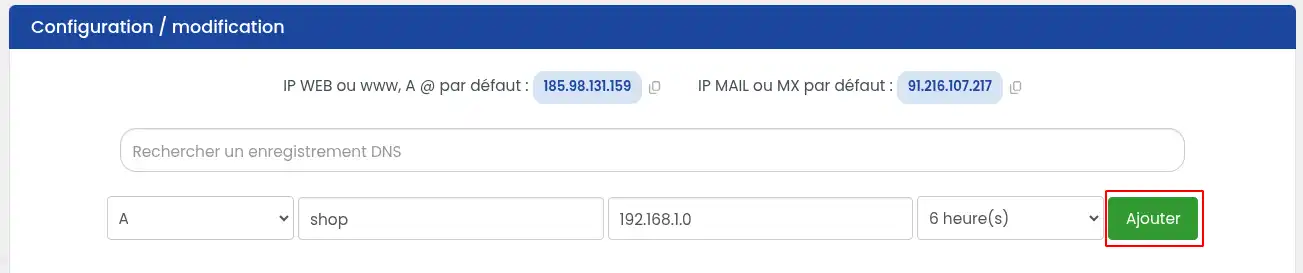
Once the record has been added, the configuration must propagate, so we invite you to wait about 2 hours before checking that everything is working properly.
You can create an unlimited number of subdomains with this method, there are no limits.
To create a CNAME record pointing to a name space
You must select "CNAME" in the selector, then enter the subdomain name ("shop" in our example).
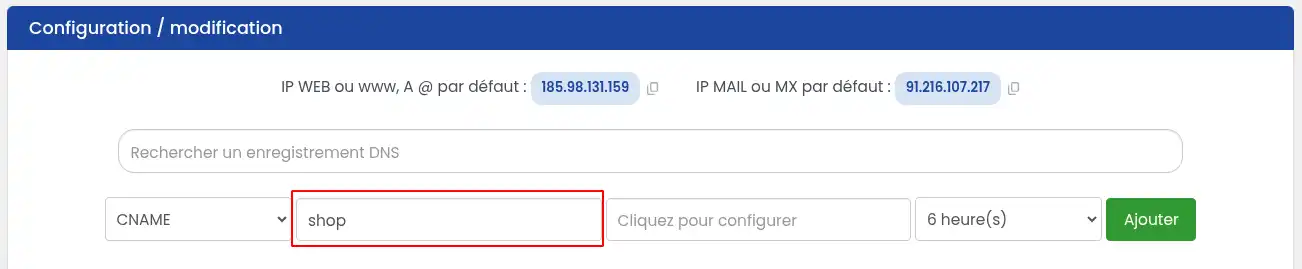
Then click on the "Click to configure" box and enter the name space to which you want to redirect the subdomain, then click on "Save"
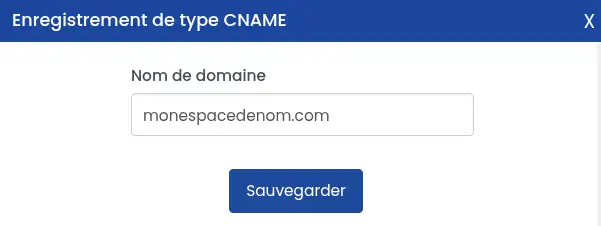
Once you are back on the first form, simply click on 'Add" to add the record.
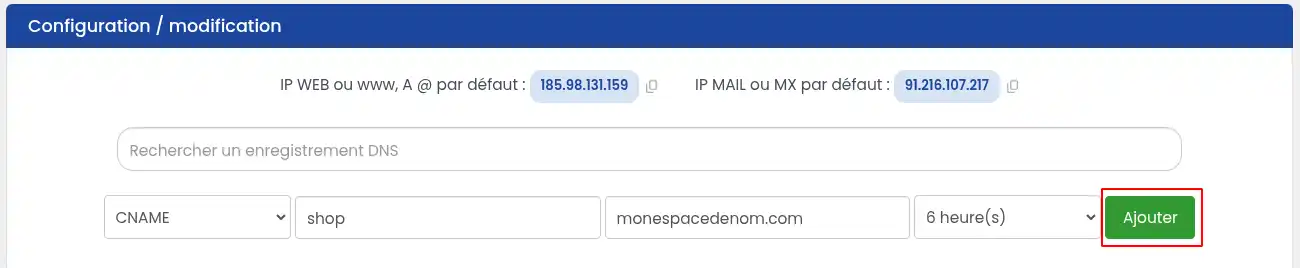
Once the record has been added, the configuration must propagate, so we invite you to wait about 2 hours before checking that everything is working properly.
You can create an unlimited number of subdomains with this method, there are no limits.
How to create a subdomain with shared hosting space?
If you want to create a subdomain that will point to a part of the same hosting as your main domain name, please follow this procedure:
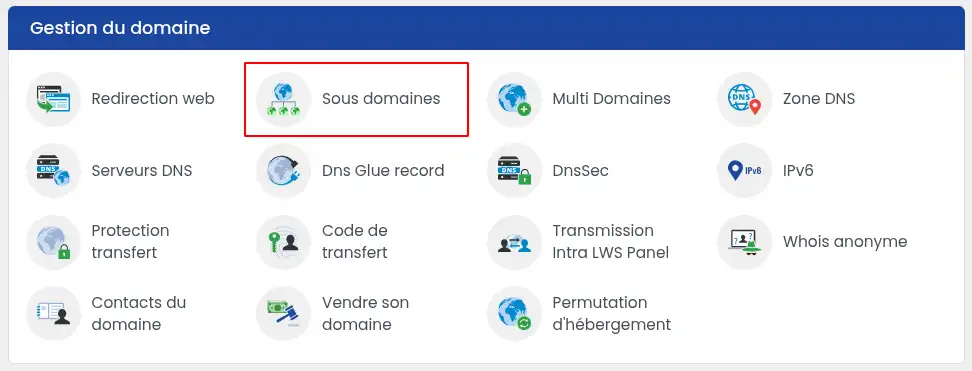
11. Log in to your web hosting administration area and click on "Subdomains" in the "Domain management" section
22. Write the name of your subdomain then click on Add to save
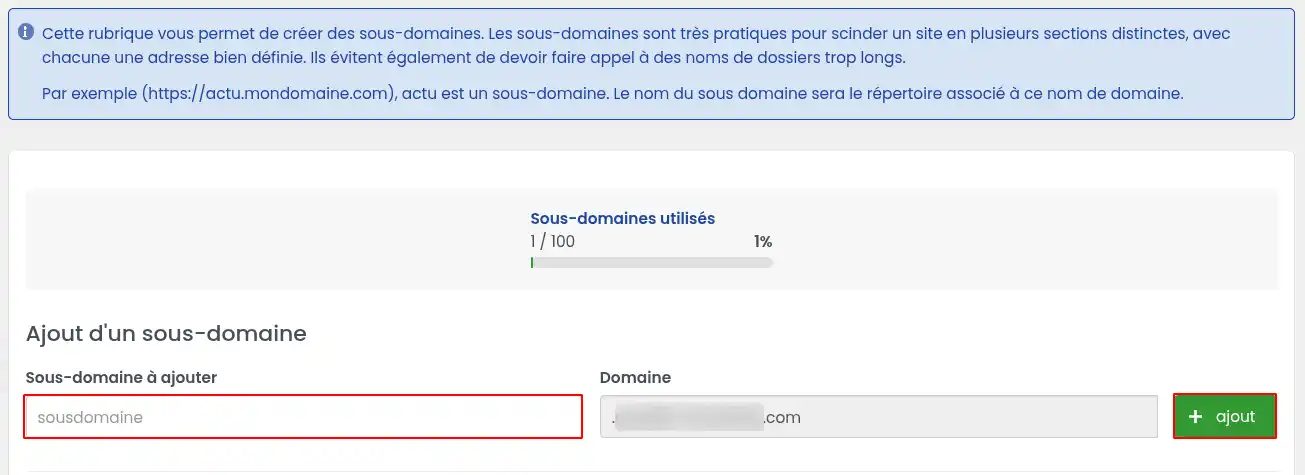
Shared hosting is limited and will depend on your hosting plan. The number of subdomains that can be created via this method is therefore limited.
A folder with the same name as your subdomain will be created on the FTP account associated with your domain.
In order for a website to be visible via this subdomain, it will need to be published in this folder
Conclusion
You now know how to:
- Identify what a subdomain is and its role in structuring a website.
- Create a simple subdomain by adding an A or CNAME record in your domain’s DNS Zone.
- Create a subdomain with shared hosting space from your main domain name.
🌐 Using subdomains can greatly improve the organization of your online presence and optimize the user experience by directing your visitors to specific sections of your site. 💻 Whether for a blog, an online store, or a help section, subdomains offer flexibility and a clear structure for your main domain.
🛠️ With this knowledge and these simple steps, you are ready to customize your website and fully harness the potential of your hosting. Don't forget that DNS record propagation can take a little time, so patience and verification are in order! ⏱️
Thank you for reading! If you have any questions, feedback, or experiences to share, feel free to leave them in the comments. Your contributions are always appreciated! 😊👇



 Yes
Yes No
No About
About 