
Online help
The web host accessible to all
Procédure
The logo is essential when designing your website. It is often a point of reference for your visitors. It conveys the image of your brand on the web through its design.
It identifies your company at a glance. A logo is used to:
For your logo to be successful, it must:
Some websites, such as Fiverr, offer professional logo creation services.
1. Log on toyour site administration in SiteBuilder Pro
2. Click on the"Image" tab on the SiteBuilder Pro toolbar and drag and drop the tool to the desired location on your website.
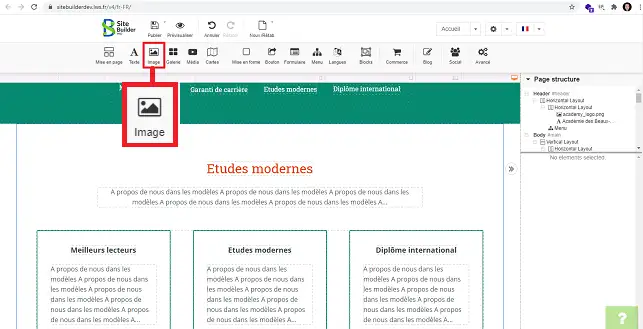
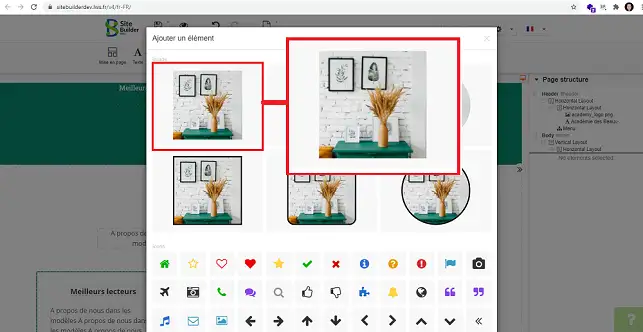
3. A new window will open, allowing you to select the type of image you want.
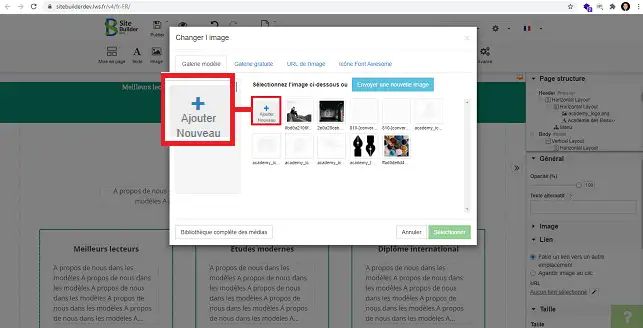
4. Click on"Add New" to upload your logo.
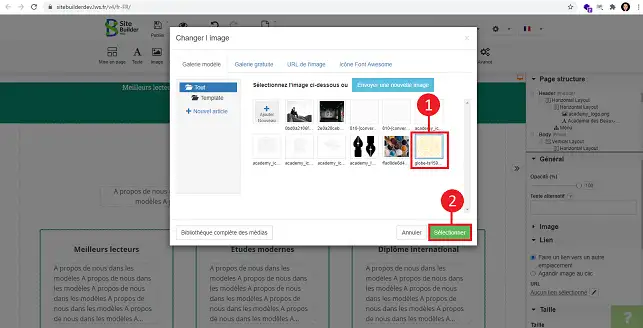
5. Select the logo you have just uploaded and click on the"Select" button.
6. To change the size of your logo, select it and go to"Size" in the right-hand column of SiteBuilder.
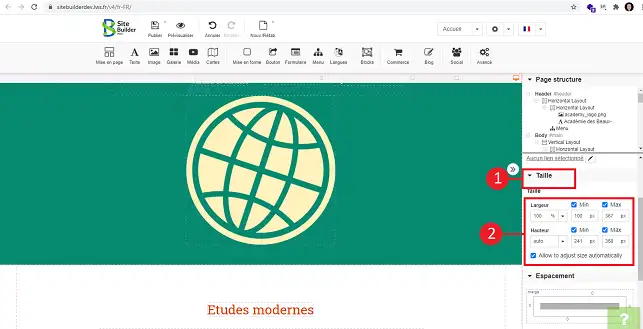
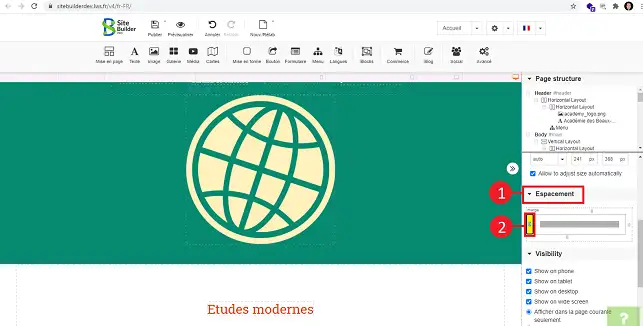
7. You can define the spacing of your logo (top, bottom, left or right) by going to the"Spacing" section in the right-hand column of your SiteBuilder interface.
You can now add a logo to SiteBuilder Pro with your LWS web hosting. Adding a logo is essential to help your visitors identify you and to build loyalty.
Don't hesitate to share your comments and questions!
Ask the LWS team and the community. Answers are published after moderation.
 About LWS :
LWS is a 100% French web hosting company that focuses on quality and innovation and offers a responsive and competent technical service at affordable prices.
About LWS :
LWS is a 100% French web hosting company that focuses on quality and innovation and offers a responsive and competent technical service at affordable prices.



 Yes
Yes No
No