
Online help
The web host accessible to all
Procédure
If you want to authorise applications hosted elsewhere or on your local PC to access your databases, you can use the cPanel MySQL remote tool to make the task easier.
To authorise an IP address or domain to connect to your database, log in to your cPanel :
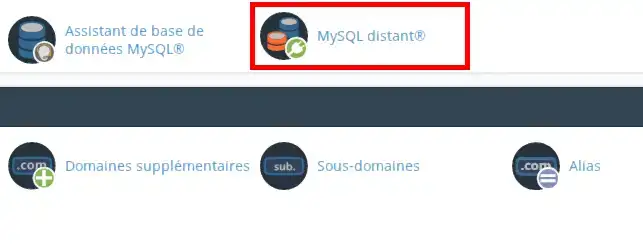
Then click on the Remote MySQL icon
The following form will be displayed:
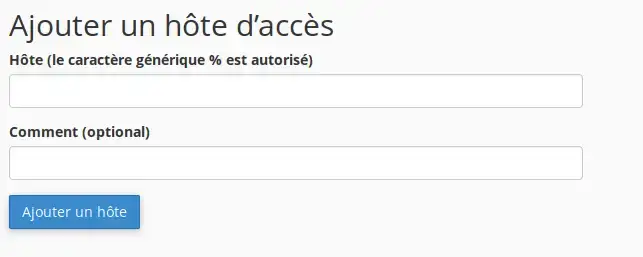
In the Host text box you can specify remote hosts that can access your cPanel's MySQL databases.
In the How text box, you can enter a description to identify the IP address. This step is optional and limited to 255 characters.
Then click on the Add Host button to record the changes.
The MySQL Distant tool allows you to connect freely to your MySQL database, which will allow you to use several scripts with your database, and thus increase the productivity of your website.
Don't hesitate to share your comments and questions!
Ask the LWS team and the community. Answers are published after moderation.
 About LWS :
LWS is a 100% French web hosting company that focuses on quality and innovation and offers a responsive and competent technical service at affordable prices.
About LWS :
LWS is a 100% French web hosting company that focuses on quality and innovation and offers a responsive and competent technical service at affordable prices.



 Yes
Yes No
No