
Online help
The web host accessible to all
Procédure
This manual FTP backup complements the automatic backups included with your cPanel hosting. See the backup policy to find out what is automatically retained.
Creating a backup of your website is necessary and very important. Indeed, the backup will allow you to quickly restore your website if needed (error when updating your site, installation of a module or theme incompatible with it).
When setting up a website using a database, it is recommended to have several backups of the database in order to lose as little data as possible, especially when this database may contain login information for your clients' accounts, orders, or invoices.
To create a backup of your site via FTP, you need to:
1. Open your FileZilla software, enter the host of your FTP space, your username, and the password associated with the username.
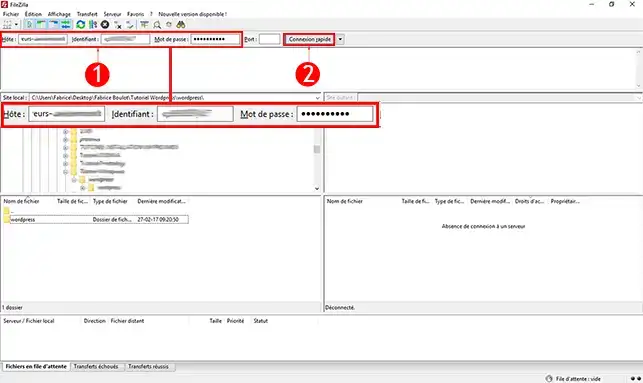
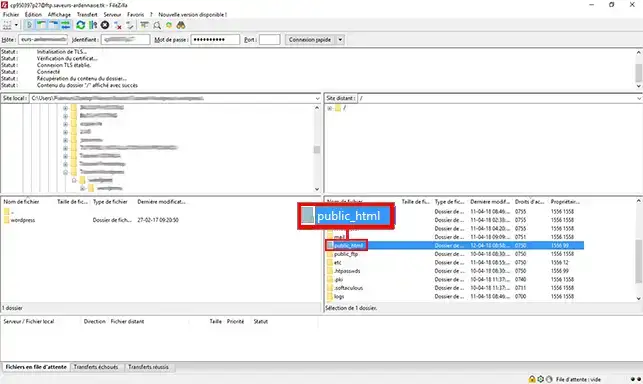
2. As soon as you are connected to your FTP space, double-click the "public_html" or "www" directory. Indeed, all the data associated with your client area are located in this directory.
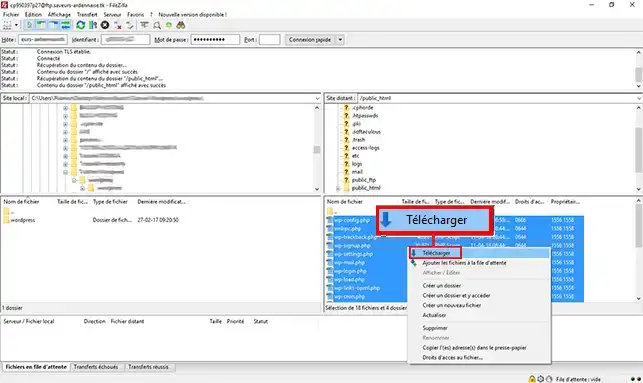
3. Select all the files you want to back up on your computer, right-click with your mouse, then click "Download". All the files will be added to the download queue (waiting) and will automatically download to your computer.
To connect to your MySQL database via PHPMyAdmin, it is necessary to have access to your cPanel interface.
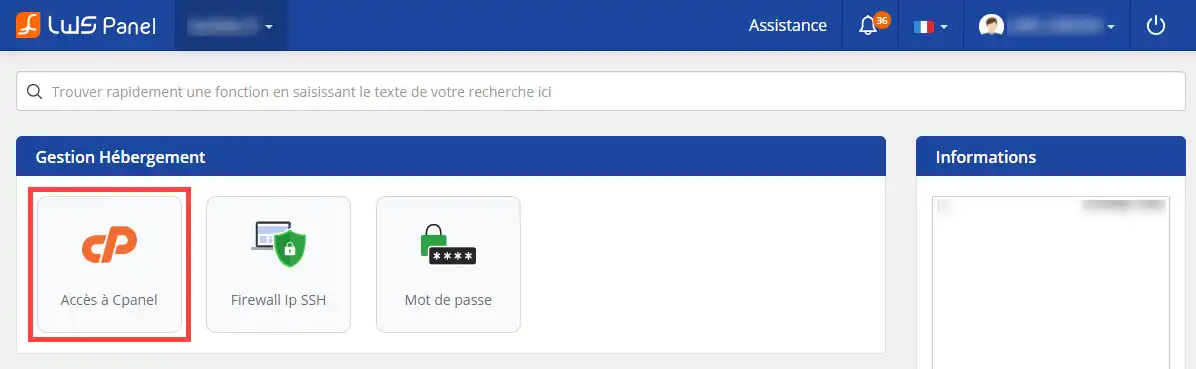
1. To access your cPanel interface, log in to your site administration located in your LWS client area and click the "Access cPanel" button
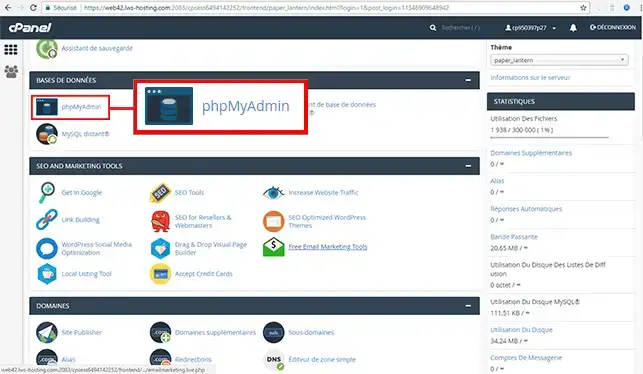
2. Go to the "Databases" section of your cPanel web hosting and click the "PHPMyAdmin" button to access your MySQL database.
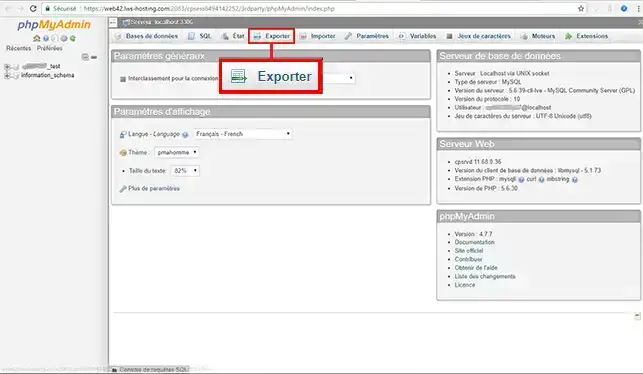
3. Click the "Export" button for your database
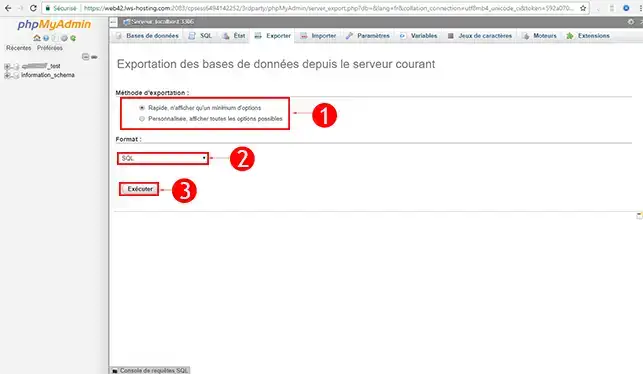
4. First, choose the export method. You have the choice between:
Then choose the format of your backup. By default, the format is .SQL, you can choose to have this same backup in .CSV or ZIP format depending on your needs. Once you have made your choice, click the "Go" button to download the file.
You are now able to back up your website via an FTP client such as FileZilla as well as your MySQL database on your cPanel web hosting with LWS.
Having a backup of your website is an important thing that will allow you to quickly restore your website in case of a problem. A module allows automatic backups to be performed directly by cPanel for your website. The automatic backup system also allows you to back up the emails located on your cPanel web hosting.
Feel free to share your comments and questions!
Ask the LWS team and the community. Answers are published after moderation.
 About LWS :
LWS is a 100% French web hosting company that focuses on quality and innovation and offers a responsive and competent technical service at affordable prices.
About LWS :
LWS is a 100% French web hosting company that focuses on quality and innovation and offers a responsive and competent technical service at affordable prices.



 Yes
Yes No
No