Contact us
 Customer Area


 Visit LWS
Rate this article :
5/5 | 1 opinion
This article was useful to you ?
 Yes
Yes
 No
No
 Article read
9457 once
Article read
9457 once Merci ! N'hésitez pas à
poser des questions sur nos documentations si vous souhaitez plus d'informations et nous aider à les
améliorer.
Merci ! N'hésitez pas à
poser des questions sur nos documentations si vous souhaitez plus d'informations et nous aider à les
améliorer.Vous avez noté 0 étoile(s)



Sommaire
Procédure
If you have changed the DNS settings for your domain, you can easily and safely reset them to the default settings.
This tutorial shows you how to reset your DNS zone on your Plesk shared hosting.
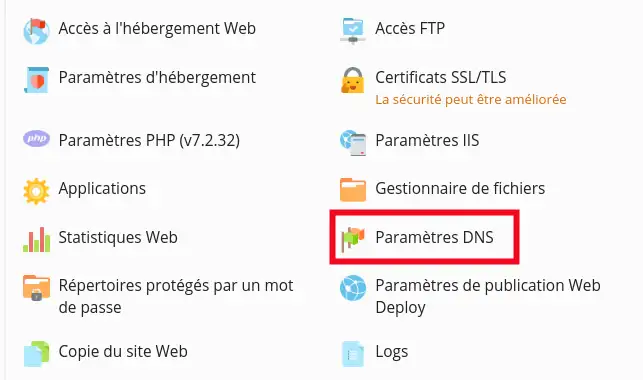

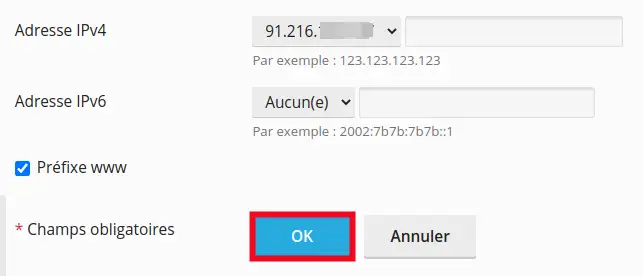

You are now able to initialise the DNS Zone of your domain on your Plesk hosting. Please do not hesitate to contact our technical department via an incident ticket if you have any questions.
Rate this article :
5/5 | 1 opinion
This article was useful to you ?
Yes
No
1mn reading
How can I access the Plesk panel with LWS hosting?
0mn reading
How do I create a subdomain in Plesk?
4mn reading
How can I access site statistics in Plesk?
3mn reading
CHMOD rights management
 About LWS :
LWS is a 100% French web hosting company that focuses on quality and innovation and offers a responsive and competent technical service at affordable prices.
About LWS :
LWS is a 100% French web hosting company that focuses on quality and innovation and offers a responsive and competent technical service at affordable prices.