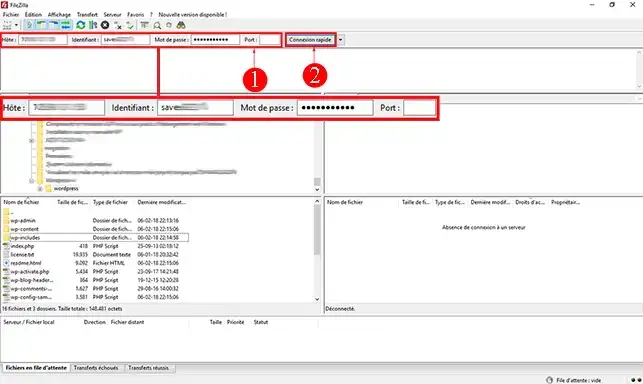
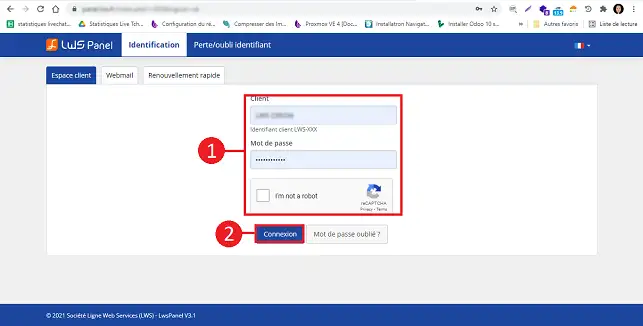
2. Log in to your web space using the FTP details you received when you subscribed to the service. If you have forgotten your login details, you can request them again on the https://panel.lws.fr/frperte.php page.
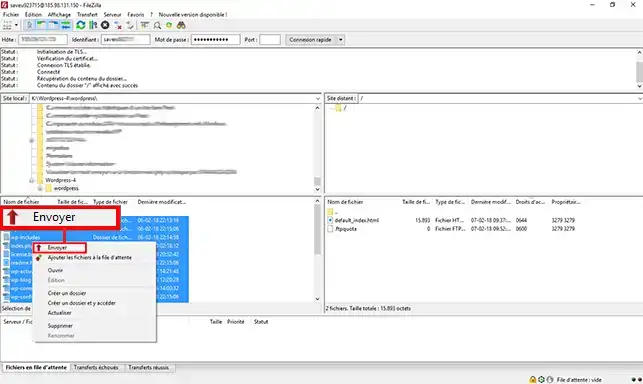
3. Select all the files on the left-hand side of your screen (local server), click on the right-hand button of your mouse and then on"Send".
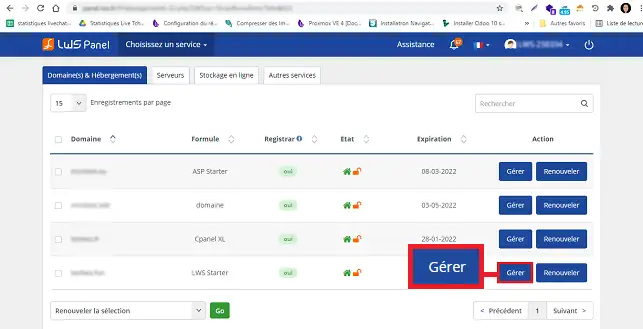
55. Click on"Manage" behind the domain name you wish to install.
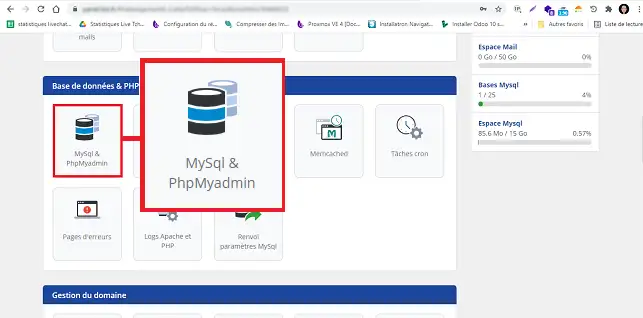
6. In the"Database and PHP" section, click on the"MySQL and PHPMyAdmin" button.
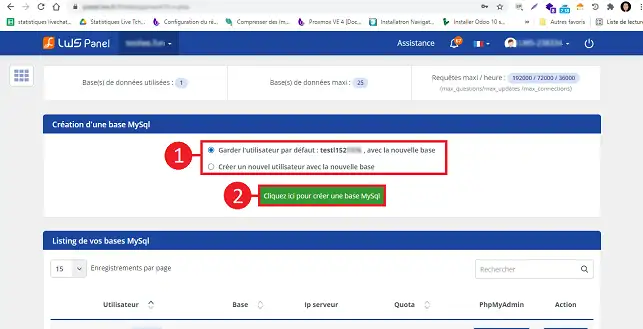
7. Choose whether you want to keep the default user or create a new user. Finally, click on the"Click here to create a MySQL database" button.
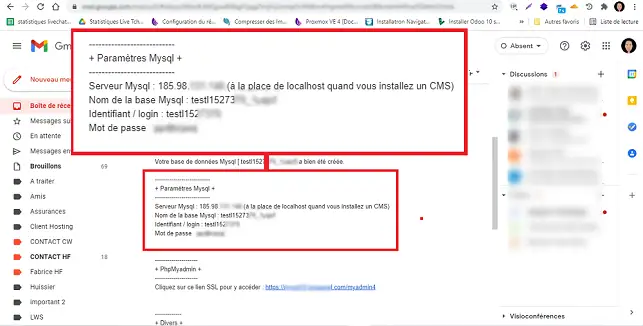
8. You will receive an email with all the database connection information. This information is required to finalise the installation of Wordpress on your web space.
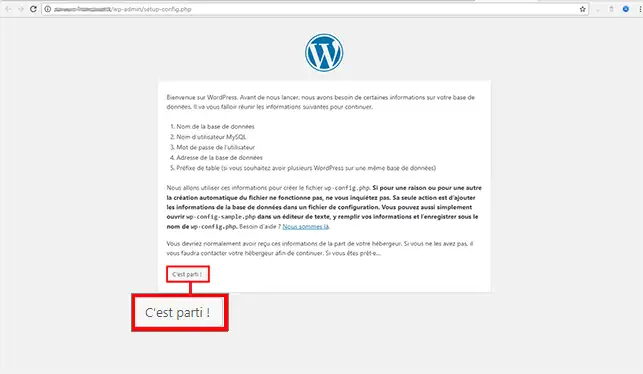
9. Using your web browser, go to the URL of your domain name. You will be redirected to the installation page for your CMS. Click on the"Start" button to begin installation.
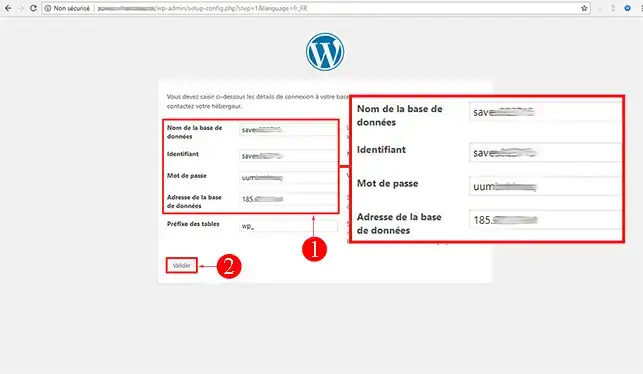
10. Enter the name of your database, the database identifier, the password and the database address. For the address, you will need to enter the IP address instead of localhost. Click on"Confirm" to continue with the installation.
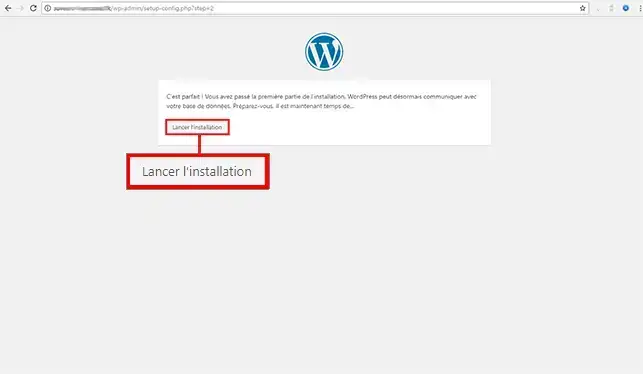
11. Click on the"Start installation" button.
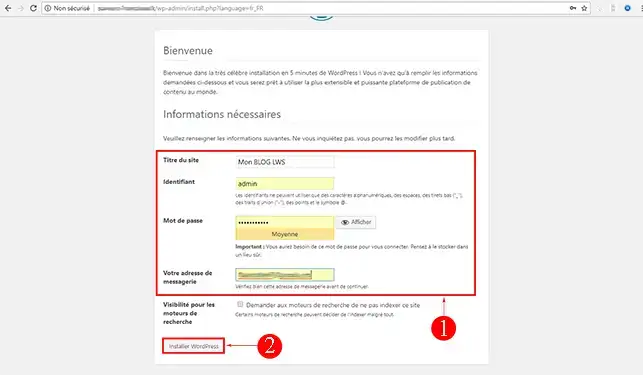
12. Enter a title, a username and password for connecting to the Wordpress dashboard and your email address. Then click on"Install Wordpress".
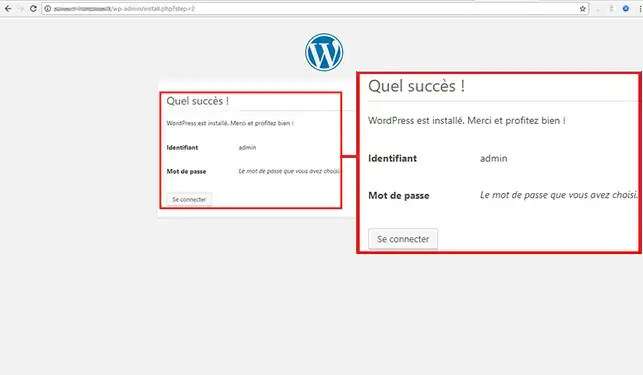
13. If all has gone well, you will be redirected to a page indicating that Wordpress has been successfully installed.
How do I install Wordpress using the auto-installer?
Bonjour. Je souhaite créer un portfolio de concept artist très moderne dans l'ergonomie avec illustrations, logos et photos. Quel CMS installer? Il y a WP avec LWS AI, WP avec Bloom Monarch Divi Builder, WP avec Elementor, WP tout simplement. Merci
J✓
Jordan-LWS Official answer
7 Mar 2025
Bonjour,
Je vous remercie pour votre message.
Malheureusement, nous n'apportons pas d'assistance sur la création de sites internet. Vous pouvez cependant tester différents CMS comme WordPress avec les outils que vous avez mentionnés afin de choisir celui qui correspond le mieux à vos besoins.
Je vous remercie pour votre attention et reste à votre disposition pour toute autre question ou complément d'information.
Cordialement, L'équipe LWS
Was this answer helpful?
A question about this article?
Ask the LWS team and the community. Answers are published after moderation.
Ask the LWS team and its community a question
!
To enable this form, please tick the two consent boxes below.



 Yes
Yes No
No About
About 