


Error connecting to the database on Wordpress

Procédure

"Error connecting to the database" on Wordpress

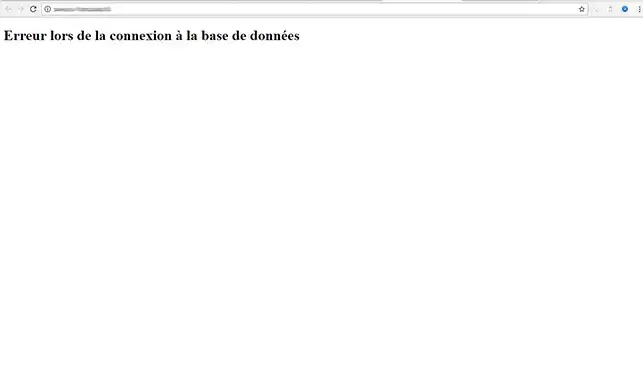
If you encounter this message when connecting to WordPress, it indicates a configuration problem with Wordpress:

Error connecting to the database on Wordpress


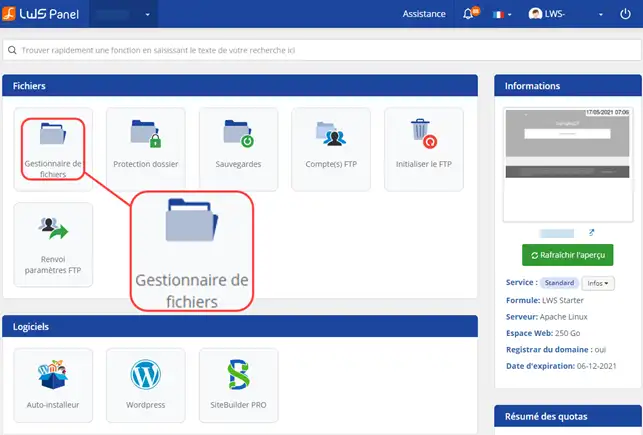
1. To resolve this problem Log in to the administration area of your web hosting and click on "File Manager".


Error connecting to the database on Wordpress


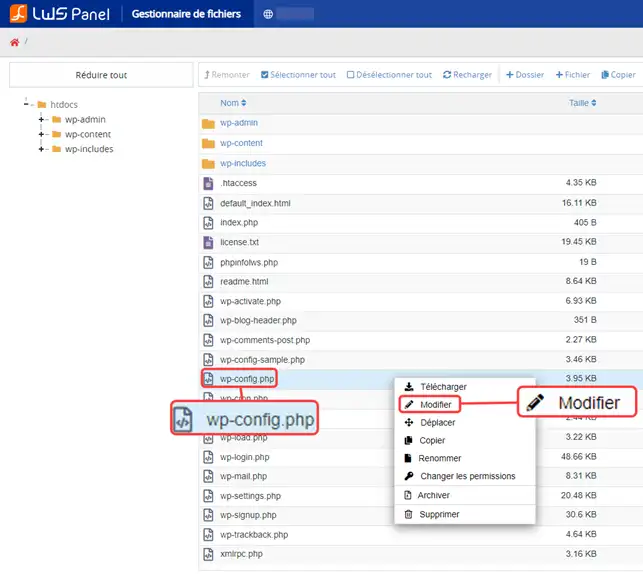
2. Edit the file"wp-config.php".

Error connecting to the database on Wordpress


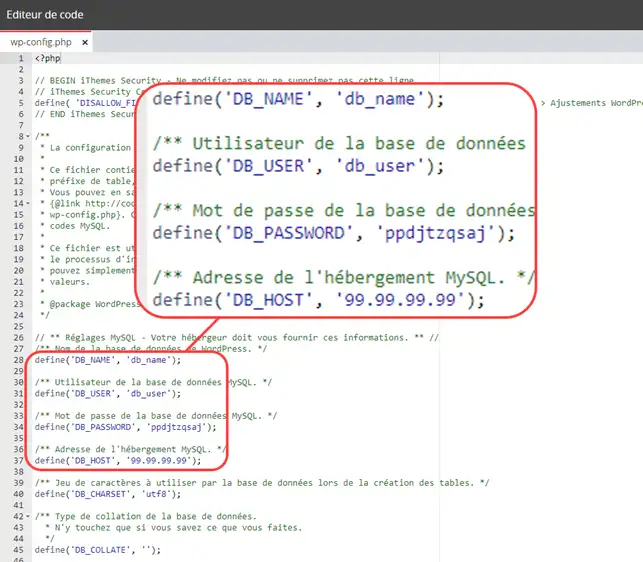
3. Locate the lines containing the parameters linked to your database:

Error connecting to the database on Wordpress


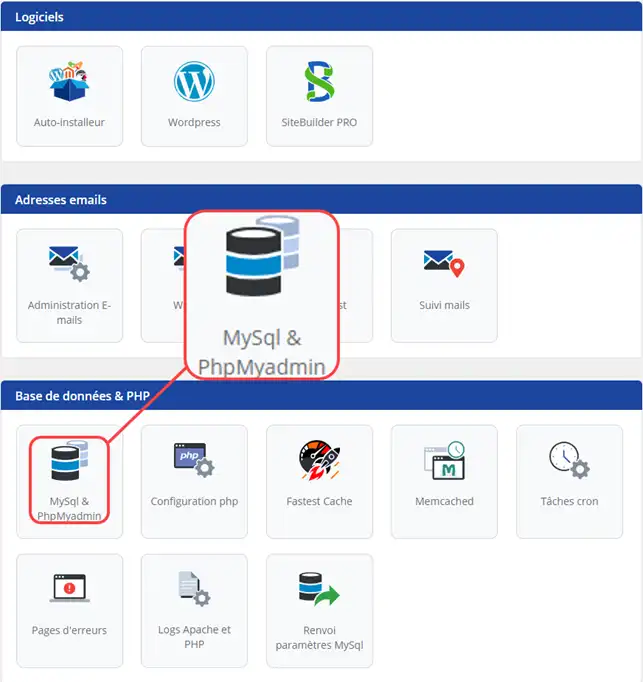
4. Compare these settings with those of your database. To do this, go to the"PHPMyAdmin" section:

Error connecting to the database on Wordpress


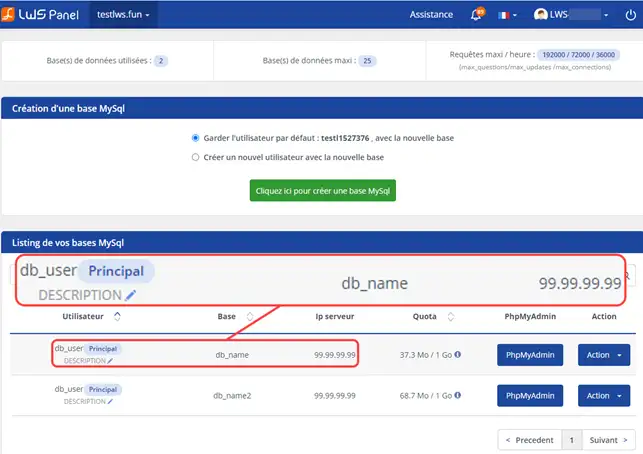
5. Consult your MySQL listing containing your database settings

Error connecting to the database on Wordpress


6. If the db_user, db_host and db_name details are identical to the details in your wp-config.php file, you will need to change your database password to the one specified in your wp-config.php file.

To change the password, follow this documentation: https: //help.lws-hosting.com/en/how-do-i-change-my-mysql-password

Conclusion

You can now correct the connection error to your Wordpress database with LWS. The database connection error is often due to a configuration error in the "wp-config.php" file.

Don't hesitate to share your comments and questions!

help.lws.net/a/741
Was this article helpful?

Yes

No

Read 33 888 times

Thank you! Feel free to ask questions about our documentation if you would like more information, and help us improve it.

Similar articles

Questions about the article 2

Ask a question
reg1710
30 Jul 2022
impossible d'accéder à mon wordpress admin...connexion au serveur impossible....helppppp
fabrice-LWS Official answer
3 Aug 2022
Bonjour, l'erreur de connexion à la base de données est souvent due à un problème de configuration du fichier wp-config.php. Je vous invite à modifier le mot de passe MySQL en vous rendant sur votre espace client, cliquez sur "Gérer" se trouvant derrière la formule concernée puis sur "MySQL et PHPMyAdmin" afin de modifier le mot de passe de l'utilisateur. Lors de la modification du mot de passe, il est nécessaire de le copier pour pouvoir le modifier sur le fichier wp-config.php se trouvant à la racine des fichiers FTP de votre site Wordpress.
Was this answer helpful?

rdvi
12 Mar 2023
Quelle est la chaine de connexion à ma base de données sur LWS, j'utilise le langage vbscript ASP merci
Benjamin-LWS Official answer
17 Mar 2023

Bonjour,

Merci de votre question.

Afin de retrouver votre chaine de connexion à la base de donnée sur Plesk, il vous suffit de vous rendre sur le menu principal de Plesk.
Ensuite, dans la catégorie "Outils Dévelop." cliquez sur "Paramètres ASP.NET".
Sur la nouvelle page qui vous est affiché, vous trouverez votre chaine de connexion.
Menu principal Plesk > (Outils Dévelop.) Paramètres ASP. 

Je vous remercie de votre attention et reste à votre disposition pour toute autre question ou complément d'information.

Nous vous invitons à contacter notre service support à travers votre espace client, afin de vous apporter une aide si vous rencontrez des difficultés. (https://aide.lws.fr/a/268)

Cordialement, L'équipe LWS

Was this answer helpful?

A question about this article?

Ask the LWS team and the community. Answers are published after moderation.

Ask the LWS team and its community a question

GDPR: Controller: LWS-Ligne Web Services. Purpose: moderation and public publication of your question, possible notification of an answer. Legal basis: consent (Art. 6(1)(a) GDPR). Email retention: 90 days after notification, 12 months maximum without an answer. To exercise your rights, see the GDPR section of our Terms and Conditions.