Procédure
Introduction
Welcome to this documentation on ordering a professional email address with LWS. We will help you navigate the ordering process, whether your domain is already managed by LWS or not. In just a few simple steps, you can enjoy the benefits of a professional email address tailored to your needs.
I. Definition of professional email
A professional email address is a personalized email address bearing the name of your domain. It is essential for improving your company's brand image, strengthening its credibility, and facilitating communication with your customers and partners.
LWS also offers larger quotas in its Pro email address offers than on the email addresses included with our hosting services.
II. How do I order a Pro Email address for a domain managed by LWS?
Step 1: First, you must log in to your LWS account and access the shared hosting for which you wish to create a professional email address.
Step 2: Go to the "Email Addresses" section and click on the "Email Administration" icon.
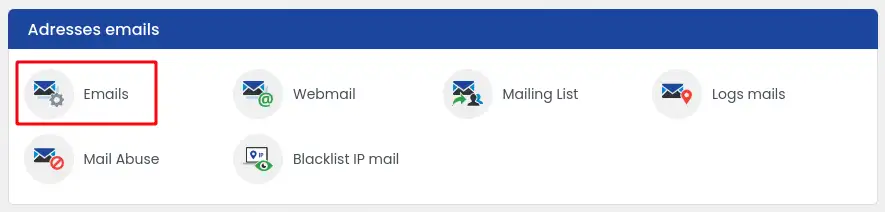
You are redirected to another page.
Step 3 : To order a Pro Email address, click on the "Change my mail plan" link.
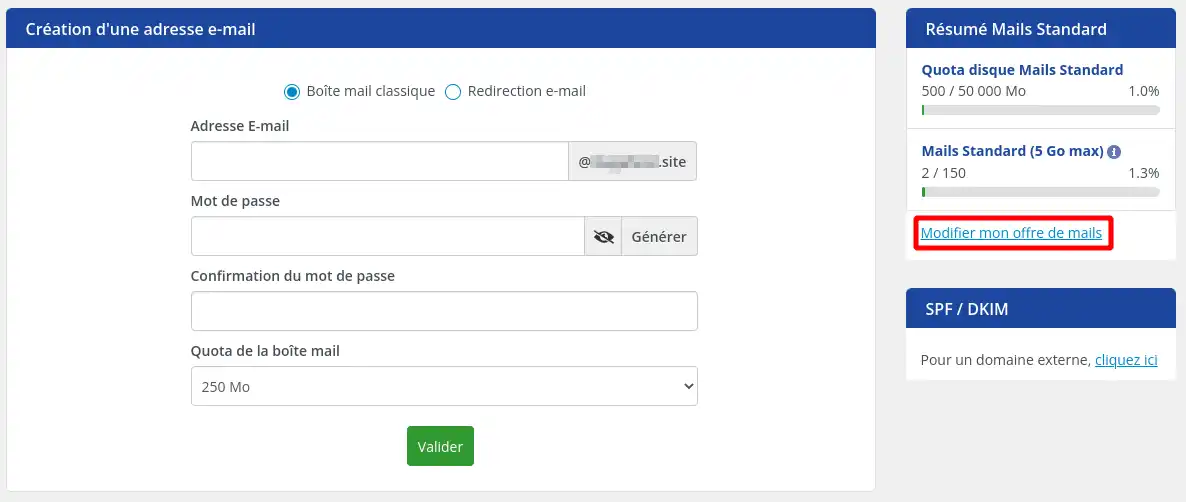
A new window appears, where you can now order Professional Email addresses with the domain name of your chosen hosting plan.
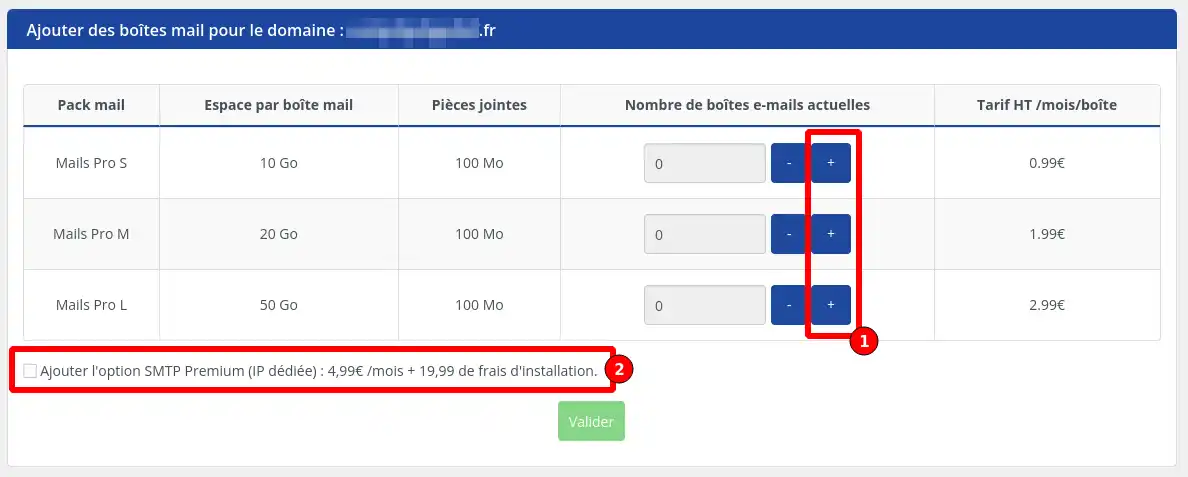
Step 4: If you have never ordered a professional email address for this domain before, then all quantities are set to "0" and you must click the "+" (1) buttons to add the number of email addresses of your choice according to the types of email addresses offered.
- Mail Pro S
- Mail Pro M
- Mail Pro L
You can order several types of email addresses at the same time from the form and on the same order form (for example: 1 Mail Pro S address and 2 Mail Pro M addresses). You will then be able to manage or upgrade your email addresses as you wish.
From this form, you also have the option to order a dedicated IP (2).
Once your choice has been made, complete your order by clicking the "Validate" button.
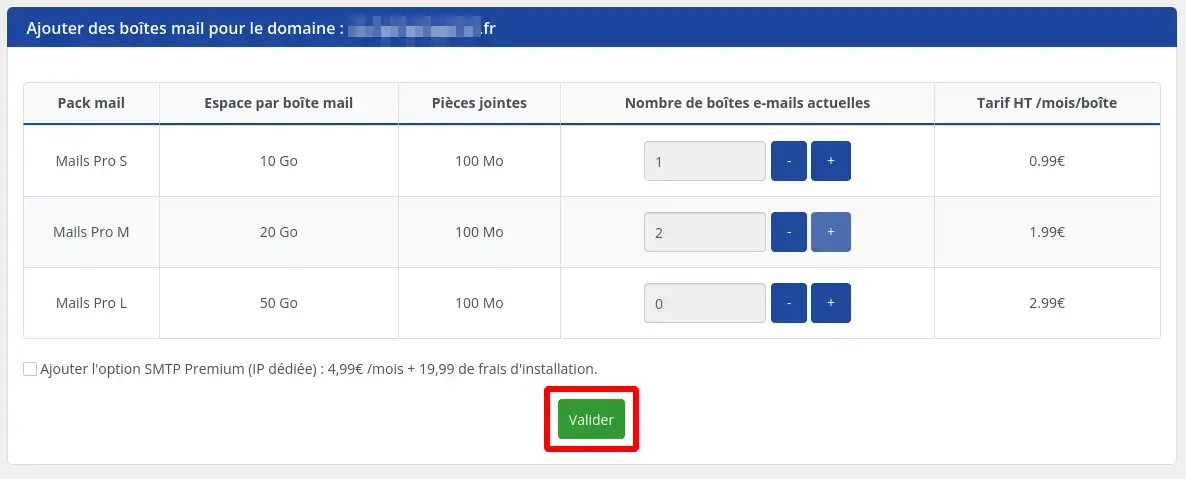
Step 5: You are then redirected to the quote corresponding to your order. We invite you to make the payment for it via the payment method of your choice in order to finalize the process and launch the creation of the professional email addresses.
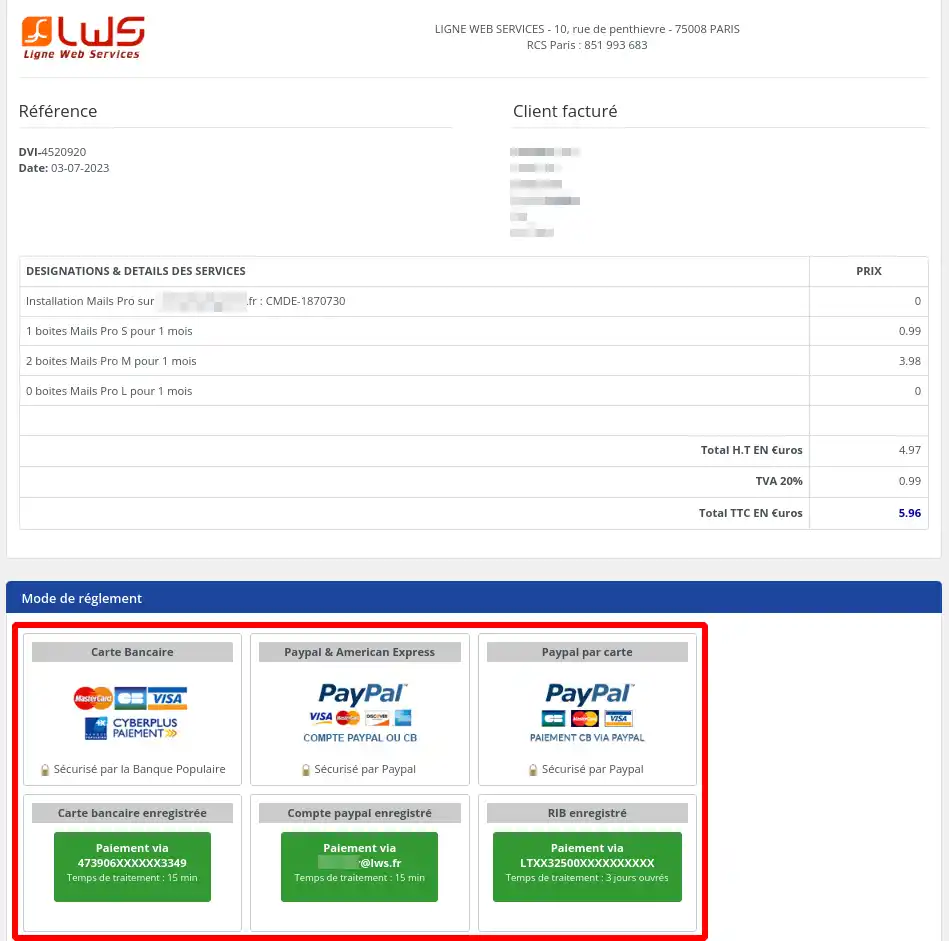
Within the hour that follows, your professional mailboxes will be activated.
The commitment period for professional email addresses is aligned with the commitment period of the domain or hosting account attached to them. If you therefore have 3 months of commitment left on your hosting product, we will ask you to pay for 3 months of subscription for the email addresses covered by this order. When renewing, you will need to renew the hosting product AND the professional email addresses, which are two different products and are subject to separate orders. If either of the two renewals is not completed, the professional email addresses will not function properly.
Once ordered, you must create the email addresses that will use the professional mailboxes you have just purchased. To perform this essential operation, we invite you to follow
this documentation.
III. How do I order a Pro Email address for a domain not managed by LWS?
If you have a domain managed by a provider other than LWS, you can absolutely order a Pro mail service from LWS and connect your domain to it. To do this, we invite you to follow the steps below:
Step 1 : Go to the page on our website allowing you to order a Professional mail service.
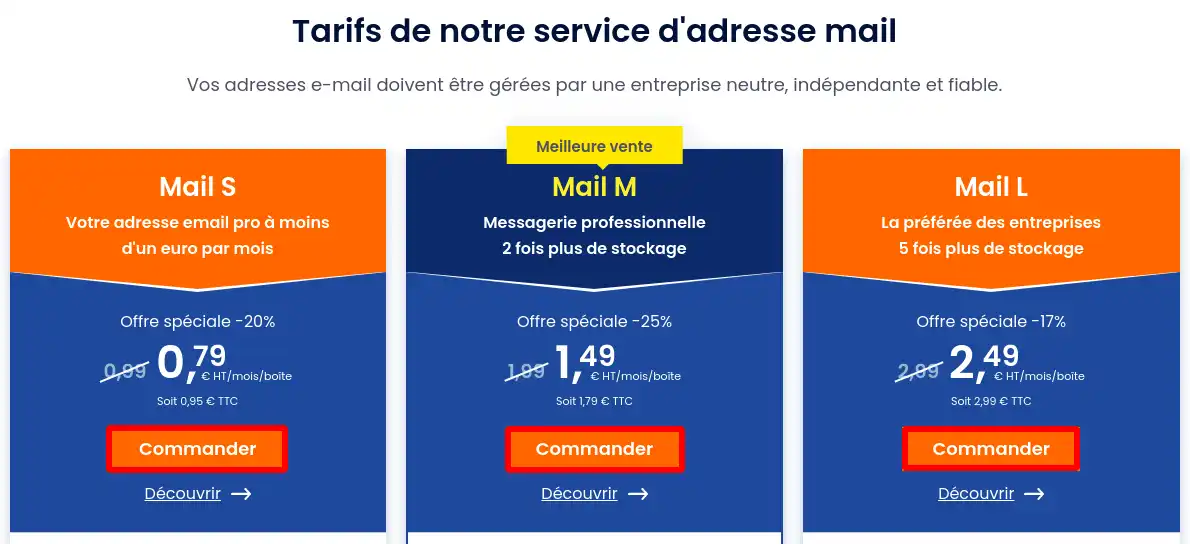
Step 2: On the web page, choose the service you wish to order according to the features you need by clicking the "Order" button for the desired email address type.
Step 3: Once on the order form, you must choose the number of email addresses desired (1) and the initial commitment period (2). The initial commitment period will also determine the renewal period that will be offered to you. This renewal period can, however, be changed later.
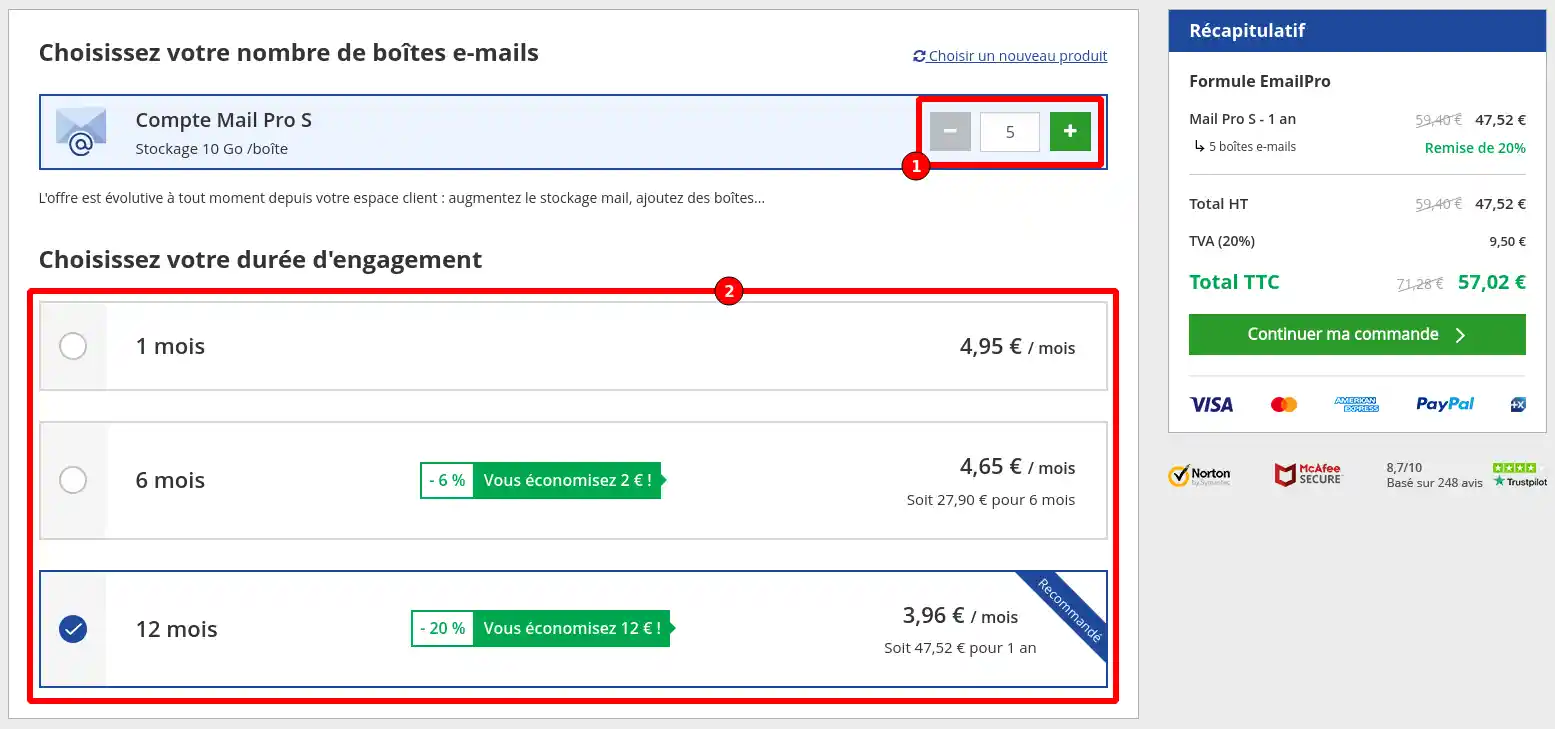
Two important points must be taken into account when placing an order through the website order form:
- It will not be possible to order fewer than 5 email addresses for an initial commitment.
- You can only buy one type of email address at a time. However, once your first order has been placed, you will be able to add other email addresses of different types by following the method described in part I of this documentation.
You can then continue the ordering process by clicking the "Continue my order" button in the right-hand column.
Step 4: At this stage, you must enter the domain name that will be attached to the mail service you are ordering.
Two choices are then available to you:
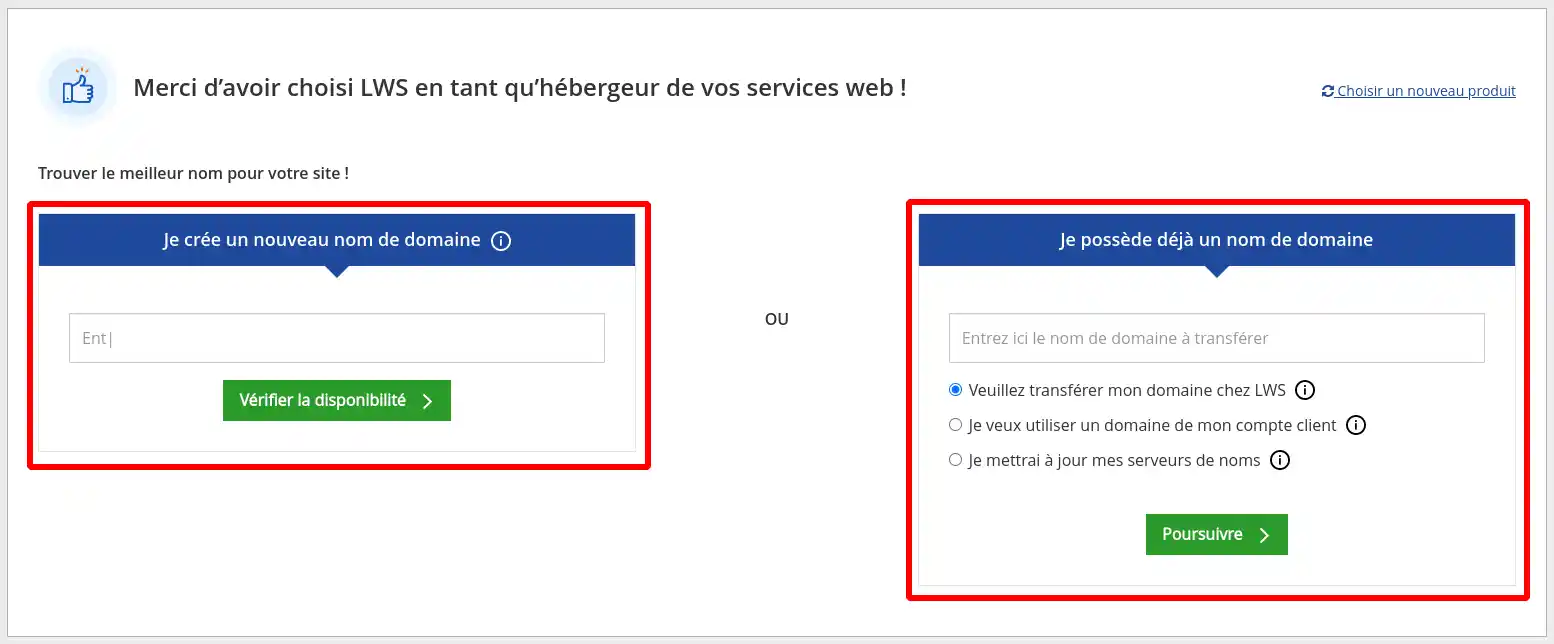
If the domain for which you are ordering professional email addresses has never been registered before, then you must fill out form number 1, which will allow you to search for a domain available for registration and register it with your mail service.
If, however, the domain name is already registered with LWS or another provider, fill out form number 2 by entering the domain name and selecting one of the following choices:
- Please transfer my domain to LWS: LWS will then become the new registrar for your domain name (requires entering the domain auth code to carry out the transfer)
- I want to use a domain from my customer account: this choice should be selected if a hosting product from your LWS customer account is already linked to the domain name you wish to use.
- I will update my name servers: by selecting this choice, you indicate that you wish to keep the domain name with another provider and set up the link between your domain name and the Pro mail service at LWS
Then move on to the next step by clicking the green button corresponding to the procedure you have chosen.
Step 5 : IP option selection
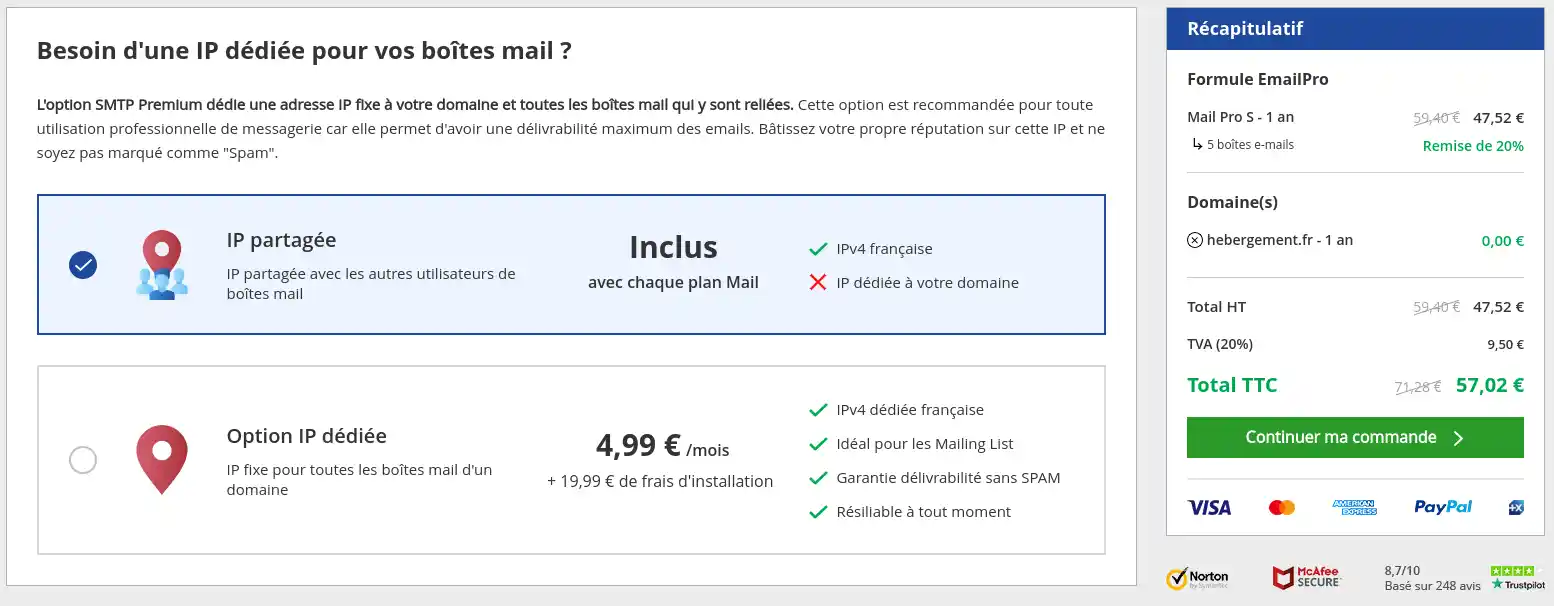
At this stage, LWS offers you the choice of using a shared IP with other customers for sending your emails, or of benefiting from a dedicated IP for your exclusive use.
The dedicated IP option is offered at €4.99 excluding tax/month with installation fees of €19.99 excluding tax (first month only). This option allows you to send your emails from an IP dedicated solely to your use, whose reputation cannot be affected by the use of other people on the same IP.
Once your choice has been made, click the "Continue my order" button.
Step 6 : order summary
Check your order information and modify it if necessary.
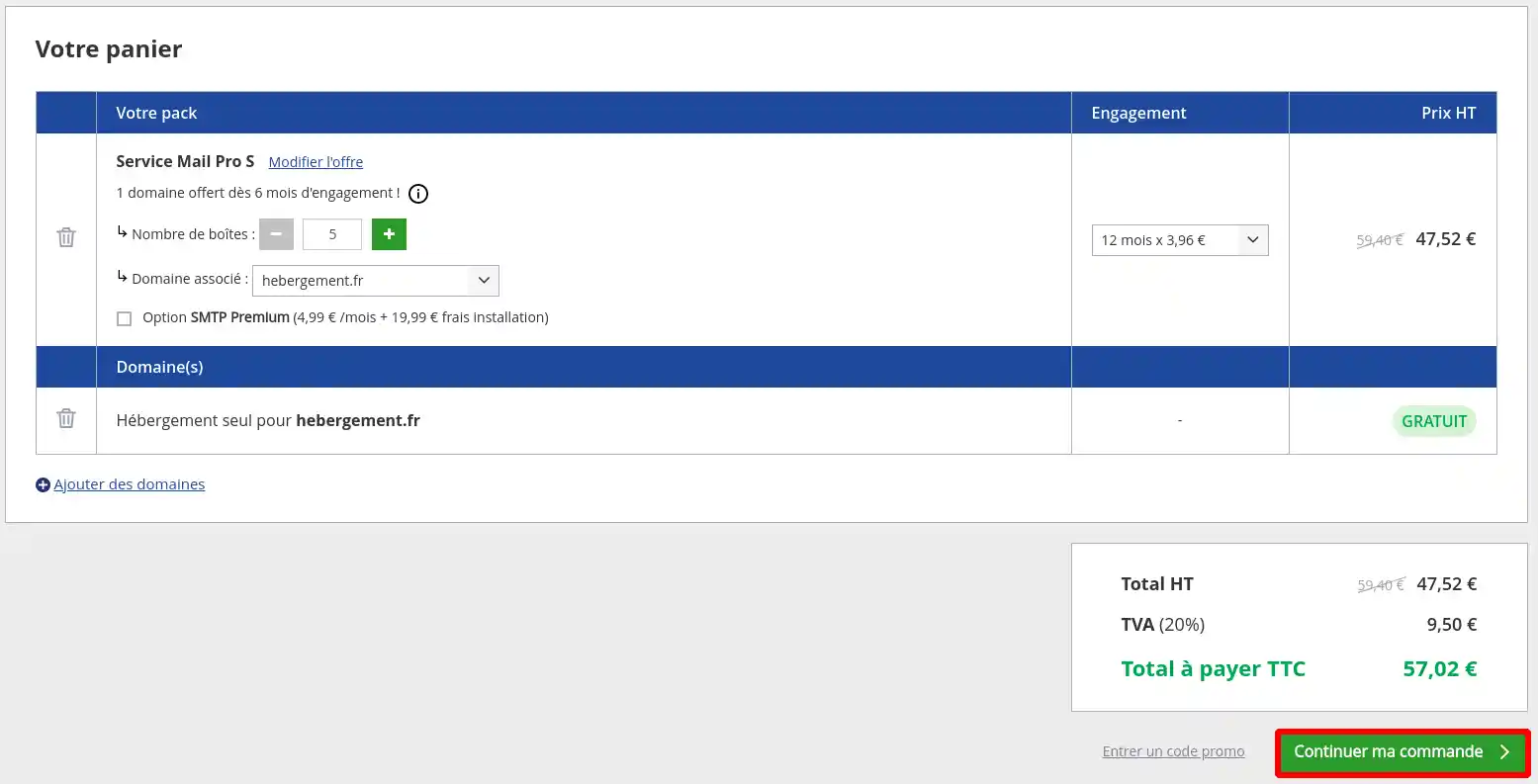
Click the "continue my order" button to proceed with your purchase.
Step 6: entering your contact details.
Before proceeding to payment, you must first enter your contact details.
First of all, you must indicate whether you already have an LWS customer account:

If you already have a customer account, select "yes" and enter your login details before clicking "Log in and pay"

If you are not yet an LWS customer, then select "no", enter your contact details in the form and click "Sign up and pay"
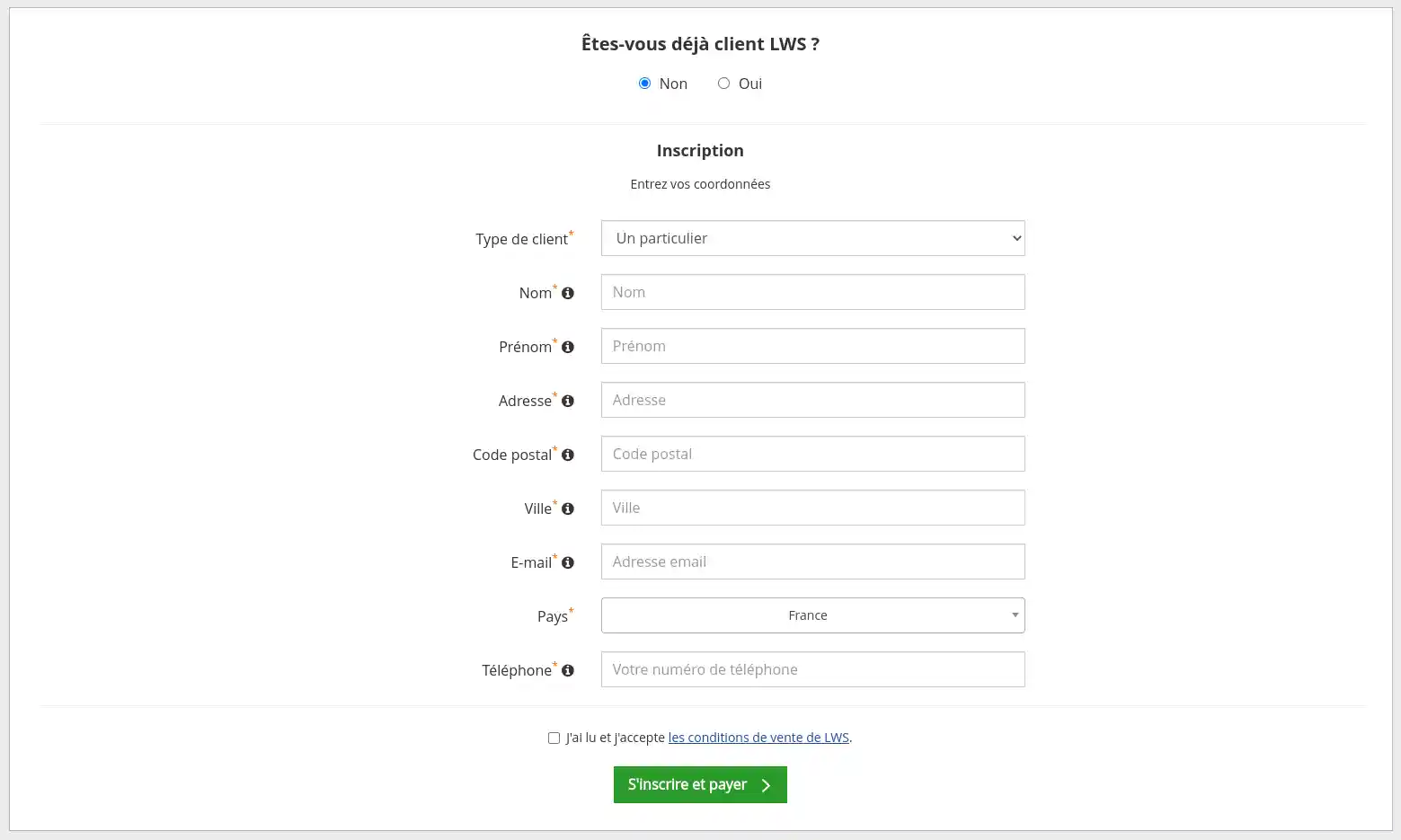
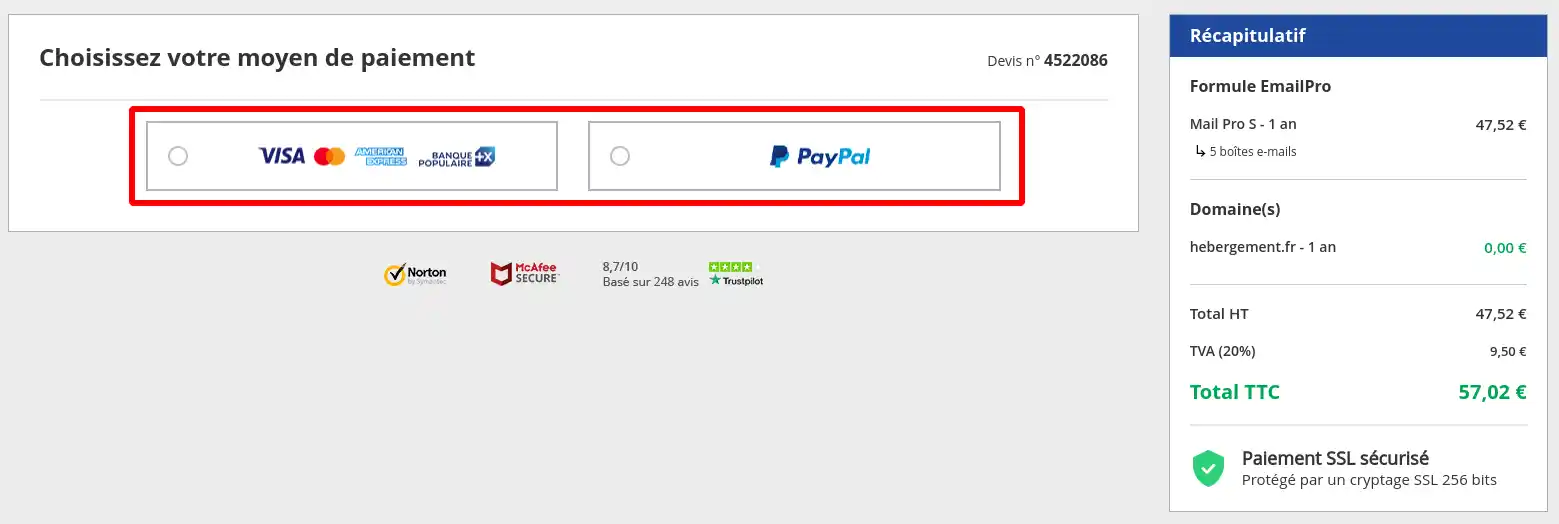
Step 7: completion and payment
In this final step, you are invited to pay for your order by bank card or PayPal account:
The Pro email service will be delivered within a maximum of one hour after payment has been received.
If your domain is managed by LWS Panel and uses the default DNS of your plan, your domain will be configured automatically. Be careful, however, if your domain was configured to use an external mail service.
If your domain name is managed by an LWS cPanel plan, LWS VPS or by an external provider,
do not forget to link your domain to your new Pro mail service !
Conclusion
Ordering a professional email address with LWS is simple and accessible, whether you are a small business, an amateur developer, or a freelancer. These emails add credibility to your business and improve your communication with customers. Take advantage of the simplicity and efficiency of LWS services to take your online presence to the next level.



 Yes
Yes No
No About
About 