Procédure
Objective
This guide explains how to order LWS Linux hosting to create your website.
Products concerned
This article does not concern VPS, cPanel hosting, Windows hosting, or Cloud Drive services.
Prerequisites
Before you begin, make sure you have:
- a valid email address (you will receive your access details there)
- a payment method (bank card, PayPal account, or bank details)
- the desired domain name (optional, you can create one during the order)
Before you begin
When placing the order, you can:
- create a new domain name
- use an already existing domain
- order hosting only
Once payment is validated, you will receive a delivery email containing:
- your login details
- the link to your customer area
- your hosting information
Step 1: choose your LWS Linux offer
-
Go to the LWS Linux hosting page.
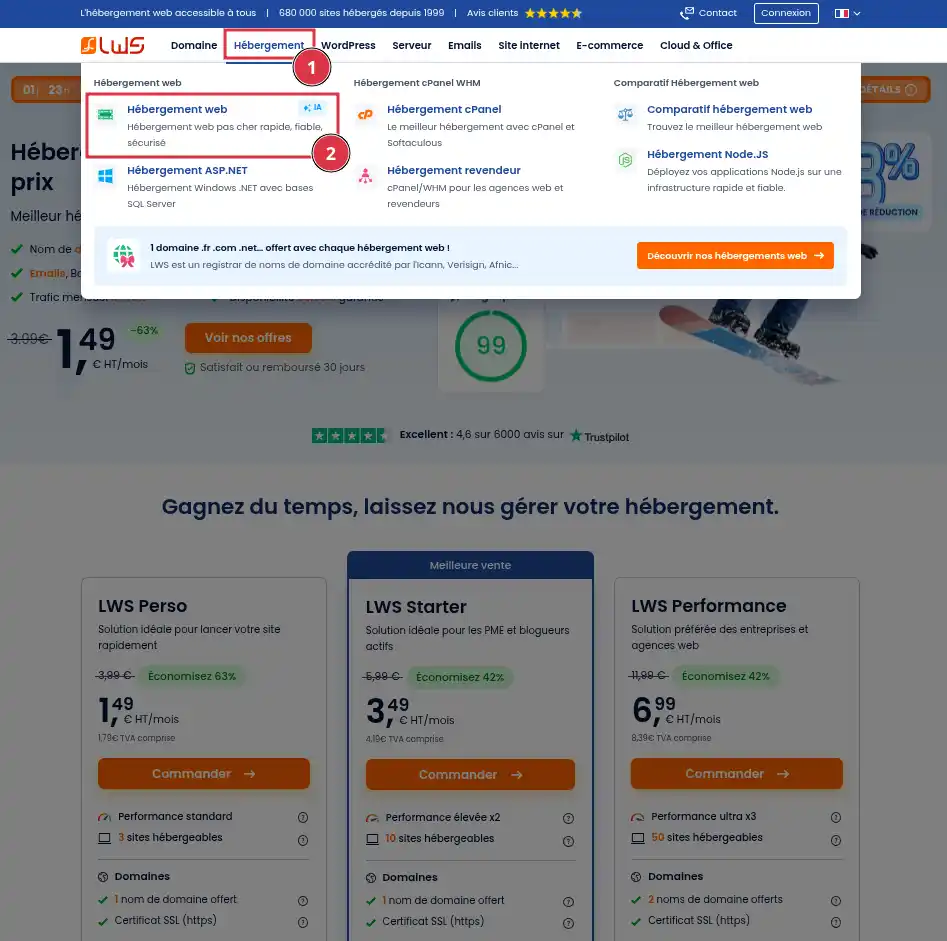
-
Compare the offers according to your needs (number of sites, disk space, emails, etc.). If you are unsure which plan to choose, or would like advice or additional information, do not hesitate to contact the sales department
-
On the desired offer, click « Order ».
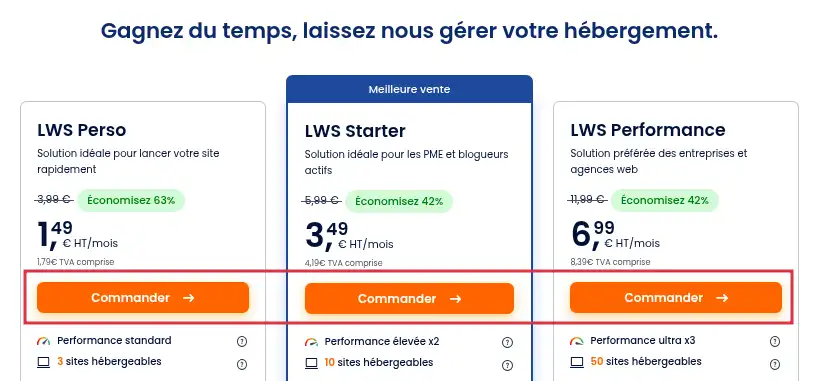
-
Choose the commitment period that suits you.
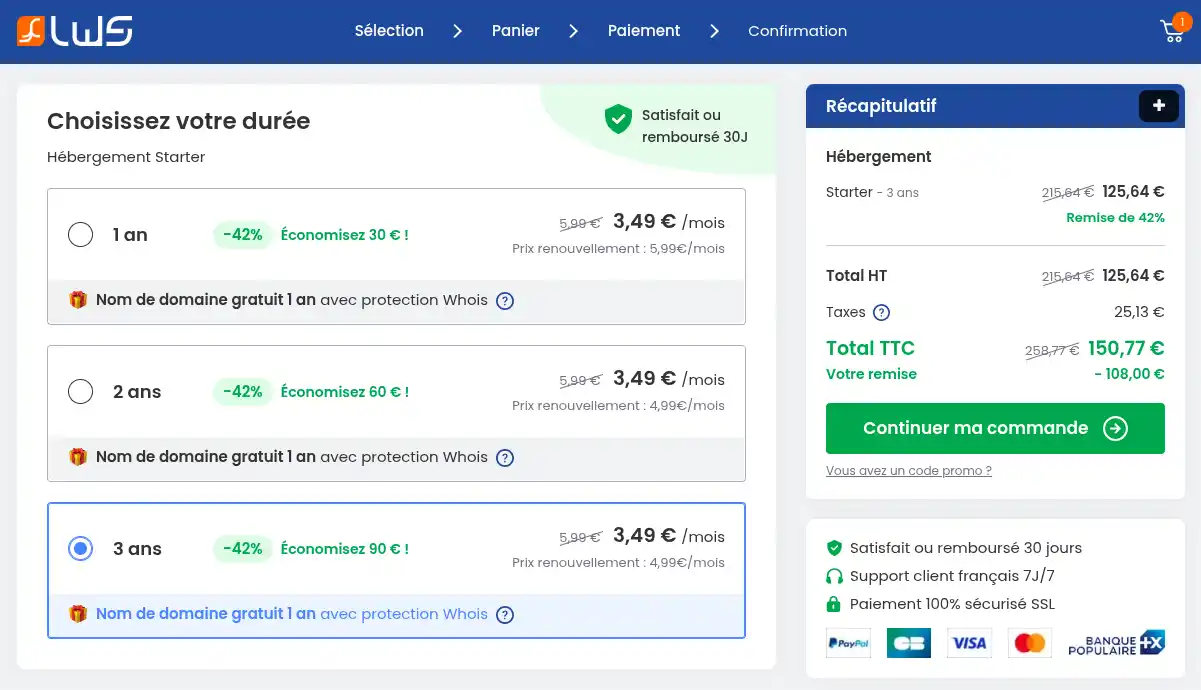
A longer commitment period allows you to keep control of your hosting costs for many years!
Step 2: choose the domain name
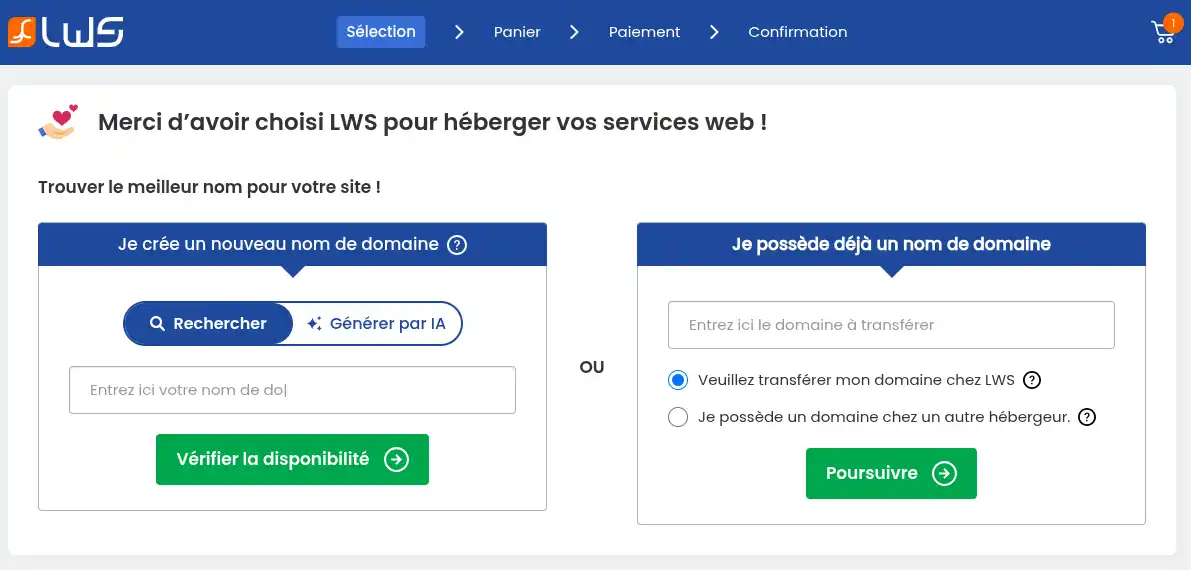
You have 3 options:
Create a new domain (left panel)
In this panel, you can perform a classic search by simply entering the domain name you would like to use and clicking the "Check availability" button, or let AI suggest a domain name by providing a description of what you want and then clicking the "Generate" button. Just select the search mode that suits you best.
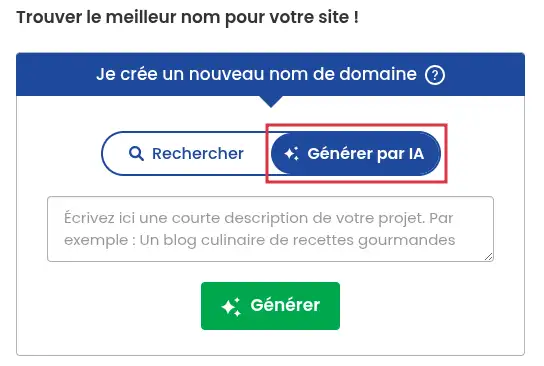
Once the search is complete, a selection of domain names will be suggested to you.
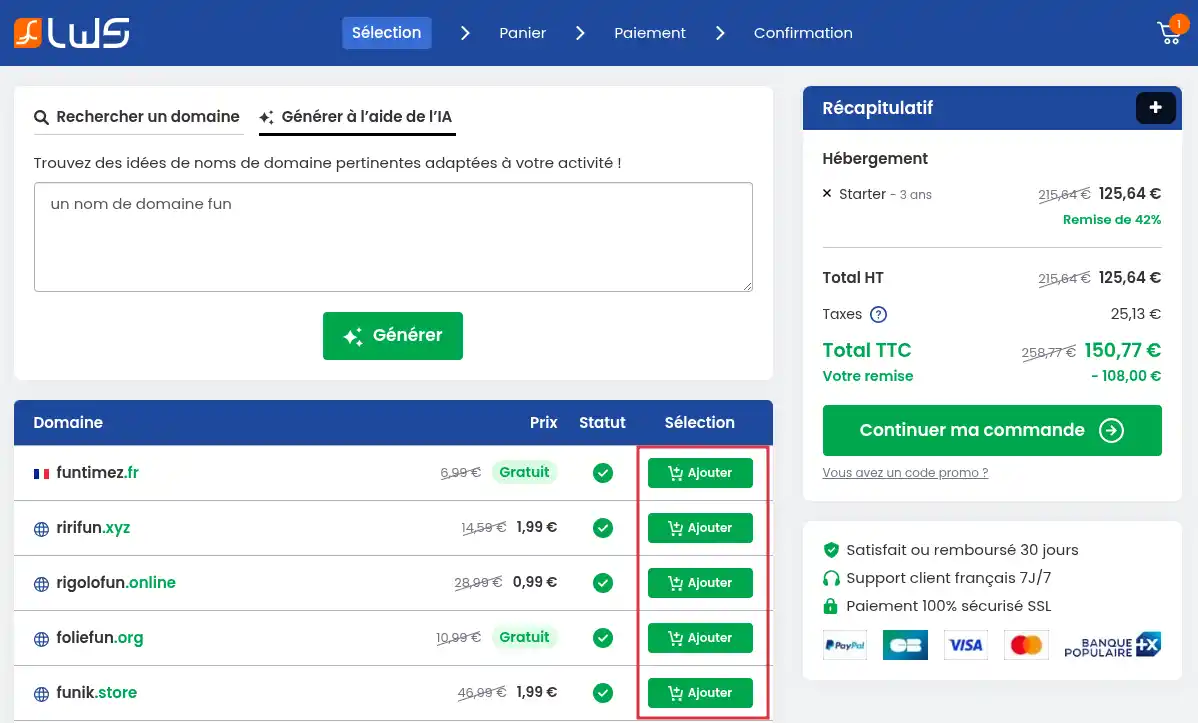
Simply click the "Add" button associated with the domain name you want to choose, then click the "Continue my order" button
If the "Transfer" button appears, it means the domain is already registered but its owner can transfer its management to LWS. If you are not the owner of the domain name, there is no point trying to transfer it.
The domain name is not available in the extension you want? AI did not suggest any domain names that suit you? Feel free to perform a new search!
Transfer my domain name to LWS
You already have a domain name with another registrar and would like LWS to handle its management at the same time as the hosting. Simply select the option "Please transfer my domain to LWS" in the panel on the right side of the page. Then enter the domain name you wish to transfer before clicking the "Continue" button.
To transfer a domain name to LWS, you must be its owner with another registrar and have the transfer code (EPP code or Auth code) required to initiate a domain transfer between registrars.
At the next step, simply click the "Transfer" button for your domain name in order to add it to the order form.
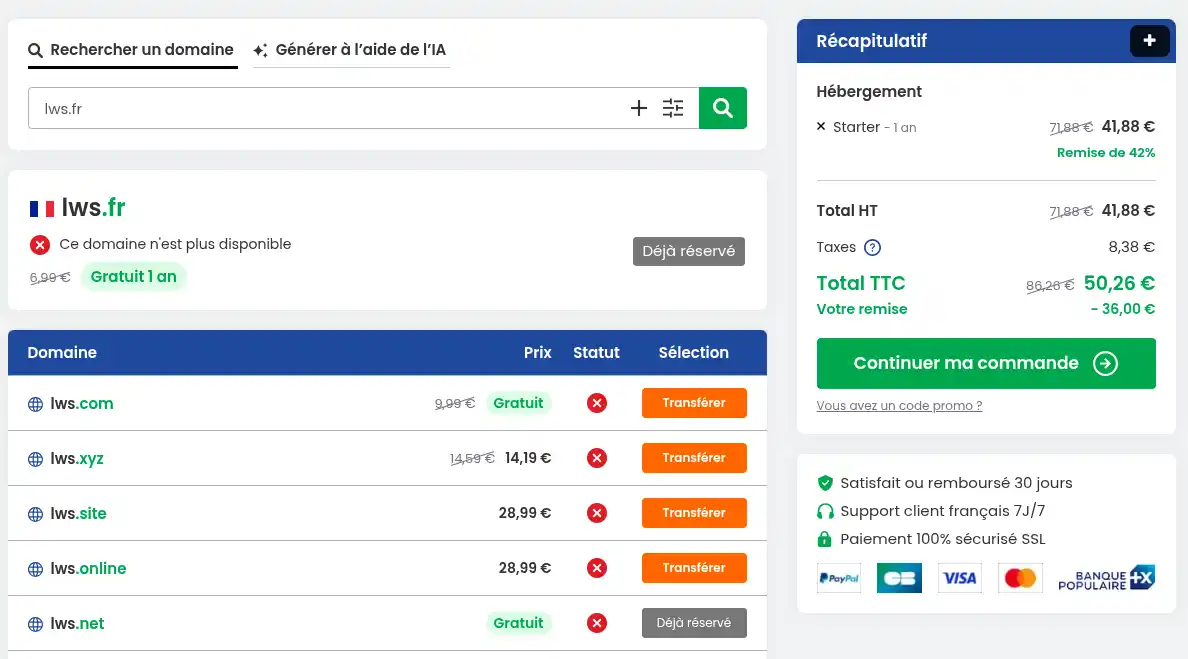
An additional step will ask you to confirm that you are indeed the owner of the domain or able to request its registrar transfer, and to confirm your choice.
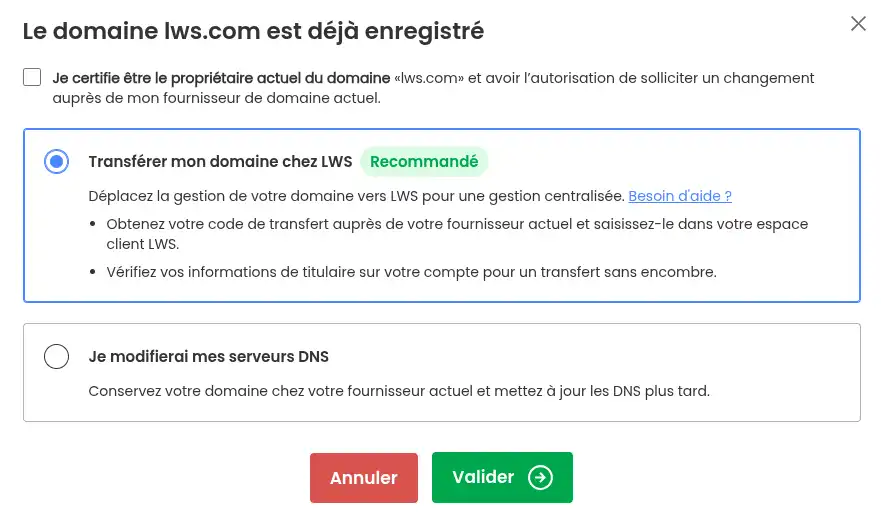
Then click the "Continue my order". button
Use an existing domain with another provider
You already have a domain name with another registrar and do not want LWS to handle its management for the moment, no problem, you can order hosting without a domain name. However, you will need to contact your domain manager to connect it to your LWS hosting.
To do this, simply select the option "I own a domain name with another host" in the panel on the right side of the page. Then click the "Continue" button.
Step 3: check and validate the order
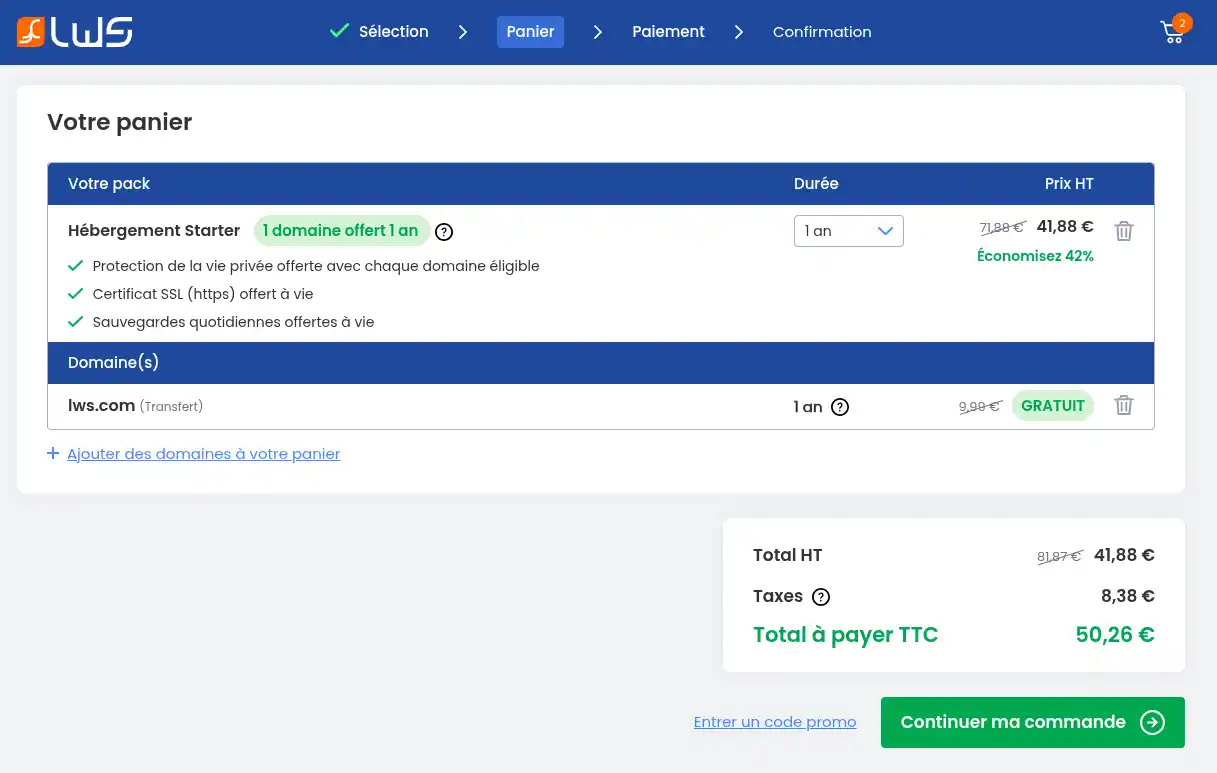
-
Check the summary of your order.
-
Click « Continue my order ».
At this stage, you can still modify the commitment period of a product, or add other additional domain names to your order. You also have the option to enter a promo code if you have one by clicking the link "Enter a promo code".
Step 4: log in or create an account
If you already have an LWS account, click the left-hand menu button "I already have an account".
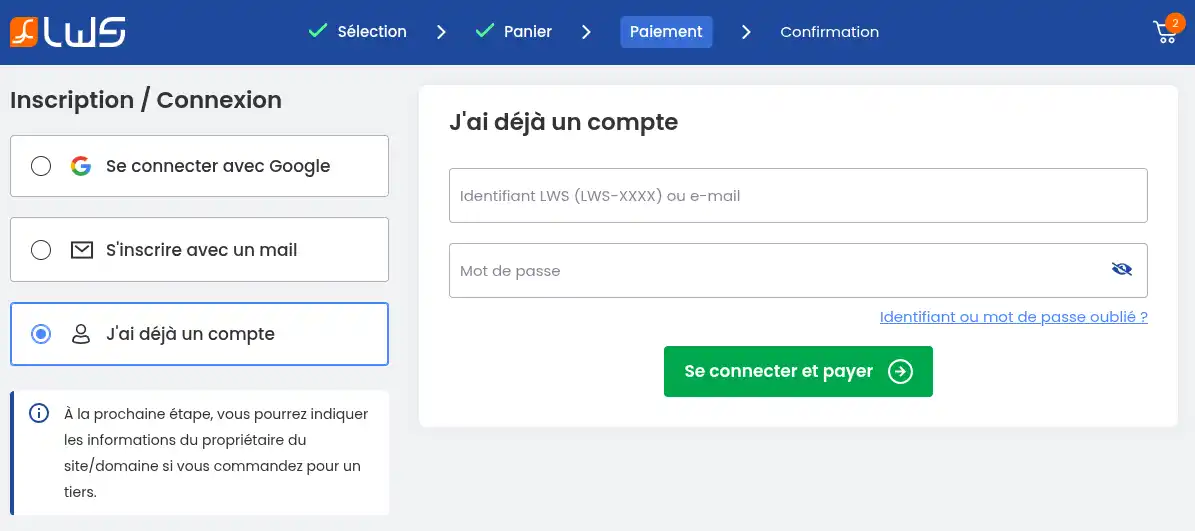
You will then need to enter your login details before clicking "Log in and pay".
If you do not yet have an LWS account, you can register with an email address by clicking the "sign up with email" button.
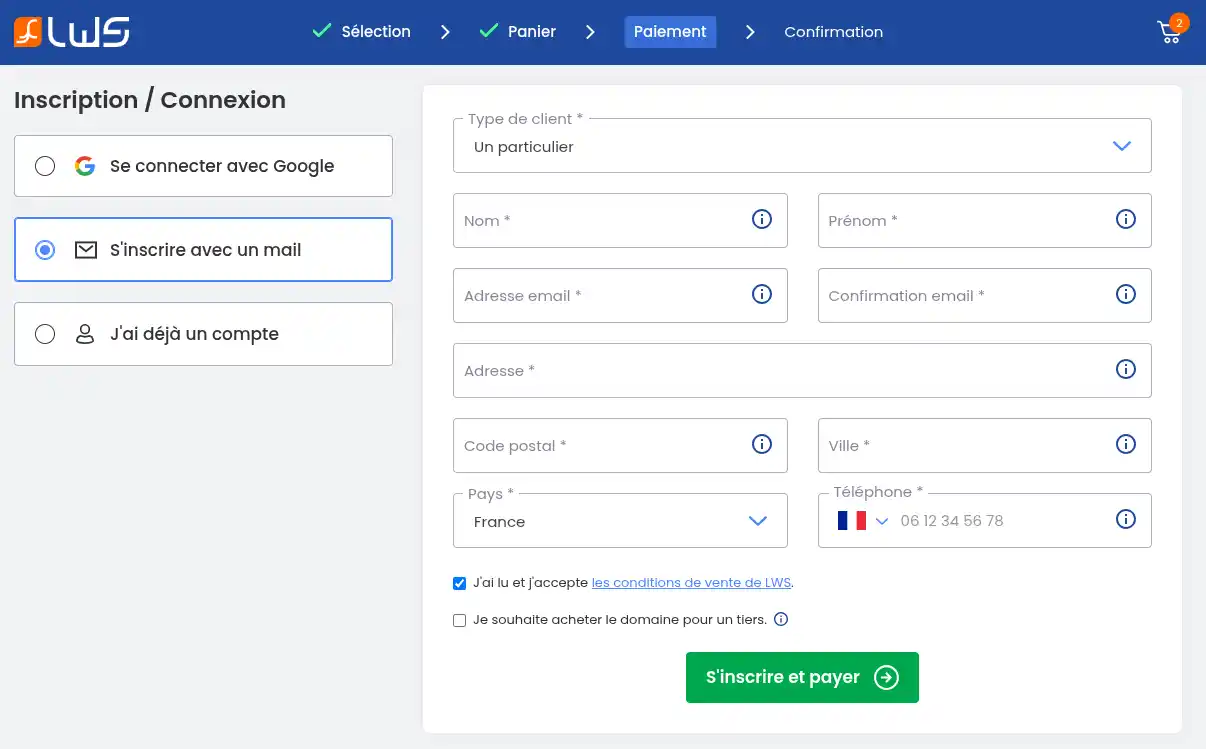
Fill in the form before clicking the "Sign up and Pay" button.
Make sure to enter accurate contact details (they are sent to the registry, which may verify their validity), to provide a valid email address (your login details will be sent to this email address), to register as a company or association if you are registering this service for a company or association (this allows transfer if you change management or president).
You can also log in with your Google account if it uses the same email address as your LWS account. If you have not yet created an LWS account, the first name, last name, and email address will be pre-filled; you will only need to complete the rest of the form before clicking the "Sign up and pay" button.
At the next step, you are asked to indicate whether you are the owner of the domain name that will be registered or only the technical manager, with ownership belonging to another person (a web agency, for example).
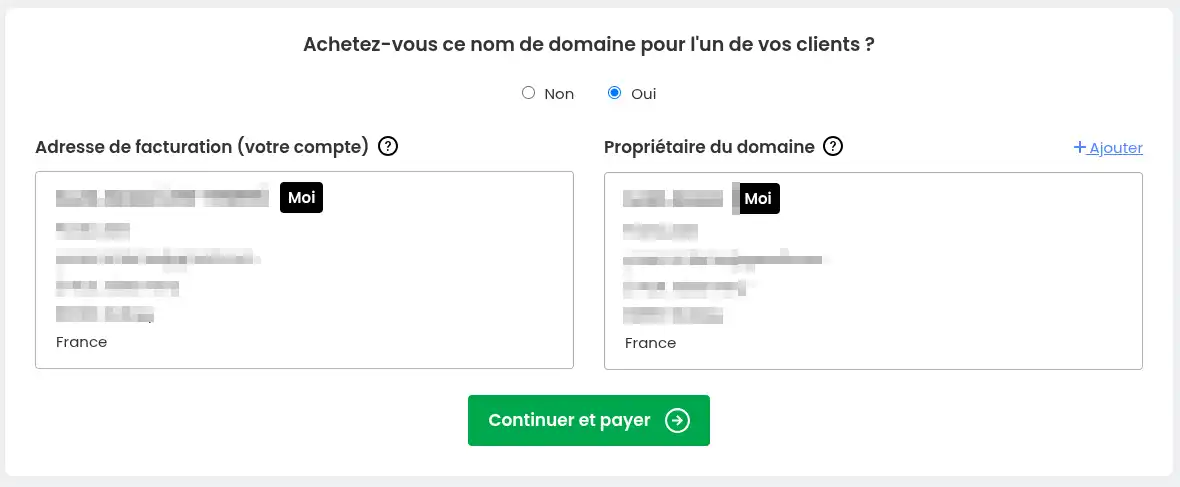
Leave "no" if you are ordering the domain name for yourself.
Indicate "yes" and enter an owner address if you are buying the domain name for another person.
Once you have made your choice, click the "Continue and Pay" button.
Step 5: make the payment
You are then redirected to the final payment step.
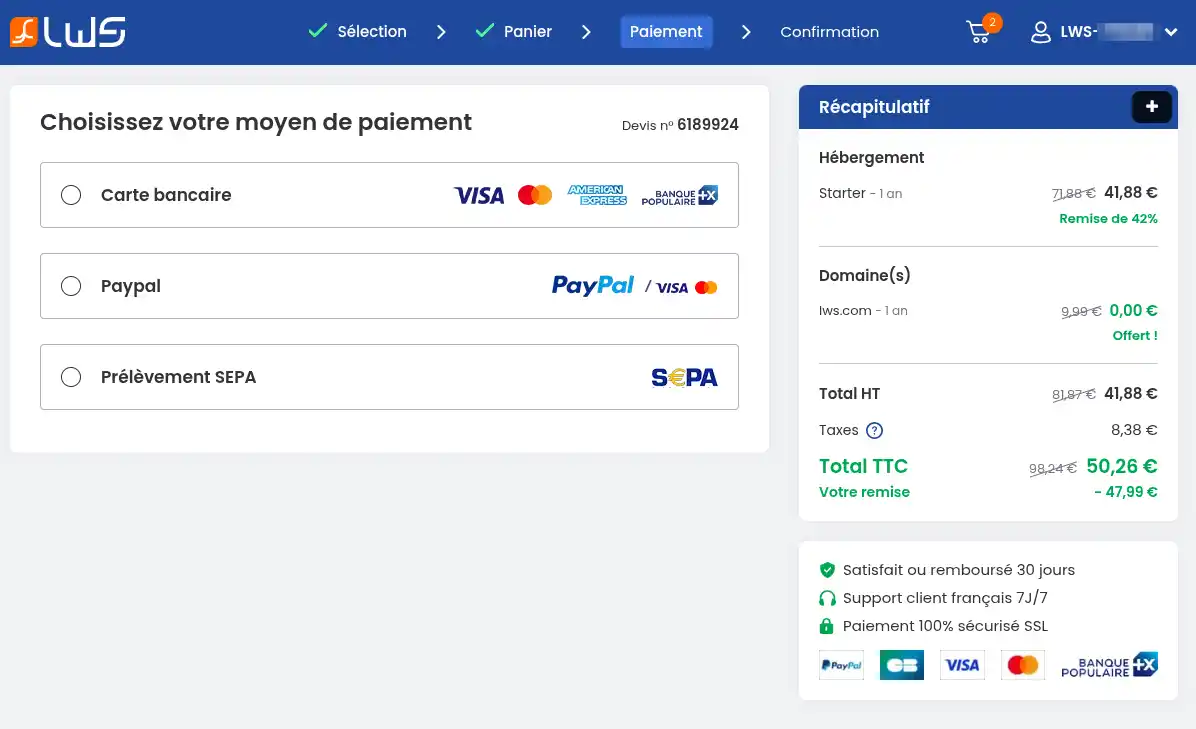
Choose your payment method:
- Bank card
- PayPal
- SEPA direct debit
The payment methods offered may vary depending on the geographic area. Find our detailed documentation on the payment methods offered by LWS.
Activation times
Orders are validated only upon receipt of payment:
- You paid by bank card or PayPal: it generally takes 1 hour.
- You paid by SEPA: the order will only be validated after SEPA validation.
Once the order is validated, you will receive all the information needed to use it by email. If you have not received your login details, you can generate new ones by following this documentation.
It takes 6 hours to be able to use your domain name / web hosting (maximum delay due to DNS propagation on the web).
Check that everything works
Your order is operational if:
- you have received the delivery email
- your hosting appears in your customer area
- your domain starts working (if ordered)
You can now:
- install a website
- create emails
- access your hosting
Common issues
I did not receive the delivery email
- Check the spam folder
- Wait a few minutes
- Log in to your customer area to check the order
The payment does not go through
My website does not work right away
- Wait for the DNS delay (up to 6 hours)
- Clear the browser cache
- Try again later
Conclusion
Your LWS Linux hosting is now ordered.
As soon as you receive the delivery email, you can start creating your website.
If you encounter an issue, LWS support remains available to assist you.



 Yes
Yes No
No About
About 