
Online help
The web host accessible to all
Procédure
This interface allows you to protect specific directories in your web space. Once this feature has been activated for a directory, the user will be required to enter a username and password in order to connect to it.
The ".htaccess" file contains the address of your ".htpasswd" file. The ".htpasswd" file contains a list of all your identifiers and their passwords.
The"Directory confidentiality" tab will allow you to create the various accesses without having to configure the two files manually.
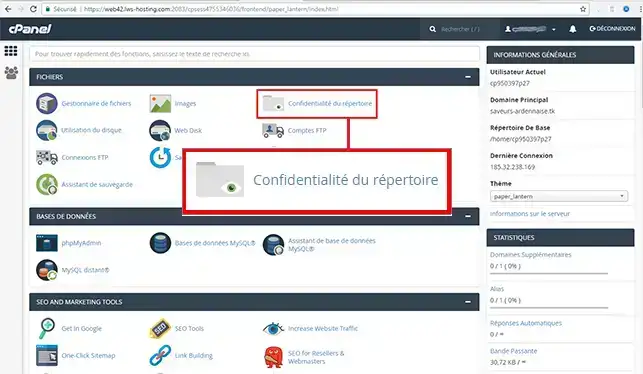
1. Log in to your cPanel account at & click on the"Directory Confidentiality" icon.
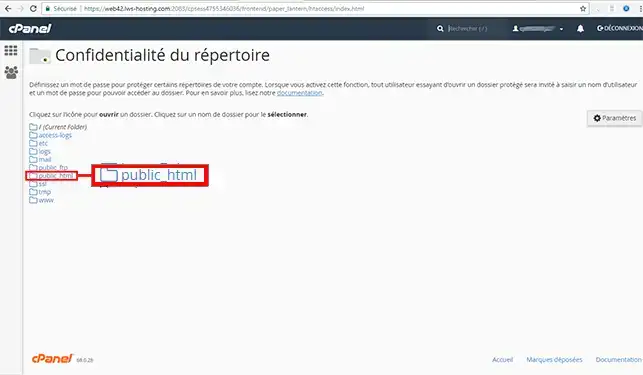
2. Click on the directory you wish to protect
For this help article, we choose to protect the directory named "demo".
3. Tick the "Password protect directory" box
Enter the name you wish to give to this protected directory, then click on the "Save" button
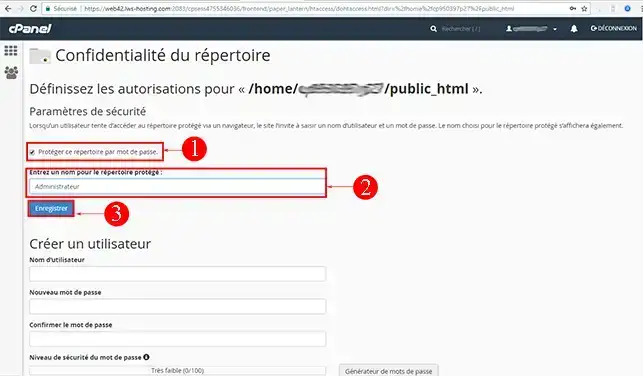
The directory is now protected and requires a password to access it from the web.
We now need to create at least one user and assign a password to allow access to the directory.
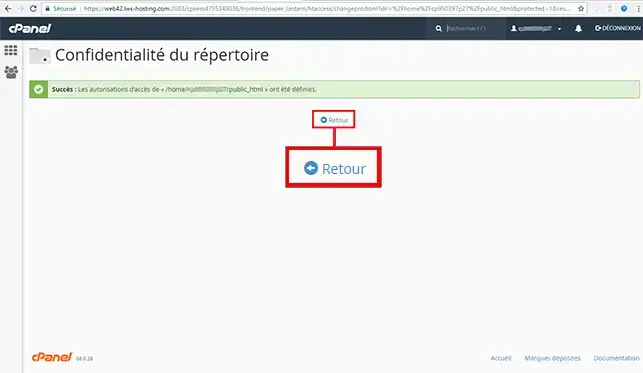
4. Click on the "Back" button
5. Enter the user name authorised to access the protected directory.
Enter a secure password: minimum 8 characters with at least one symbol (you can use the password generator to obtain a password automatically).
Click on the "Save" button
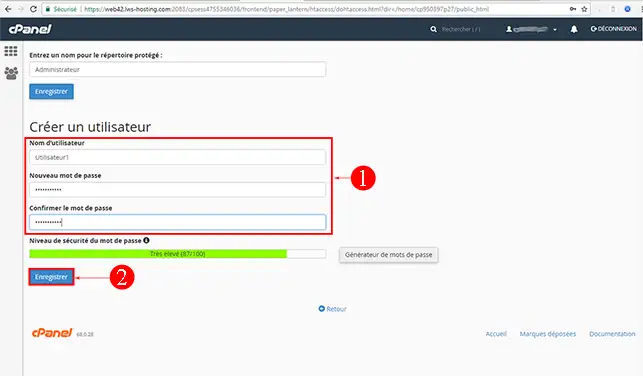
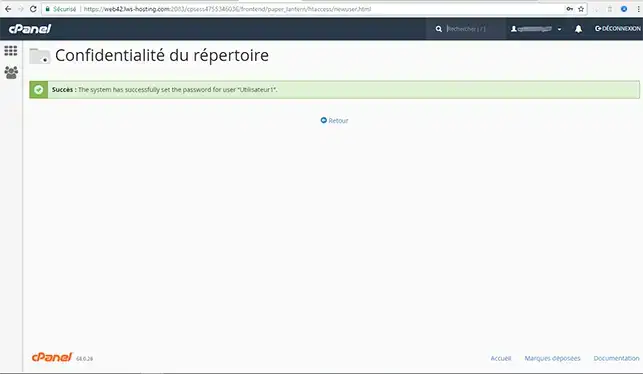
It will be taken into account immediately:
Need help using cPanel?
See all our cPanel training videos
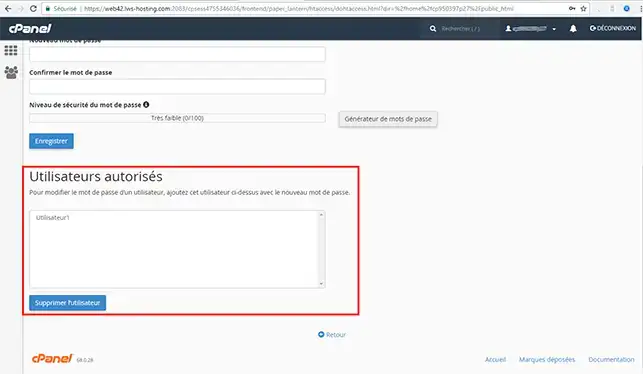
To view your active users, remove a protection, change a password, etc., follow these steps:
1. Connect to your cPanel account & click on the"Directory privacy" icon
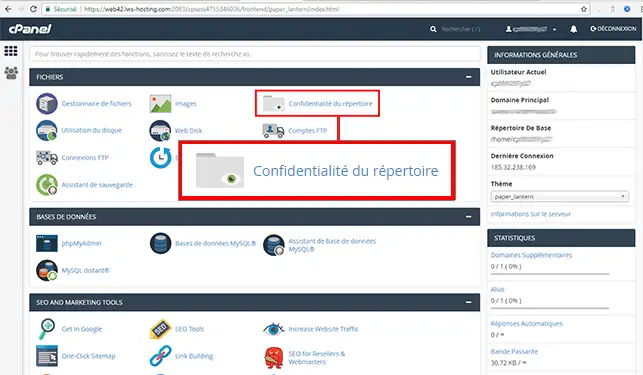
2. Click on the protected directory you wish to manage
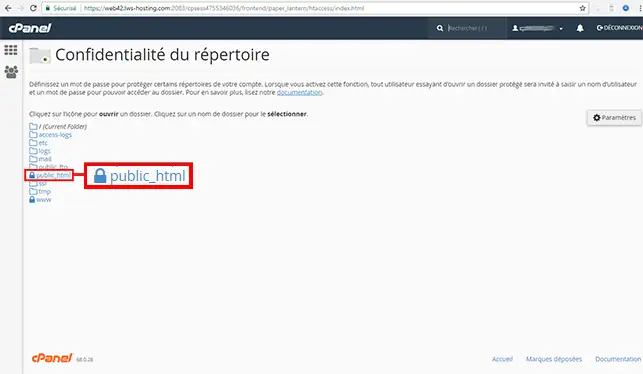
3. Scroll down the page.
You can then view the users authorised to access the protected directory, delete them & change their password.
You can now protect one or more directories on your cPanel web hosting using the"Directory Confidentiality" function. You can protect one or more different directories.
Don't hesitate to share your comments or questions!
Ask the LWS team and the community. Answers are published after moderation.
 About LWS :
LWS is a 100% French web hosting company that focuses on quality and innovation and offers a responsive and competent technical service at affordable prices.
About LWS :
LWS is a 100% French web hosting company that focuses on quality and innovation and offers a responsive and competent technical service at affordable prices.



 Yes
Yes No
No