
Online help
The web host accessible to all
Procédure
phpBB is probably the most widely used forum creation tool on the Web!
Thanks to a very powerful administration console, you can create forums, then initial discussion topics to which your visitors can reply endlessly.
phpBB also offers many features to create and animate a community of visitors, customers, or readers. This very popular software is a safe bet, backed by a large developer community.
So you can easily find help, new graphics, new features, or tips and tricks to get the most out of it. A must-try for any personal or business website!
phpBB is included in all Linux hosting plans.
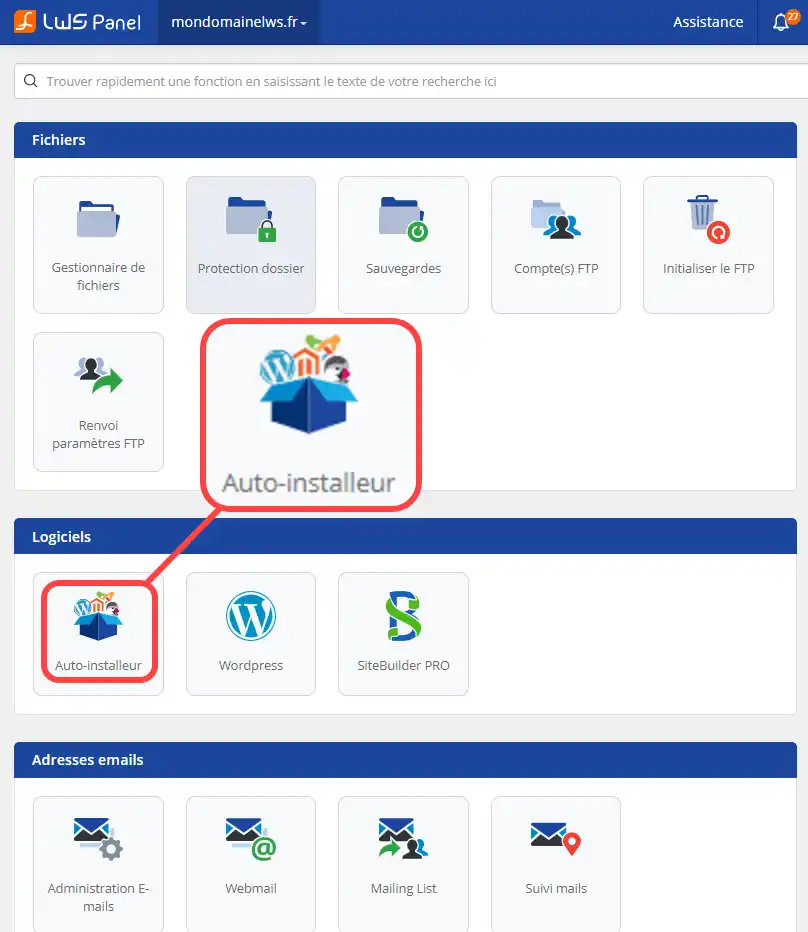
1. Log in to your web hosting administration area and click on LWS auto-installer
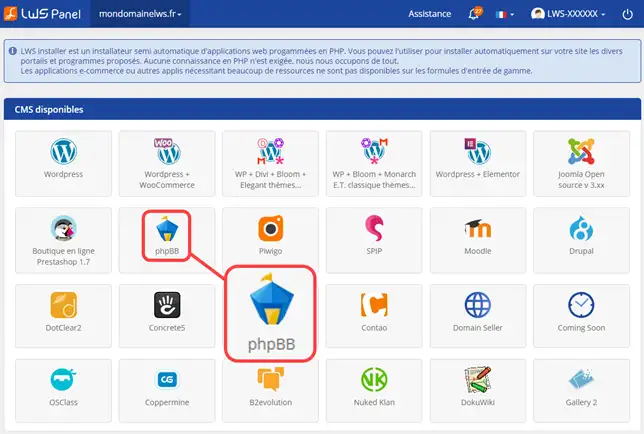
2. Choose phpBB (Before proceeding with the installation of phpBB, you must create a MySQL database, which is required for it to work properly) and click on Install.
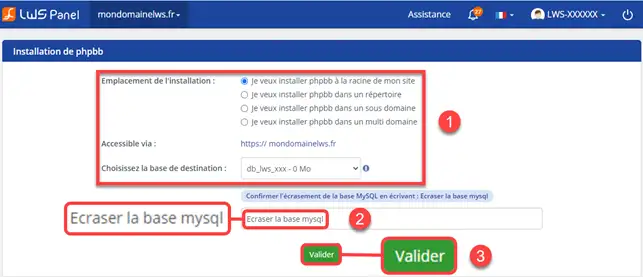
3. Indicate whether you want phpBB to be installed at the root of your site (the base of your website) or in a folder. (For example, if you want to display a showcase site)
4. Once the installation is complete, an email will be sent to you containing the connection details for your phpBB

1. Enter your credentials to log in to your phpBB administration (The login details are sent to you by email as soon as the installation is complete). The login form is on your site. Your phpBB may be in a subdomain. (More explanations about subdomains here).
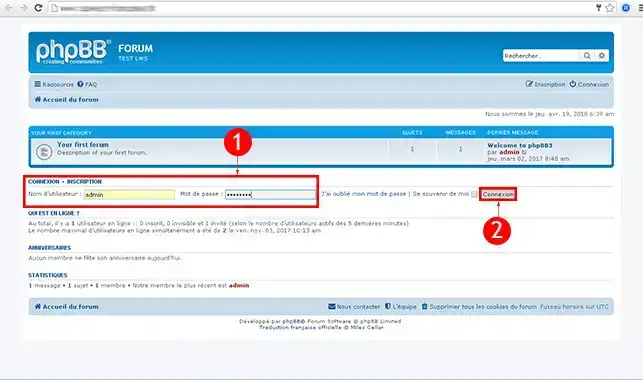
2. Click on Administration Control Panel
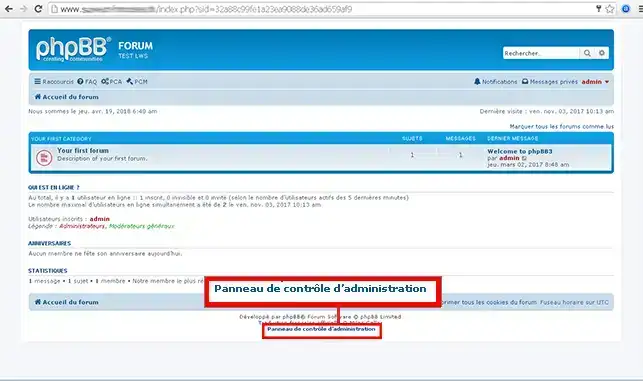
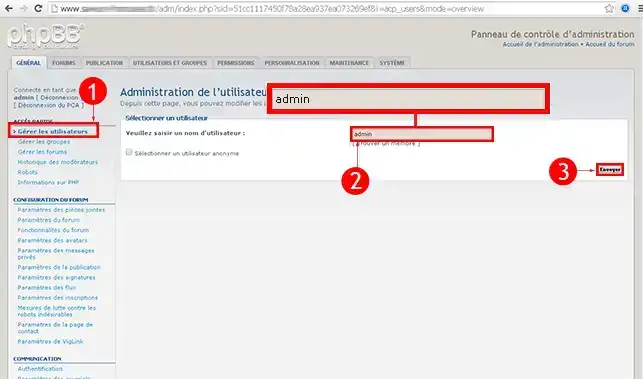
3. In the menu on the left, click on Manage users. In the search engine, type "admin" or the username you want to modify and click on the "Submit" button.
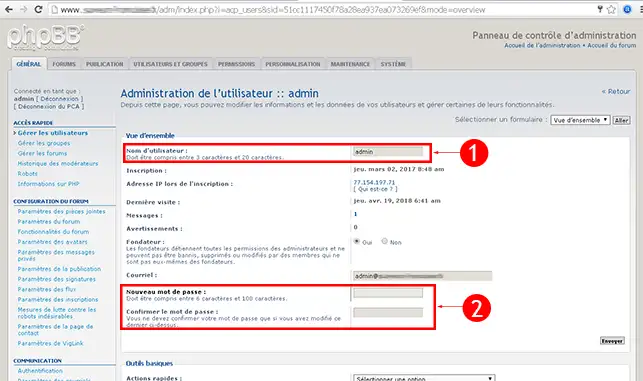
4. Choose your new Username and your new Password then click Submit.
1. Enter your credentials to log in to your phpBB administration (By default Username : admin and Password : admin). The login form is on your site. Your phpBB may be in a subdomain. (More explanations about subdomains here).
2. Click on Administration Control Panel
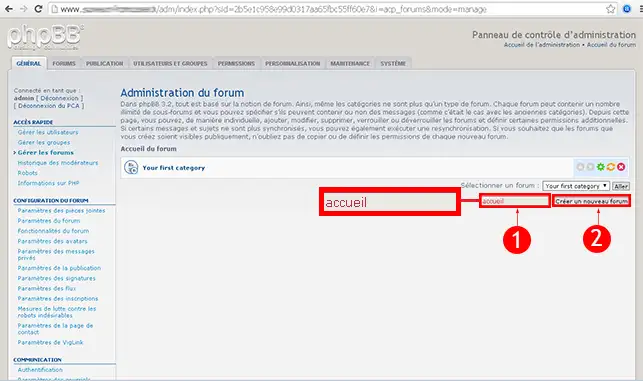
3. In the menu on the left, click on Manage forums
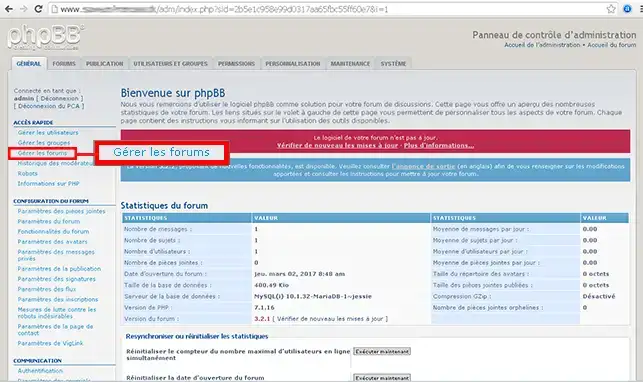
4. Type the name of your new Forum/Category then click on Create new forum
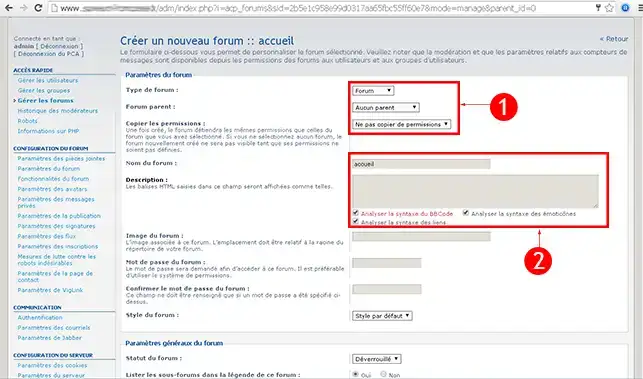
5. Enter the requested information to complete the forum setup:
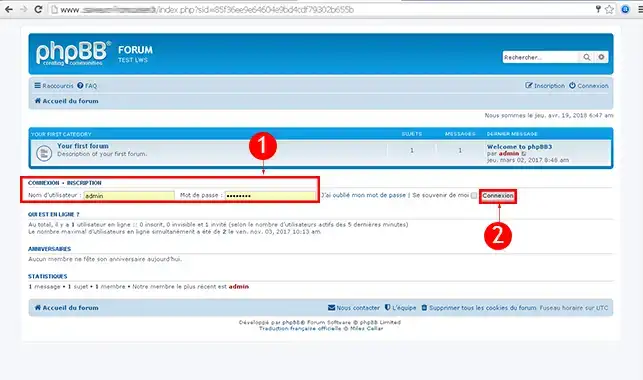
1. Enter your credentials to log in to your phpBB administration (By default Username : admin and Password : admin). The login form is on your site. Your phpBB may be in a subdomain. (More explanations about subdomains here).
2. Click on Administration Control Panel
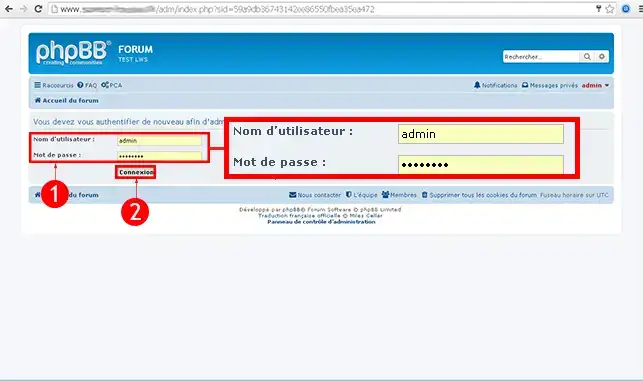
3. Enter your Access again (By default Username : admin and Password : admin). Then click on Login
4. Click on the Style tab in the top menu.
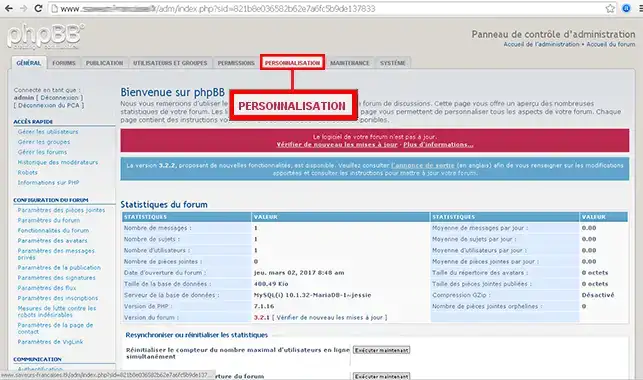
5. Click on the "Styles" tab found in the left-hand menu of your phpBB forum
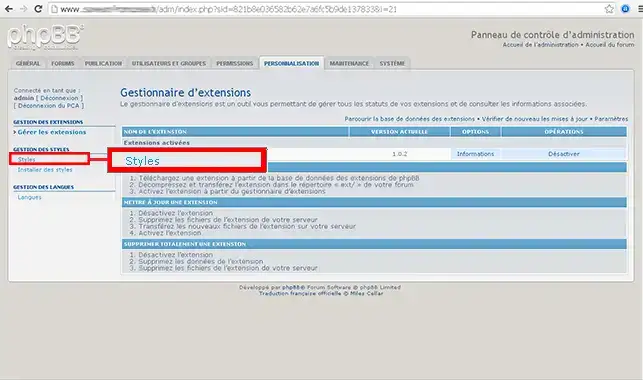
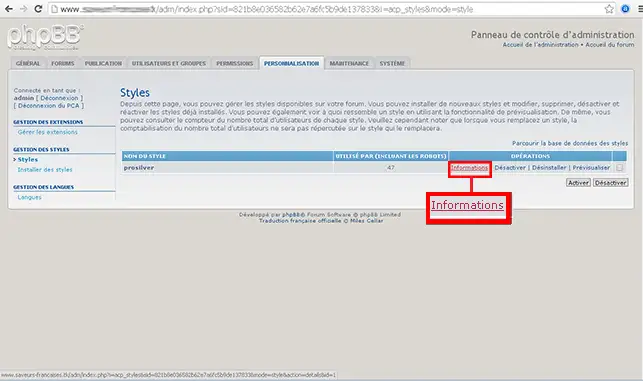
6. Choose your Style then click on Information
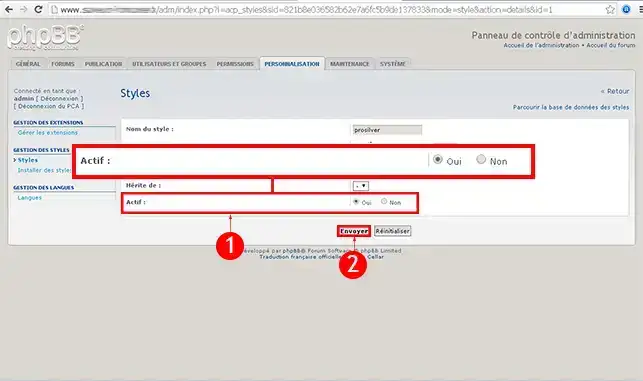
7. In the Options check the box Active and set Make default style to Yes. Then click on Submit.
To learn more about phpBB you can consult the official resources:
You are now able to automatically install your phpBB Forum and create your first forum with our PHPBB hosting or your LWS Web hosting.
For years, phpBB has been the leading forum creation tool. It provides a powerful interface for user management.
Feel free to share your comments and questions!
Ask the LWS team and the community. Answers are published after moderation.
 About LWS :
LWS is a 100% French web hosting company that focuses on quality and innovation and offers a responsive and competent technical service at affordable prices.
About LWS :
LWS is a 100% French web hosting company that focuses on quality and innovation and offers a responsive and competent technical service at affordable prices.



 Yes
Yes No
No