
Online help
The web host accessible to all
Procédure
Welcome to our documentation on accessing the Nextcloud web application. Nextcloud offers you an all-in-one solution to store, manage, and collaborate on your files online. LWS allows you to take full advantage of Nextcloud. Ready to discover how to access your Nextcloud space? Follow the simple steps below for a smooth and secure experience.
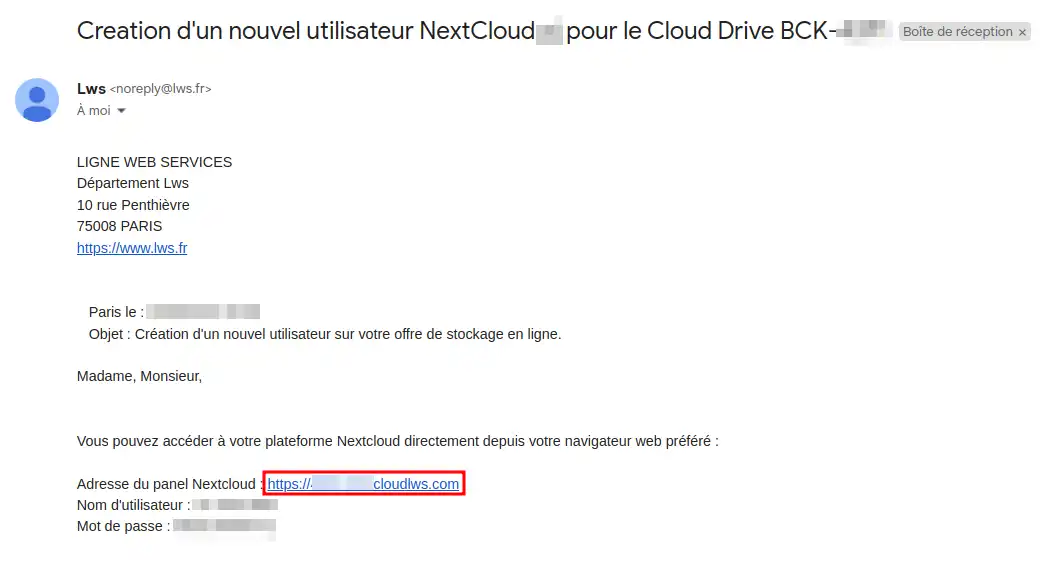
Step 1 : In your LWS delivery email, look for the login information. Note your username and password. Then click on the application access link
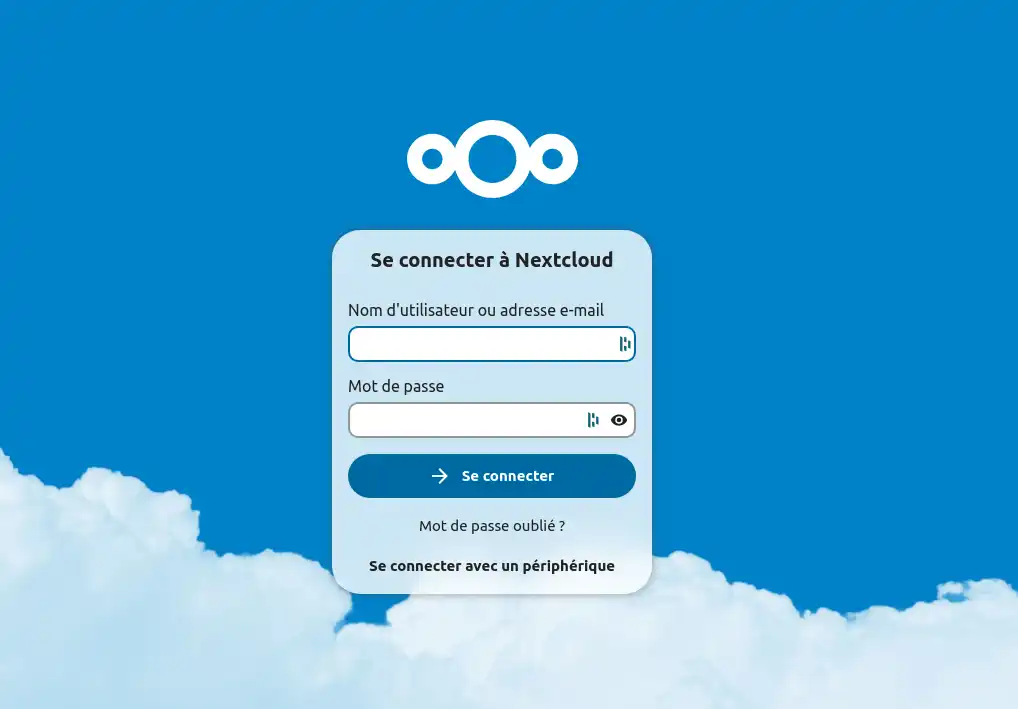
Step 2 : On the home page, enter your username and password in the appropriate fields, then click "Sign in".
Make sure to keep your login details secure.
If you have a connection problem, check your login details and make sure you are connected to the Internet.
The connection may be slow if one of the users is uploading large files to your Nextcloud instance and/or if the trash is full, so remember to empty it regularly.
Congratulations! You now have all the information you need to successfully access the Nextcloud web application via LWS. Need help? Consult the LWS knowledge base or contact technical support for personalized assistance… LWS is here to support you at every step of your Nextcloud journey. Get started today and transform the way you manage your files online. If you do not yet have an online storage plan or would like to get a cloud storage plan with advanced features, consult this documentation to place your order, and find information about the Nextcloud and Nextcloud Pro plans here.
Ask the LWS team and the community. Answers are published after moderation.
 About LWS :
LWS is a 100% French web hosting company that focuses on quality and innovation and offers a responsive and competent technical service at affordable prices.
About LWS :
LWS is a 100% French web hosting company that focuses on quality and innovation and offers a responsive and competent technical service at affordable prices.



 Yes
Yes No
No