Procédure
What is Wix?
Wix makes it easy, fast, and free to create a website.
Thanks to a custom-built platform, each user can create their own 100% personalized website, without any technical knowledge.
Wix provides each user with a physical address allowing access to their website from any Internet-connected device.
This address provided free of charge by Wix will be of the following type: http://votresiteweb.wix.com
In order to make your website more attractive to your visitors and, above all, to add a touch of professionalism and trust, it is important to have your own custom domain name, such as http://www.votresiteweb.com
Ligne Web Services SARL allows you to create a domain name starting from 3.99 euros excl. tax / year, and to connect this domain name to your Wix site, at no extra cost.
How do you connect a domain name to Wix?
To connect a domain, you must first upgrade your site to a Wix Premium plan, which includes connecting a domain name.
There are 2 solutions for connecting a domain name to Wix:
- Via DNS Server : This makes it possible to connect both the web part and the mail part of your domain name --> your emails created from LWS Panel will no longer work.
- Via IP pointing : This makes it possible to connect only the web part of the domain name to Wix --> your emails created from LWS Panel will still work (you are entitled to at least 2 email addresses with our domain name offers)
I. Connect your domain name to Wix via DNS name server
This option is only possible for Wix premium accounts.
Warning: with a name server configuration, your emails can no longer be managed by our services.
- Go to "Domains" in your Wix account.
- Click Add an existing domain .
- Click Connect a domain you already own.
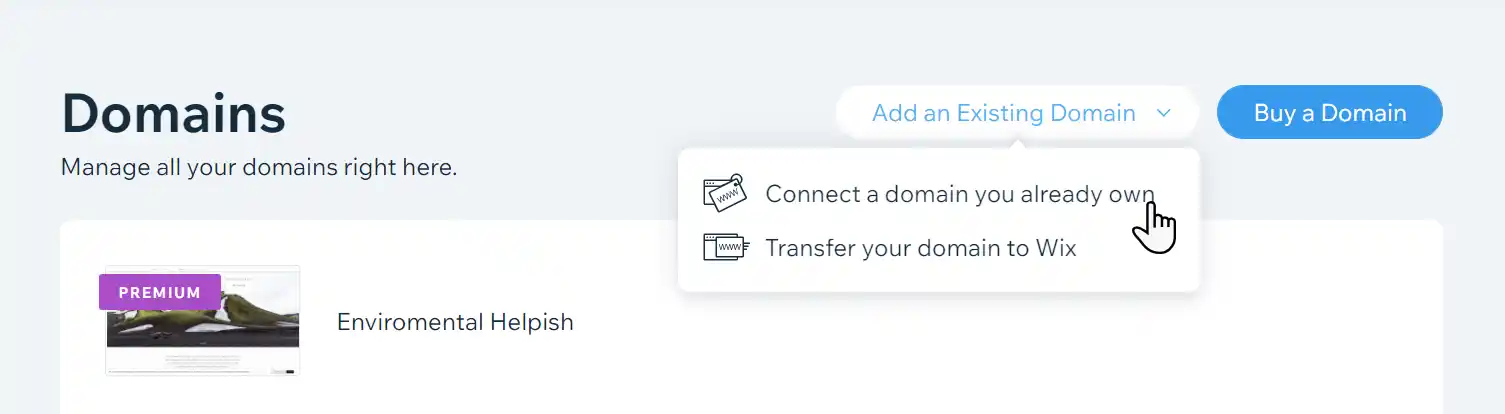
- Select the site you want to connect your domain to and click Continue.
- Enter your domain name and click Let's Go .
- Click Yes, I own this domain under the search field.
- Connect your domain manually (button Start)
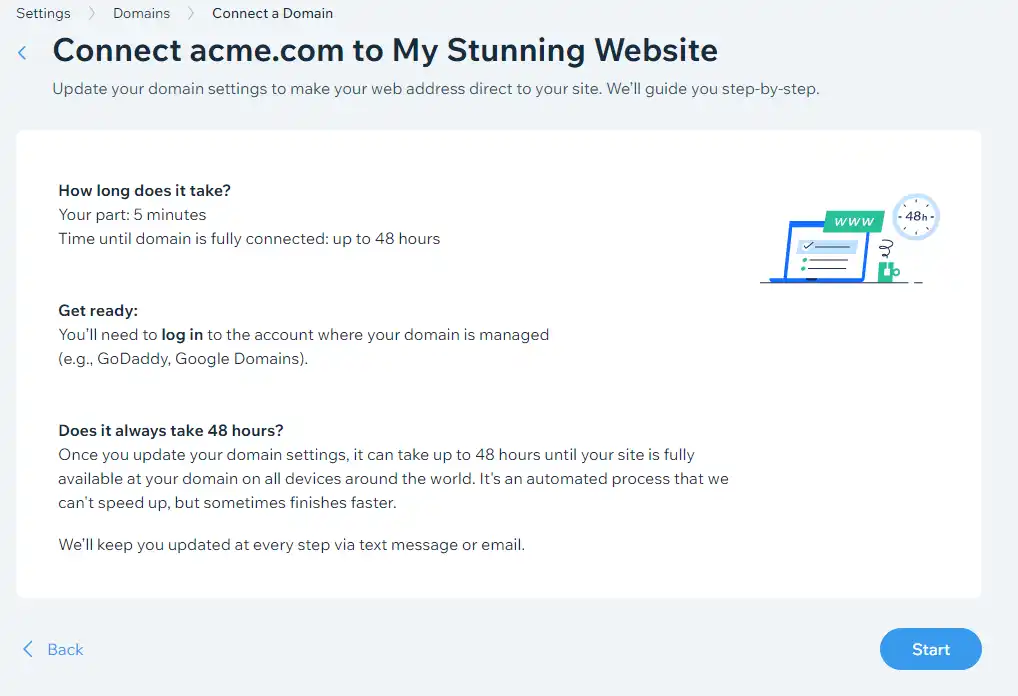
If you see a screen to connect your domain by manually updating your domain settings, check the information on the screen and click Start. Then follow the instructions on the screen.
The screen (as in the screenshot below) informs you of the length of the process
- Click "I’m connected".
- Click "I found my domain settings".
- Click "I found the name servers".
- Access the DNS server management in your LWS client account
- Replace the name servers with those shown on the Wix interface
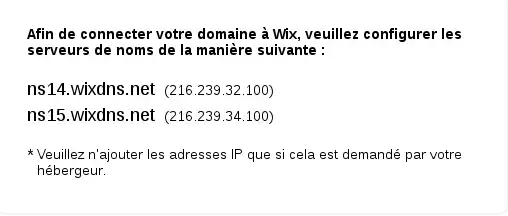
- Click "I replaced my name servers".
It may be necessary to wait up to 24 hours before the connection between your domain and your Wix hosting is fully functional.
II. Redirect your domain name via IP pointing.
This option is only possible for Wix premium accounts.
- Go to Domains in your Wix account.
- Click Add an existing domain.
- Click Connect a domain you already own.
- Select the site you want to connect your domain to and click Continue.
- Enter the domain name and click Let's go.
- Click Yes, I own this domain in the sentence below the search field.
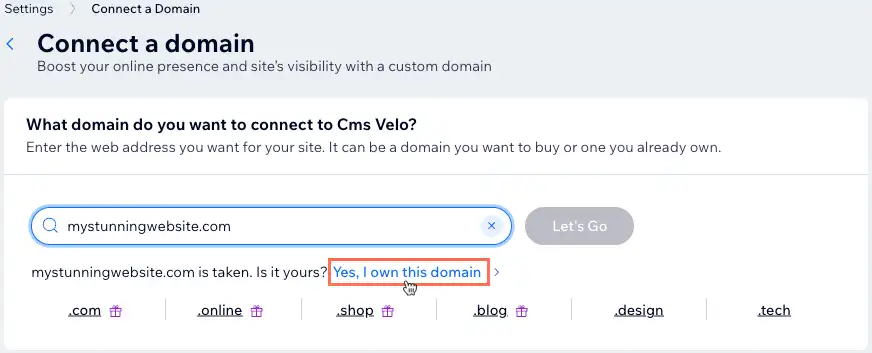
- Connect your domain manually (button Start)
- If you see a screen to connect your domain by manually updating your domain settings, follow the steps below. The screen informs you of the length of the process
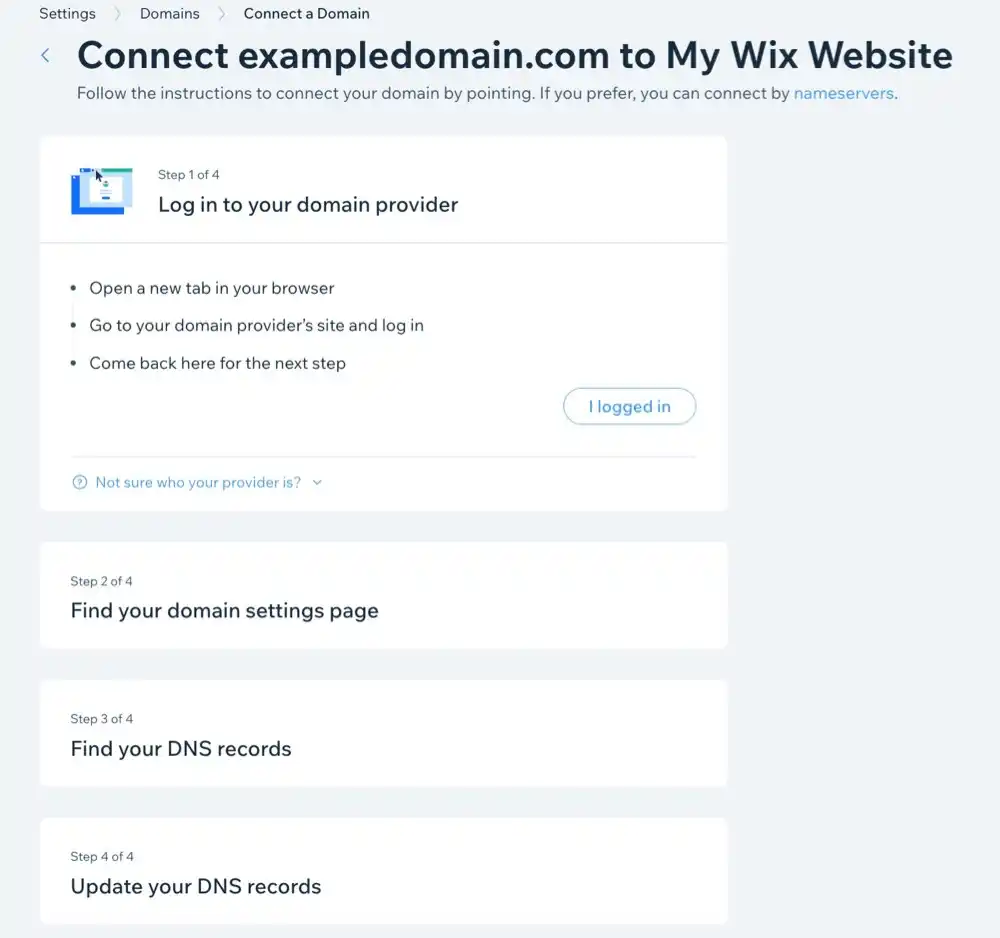
- Check the information on the screen and click Start.
- Click Point in the sentence at the top of the screen.
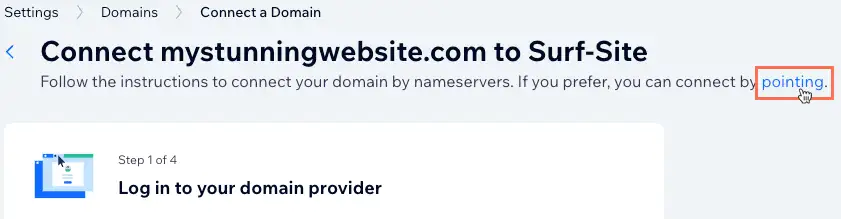
- Click Switch to pointing instructions.
- Click I’m connected .
- Click I found my domain settings .
- Click I found the records.
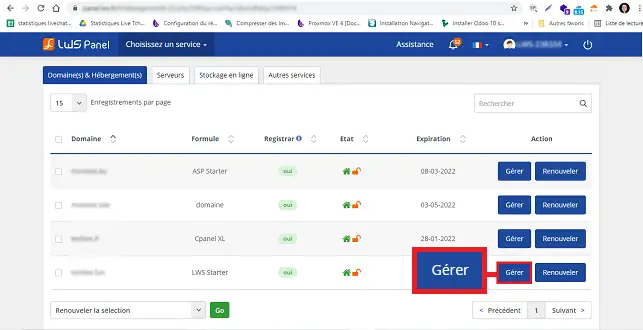
- Log in to the administration area of your web hosting and click on "Manage" next to the relevant domain.
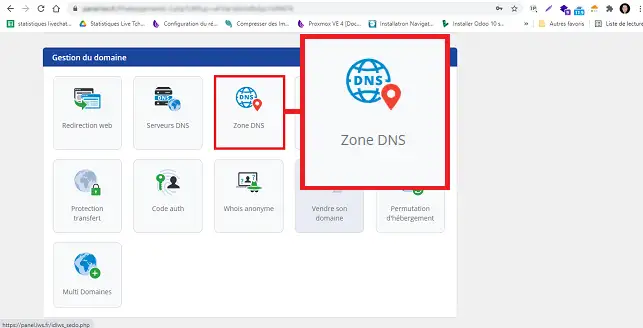
- Go to "DNS Zone" in the "Domain management" section:
- replace your current records with the Wix DNS records provided on your Wix domains page.
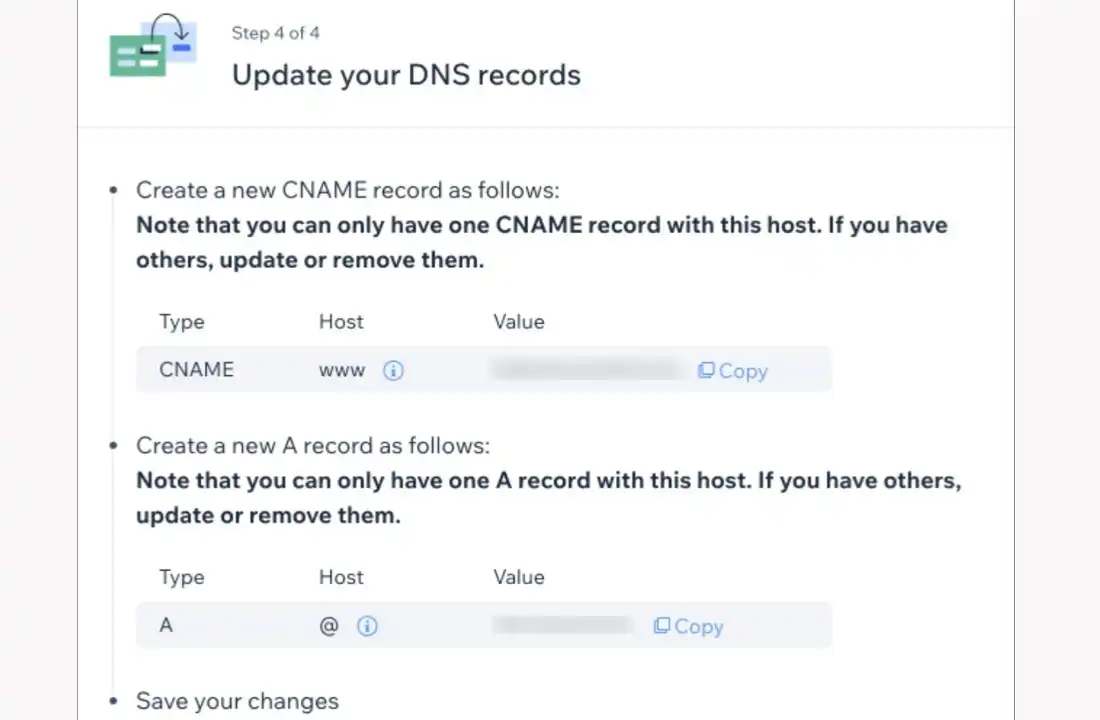
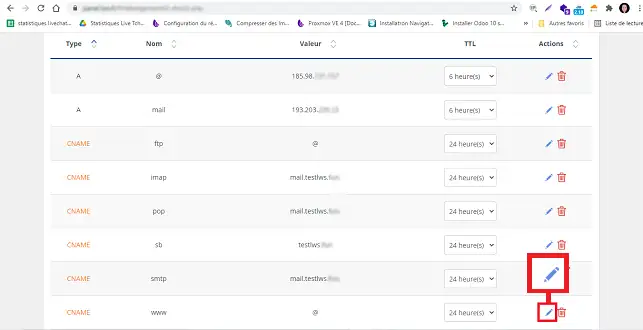
- In your LWS interface, click the pen icon "Edit" located behind the DNS Zone of the desired record:
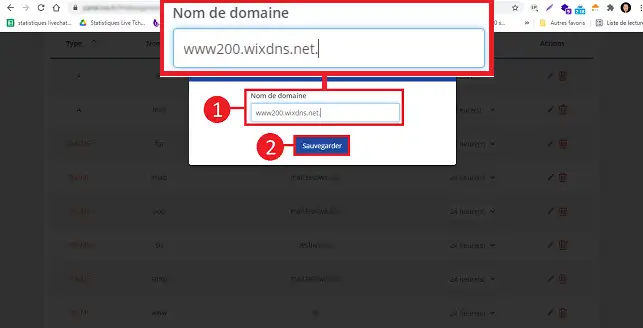
- Modify the value of the record by entering the one you received from Wix. Then click "Save".
- Do this for all the records, then return to the Wix interface and click "I’ve updated my records".
It may be necessary to wait up to 24 hours before the connection between your domain and your Wix hosting is fully functional.
Conclusion
You are now able to associate your LWS domain name with your website hosted on Wix. The Wix platform allows you to create a showcase website quickly and without any prior knowledge. You can migrate your Wix site to SiteBuilder Pro in just a few clicks.
Feel free to share your feedback and questions!



 Yes
Yes No
No About
About 