
Online help
The web host accessible to all
Procédure
Reverse DNS allows you to retrieve the IP address (xxx.xxx.xxx.xxx) from a host name or domain name (for example www.lws.fr).
A reverse DNS is highly recommended for intensive use of the e-mail service.
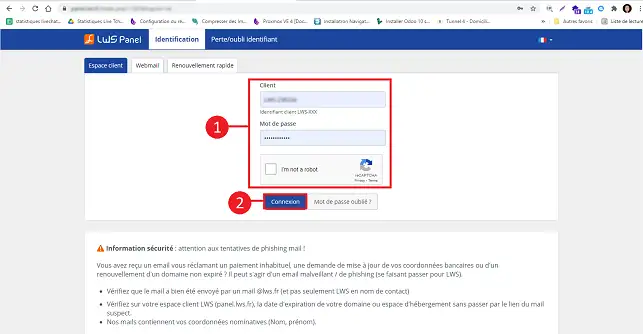
1. Go to your LWS customer area.
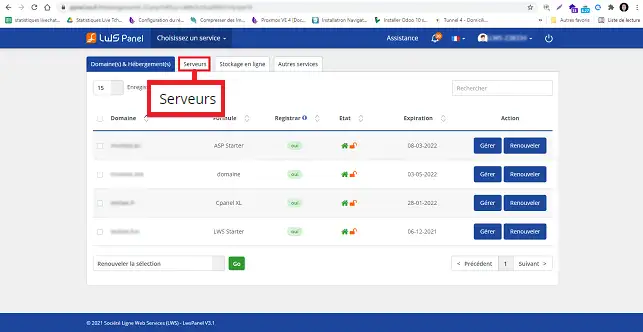
2. Click on"Servers" at the top of the page.
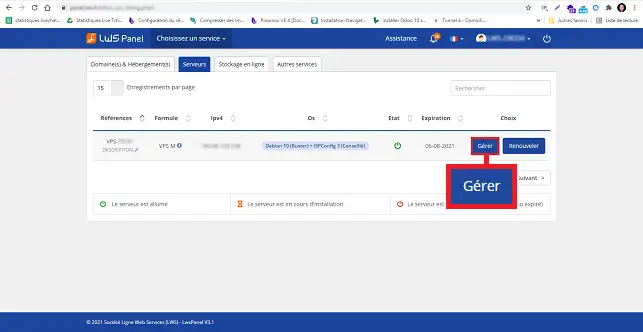
3. Click on the"Manage" button behind the server you wish to configure for Reverse DNS.
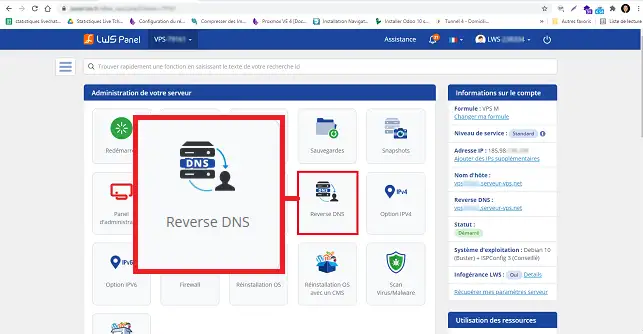
4. Click on the "Reverse DNS" icon.
5. Enter the domain name you wish to configure (without www), then click on the"Validate" button.
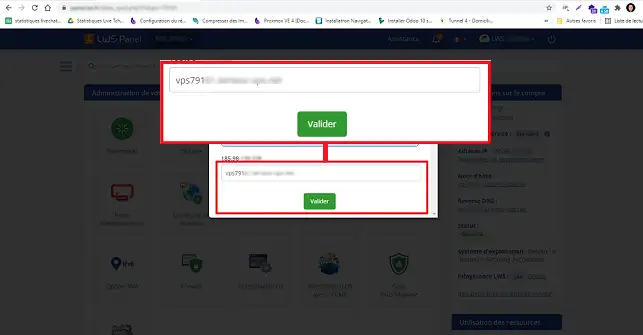
Your Reverse DNS will be valid within 24 hours.
Ask the LWS team and the community. Answers are published after moderation.
 About LWS :
LWS is a 100% French web hosting company that focuses on quality and innovation and offers a responsive and competent technical service at affordable prices.
About LWS :
LWS is a 100% French web hosting company that focuses on quality and innovation and offers a responsive and competent technical service at affordable prices.



 Yes
Yes No
No