Procédure
On this page, we'll look at how to connect your domain name to Google sites.
Connect my "root" domain www.domain.com to Google sites
Step 1: Go to the Google sites panel
1.1 Select the website you want to connect to your domain name and click on "Settings". Once in the settings area, click on "Customised domains".
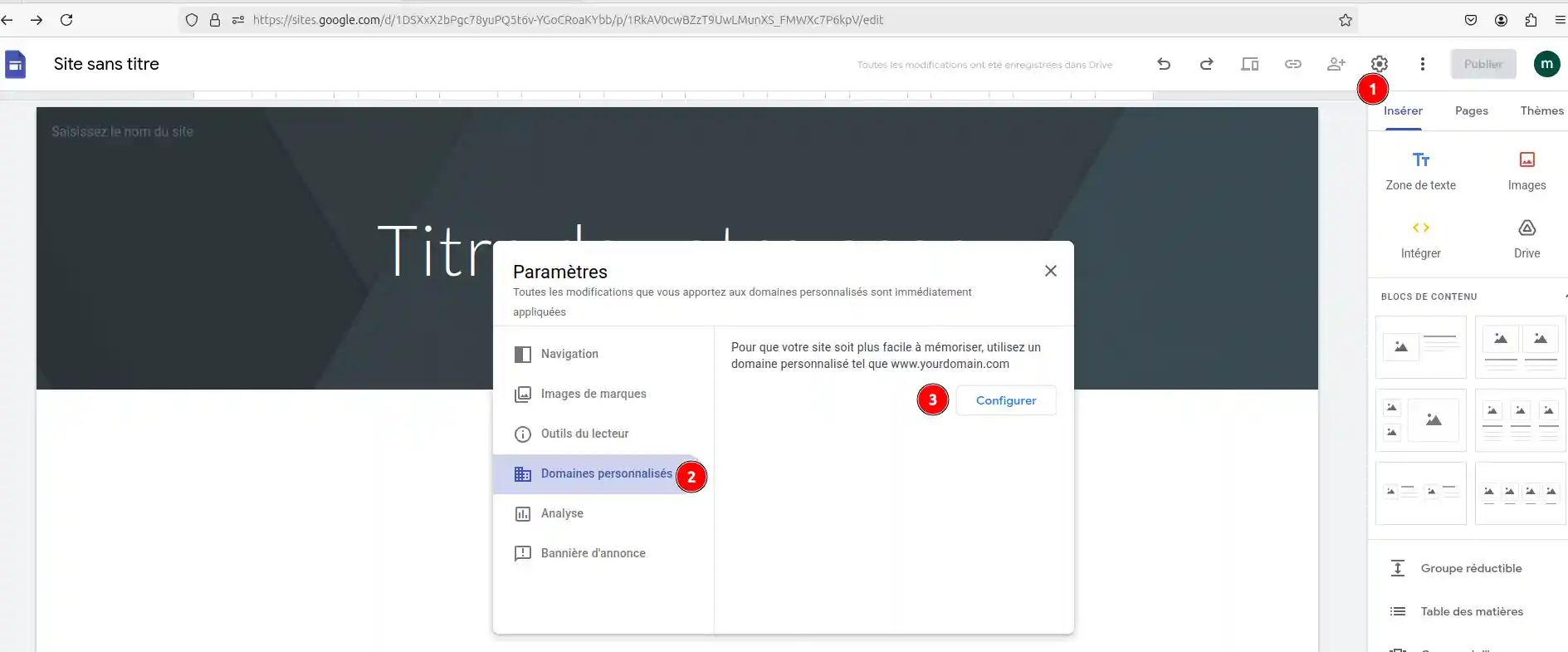
1.2 Enter the domain name you wish to configure.
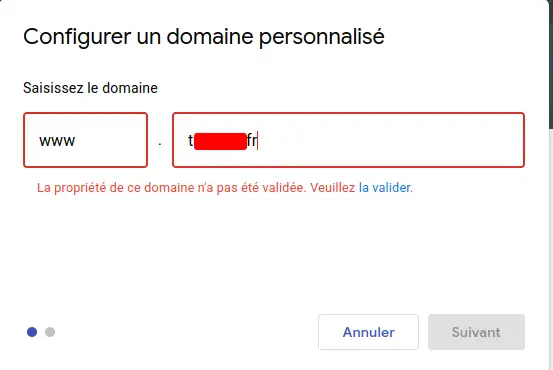
1.3. If the ownership of the domain name has not been validated, you will need to complete this step,
if you have already done so, you can go directly to step 1.7:
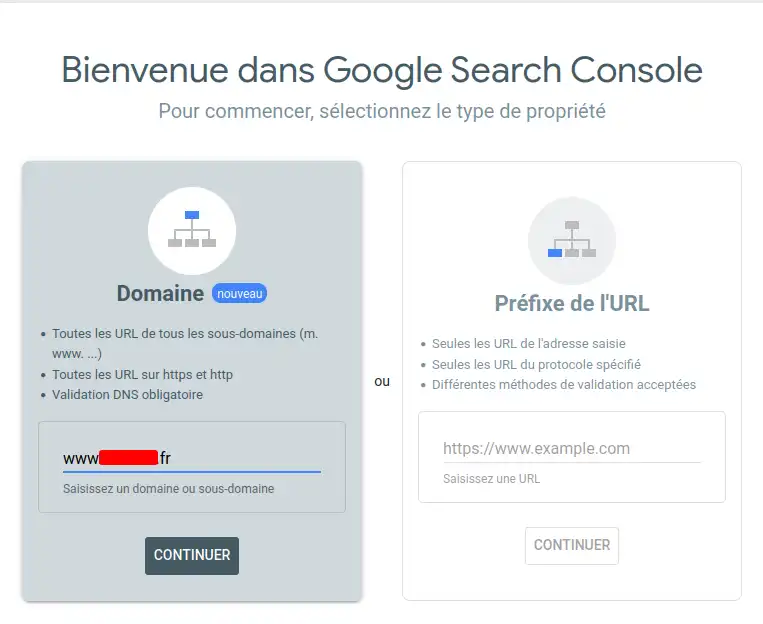
Click on "continue" in the domain box, shown here in grey.
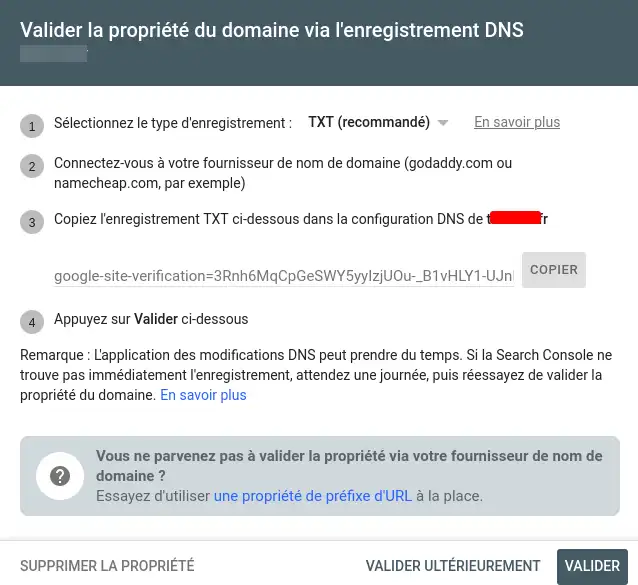
1.4 Copy the verification code indicated by Google (in your notepad, for example):
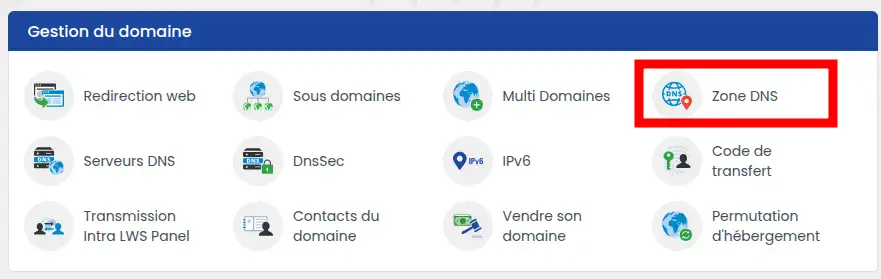
1.5 Go to your LWS customer area, then select the DNS Zone section:
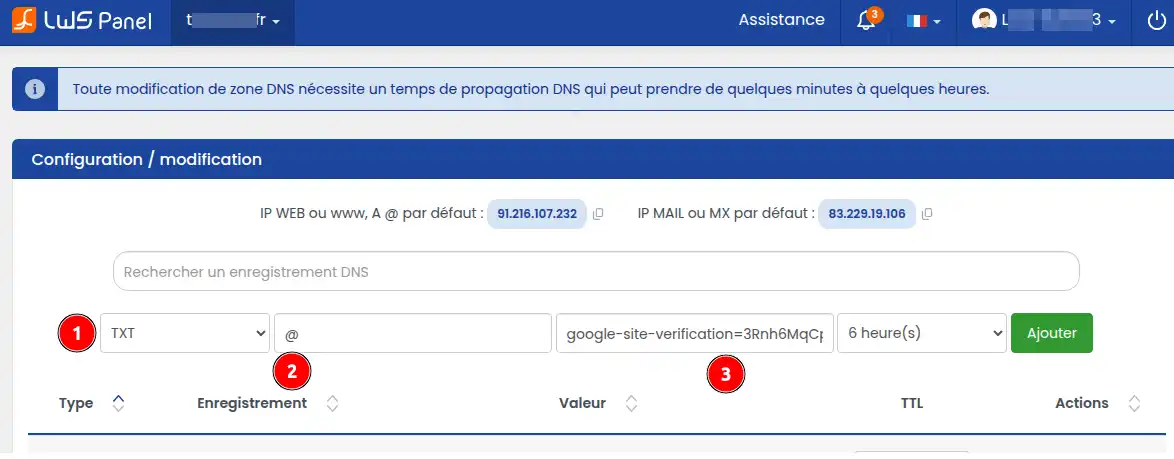
1.6 Enter the information as follows and click on Add :
1.7 Now go back to Google sites and try to add your domain name again (starting from step 1.1). Once your domain name has been validated, you will see this screen:
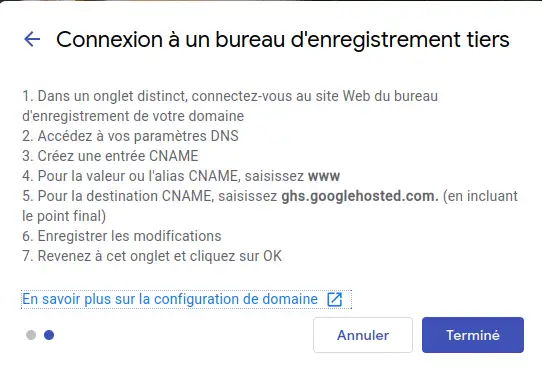
Click Done
1.8 Now complete the configuration requested by Google in your LWS customer area. Go to the DNS Zone section:
1.9 Delete the following CNAME record from your DNS zone:

1.10 Then enter the following information in this DNS zone:
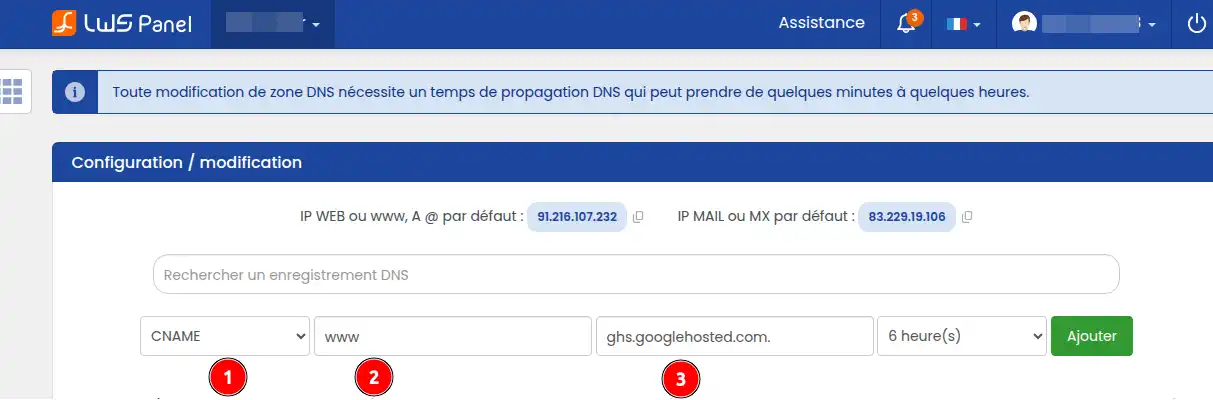
Step 2: Properly redirect your domain name to Google site, whatever URL your visitors enter (with or without www)
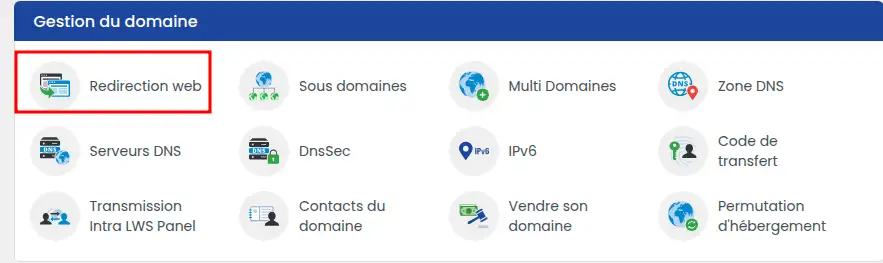
2.1. Go to the "Web redirection" section of your LWS customer area:
2.2 Tick the first item in this listing (domain.ext -> www.domaine.ext):
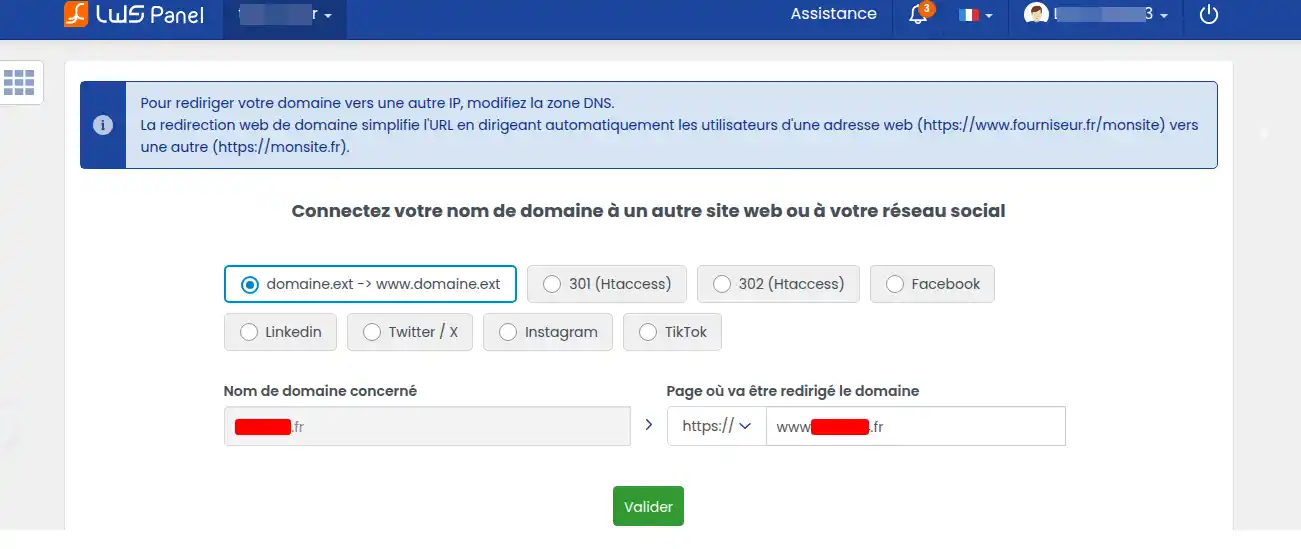
You'll need to wait up to 24 hours for the configuration to propagate before the link with your domain and Google Sites hosting is functional
.
Conclusion
You now know how to :
- Prepare your domain name for connection to Google sites
- Connect your "root" domain www.domain.com to Google sites by following the detailed steps.
- Configure the necessary CNAMEs on your LWS account.
- Perform an appropriate redirect to ensure the functionality of your domain (with or without www).
🚀 Thanks to these clear and precise instructions, you are now able to effectively link your domain or sub-domain to your Google sites platform, allowing your site to take off on the web!
👏 Thank you for reading this article to the end. If you have any questions or would like to share your experience with the service, please feel free to leave a comment below. Your feedback is valuable and helps us to improve our content for you!



 Yes
Yes No
No About
About 