
Online help
The web host accessible to all
Procédure
The APC extension(AlternativePHPCache) is an advanced caching system that speeds up the generation of your PHP pages and saves work on the server. It's called an OPCode cache.
In simple terms, OPCode is the intermediate code compiled by PHP to execute your pages. An OPCode cache means that you no longer have to systematically 'compile' each page you call up, by providing a page that has already been compiled and stored in your server's RAM.
APC is already installed on all our VPS servers, so you don't need to install it.
You can check that the APC module is active by using a phpinfo
To do this, create a php file with this line :
phpinfo();
Then insert this file in the root of your website.
You should obtain a page indicating the PHP configuration of your server.
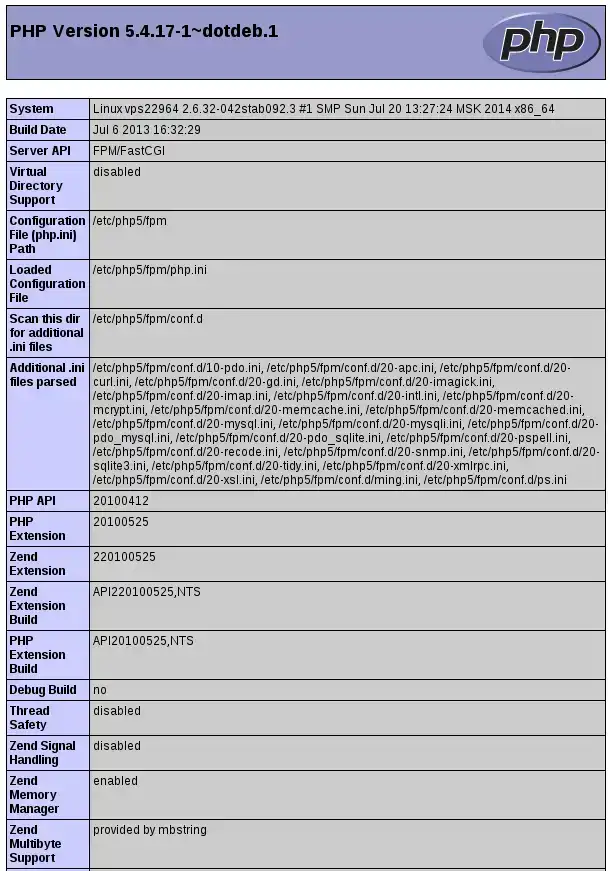
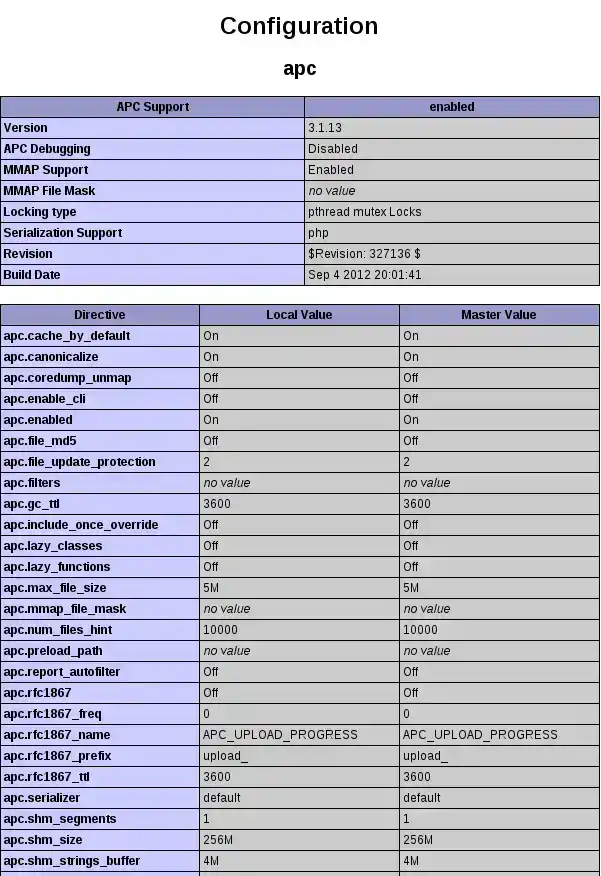
You can now check that APC is available and activated.
You can manage the APC interface by copying the file from the APC documentation (Replace {your website} with the name of your site)
cp /usr/share/doc/php-apc/apc.php /var/www/{yourwebsite}/web/
You can then go to the APC interface via this page
http://nom_de_votre_site/apc.php
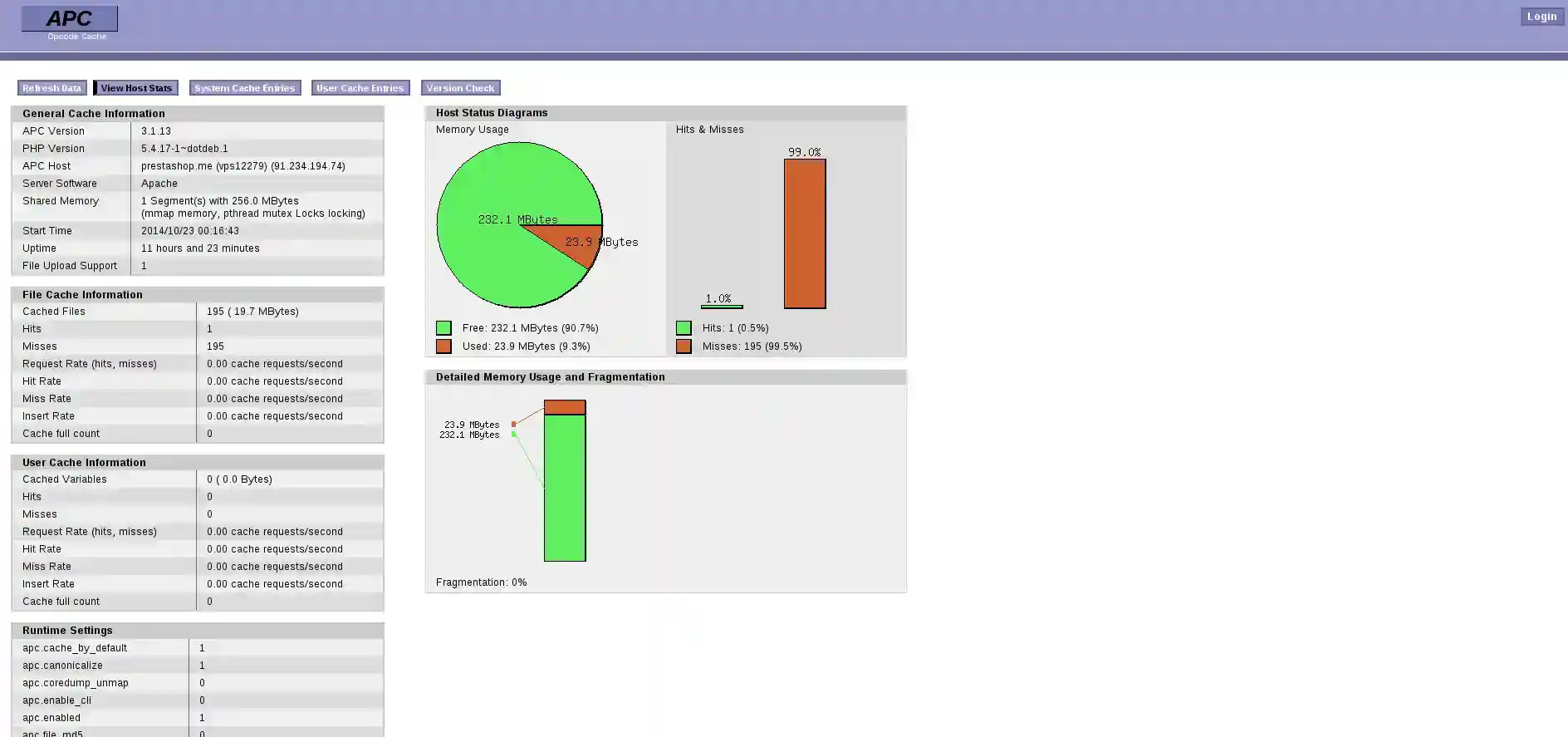
From this interface, you can check the cached files by clicking on the
"User Cache Entries" button and purge cached files using the"Clear User cache" button.

If you are unable to register, you need to edit the apc.php file
/var/www/{your website}/web/apc.php
Then modify these two lines with a username and password of your choice
Before modification
defaults('ADMIN_USERNAME','apc'); // Admin Username defaults('ADMIN_PASSWORD','password'); // Admin Password - CHANGE THIS TO ENABLE!!!!
After modification
defaults('ADMIN_USERNAME','apclws'); // Admin Username defaults('ADMIN_PASSWORD','passwordlws'); // Admin Password - CHANGE THIS TO ENABLE!!!
To disable it, you need to find the APC configuration file.
To do this, use PHP INFO.
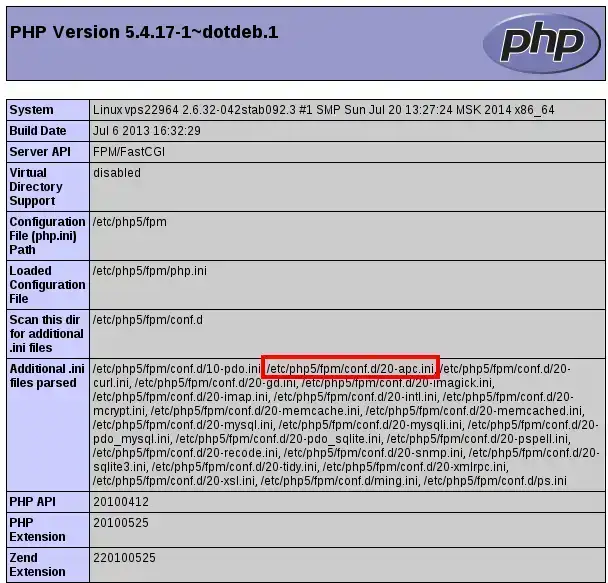
You need to edit this file:
nano /etc/php5/fpm/conf.d/20-apc.ini
Modify this configuration file using ";" to comment out these instructions.
1. Edit the file
2. Comment on the file
Before
extension=apc.so
After
extension=apc.so
You can also remove this package completely
sudo aptitude remove php-apc sudo pecl uninstall apc
Ask the LWS team and the community. Answers are published after moderation.
 About LWS :
LWS is a 100% French web hosting company that focuses on quality and innovation and offers a responsive and competent technical service at affordable prices.
About LWS :
LWS is a 100% French web hosting company that focuses on quality and innovation and offers a responsive and competent technical service at affordable prices.



 Yes
Yes No
No