Procédure
The procedure differs slightly depending on the graphical theme used in Roundcube. This documentation explains the two procedures depending on the theme you are using.
Procedure with the Larry? theme
1. Connect to the webmail of the e-mail account for which you want to add a signature
2. Go to the "Settings" section
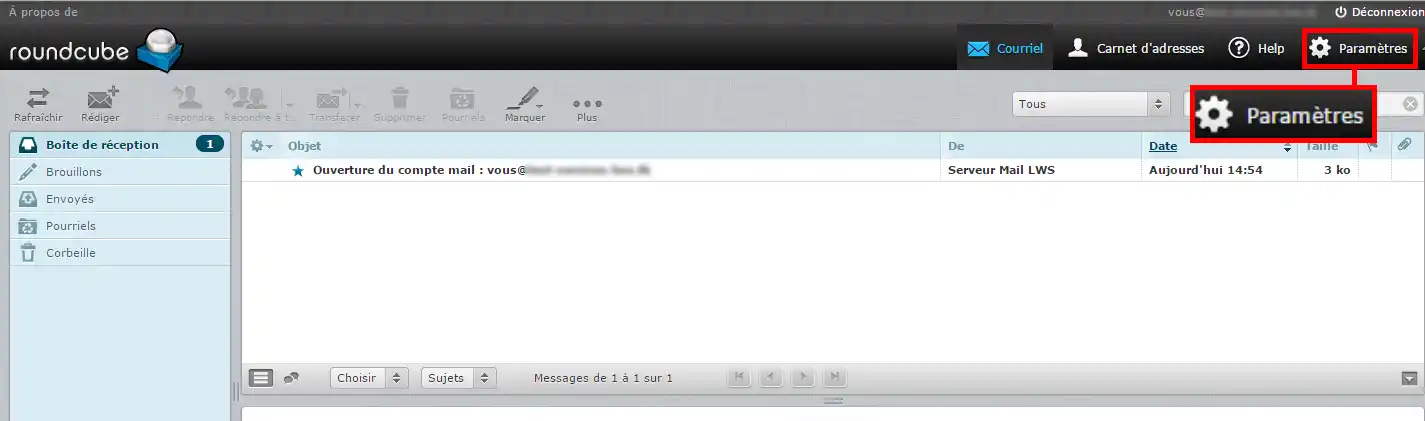
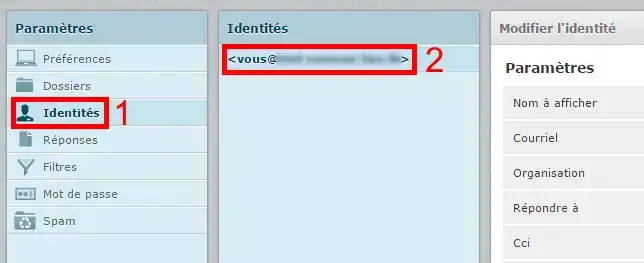
3. Click on the "identities" menu, then select your e-mail address
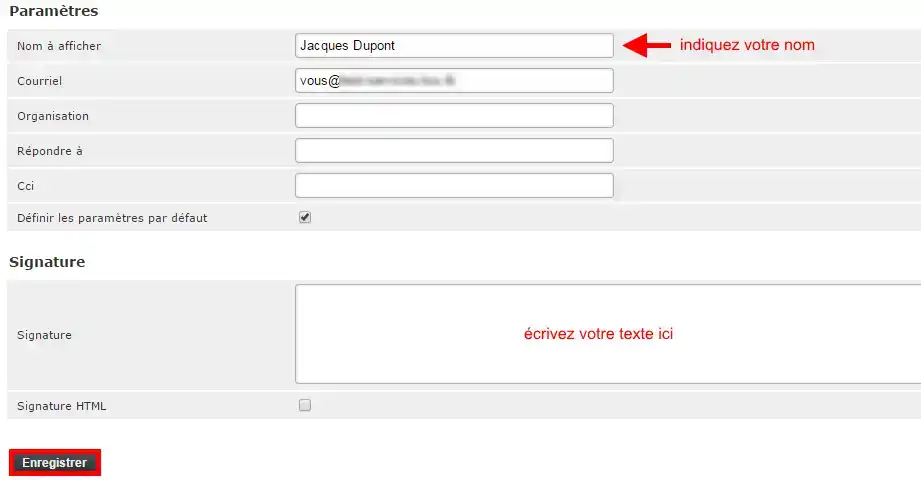
Insert a simple signature
1. Enter your name, write your text and then Save.
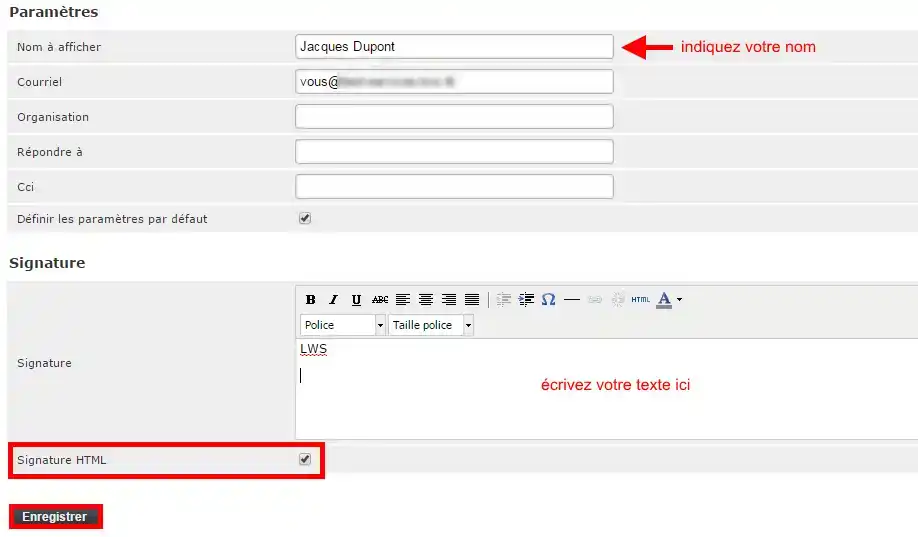
Insert an HTML signature
1. Enter your name, tick the "HTML signature" box, write your text and then Save.
Insert an image in the signature
1. To insert an image, the image must first be hosted online.
You can, for example, publish it using FTP publishing software on the FTP account supplied with all our packages, in order to obtain its online address of the http://www.votredomaine.com/votreimage.png type.
2. In your webmail, under "Settings", "Identities" (see steps 1 to 4 above), tick the "HTML signature" boxes and the "HTML" button.
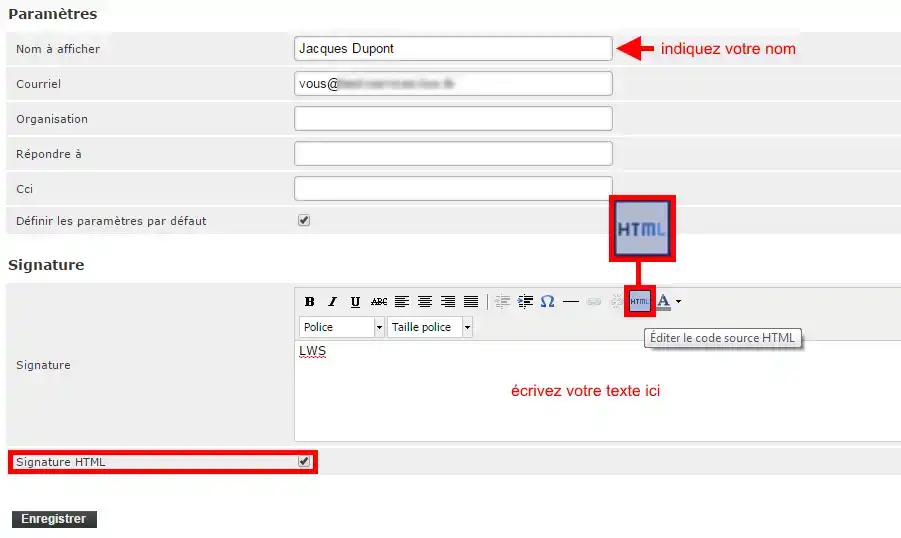
3. Enter the HTML code to link your image:
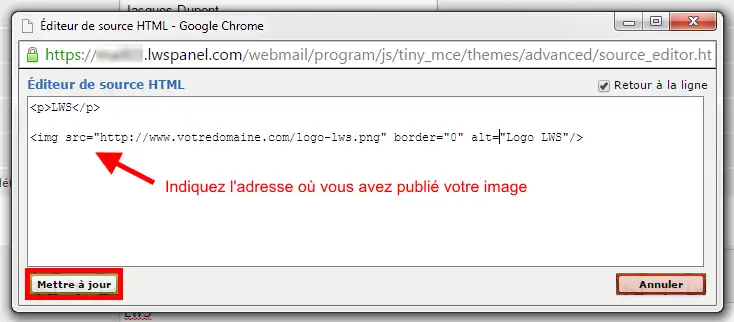
Click on the "Update" button
You can now see what your signature will look like:
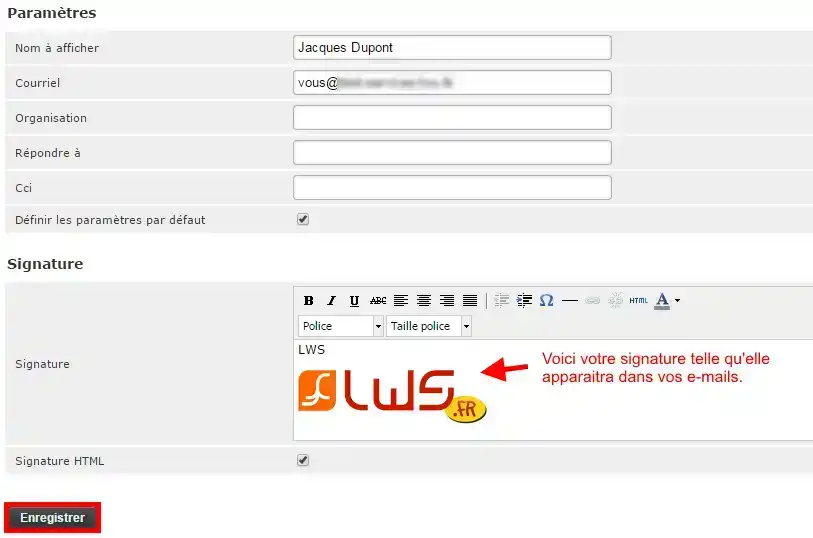
Click on the "Save" button to apply it.
Procedure with the Elastic theme
Connect to the email address to which you want to add your signature.
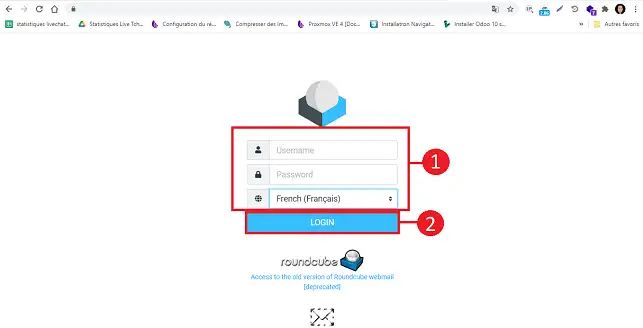
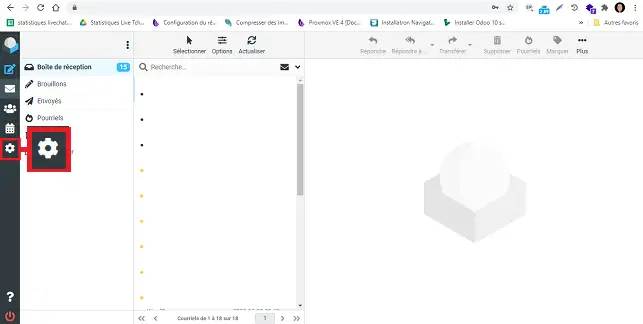
Click on the"Settings" button on the left-hand side of your Roundcube interface.
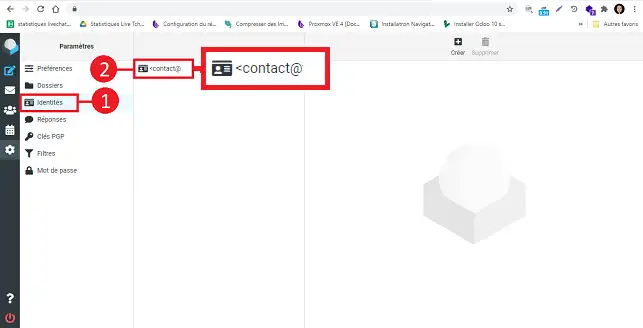
Click on"Identity" in the"Settings" menu and then on your email address.
How do I insert a simple signature?
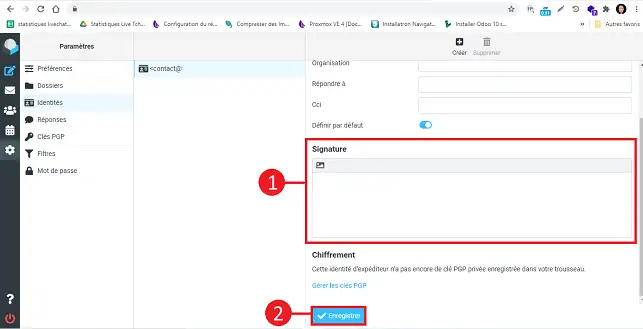
Fill in the fields as follows:
- Display name: enter your name
- Email: leave the default email address
- Signature: Write your text
Once you have filled in the fields, click on the"Save" button to save your signature.
How do I insert an HTML signature?
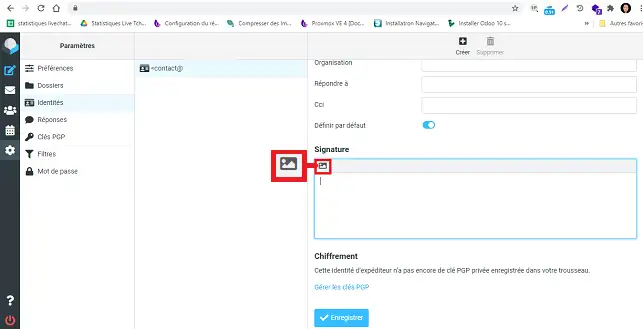
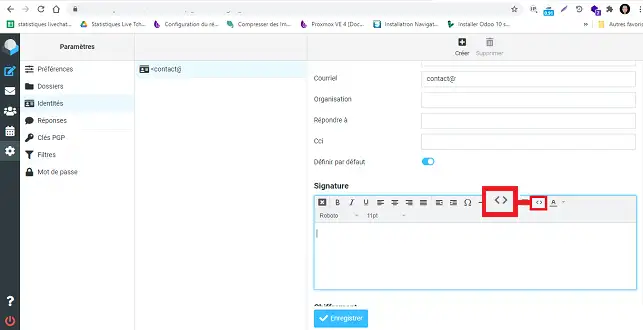
Click on the image icon at the top left of the signature field.
Click on the"<>" icon in the tools.
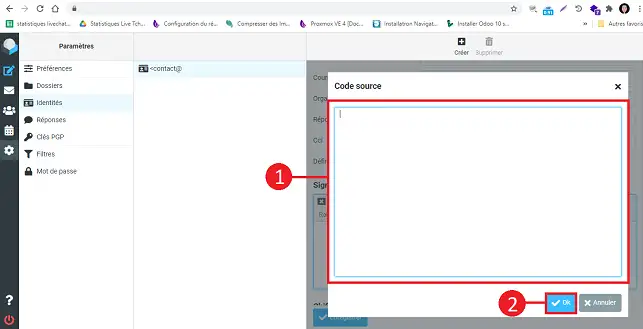
Insert the HTML code for your signature in the new window and click"Ok".
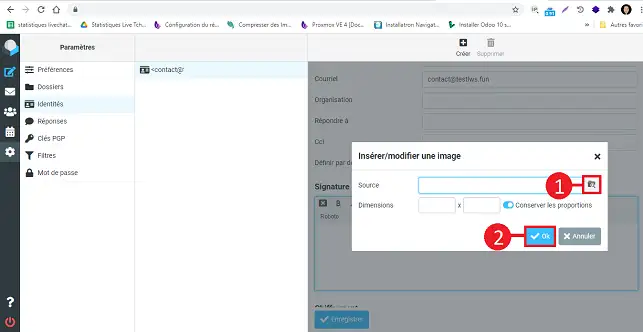
How do I insert an image in the signature?
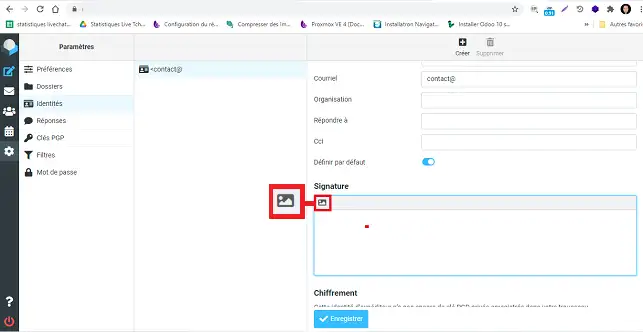
Click on the image icon at the top left of the signature field.
Click on the"images" icon in the toolbar of your signature field.
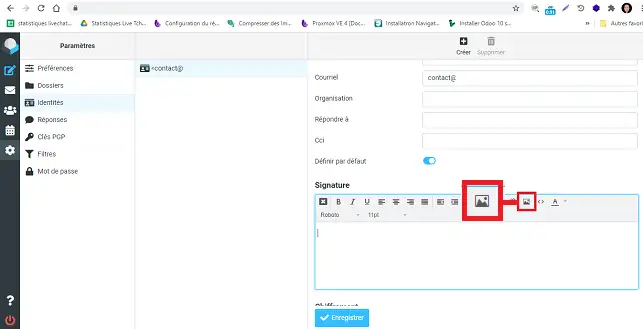
Choose the source of the image by clicking on the relevant button.
Roundcube Video Tutorial: How do I insert a signature in my emails in Roundcube?
Need help using Roundcube?
See all our Roundcube training videos

 Contact us
 Customer Area
 Visit LWS


 Yes
Yes No
No Article read
253668 once
Article read
253668 once Merci ! N'hésitez pas à
poser des questions sur nos documentations si vous souhaitez plus d'informations et nous aider à les
améliorer.
Merci ! N'hésitez pas à
poser des questions sur nos documentations si vous souhaitez plus d'informations et nous aider à les
améliorer.
 About
About