


 Yes
Yes No
No
comment mettre mes mail dans un dossier roncube merci
Thank you for your question,
To move a mail in your Roundcube inbox to a specific folder of your choice, you have two options.
Here's the first solution:
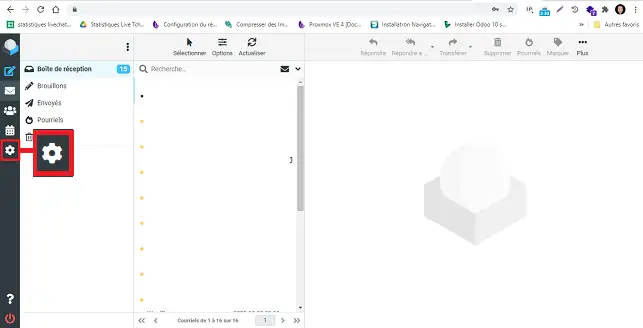
- Go to your inbox
- Then click on the e-mail you wish to move
- Then click on "More..." above the mail display.
- Finally, in the drop-down menu, click on "Move to" and choose the folder you wish to move your e-mail to.
Here's the second solution:
- Go to your inbox
- Then click on the e-mail you wish to move
- Then drag and drop your e-mail into the desired folder, displayed in the folder list on the left-hand side of webmail.
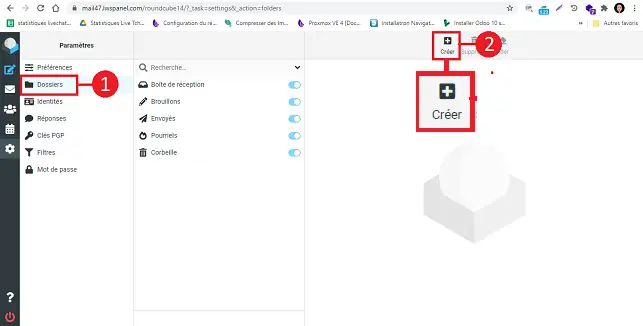
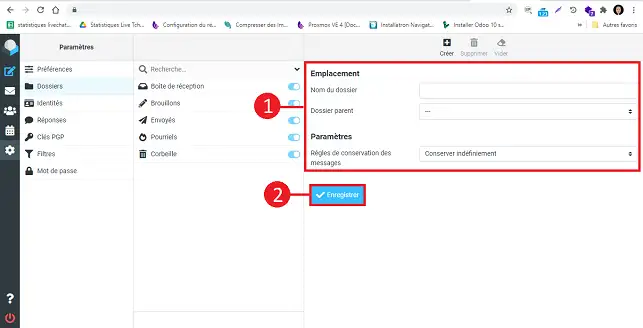
If you'd like to automatically move an e-mail to a specific folder, here's how to do it: https: //aide.lws.fr/a/1660
We invite you to contact our support department via your customer area, so that we can help you if you encounter any difficulties with this procedure. (https://aide.lws.fr/a/268)
Was this answer helpful?
 About
About 