


How to delete e-mails via webmail

Procédure

How do I delete mail via webmail?

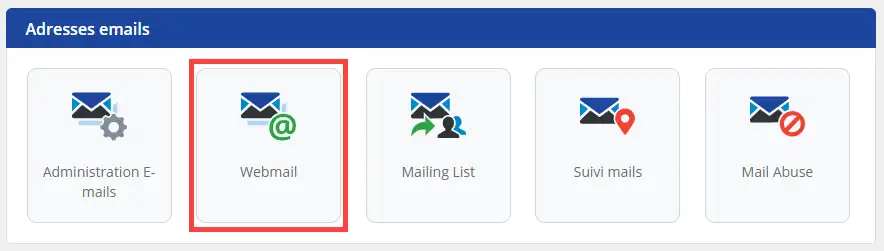
1. Log into the administration area of your web hosting and click on"Webmail".

How to delete e-mails via webmail


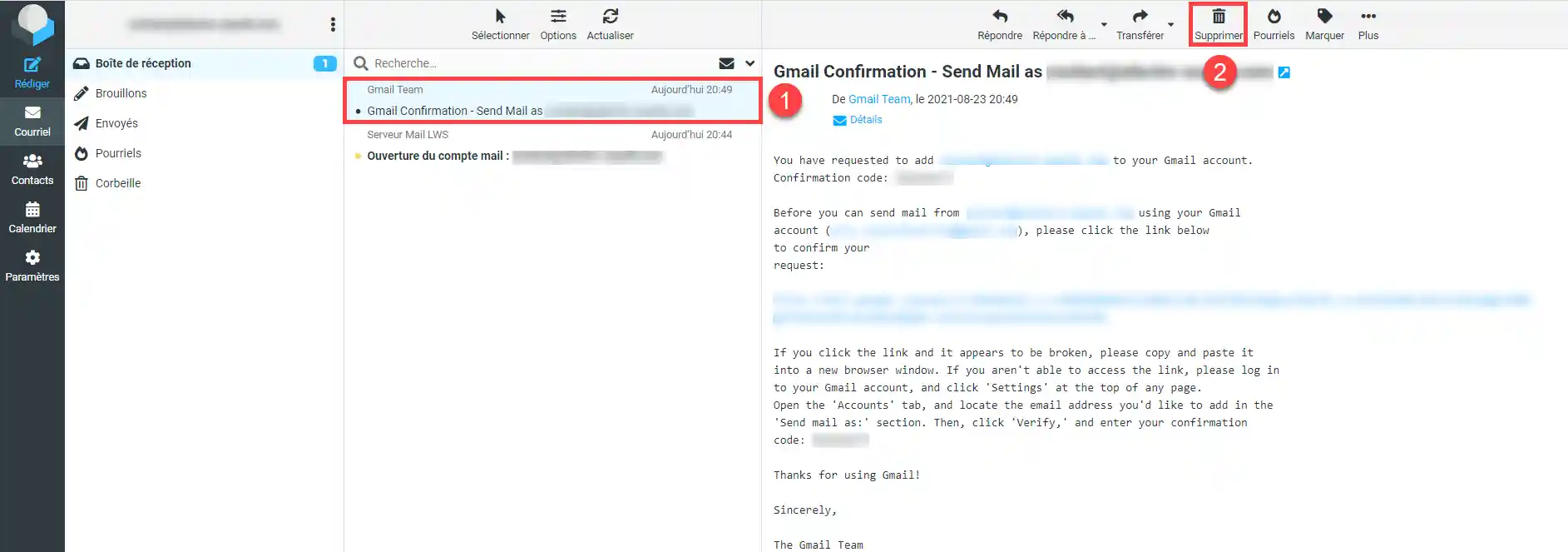
2. To delete an email, select it by clicking on it. Once selected, it will be highlighted in blue, then you can click on"Delete".

How to delete e-mails via webmail

How do I delete several emails?

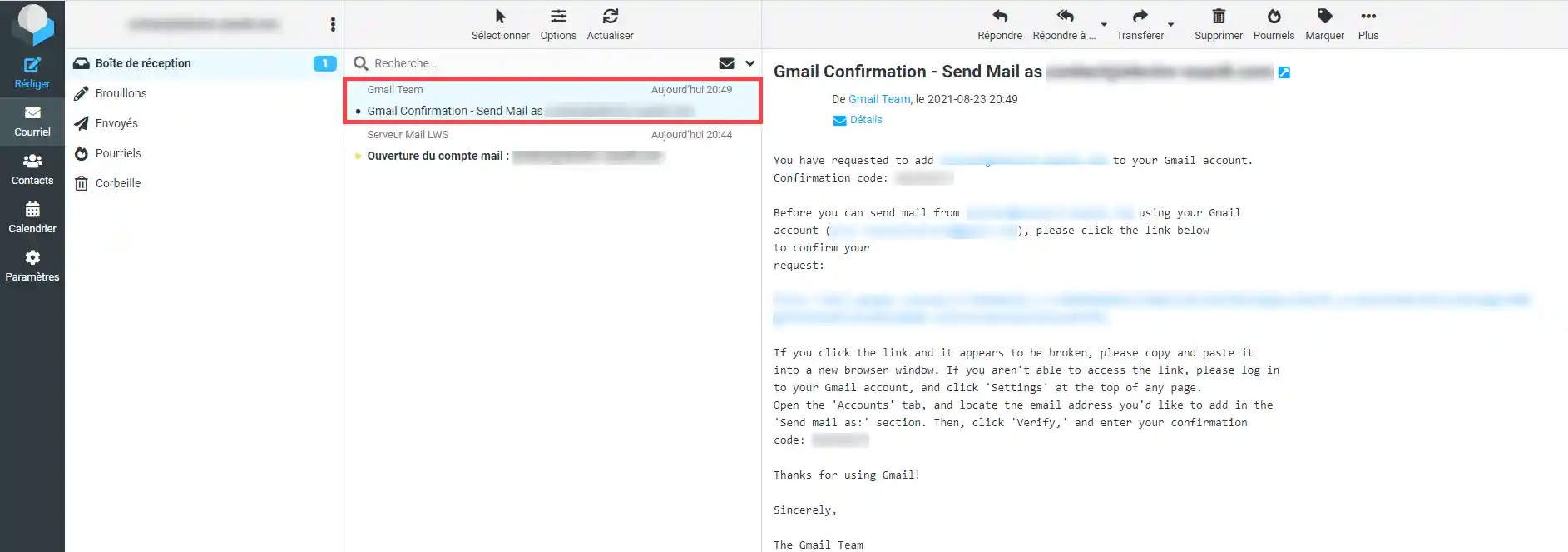
1. If you want to delete several emails, select the first one by clicking on it


How to delete e-mails via webmail


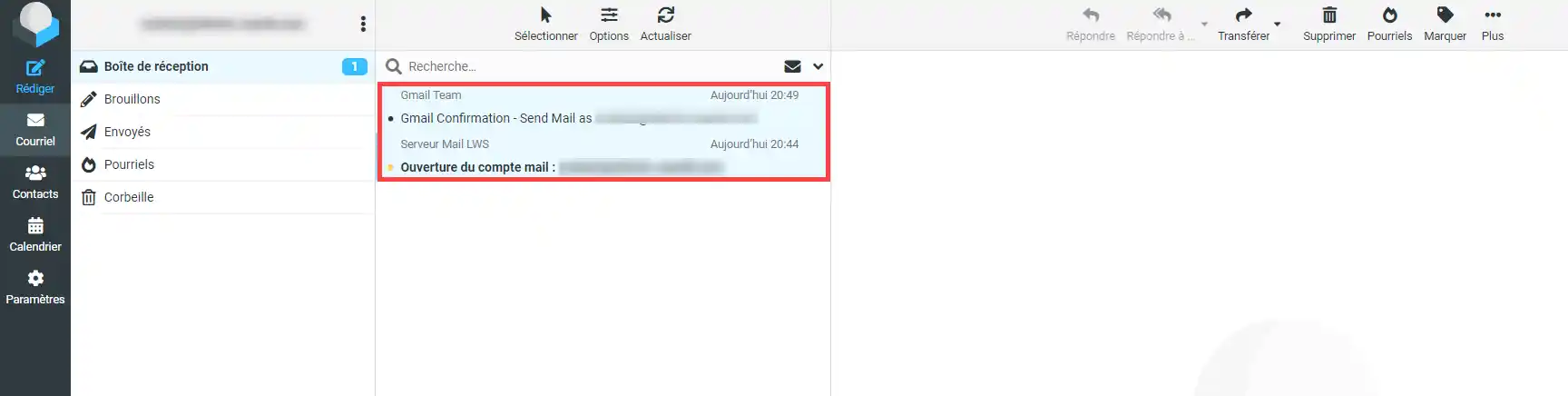
Then press the"Shift" or "CTRL " key on your keyboard and, keeping one of the keys pressed down, select another email by clicking on it and then click on " Delete ":

Shift' allows you to select bundles of emails, while 'CTRL ' allows you to select just a few.

How to delete e-mails via webmail


Please note that these emails are not deleted entirely, but only moved to the recycle bin.

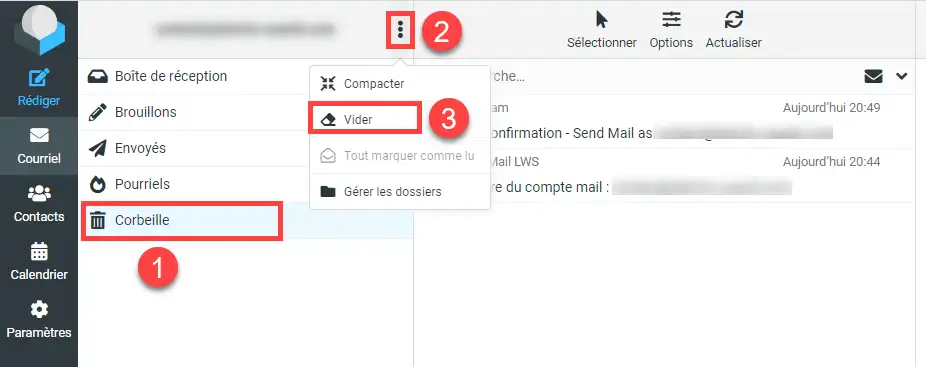
To empty your recycle bin, click on"Recycle Bin", then click on the menu at the bottom, represented by 3 dots at the top right of the email address, then on"Empty", then confirm by clicking on the "Delete" button when the popup opens.

How to delete e-mails via webmail

Conclusion

You can now delete emails from your inboxes using the Webmail available on your hosting package with LWS.

Note that you can delete and empty your mailbox. These are two different operations. When you delete emails from your inbox, they are transferred to your inbox recycle bin and remain accessible. In this case, you can restore them.

However, once you access the recycle bin to empty it, the emails will no longer be accessible.

Don't hesitate to share your comments and questions!

help.lws.net/a/787
Was this article helpful?

Yes

No

Read 34 804 times

Thank you! Feel free to ask questions about our documentation if you would like more information, and help us improve it.

Similar articles

Questions about the article 1

Ask a question
beaver
17 Feb 2024
Si le mail a été envoyé par un mailer quelconque, Thunderbird en l'occurrence, il n'apparaît pas dans les messages envoyés sur le webmail !!!
Jordan-LWS Official answer
19 Feb 2024

Bonjour,

Je vous remercie pour votre message.

Effectivement, lorsque des envois sont effectués à l'aide d'un client/logiciel de messagerie, les éléments envoyés ne serons pas visibles dans le webmail, contrairement aux éléments reçus. Cela est un mode de fonctionnement totalement normal et il n'y a pas à s'inquiéter. 

Je vous remercie pour votre attention et reste à votre disposition pour toute autre question ou complément d'information. Vous pouvez également contacter notre support technique pour obtenir de l'aide.


Cordialement, L'équipe LWS 

Was this answer helpful?
Jordan-LWS Official answer
19 Feb 2024

Bonjour,

Je vous remercie pour votre message.

Effectivement, lorsque des envois sont effectués à l'aide d'un client/logiciel de messagerie, les éléments envoyés ne serons pas visibles dans le webmail, contrairement aux éléments reçus. Cela est un mode de fonctionnement totalement normal et il n'y a pas à s'inquiéter. 

Je vous remercie pour votre attention et reste à votre disposition pour toute autre question ou complément d'information. Vous pouvez également contacter notre support technique pour obtenir de l'aide.


Cordialement, L'équipe LWS 

Was this answer helpful?

A question about this article?

Ask the LWS team and the community. Answers are published after moderation.

Ask the LWS team and its community a question

GDPR: Controller: LWS-Ligne Web Services. Purpose: moderation and public publication of your question, possible notification of an answer. Legal basis: consent (Art. 6(1)(a) GDPR). Email retention: 90 days after notification, 12 months maximum without an answer. To exercise your rights, see the GDPR section of our Terms and Conditions.