Procédure
Service concerned : web browser on computer
Panel concerned : no specific panel
Level : beginner
Your browser temporarily stores certain files from the websites you visit in order to load pages faster. After a website is changed, it may therefore continue to display an old image, an old layout, or content that is no longer up to date.
This guide explains how to clear the cache of Google Chrome, Mozilla Firefox, Microsoft Edge, and Safari on a computer.
The browser cache is stored on your computer. Clearing it does not remove the cache generated by your website, WordPress, LWS Cache, Fastest Cache, or another optimization tool.
Clear the Google Chrome cache
- Open Google Chrome.
- Click the button represented by three dots, at the top right of the window.

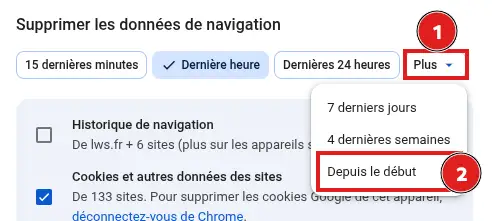
- Click Delete browsing data.
- In the Time range field, select All time then From the beginning to fully clear the cache.
- Check only Cached images and files.
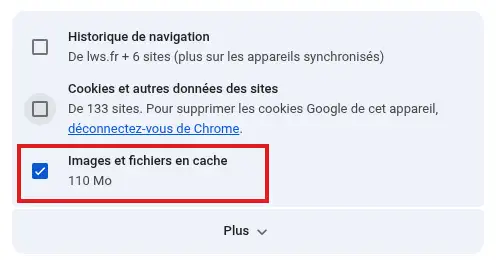
- Uncheck the other items if you want to keep your history, cookies, and sign-in information.
- Click Delete data.
Chrome’s cache is now cleared.
Clear the Mozilla Firefox cache
- Open Mozilla Firefox.
- Click the menu button represented by three lines, at the top right.
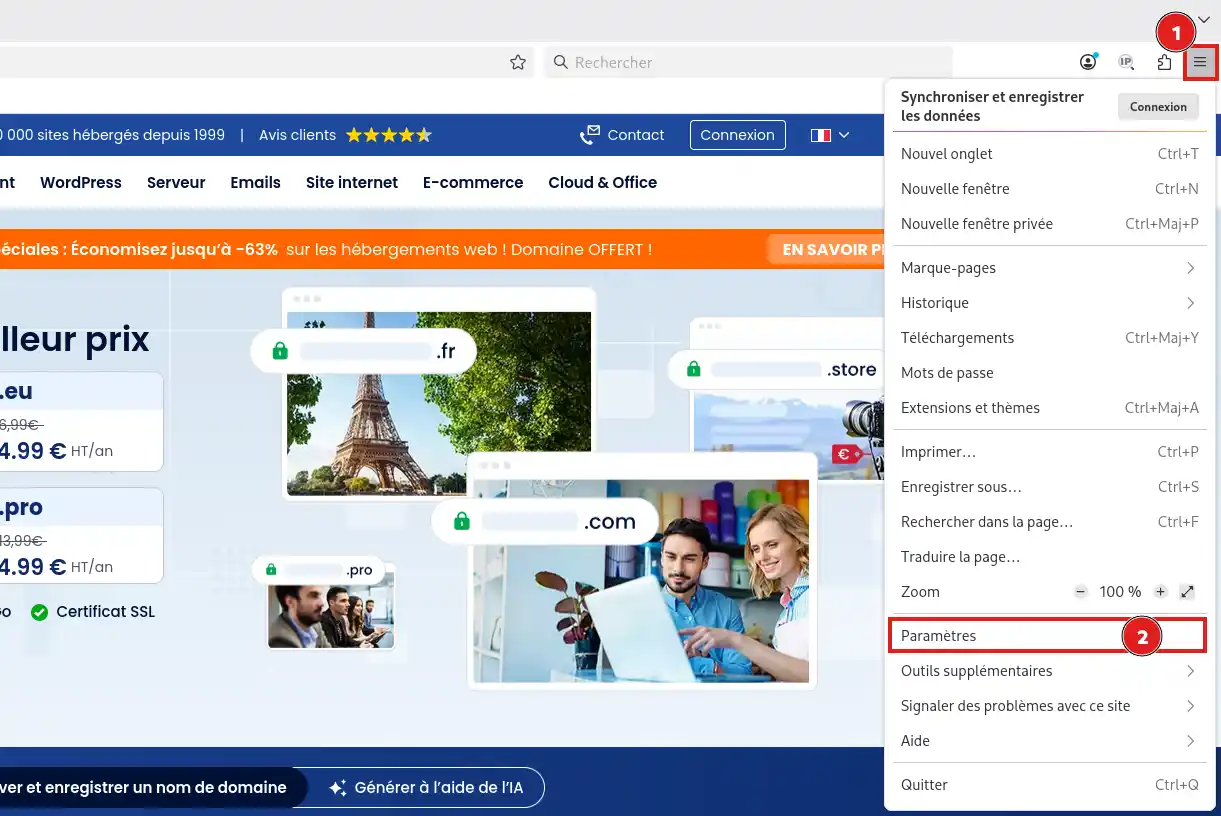
- Click Settings.
- In the left menu, select Privacy & Security.
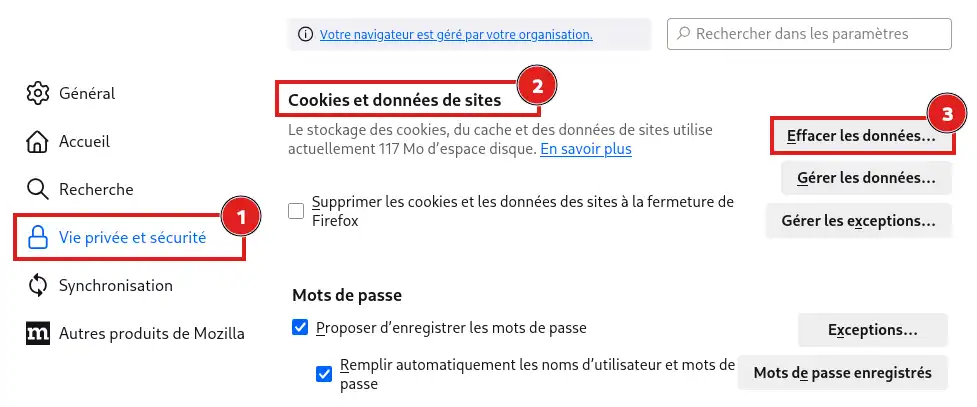
- Find the Cookies and Site Data or Browsing Data section, depending on the Firefox version used.
- Click Clear Data.
- In the Time range to clear field, select Everything.
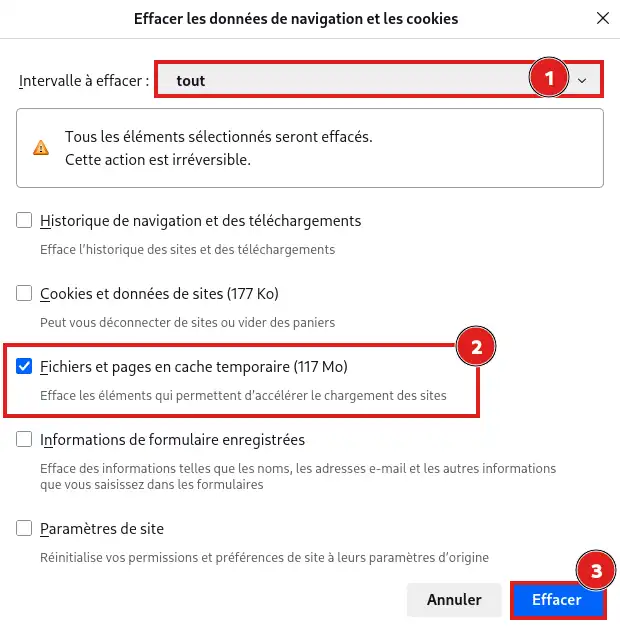
- Check only Temporary cached files and pages.
- Click Clear.
You can then close the settings tab.
Clear the Microsoft Edge cache
- Open Microsoft Edge.
- Click the button represented by three dots, at the top right.
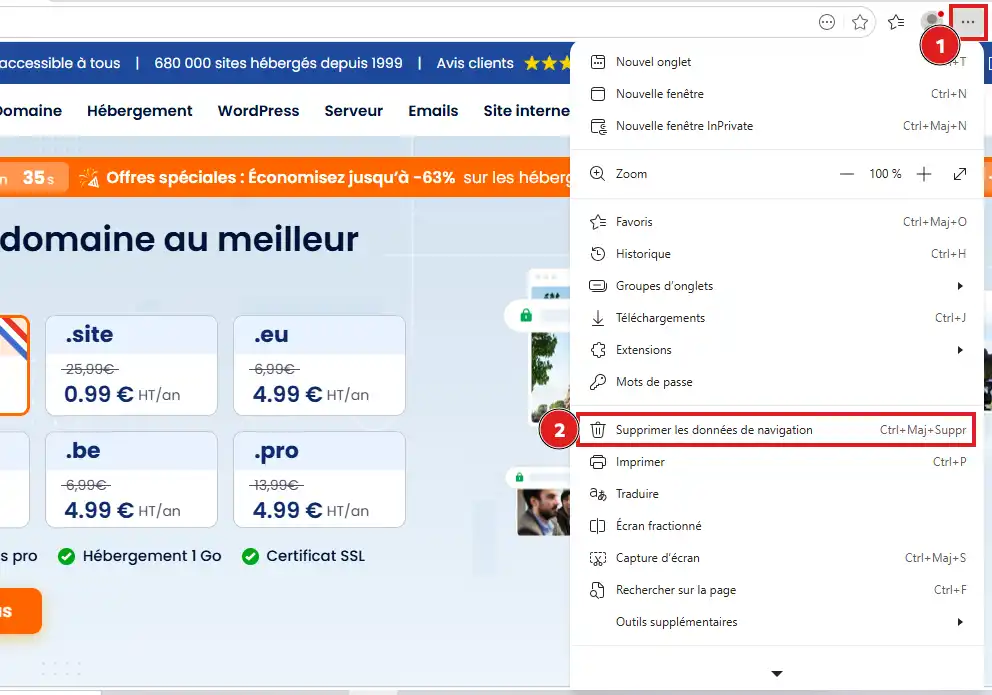
- Click Delete browsing data.
- In the Time range field, choose the relevant period. To fully clear the cache, select the "All time" option.
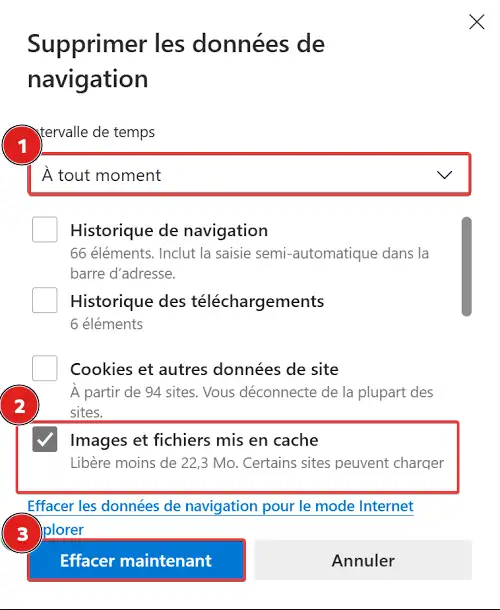
- Check only Cached images and files.
- Click Clear now.
The cache stored by Microsoft Edge on your computer is deleted.
Clear the Safari cache on Mac
Safari allows you to delete data stored for a specific site or for all sites visited.
- Open Safari.
- In the menu bar at the top of the screen, click Safari, then Preferences.

- Open the Privacy tab.

- Click Manage Website Data.
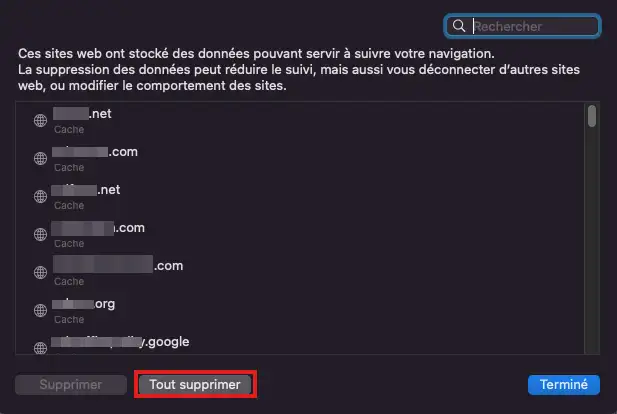
- Find and select the relevant site, then click Remove.
To clear the data for all sites, click Remove All.
In Safari, this operation also removes cookies and some data stored by the selected sites. You may be logged out of those sites and need to sign in again.
Check that the page is up to date
Go back to the page you want to view, then reload it using your browser’s Refresh button.
Check that the expected change appears correctly: new text, new image, new layout, or disappearance of old content.
If the recent version of the page is displayed, the browser cache has been cleared successfully.
If the old version still appears, open the page in a private browsing window. If the issue is also present in this window, it is probably not caused by your browser cache.
Then check that the change has been published and that the site, WordPress, or hosting cache has also been purged.
Common issues
I can’t find the indicated menu
The location or name of some buttons may vary slightly depending on the browser version and the system used.
Open your browser settings, then use the search field by typing cache or browsing data. Also remember to update the browser if its interface looks very different.
I’m logged out of some sites
You probably deleted cookies at the same time as the cache. Sign back in with your usual credentials.
During the next deletion, make sure only the option corresponding to cached images and files is selected. In Safari, deleting a site’s data may also delete its cookies.
The changes to my site are still not visible
First make sure the changes have been saved and published from the tool used to create your site.
If they are published, also remember to clear:
- the cache of your WordPress extension;
- LWS Cache from the LWS Panel;
- the Fastest Cache cache if you are using cPanel hosting;
- the cache of any external CDN or optimization service.



 Yes
Yes No
No About
About 