
Online help
The web host accessible to all
Procédure
It is very common to encounter the ERR_TOO_MANY_REDIRECTS error when visiting a Wordpress site.
This error indicates that you currently have a redirection loop on your website, which prevents the site from displaying.
Indeed, this mainly happens when your site redirects from a first URL to a second one which in turn redirects back to the first. However, this error is relatively easy to fix.
When you get this error on Google or FileZilla, the browser will first ask you to delete the cookies and then retest your website’s functionality. Since cookies allow you to stay logged in to certain websites, it is recommended to simply delete the one for the problematic site.
It depends on the type of loop. It is highly likely that despite the redirection loop, you still have access to your Wordpress dashboard. In this case, if you have a plugin such as WP Super Cache or WP Rocket, you will be able to clear your website cache. To do this, log in to your Wordpress Dashboard and click the "Clear cache" button located at the top of your website.
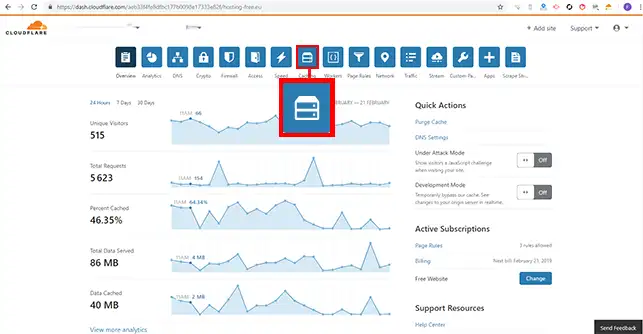
1. To clear the Cloudflare cache, log in to your Cloudflare dashboard, click on the domain name concerned, then on "Caching".
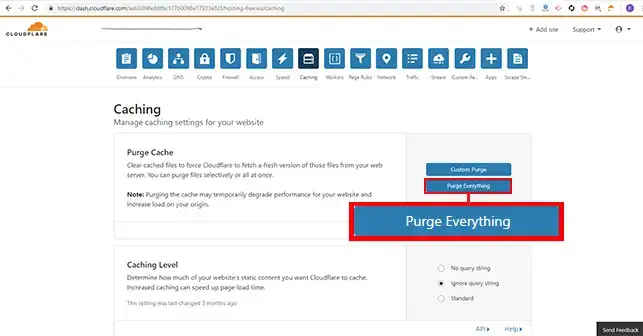
2. Finally, click on the "Purge Everything" button to purge the entire Cloudflare cache.
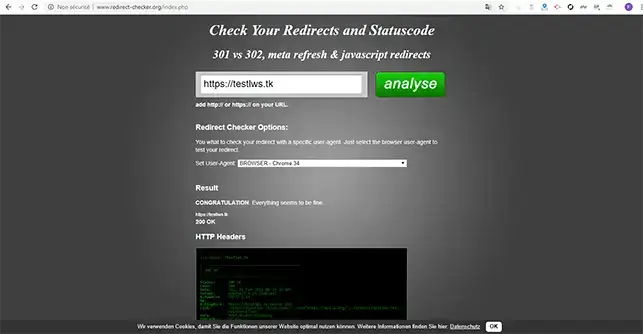
If despite this you are still encountering a problem and this error, it is recommended to determine the nature of your redirection loop. A free online tool such as redirect-checker will allow you to verify it. To do this, enter the URL of the site concerned and click on the "Analyze" button.
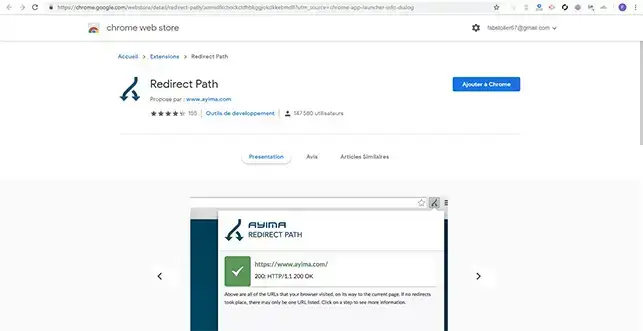
Chrome has the "Redirect Path" extension, which will allow you to perform the same analysis as redirect-checker.
It is highly likely that the redirection loop is due to a faulty .htaccess file. First, it is necessary to check that the .htaccess file is not the cause. To do this, simply rename it to htaccess.txt to disable it.
This is also very often due to a problem with the redirection settings to the website over HTTPS. Indeed, if you force SSL on your Wordpress site while no certificate is installed on your Web hosting account, it is highly likely that you will immediately trigger a redirection loop. If the problem comes from this, you simply need to install the SSL certificate through your customer area and wait 15 to 20 minutes for it to be installed.
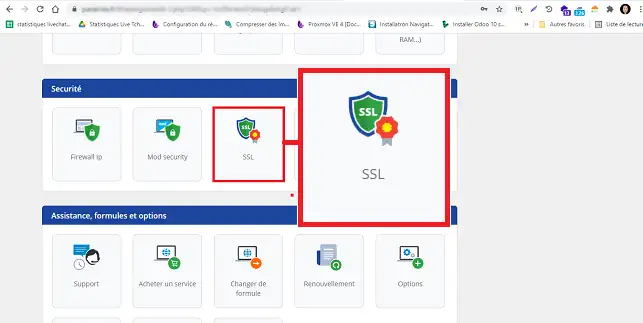
You may also have enabled SSL redirection through your customer area. To check this, log in to your LWS account and access the shared hosting for which you want to fix the problem.
Click on the "SSL" button found in the "Security" section.
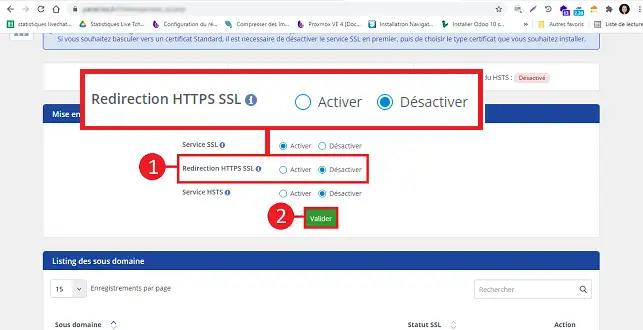
If "HTTPS SSL Redirection" is set to "enabled", change it to "Disabled" and click on "Validate".
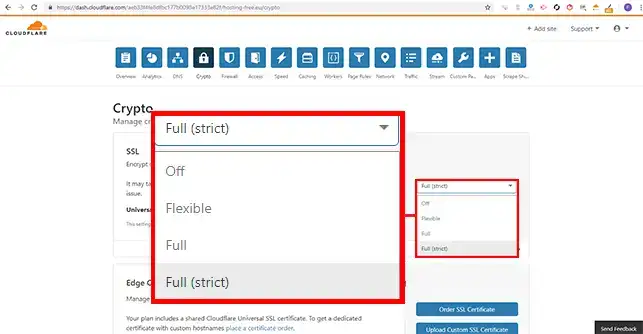
However, this error can also be due to a third-party service such as Cloudflare. This mainly happens when SSL is active on their service with the "Flexible" option while you have already installed a first SSL certificate on your Web hosting. The reason is simple. When you select Flexible on Cloudflare, all requests will be sent over HTTP to your host server which already has a redirect to HTTPS. As a result, you will inevitably create a redirection loop.
To avoid this kind of problem, you need to change the settings on Cloudflare to switch to "Full" or "Full (Strict)".
One of the last things to check is that the URLs shown in your Wordpress dashboard are correct. Make sure that the two URLs are identical and both point to a valid domain name. To do this, go to your Wordpress dashboard, click on "Settings" then on "General".
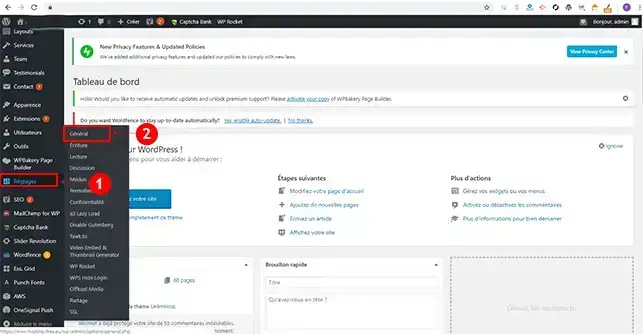
Indeed, "Wordpress Address" and "Site Address" must be the same.
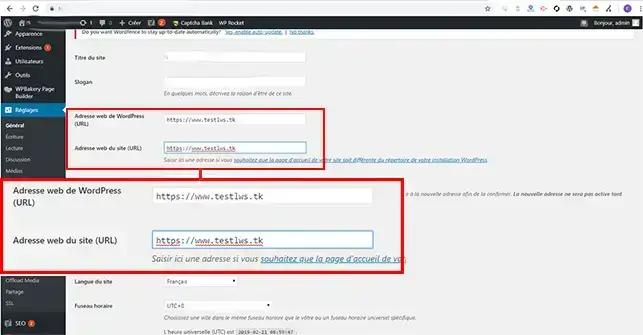
If you cannot access your dashboard, you can change the settings above by entering two lines of code in the wp-config.php file of your Wordpress site. This file is located in your FTP space, at the root of your website. To do this, simply enter these lines of code at the top of your file, below the first PHP tag.
define('WP_HOME','https://votredomaine.com');
define('WP_SITEURL','https://votredomaine.com');
Once these two lines have been added, you can check whether your website is working properly.
You are now able to know what the TOO_MANY_REDIRECTS error corresponds to and you are able to fix it on your Web hosting with LWS. As you may have noticed, this error can be caused by certain configurations set up on your Wordpress site.
Feel free to share your comments and questions.
Ask the LWS team and the community. Answers are published after moderation.
 About LWS :
LWS is a 100% French web hosting company that focuses on quality and innovation and offers a responsive and competent technical service at affordable prices.
About LWS :
LWS is a 100% French web hosting company that focuses on quality and innovation and offers a responsive and competent technical service at affordable prices.



 Yes
Yes No
No