Payment & Invoicing6 November 2026By Aurelien 17 min read
Payment methods for ordering an LWS service
Procédure
At LWS, you have the option of paying for your hosting and services using different payment methods.
In this documentation, we will list all the authorized payment methods, their eligibility, and how to pay for an order with the selected payment method.
The payment page is the final step of your order after validating the basket and the postal, email, and telephone details.
I. Payment by Bank Card
The accepted bank card types are Visa, Mastercard, Electron, Prepaid card, e-Carte-Bleue.
a. Pay with the BPL bank form
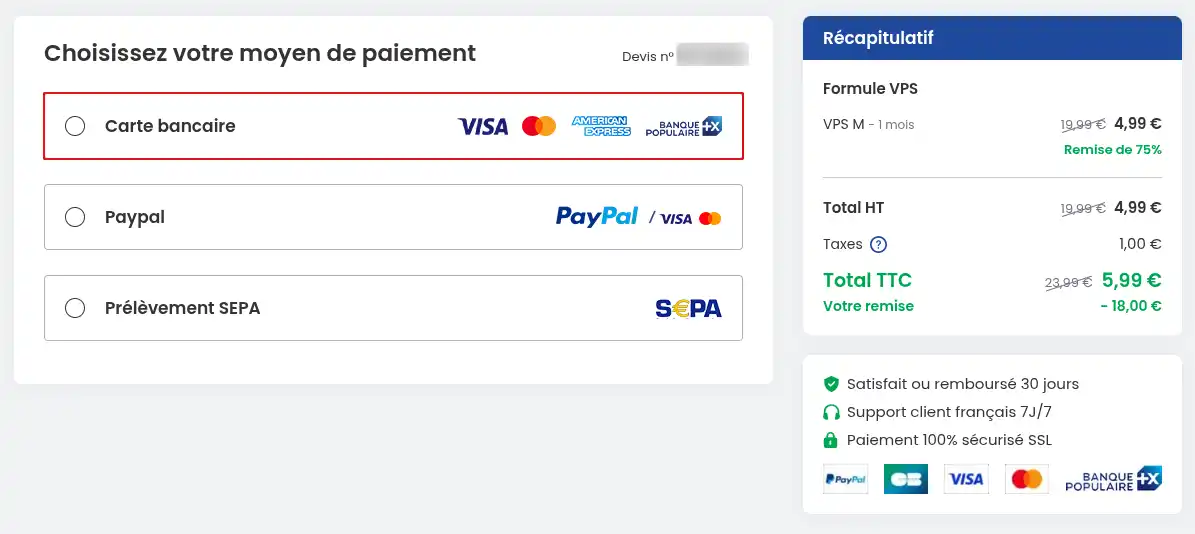
On the payment page, select the "Bank card" method
Payment by BPL bank form is not accessible to customers from the following countries, who will be directly redirected to the Stripe form described in part I.c. of this documentation: Benin, Democratic Republic of the Congo, Central African Republic, Republic of the Congo, Ivory Coast, Cameroon, Morocco, Mali, Senegal, Togo.
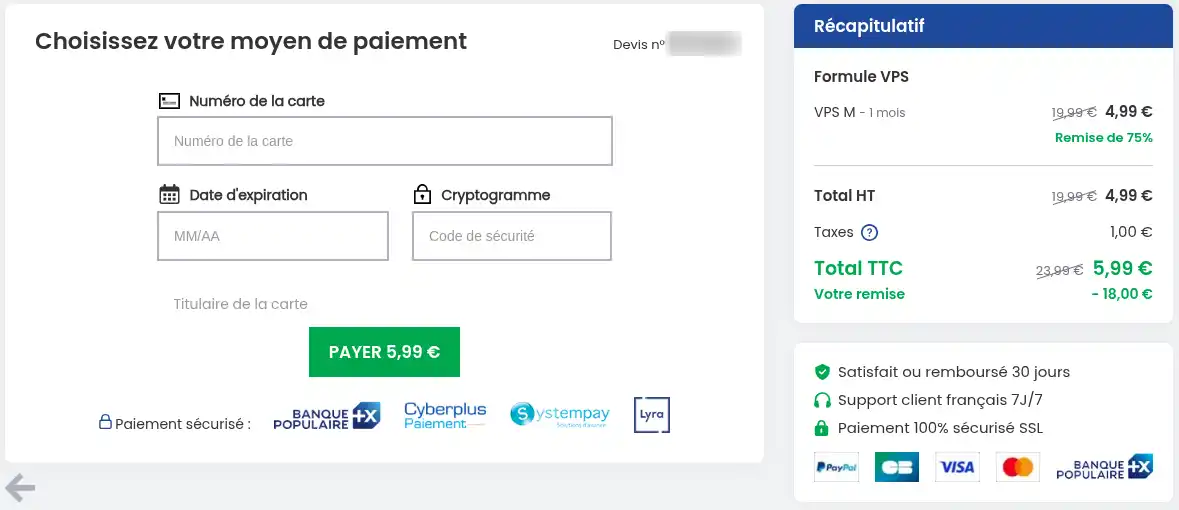
For other countries, you will then see this page:
All you need to do is enter the various details of your bank card before clicking the green "Pay" button.
A second step may be offered to you: this is 3DS validation, which may be requested by your bank if the option is compatible with your bank card.
b. Pay with a pre-registered bank card
Payment by pre-registered card requires, in order to be available and offered, that you have already made a first payment by bank card or that you have registered a bank card in your LWS client area.
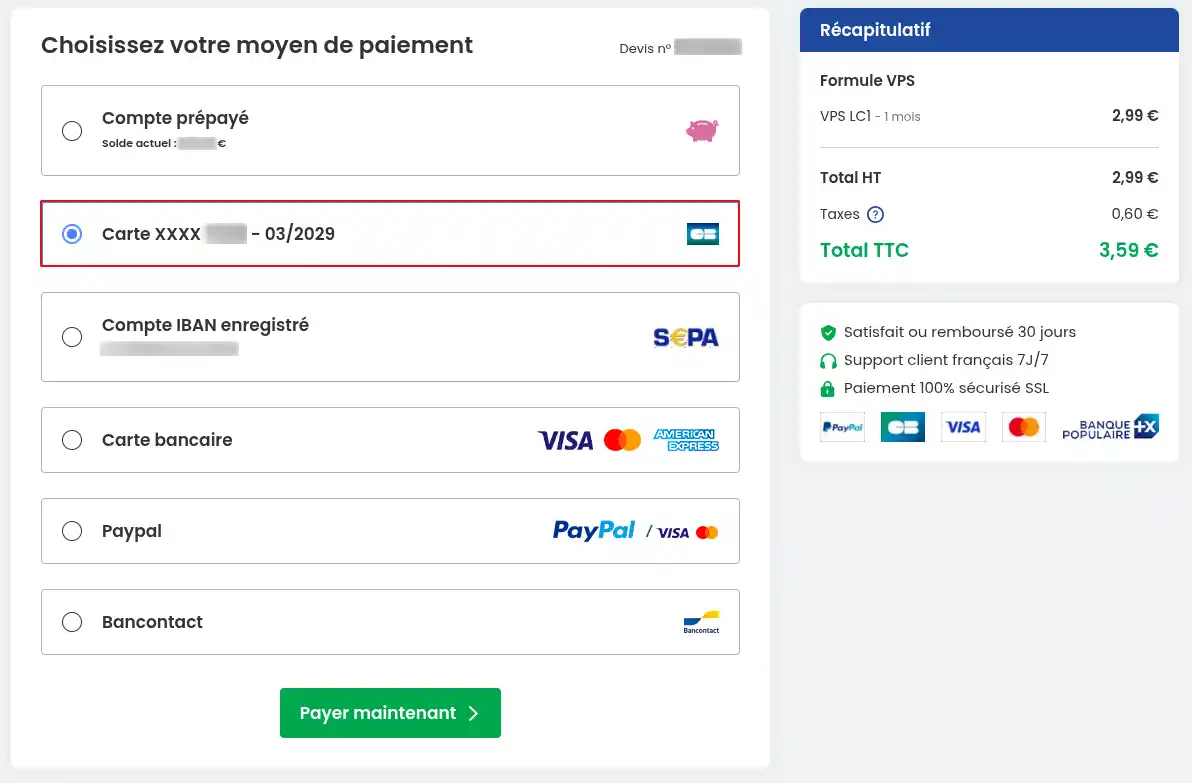
On the payment page, select the "Card XXXX ...." method
Once your pre-registered bank card has been selected, simply click the green "Pay now" button for the payment to be made automatically. If your card has the 3DS option, you will not be asked to confirm your payment by 3DS.
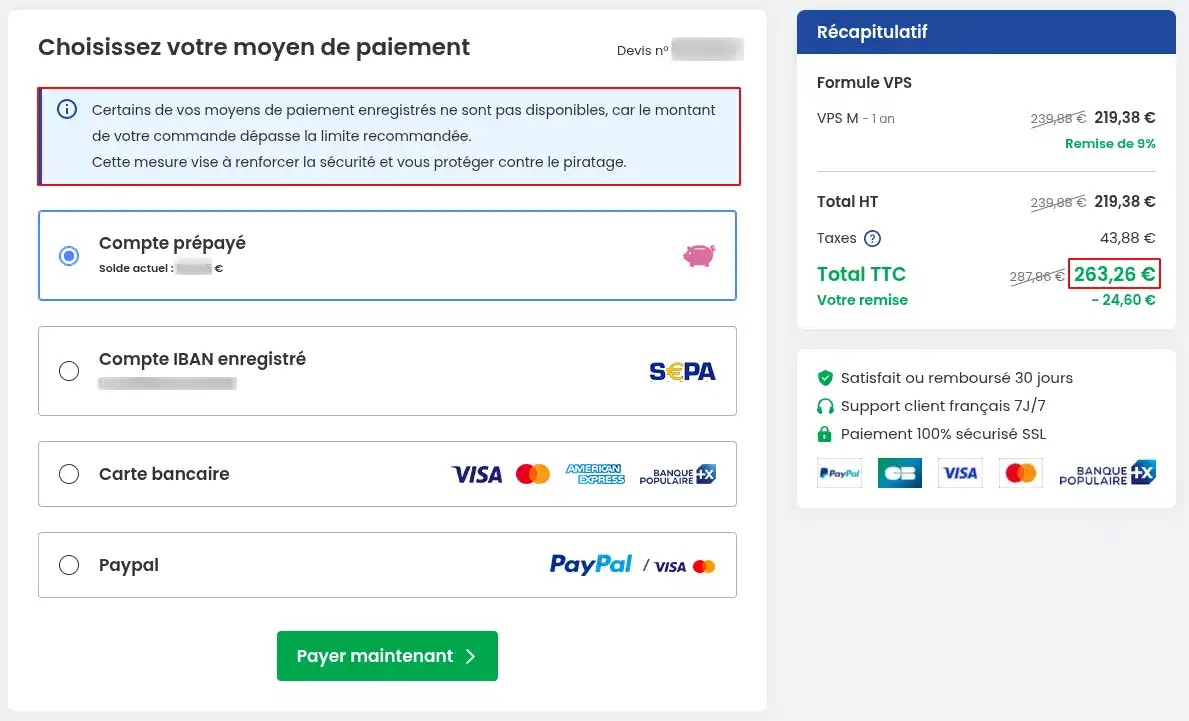
Payment by pre-registered card is only offered for payments under €200. If you have a payment that exceeds €200, the page indicates that some of your saved payment methods are not available because the amount of your order exceeds the recommended limit. Then choose another payment method from those still offered:
c. Pay with Stripe
Only the countries in the following list are concerned by payment via Bank Card through Stripe: Benin, Democratic Republic of the Congo, Central African Republic, Republic of the Congo, Ivory Coast, Cameroon, Morocco, Mali, Senegal, Togo.
On the payment page, select the "Bank card" method
You will then be automatically redirected to Stripe to make the payment.
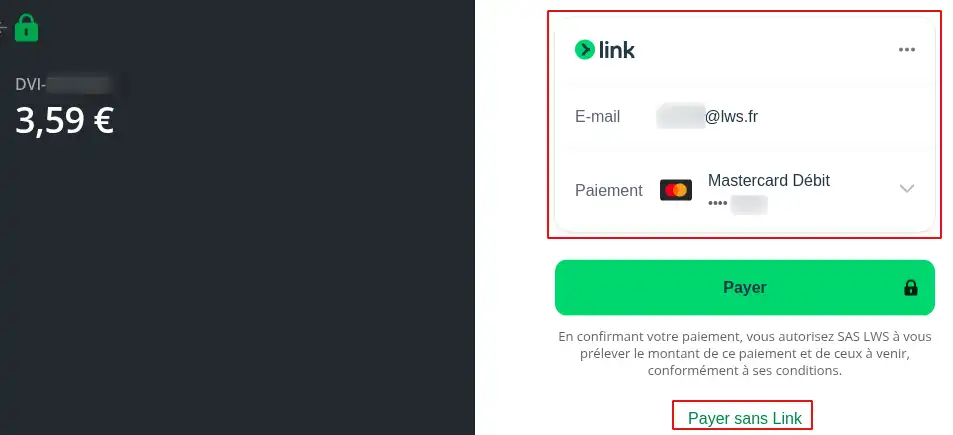
By default, the "Link" system is offered; this system allows you to use a bank card that has already been pre-registered if you have already used Stripe at LWS or on another merchant site, or to register a new bank card if you have not used it yet, which will allow you to find this payment method on all merchant sites using Stripe.
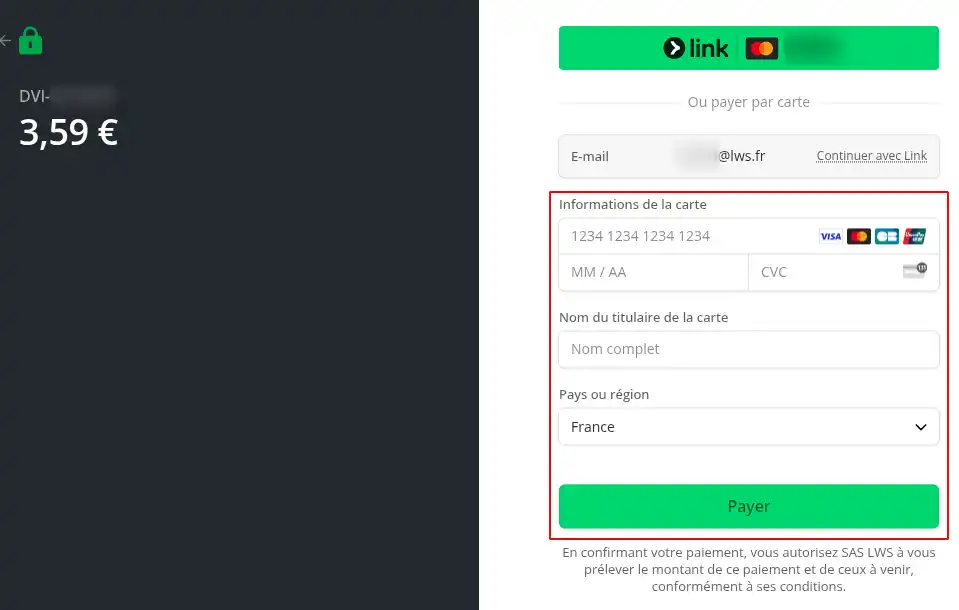
If you do not want to save a payment method on Stripe, you can make a simple payment by clicking the "Pay without Link" link, which will redirect you to the following form:
d. Pay by bank card via PayPal
You can pay by bank card via the PayPal system without creating a PayPal account.
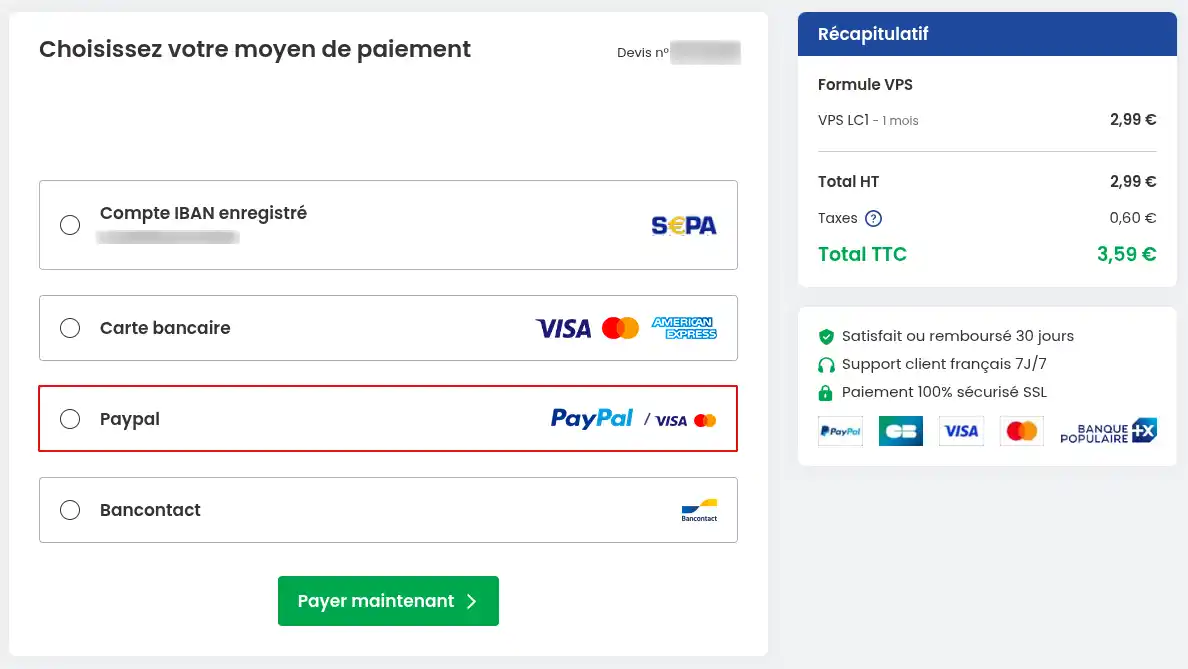
On the payment page, select the "PayPal" method
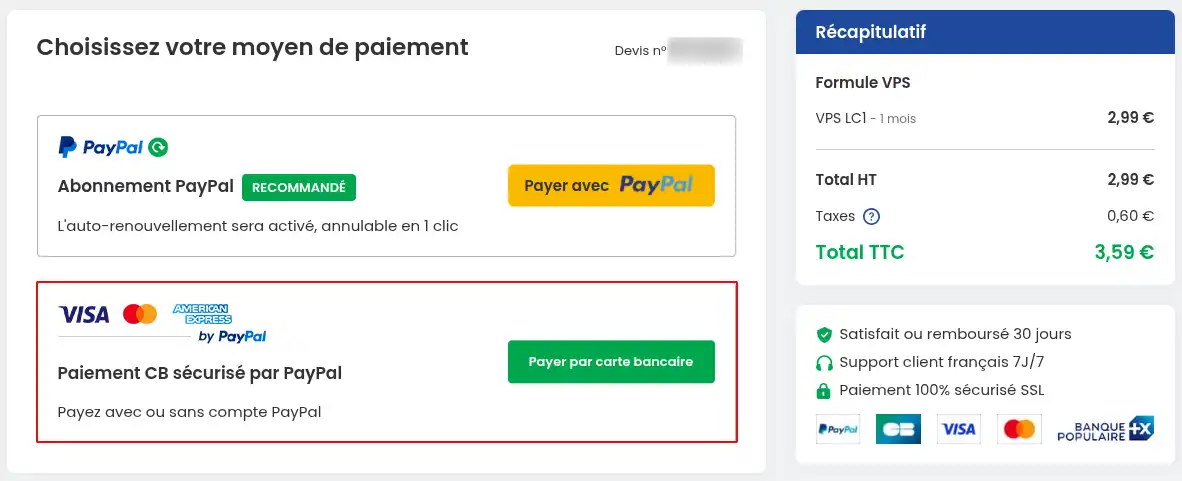
On the next page, click the green "Pay by bank card" button.
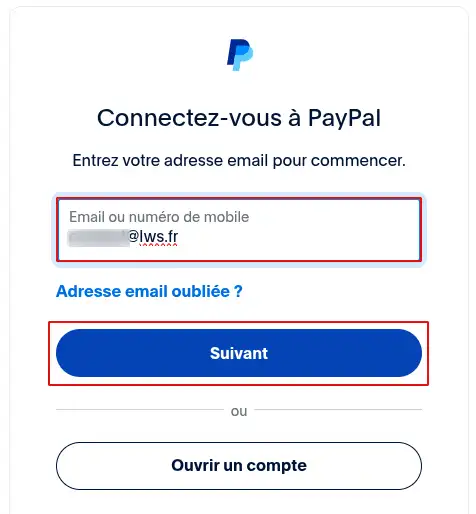
You will then be redirected to PayPal where you will need to enter an email address before clicking the "next" button
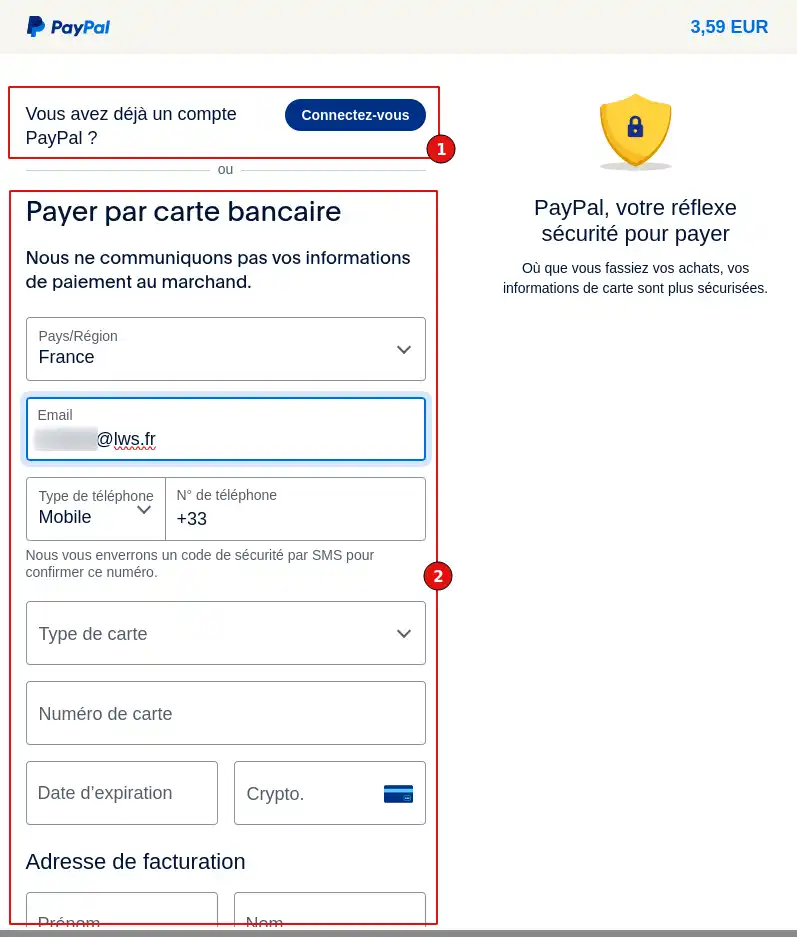
On the next page, you have the option to create a PayPal account (1) to make the payment or simply enter your bank and postal details in the form (2) if you do not wish to create an account.
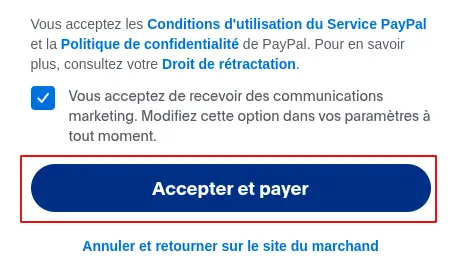
To complete the payment, simply click at the bottom of the form "Accept and pay"
II. Payment by PayPal with a PayPal account
a. Direct payment
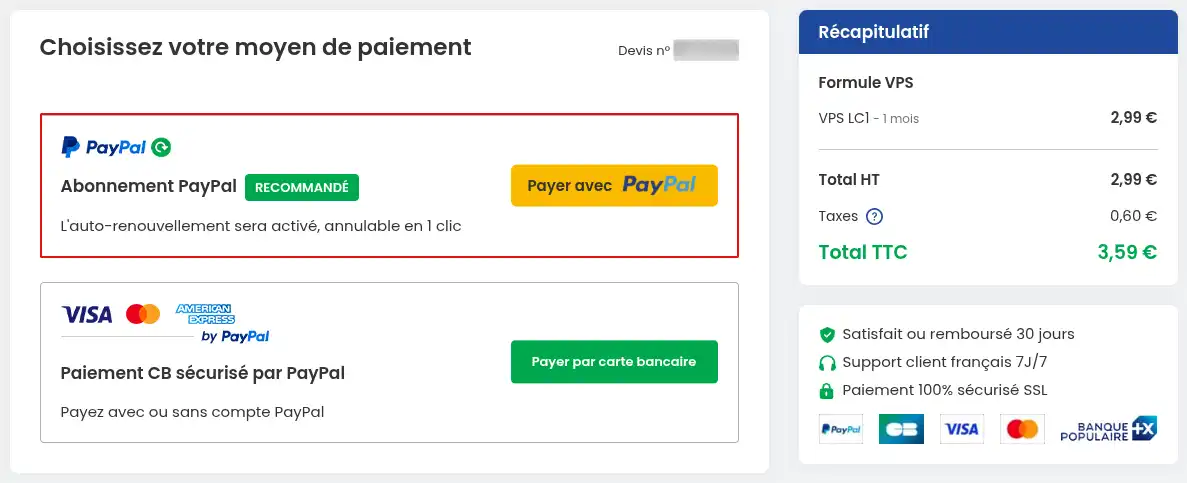
You can pay with your PayPal account for a one-time payment (without automatic renewal on expiry).
On the payment page, select the "PayPal" method
On the next page, click the "Secure card payment via PayPal" choice.
You will then be redirected to PayPal where you will need to enter the email address of your PayPal account before clicking the "next" button
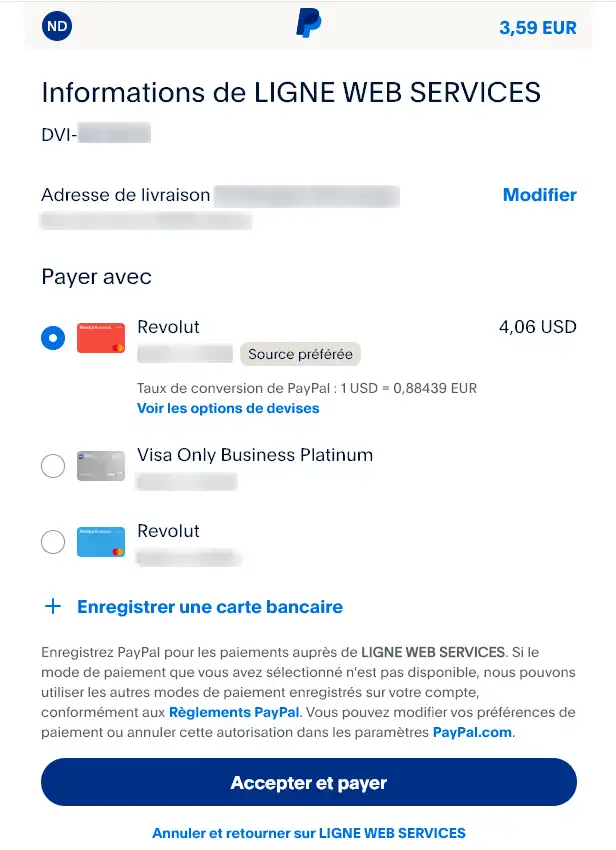
Then enter your login password for your PayPal account and you will be redirected to this page:
All you have to do is choose which payment method you want to use to place your order, then click "Accept and pay".
b. Payment with subscription
You can pay with your PayPal account and automatically enable automatic renewal of the product upon expiry.
On the payment page, select the "PayPal" method
On the next page, click the "PayPal subscription" choice.
You will then be redirected to PayPal where you will need to enter the email address of your PayPal account before clicking the "next" button.
Then enter your login password for your PayPal account and you will be redirected to this page:
All you have to do is choose which payment method you want to use to place your order, then click "Accept and pay". With this payment method, automatic renewal will be enabled automatically for the ordered service, ensuring constant availability and no service interruption in the event of a renewal oversight.
III. Payment by SEPA Direct Debit (France, Belgium, Luxembourg)
SEPA Direct Debit allows you to pay for and renew your services at LWS without a PayPal account or bank card. A simple bank account details form is enough to benefit from it.
At the moment, this payment method is only activated for customers in France, Belgium, and Luxembourg.
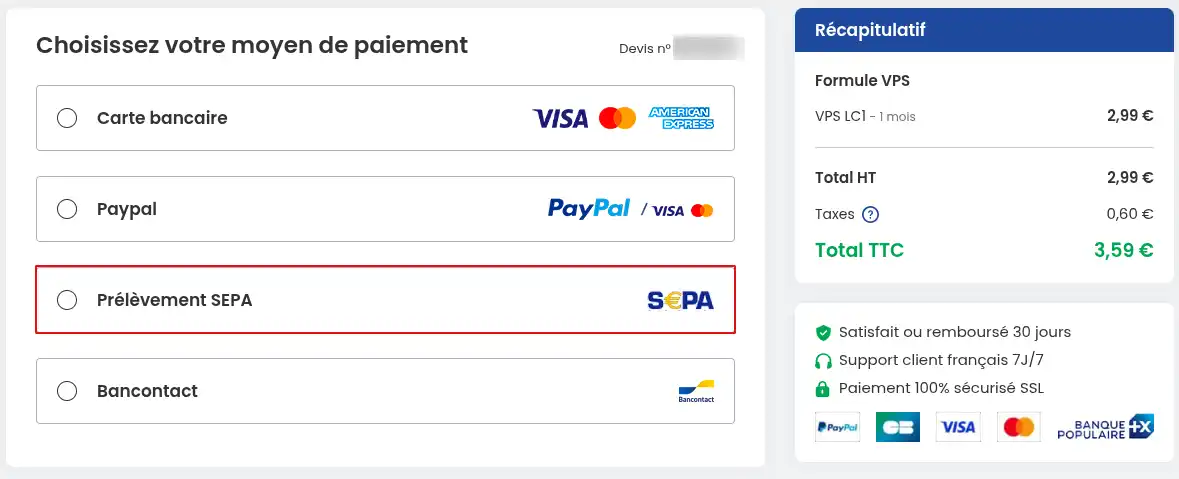
On the payment page, select the "SEPA Direct Debit" method
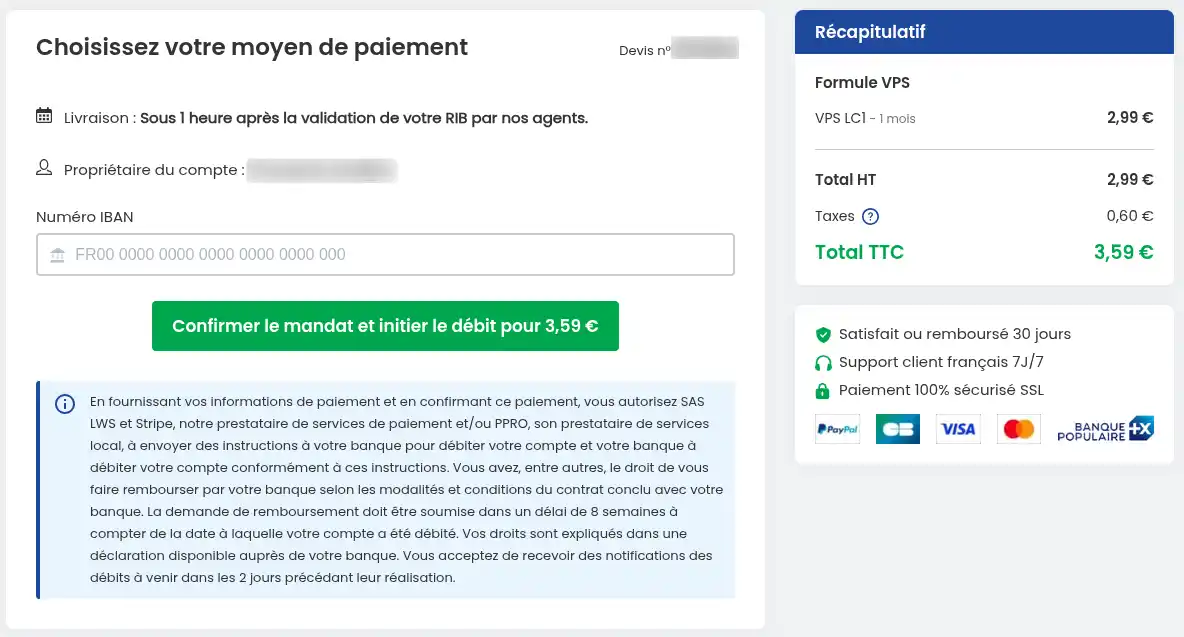
Then enter the IBAN found on your bank account details form.
Warning: in order to pass the subsequent validation step, the bank account details form must be in the same name as the LWS account.
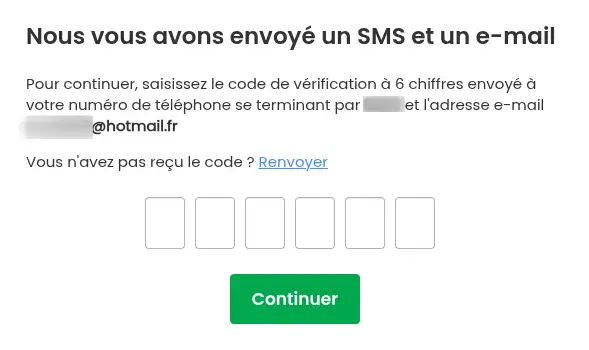
A verification code is sent to you by email and by SMS, which you must enter to confirm your request.
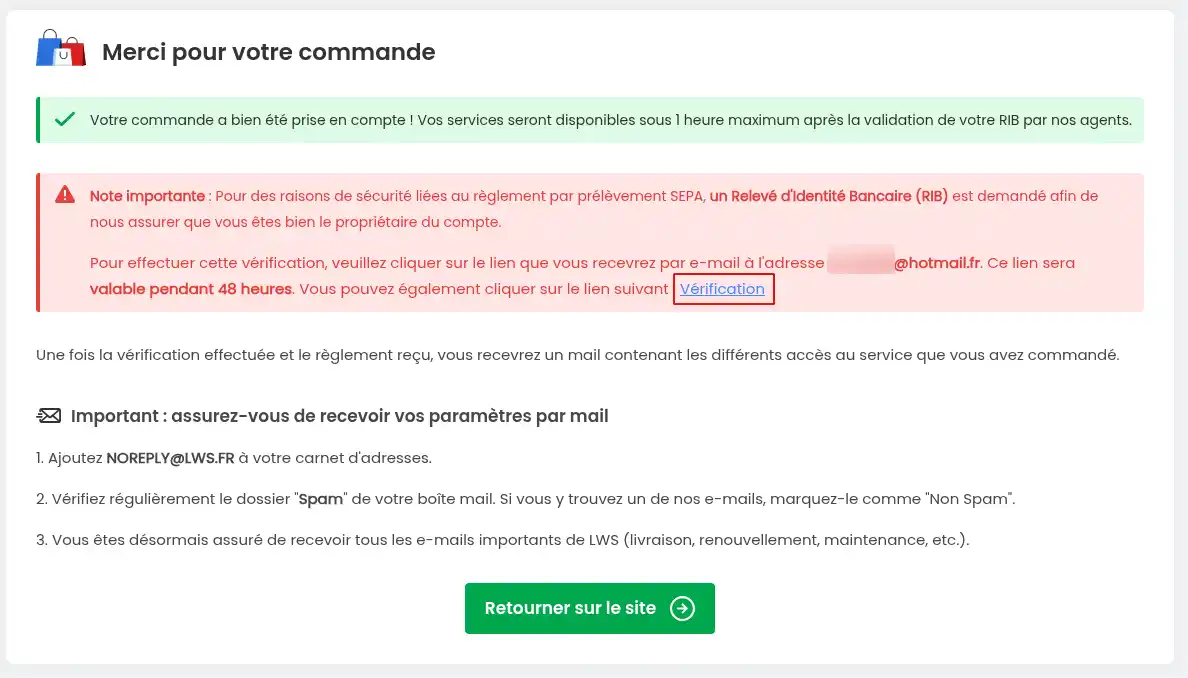
Your code is then saved; there is one last step before your SEPA direct debit is fully validated. This step consists of validating your bank account details form; to do so, click on the "Verification" link or the link you also received by email. You have a maximum of 48 hours to complete this operation.
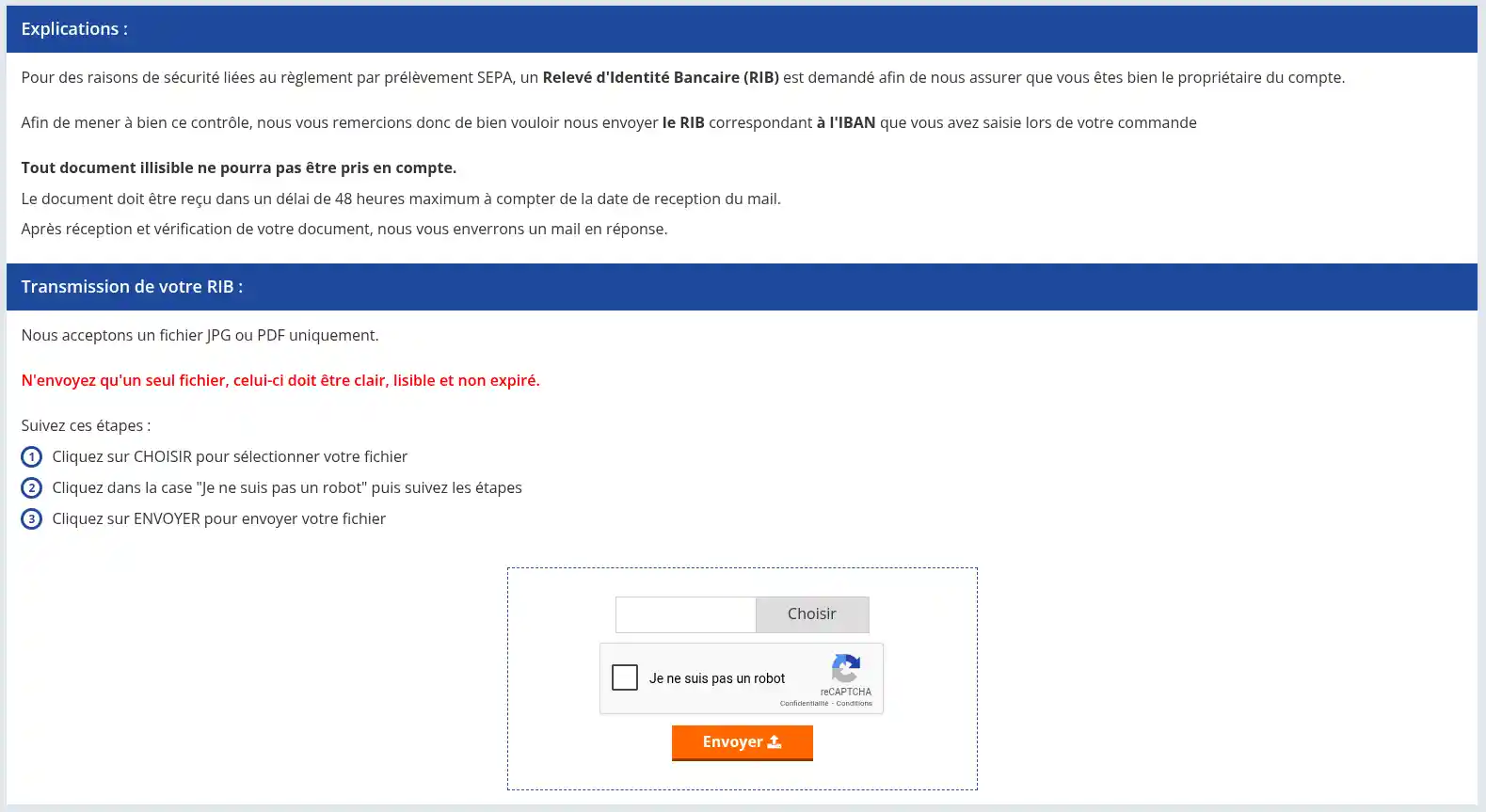
You are then redirected to a page where you can upload a scan or photo of your bank account details form.
Once your bank account details form has been sent, an LWS agent will proceed with the verification. If the bank account details form is compliant, your order will be completed with the "SEPA Direct Debit" payment method and automatically renewed at expiry with this same payment method.
Register an IBAN account in your client area
You can also register an IBAN account from your client area: click on your LWS username at the top right, then on "Edit details"; then open the "Payment methods" tab and click on "Add my IBAN account".
Automatic renewals paid by SEPA Direct Debit are made 15 days before the service expiration date (5 days before for other payment methods). To choose the payment method used for each service, see the help article Managing automatic renewal of your LWS services.
IV. Payment by Bancontact card (Belgium)
Only residents of Belgium can pay with the Bancontact payment method.
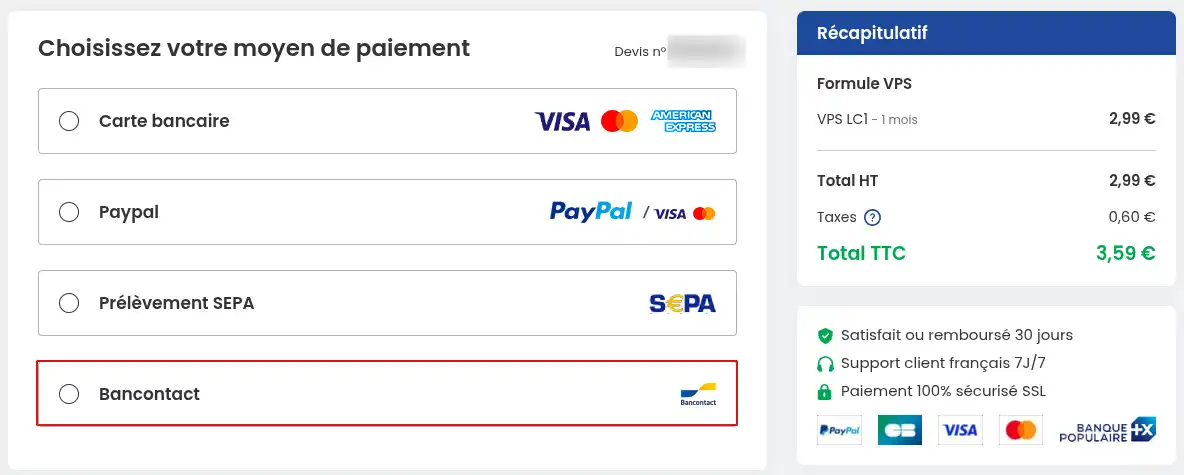
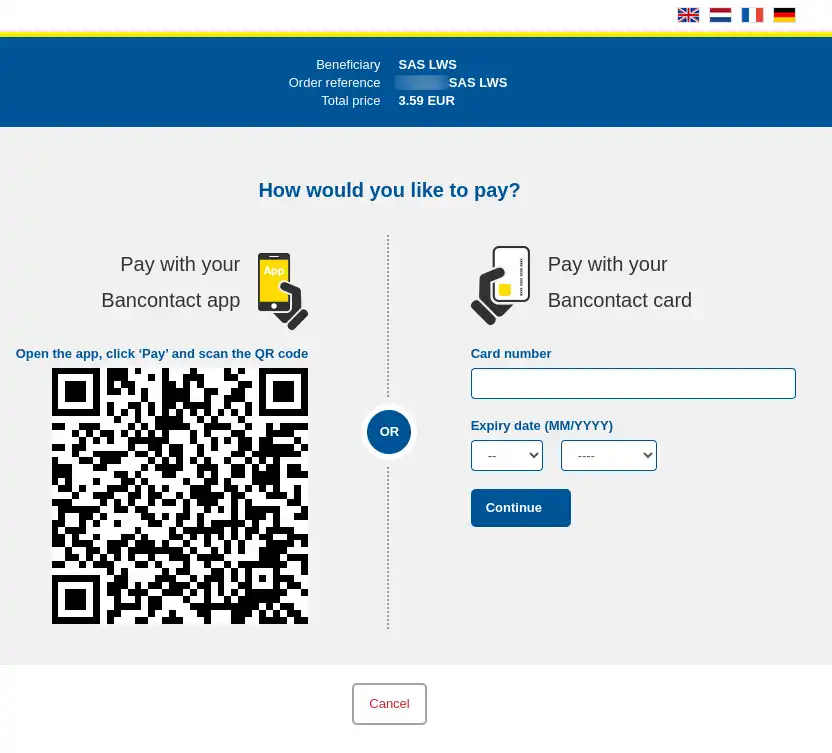
On the payment page, select the "Bancontact" method
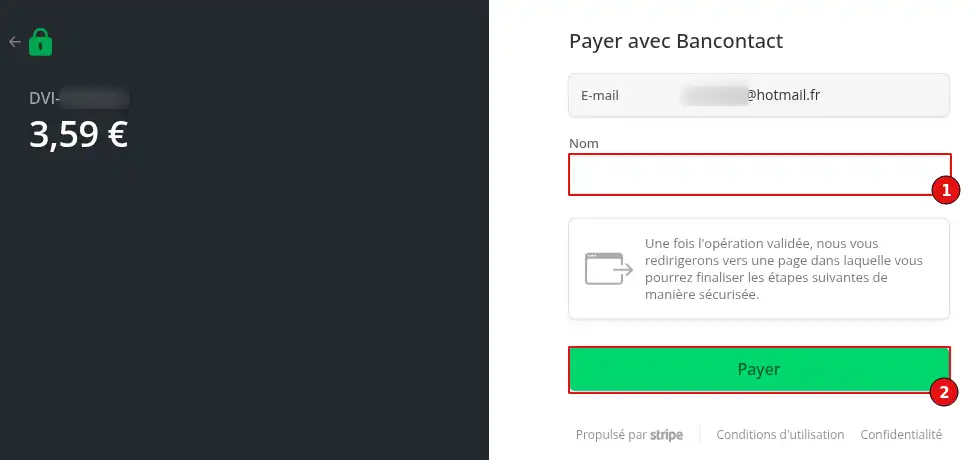
You will then be automatically redirected to Stripe to make the payment.
You will then need to enter your name (1) and click the "Pay" button (2) before being redirected to the Bancontact website to complete the payment by entering your bank card details.
V. Payment by bank transfer
Payment by bank transfer is only authorized for orders over €1000 excluding tax. To benefit from this option if you are eligible, please contact our sales department.
VI. Payment by prepaid account
The prepaid account is a reserve of money intended to facilitate the payment of your orders (new orders, payment for options, transfers, renewals...). The advantage of this type of payment is that it allows you to make your purchases in a single click without having to enter your bank card number or fill out a cheque.
Advantages of the prepaid account and loyalty bonus
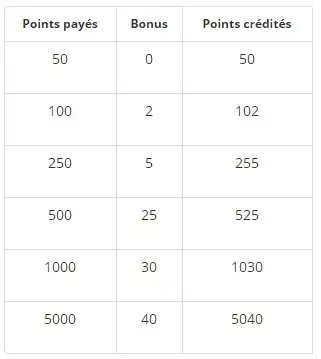
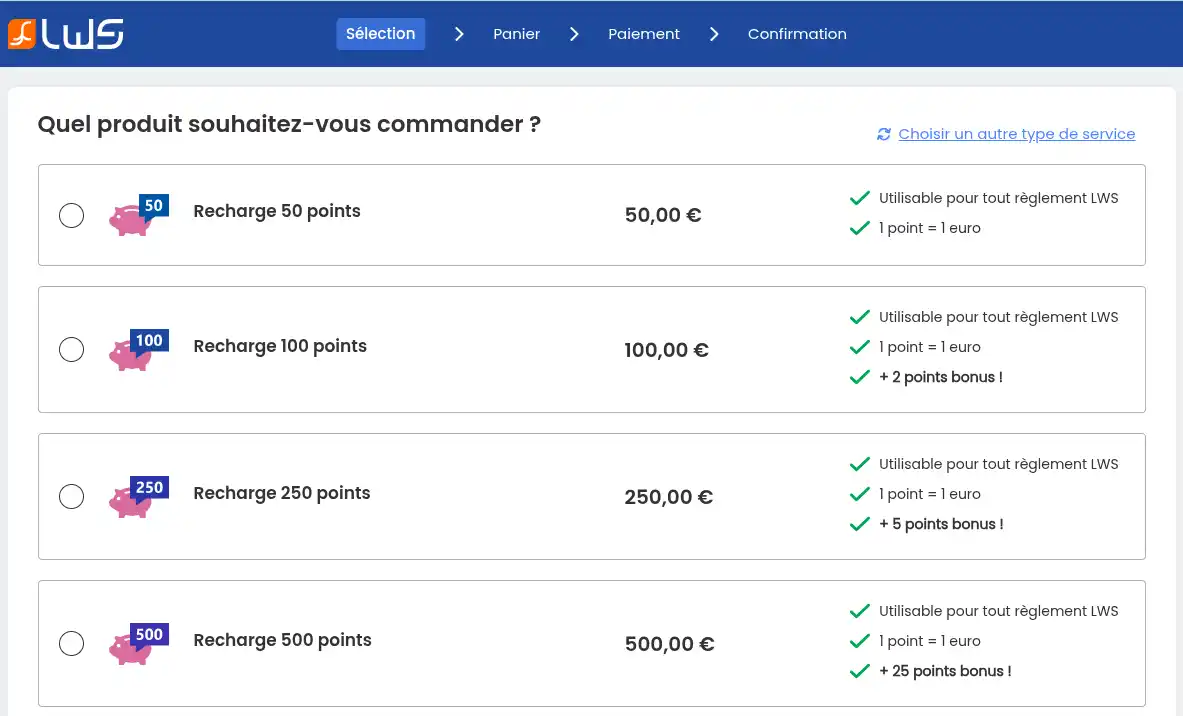
Each credit purchase earns you points!
1 point = 1 euro
For example, if you credit 100 euros to your prepaid account, then you get a bonus of 2 points, giving you 102 euros credited.
The larger the amount you credit, the greater the gain:
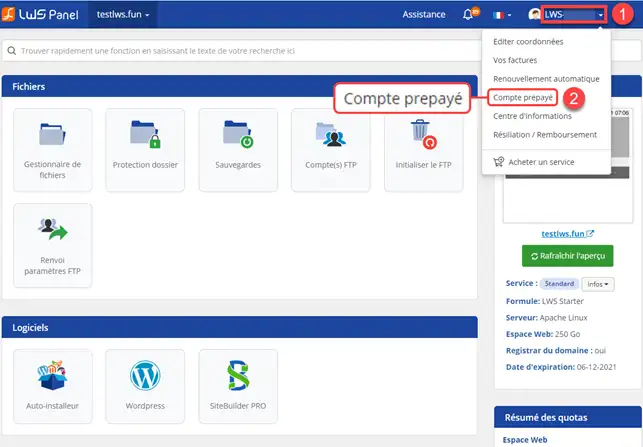
22. Click on your LWS username at the top right, such as "LWS-XXXXXX", then on "Prepaid account"
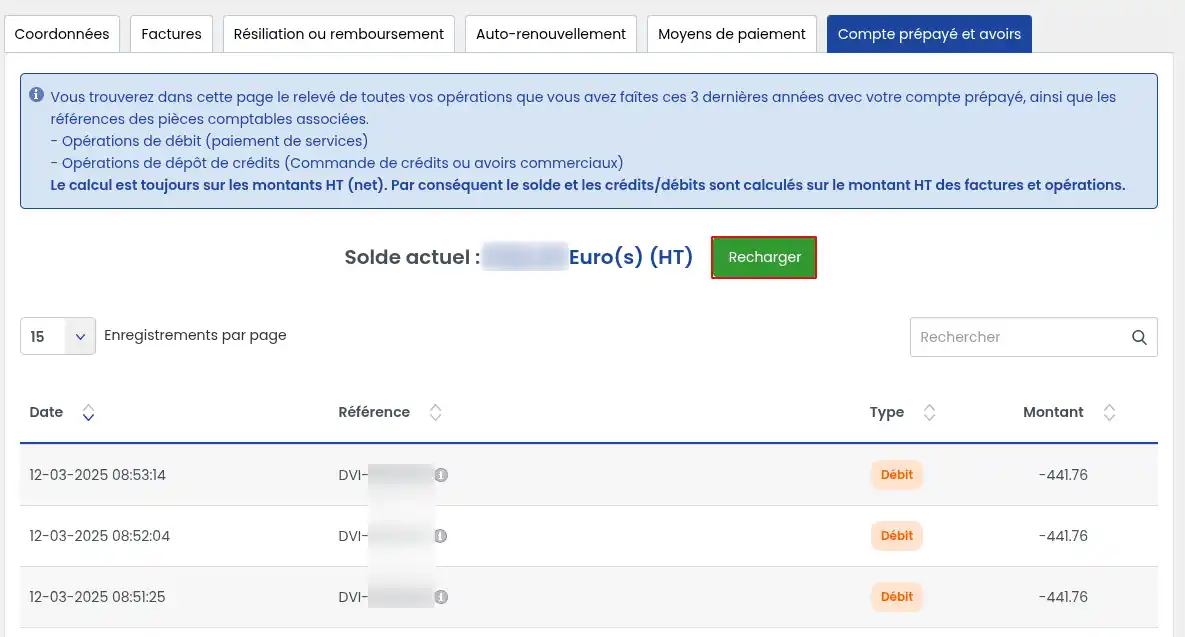
33. You can then order credit for your client account by clicking on "Top up" and also view the list of all transactions carried out on your prepaid account since your LWS Panel client area was opened:
After clicking the "Top up" button, you are redirected to the order form where you can select the desired top-up level. You then just need to continue with the payment form.
How do I pay for my service with my prepaid account?
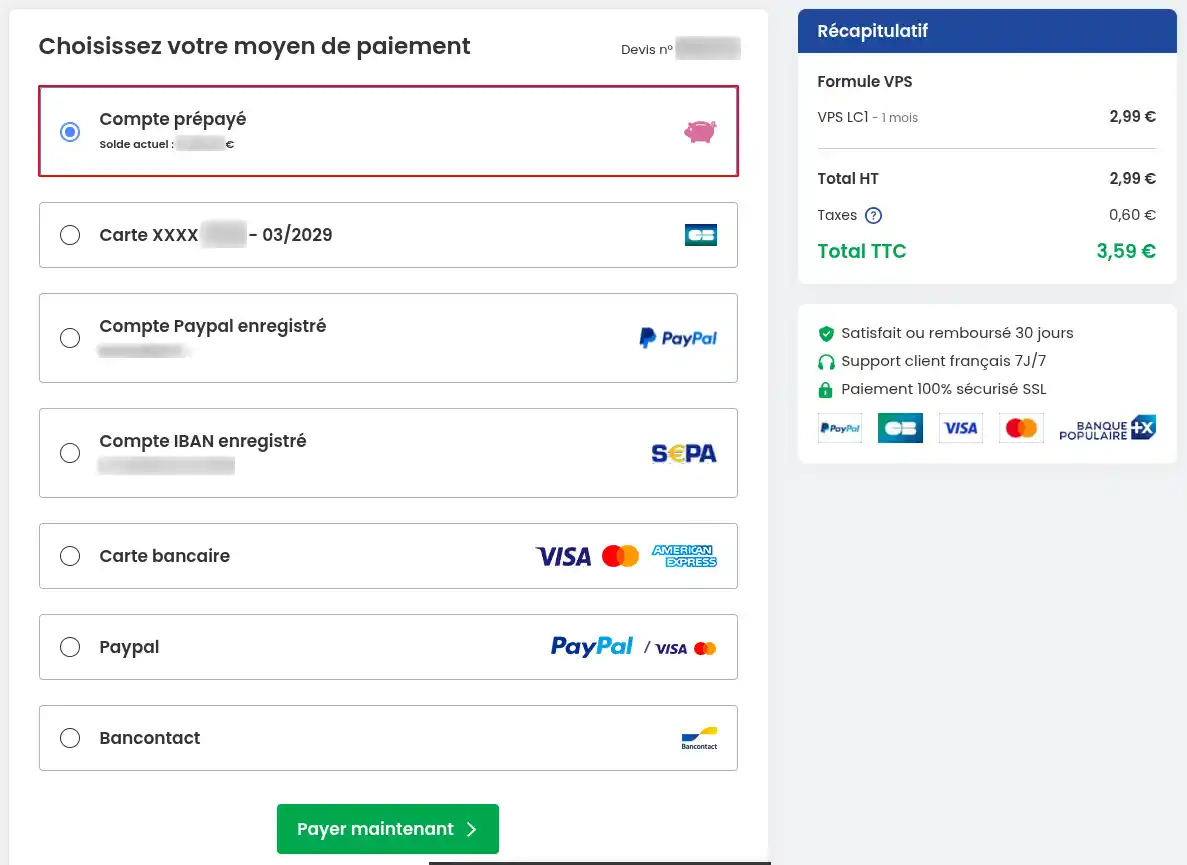
To use your prepaid account to validate an order or a quote, your prepaid credit amount must be greater than the amount to be paid. In other words, you cannot deduct your credit and pay the difference: if you want to use this credit, you must therefore top up your account first.
If your balance is sufficient, you will see on your quote the payment method by prepaid credit, with the details of the initial balance and the remaining balance:
VII. Payment by cheque
Since March 16, 2020, LWS no longer authorizes payment by bank cheque for any order or renewal of a service. If we receive a payment by cheque sent by postal mail from you, the cheque will be automatically destroyed and your order cannot be completed.
Conclusion
You now know how to:
Pay by Bank Card with different options such as direct payment, payment with a pre-registered card, via Stripe or PayPal.
Use PayPal payment for secure transactions, with or without a PayPal account, and with the option to activate a subscription for automatic renewal.
Opt for SEPA Direct Debit if you are in France, Belgium, or Luxembourg, using only your bank account details form.
Benefit from payment by Bancontact if you live in Belgium.
Top up your LWS Prepaid Account for simplified purchases and to benefit from loyalty bonuses.
Understand that Bank Transfer payment is reserved for orders over €1000 excluding tax.
Recognize that payment by Cheque is no longer accepted at LWS.
🌟 With this information, you are ready to carry out your transactions at LWS with complete peace of mind and using the payment method that suits you best. 🛒✅
Thank you for reading, and we hope this article has been useful to you. Feel free to share your experience or ask questions by leaving a comment. Your opinion matters to us! 💬👍
Bonjour, j'ai changé de banque et je n'arrive pas à enregistrer ma nouvelle carte, l'authentification réussi mais à la fin un message me dit "Paiement refusé". J'ai déjà ajouter mon iban pour les renouvellements possible mais les autres je ne peux pas les mettre en renouvellement iban car déjà en cours de prélévement. alors comment dois-je faire ? Merci de votre retour
M✓
Maxence-LWS Official answer
il y a 3 mois
Bonjour,
Je vous remercie pour votre message.
Je suis désolé de l'inconfort que vous rencontrez avec nos services.
Malheureusement je ne visualise pas vos coordonnées sur ce message public.
Pour régler ce type d'anomalie je vous invite à contacter notre service commercial, par ce biais : https://www.lws.fr/contact_formulaire.php
Je vous souhaite une excellente soirée.
Cordialement, L'équipe LWS.
Was this answer helpful?
A question about this article?
Ask the LWS team and the community. Answers are published after moderation.
Ask the LWS team and its community a question
!
To enable this form, please tick the two consent boxes below.



 Yes
 No
 About
