
Online help
The web host accessible to all
Procédure
A database (its abbreviation is BD, in English DB, database) is an entity in which it is possible to store data in a structured way with as little redundancy as possible.
This data must be usable by programs and by different users.
If you have opted for a configuration with ISPconfig, these databases are necessarily MySQL databases.
This compatibility will allow you to install the vast majority of CMS (Content Management System or content management system) available on the market (Wordpress, Joomla, Prestashop, Moodle etc ...)
To connect to a database, you must provide 4 parameters:
You can find connection scripts by using the official PHP documentation
INFORMATION: before creating a Mysql user, check that when creating your domain on ISPCONFIG, you have correctly entered the term "client (client)" in the "Client" field.
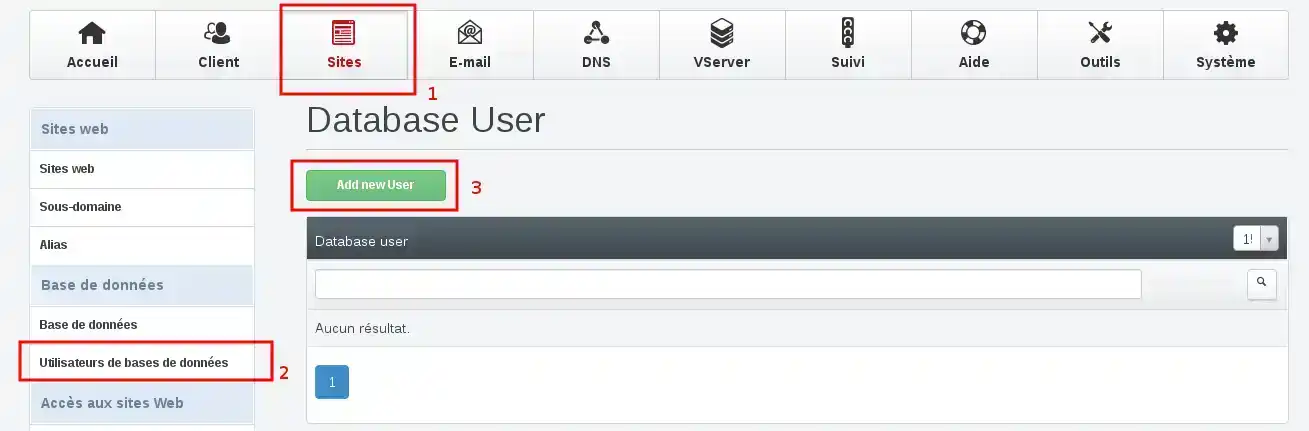
2. We will first create a database user. To do this, click on Sites > Database users > Add New User
3. Fill in the available fields, then click "Save". Be careful to select the same Client as the one chosen when creating your site.
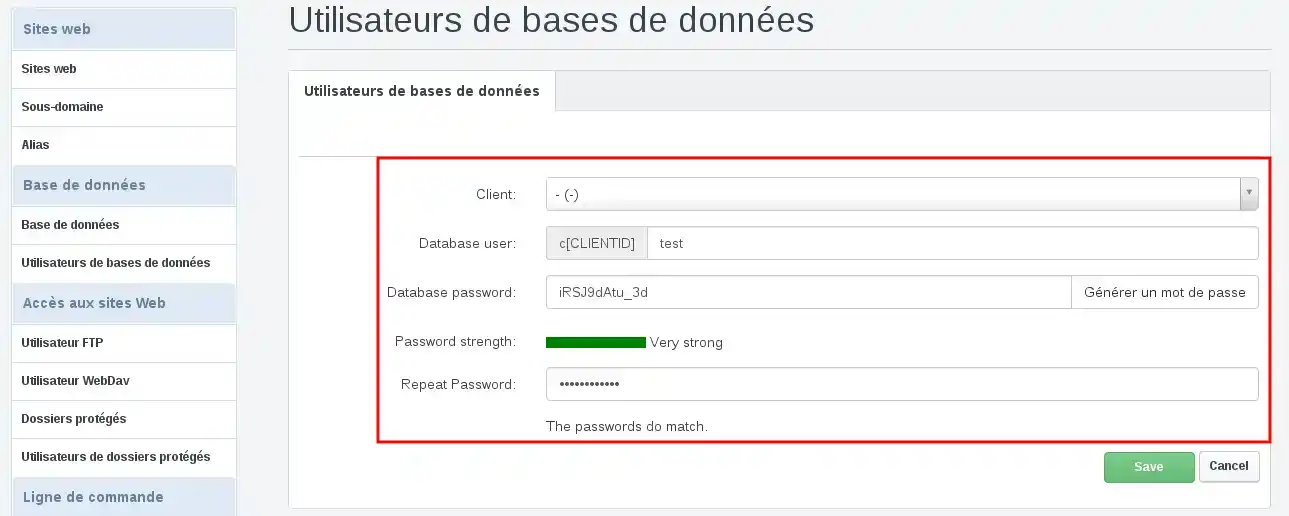
Below you can find the correspondences in French:
Database user = Username of the database
Database password = Password of the database
Repeat Database password = Repeat the password of the database.
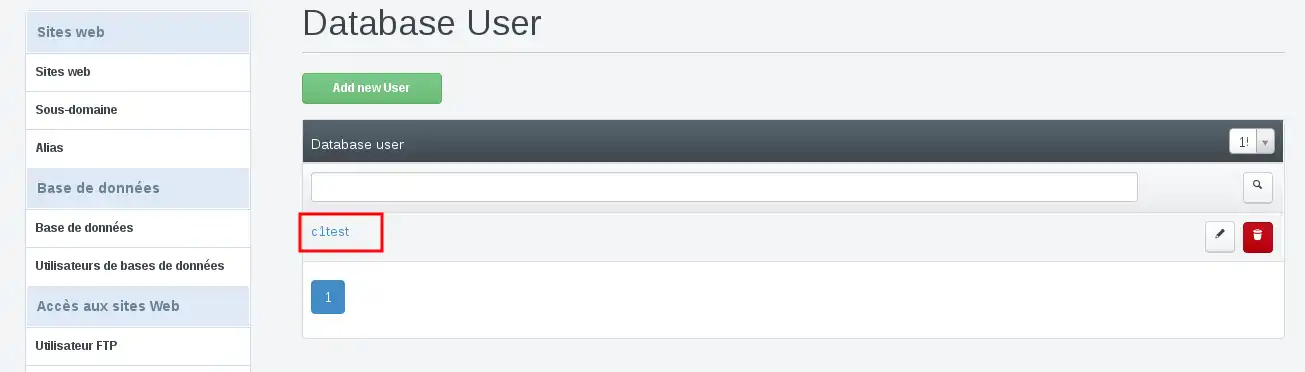
4. If you have entered these elements correctly, you should get this screen
5. We will now create a database and indicate that we want to connect with the user we have just created.
To do this Sites > Databases > Add database
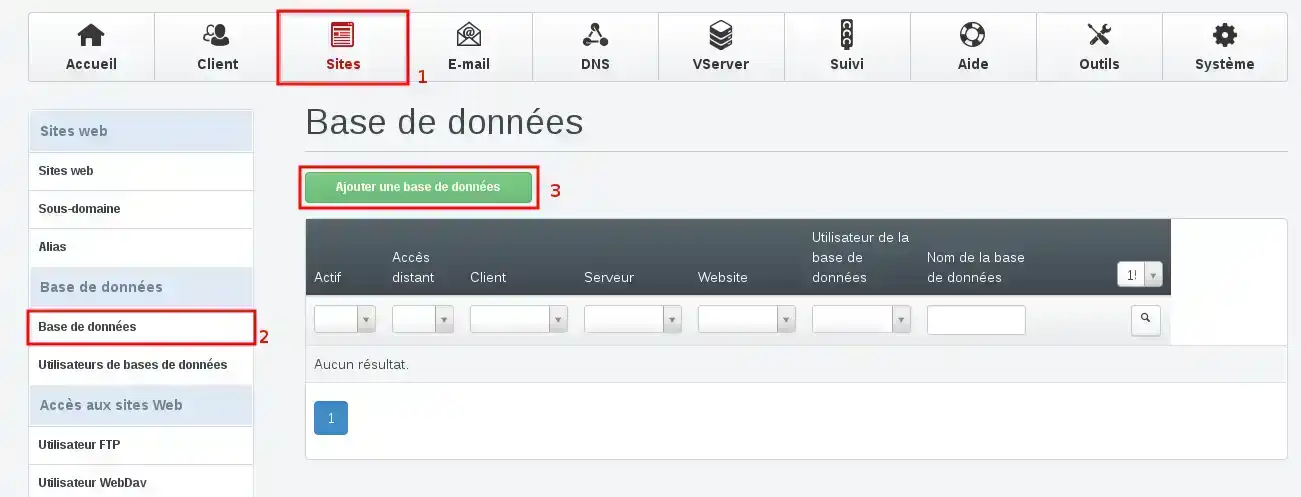
6. For a standard configuration, you must select your database type, add a database name, then select the database username.
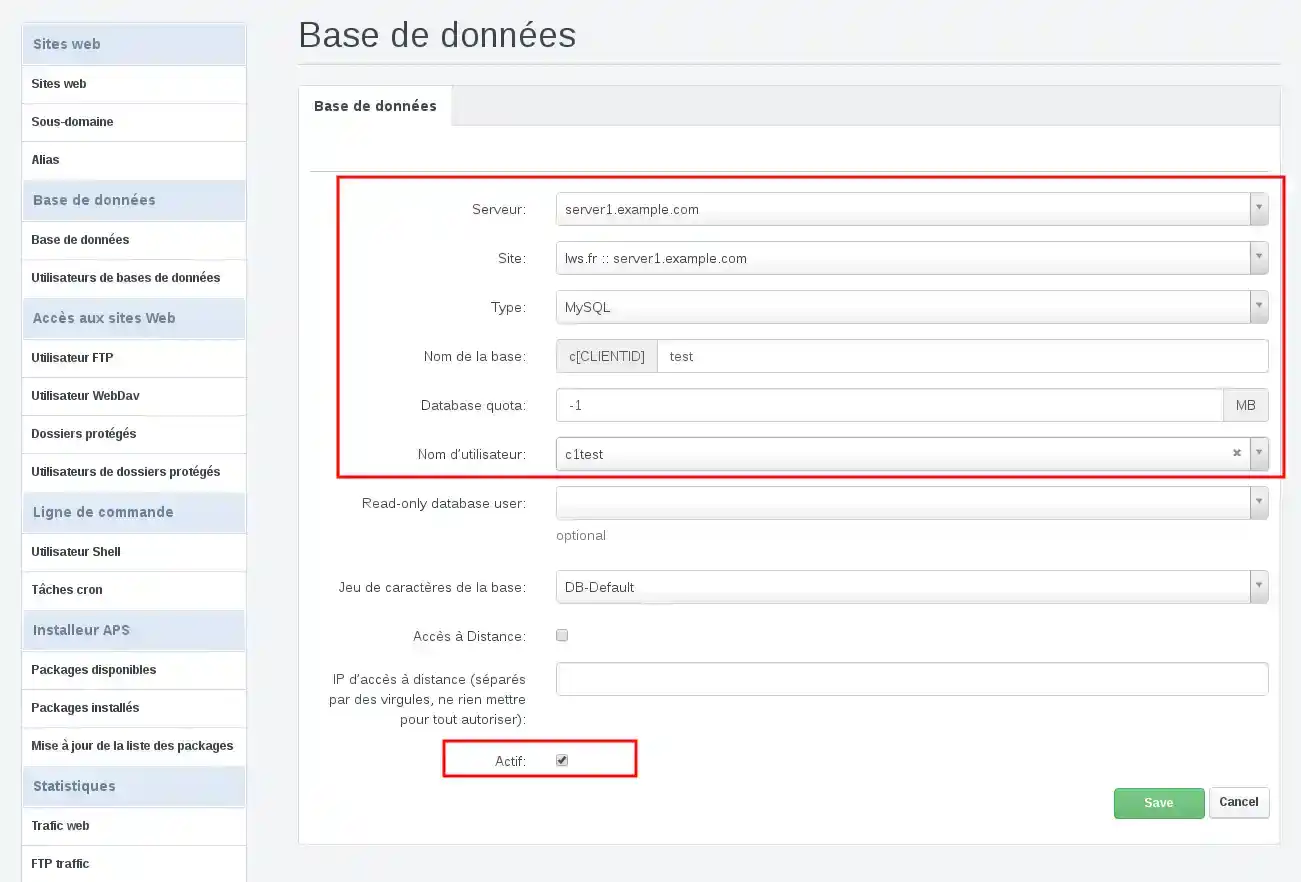
When you have completed these elements, you can click on "Save"
You have now created a database.
Ask the LWS team and the community. Answers are published after moderation.
 About LWS :
LWS is a 100% French web hosting company that focuses on quality and innovation and offers a responsive and competent technical service at affordable prices.
About LWS :
LWS is a 100% French web hosting company that focuses on quality and innovation and offers a responsive and competent technical service at affordable prices.



 Yes
Yes No
No