
Online help
The web host accessible to all
Procédure
1. Log in to your LWS Panel customer area and then log in to isp config
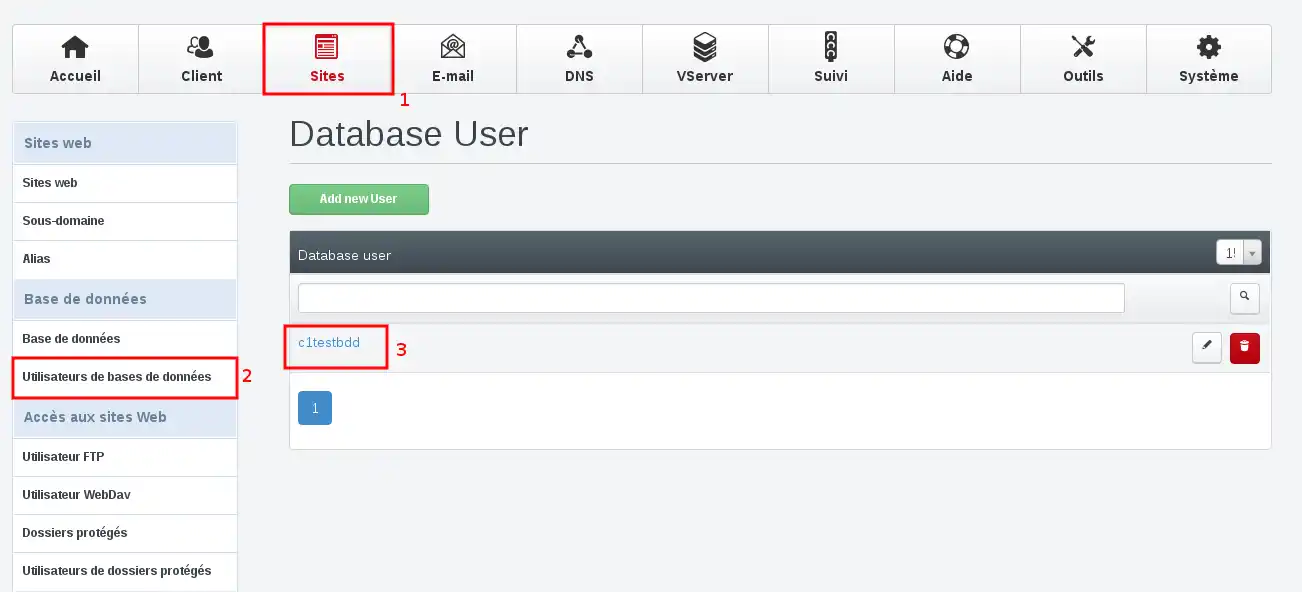
2. Go to the"sites" tab, click on"database users" and select the user concerned:
3. Generate a new password, remembering to keep it in a safe place, then click on the"Save" button.
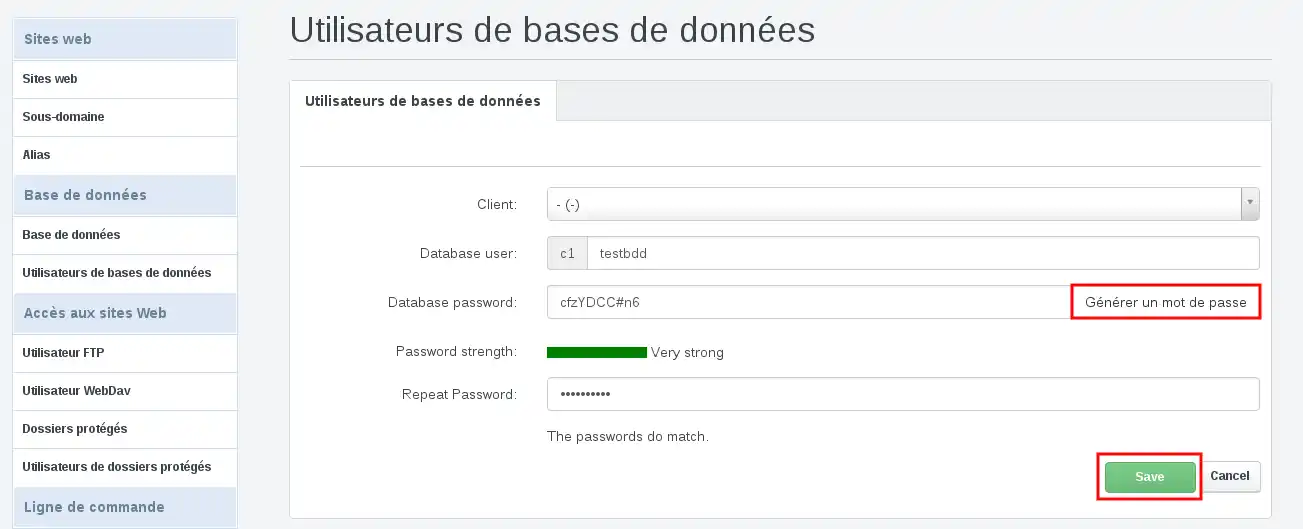
4. Your password change has been taken into account.
Changing a database password can cause your CMS to malfunction if it is configured for this database. To solve the problem, you will need to modify your CMS configuration file to include your new database connection password.
Here is where to find the file to modify for the main CMSWordpress: /wp-config.php Drupal: /sites/default/settings.php Joomla: /configuration.php Prestashop 1.6: /config/settings.inc.php Prestashop 1.7: /app/config/parameters.php
Ask the LWS team and the community. Answers are published after moderation.
 About LWS :
LWS is a 100% French web hosting company that focuses on quality and innovation and offers a responsive and competent technical service at affordable prices.
About LWS :
LWS is a 100% French web hosting company that focuses on quality and innovation and offers a responsive and competent technical service at affordable prices.



 Yes
Yes No
No