
Online help
The web host accessible to all
Procédure
You can configure your MySQL server so that it can be accessed from a remote server. This can be useful if you want your database server to be separate from your web server or other servers.
If your VPS server was delivered after 1 September 2013, the MySQL service is basically open to the outside world: you can therefore skip steps 1, 2, 3 and 4.
1. Connect to your dedicated VPS server using SSH
2. Edit the MySQL configuration file using the following command :
nano /etc/mysql/my.cnf
nano /etc/mysql/mariadb.conf.d/50-server.cnf
3) Modify and save the :
Replace the following line :

with

Then save the file :

4) Restart the MySQL server to save your changes, using the following command:

5) Connect to your ISPConfig management panel, under the "Sites" tab, "Database" section, "Add a database" button:
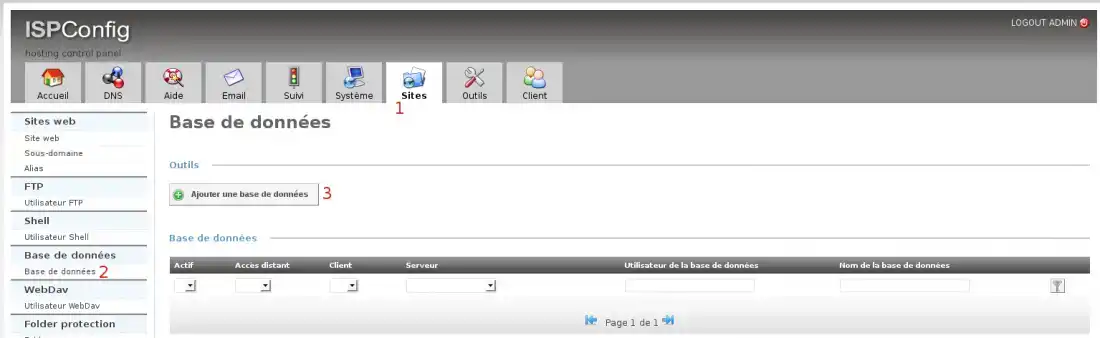
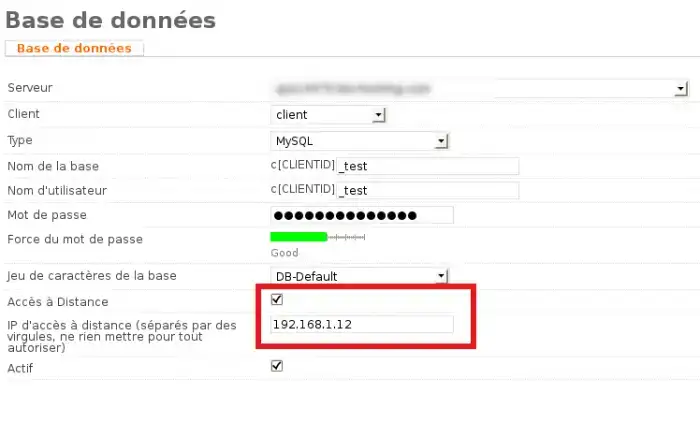
6) Tick Remote Access, then add your IP address(find out your IP address here) in the Remote Access IP field.
If you want to authorise more than one, separate them with commas. Leave blank to authorise everything:
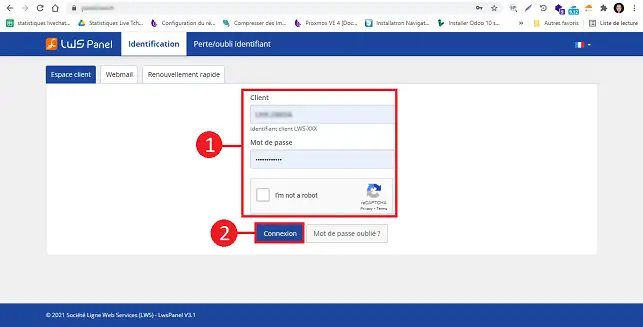
7) Finally, you will need to open TCP port 3306 in your server's firewall. To do this, connect to your LWS Customer Area,
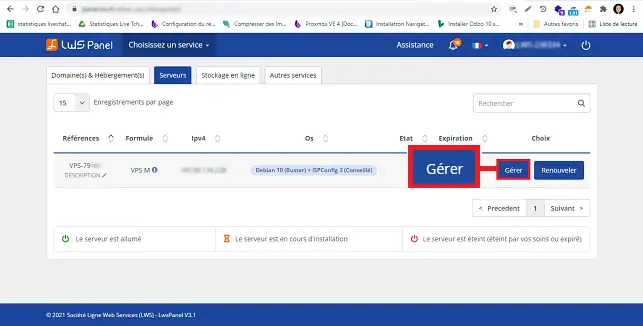
8. Click on"Servers".
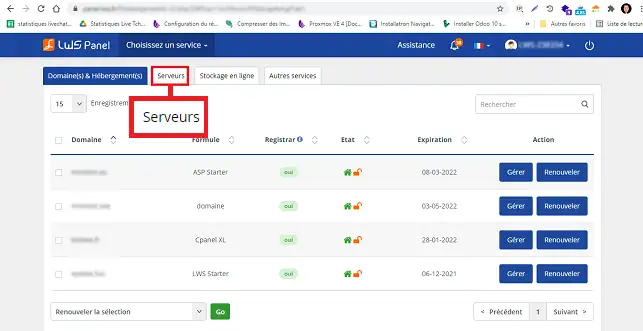
9. Click on"Manage" behind the server for which you want to open the port.
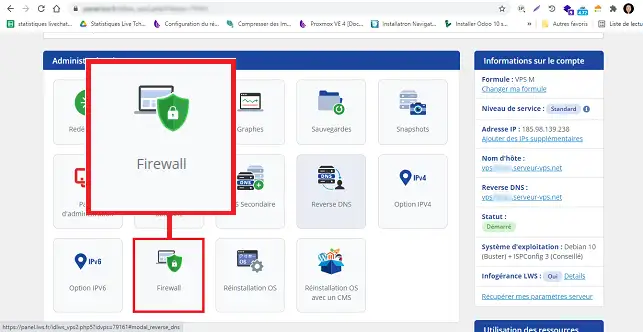
10. Then select"Firewall":
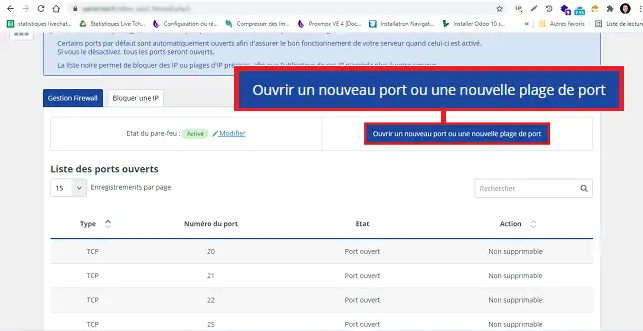
11. Click on the"Open a new port or port range" button.
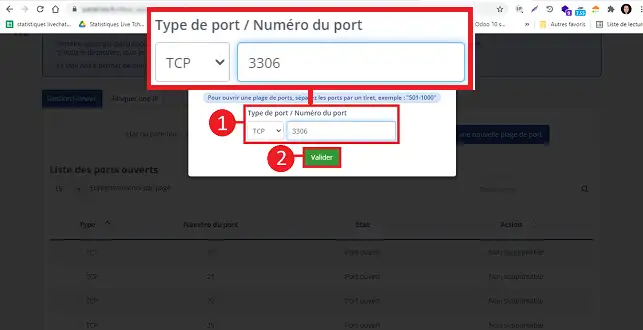
12. Specify the TCP port you want to open and click on the"Validate" button to save your request.
For people who don't want to connect directly via SSH (it's easy to make a handling error), LWS offers managed services.
There are two solutions: either you have subscribed to a support option: this intervention is included in your package --> simply open an incident ticket with the technical department to indicate which IP(s) should be authorised.
Or, you can set up a one-off managed service: a technician will call you back within the hour and carry out the work with you. The technician will take the time to answer your questions and explain the changes you have made.
Ask the LWS team and the community. Answers are published after moderation.
 About LWS :
LWS is a 100% French web hosting company that focuses on quality and innovation and offers a responsive and competent technical service at affordable prices.
About LWS :
LWS is a 100% French web hosting company that focuses on quality and innovation and offers a responsive and competent technical service at affordable prices.



 Yes
Yes No
No