Procédure
Introduction
Welcome to this detailed documentation for creating a professional email address (Mail Pro) with LWS. A Mail Pro address is created from the LWS Panel, from a Mail Pro plan that has already been ordered: Pro S (10 GB), Pro M (20 GB), Pro L (50 GB), Pro XL (100 GB) or Pro XL2 (200 GB).
I. Before you begin
Before explaining the process of creating a professional email address, you must make sure that you have a Mail Pro service previously ordered on your customer area, or Mail Pro plans ordered for your domain, and that you still have available Mail Pro addresses to create new ones.
To carry out these checks, follow these different steps:
Step 1 : First, you must log in to your LWS account and access the shared hosting or mail service for which you want to create professional email addresses.
If you have not yet ordered any Mail Pro plan, you must first purchase Mail Pro addresses in sufficient quantity for your needs.
Step 2 : Access the management of your email addresses:
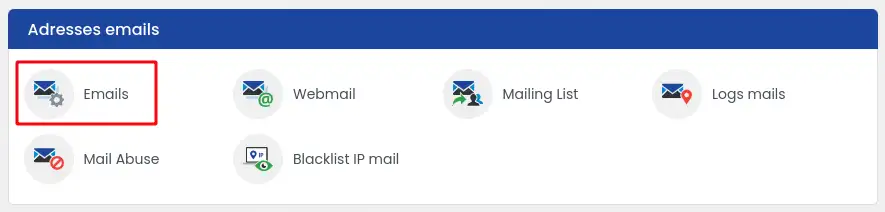
- for a domain name or an LWS Panel hosting plan, click the « Emails » icon in the « Email addresses » section;
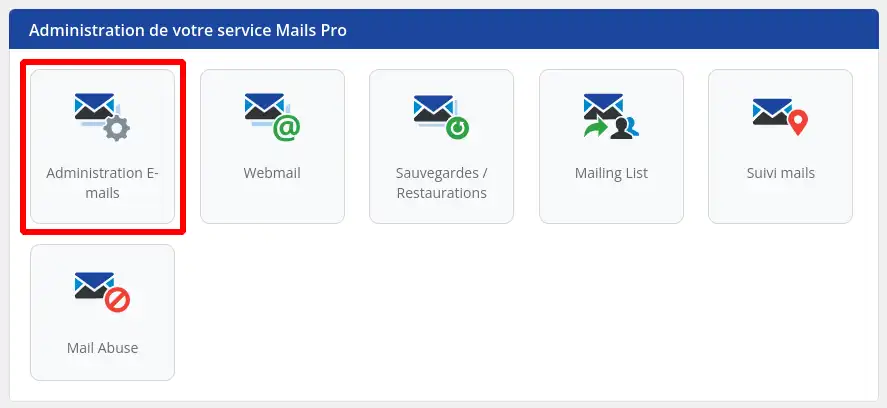
- for a Mail Pro service ordered on its own (« Mails Pro - your domain », in the « Other services » tab of your customer area), click the « Email Administration » icon in the « Administration of your Mails Pro service » section.
Step 3 : You can check the number of Mail Pro addresses used and the number still available by looking at the counters displayed in the right-hand column of your email management area.
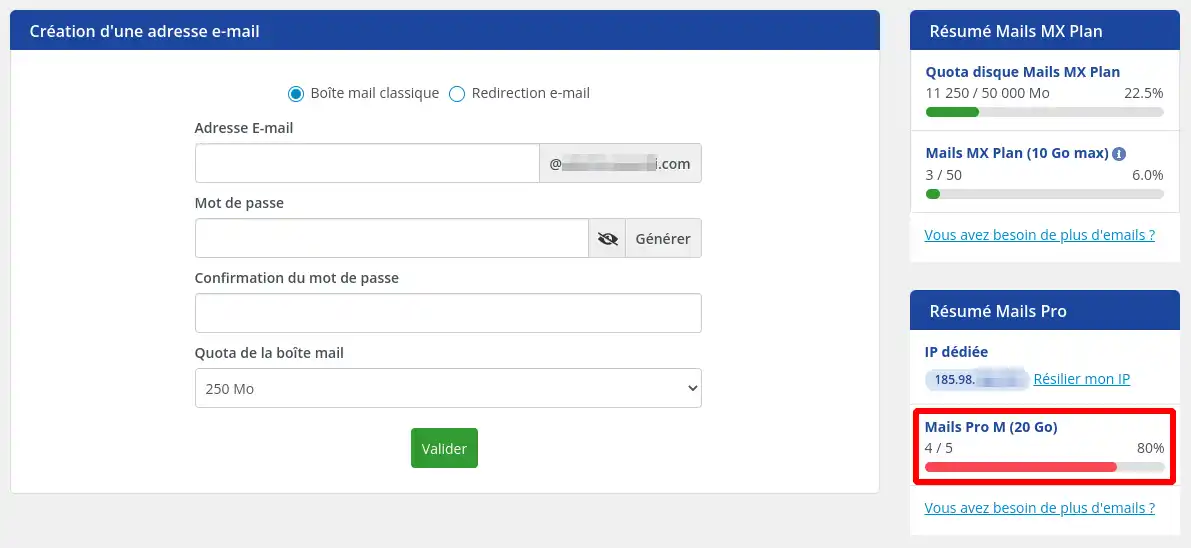
If you still have available addresses, you can move on to the next step, which will allow you to create your email address.
If, on the other hand, you no longer have any available Mail Pro addresses, order new ones using the « Modify my mail plan » link in the « Summary of the current plan » block in the right-hand column, as explained in the help article How do I modify the quota of an email address from the LWS Panel?. Pro XL and Pro XL2 plans can only be ordered from your customer area (LWS Panel), not on the lws.fr website.
II. How do you create a Pro Email address?
If you had to order new addresses, return to the management of your email addresses by following the steps in section « I. Before you begin » of this documentation.
Then follow these steps to create a new email address:
Step 1 : In the « Creating an email address » block, click « + Create an email address » if the form is not already displayed, then fill in the following information:
- « Choice type » : leave « Classic mailbox »;
- « Email address » : the text that will make up your email address before the « @domain.ext » part. For example: contact, sales, support, firstname.lastname, etc.;
- « Password » : a password of your choice that meets the security requirements below, or click the « Generate » button (make sure to note the generated password immediately);
- « Choose the mailbox type » : to make the address a Mail Pro address, choose the Mail Pro plan you ordered: Pro S (10 GB), Pro M (20 GB), Pro L (50 GB), Pro XL (100 GB) or Pro XL2 (200 GB). The « Standard » choice creates a Standard mailbox, included with your domain or hosting plan.
If you choose to enter your own password, you must ensure that it strictly meets the following rules to be accepted:
- be between 10 and 15 characters long
- contain at least one special character from the following list only - ! * $ @ % _
- contain at least 1 digit between 0 and 9
- contain at least one lowercase letter
- contain at least one uppercase letter
Step 2 : Click « Create ».
Step 3 : A dialog box appears to confirm the creation of the email address. If an error appears, check the information entered in Step 1 (a password without a special character from the list above is rejected).
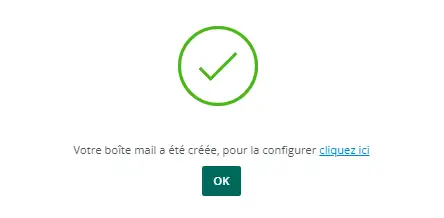
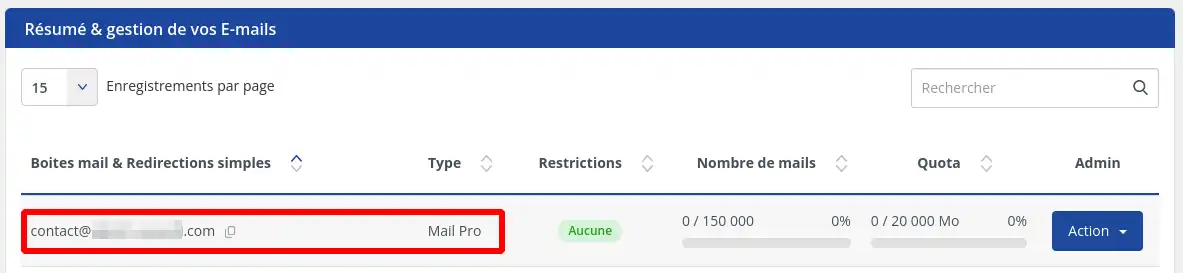
Then click « OK », your email address should then appear in the table of created emails with the Type: Mail Pro.
Conclusion
Congratulations, you have completed all the necessary steps to create a professional email address with LWS. You can now configure it in your email software or use it from webmail.


 Yes
 No
 About
